






Run CMPivot Queries from Intune Portal | SCCM | ConfigMgr
today, I will explain how to execute CMPivot queries from the Intune admin center. Microsoft Intune simplifies running CMPivot queries on tenant-attached devices and evaluating their status in your environment.
Let’s check a new tenant-attached CMPivot feature made available with the release of ConfigMgr 2006. Now, you can check the options to Run CMPivot Queries from Intune Portal (a.k.a. Microsoft Endpoint Manager admin center).
When using Configuration Manager, the CMPivot query enables real-time data retrieval from all currently connected devices in the selected collection. Microsoft has enhanced the CMPivot feature in Intune, allowing you to execute CMPivot queries on the tenant-attached devices.
Let’s revise the details about CMPivot from the ConfigMgr console. At the bottom of this post, we will see more information about running CMPivot Queries from the Intune portal.

| Index |
|---|
| Prerequisites |
| What is CMPivot? |
| Launch CMPivot from the Intune Portal |
| Process and Troubleshooting |
| Results |
Prerequisites
Let’s quickly check the prerequisite to enable CMPivot access from the Intune portal.
To Run CMPivot Queries from Intune Portal, you need to have the following prerequisites completed.
NOTE! The permissions for the tenant are updated. You don’t need to give permissions to Configuration Manager Microservice https://docs.microsoft.com/en-us/mem/configmgr/tenant-attach/client-details#permissions
- All of the prerequisites for the Tenant are attached: SCCM client details.
- The minimum supported version of ConfigMgr is 2006.
- All sites (child primary and secondary servers) in the hierarchy must meet the minimum ConfigMgr version 2006 requirement.
- ConfigMgr clients must be running the latest version of the client. Check whether your client version is the latest one mentioned in the GA of ConfigMgr 2006.
- You should have appropriate access to run the CMPivot from SCCM and Intune.
- The Read permission for the device’s Collection.
- The Run CMPivot permission on the Collection.
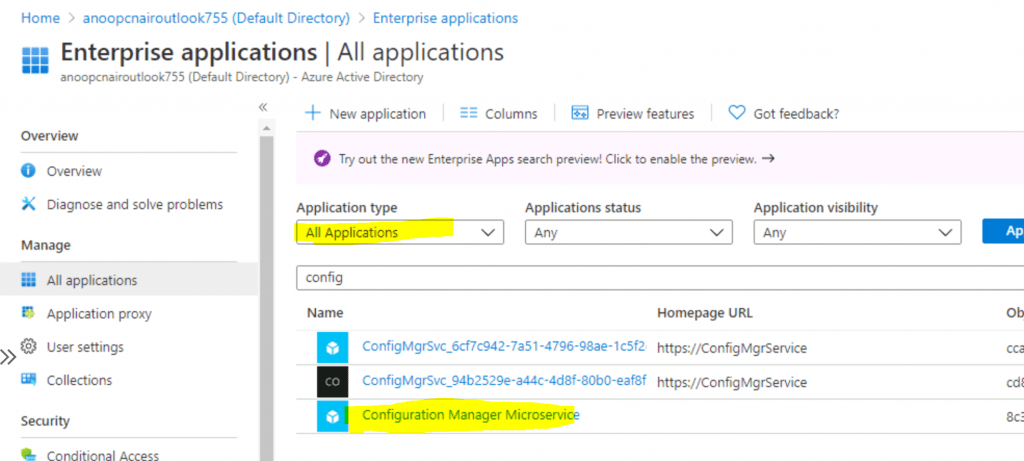
- The Admin User role for the Configuration Manager Microservice application in Azure AD.
- You can add the role in Azure AD from Enterprise applications > Configuration Manager Microservice > Users and groups > Add user. Groups are supported if you have Azure AD premium.
Related Post – Fix ConfigMgr Tenant Attach Error 401 403 | Missing Config| SCCM
What is CMPivot?
The CMPivot is a new SCCM in-console utility that now provides access to your environment’s real-time state of devices. You can run CMPivot as a standalone tool as well.
The post includes details on CMPivot architecture and communication. SCCM CMPivot Architecture Fast Channel Making | ConfigMgr.
Launch CMPivot from the Intune Portal
I assume you all know how to launch the CMPivot from the ConfigMgr console. This section teaches how to run the CMPivot query from the Intune portal (MEM Admin Center).
Once you have completed all the prerequisites of the Tenant attachment, you will be able to see all the ConfigMgr-managed devices in the Intune portal. To run the CMPivot query, follow the steps mentioned below.
- Open Admin Center – Intune Portal – https://endpoint.microsoft.com/
- Select the Devices node, then click on All Devices.
- Click on Windows.
- Select the device that is synced from ConfigMgr via tenant attachment.
- Use the Search option to find the device.
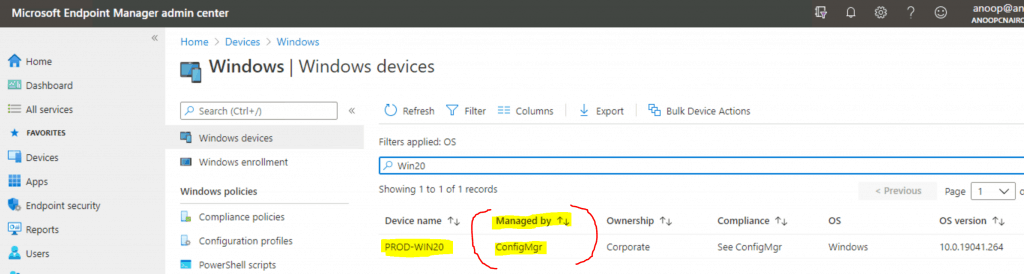
Click on the devices with the following option – Managed By ConfigMgr.
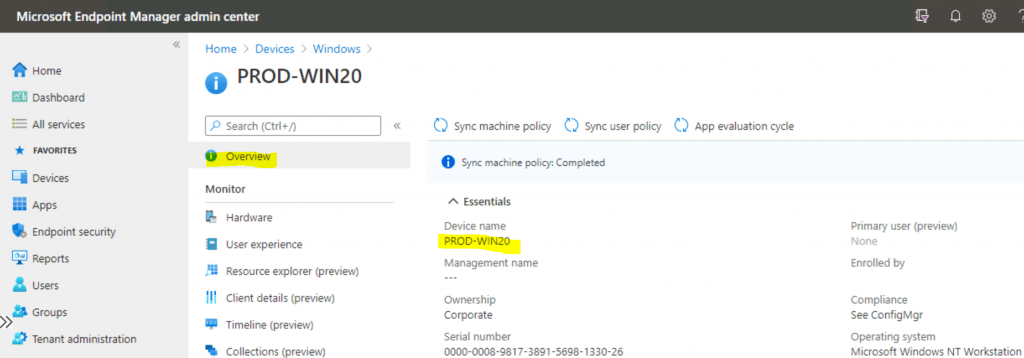
Select CMPivot (preview) from the Intune portal to run CMPivot.
- Use the Search option to find specific patching details.
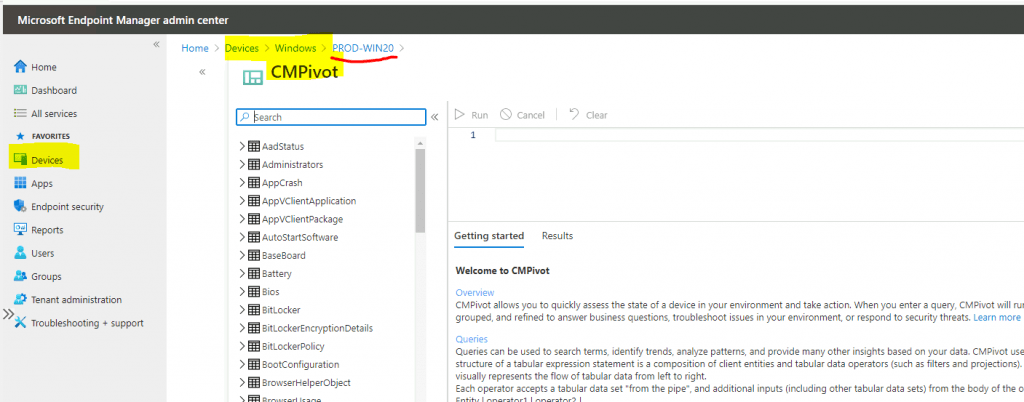
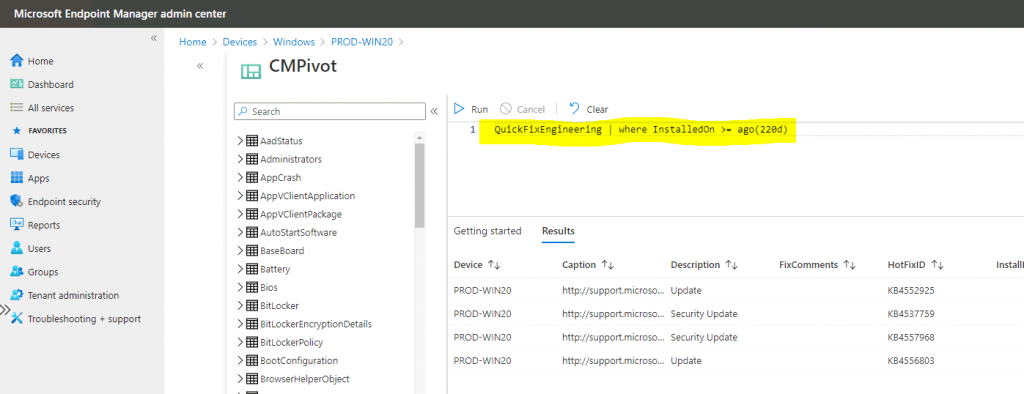
Copy the CMPivot query from the previous posts. You can use the same queries from the Intune portal as well. I have selected the CMPivot Query Patches Installed in the Last 220 days.
- QuickFixEngineering | where InstalledOn >= ago(220d)
- Copy the above query and paste it into the small window shown in the screenshot.
- Click on the Run button to execute the CMPivot query against that particular device that you selected.
Process and Troubleshooting
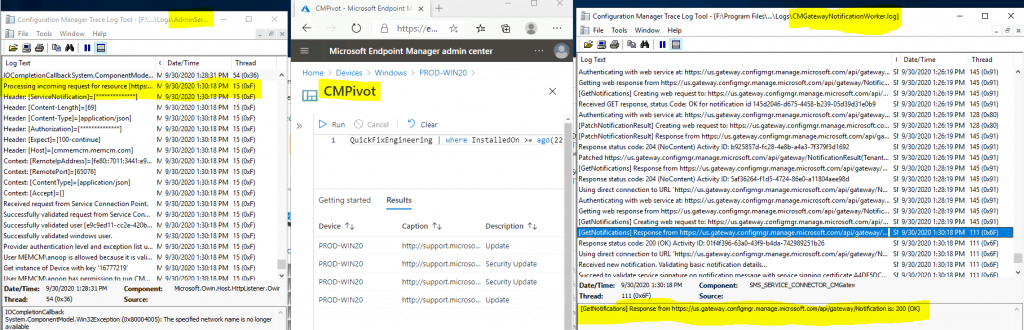
You can start troubleshooting the CMPivot query initiated from the Intune portal using the following log files CMGatewayNotificationWorker.log & AdminService.log. These logs can be found at the SCCM logs location on the site server.
More Details: You can find more details about the background process flow behind the scenes when someone initiates a CMPivot query from the Intune portal (admin centre).
Results
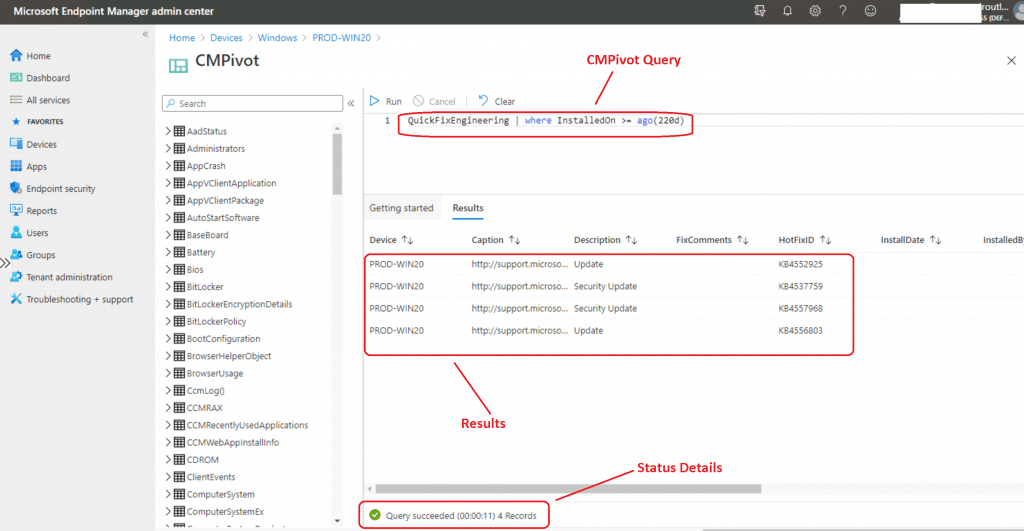
The results of the CMPivot query can be checked in the MEM Admin center (Intune) portal itself. The following screen capture provides more details.
Resources
- Tenant attach: Launch CMPivot from the admin center (preview)
- Troubleshoot CMPivot (preview) for devices uploaded to the admin center
We are on WhatsApp. To get the latest step-by-step guides and news updates, Join our Channel. Click here –HTMD WhatsApp.
Author
Anoop C Nair is Microsoft MVP! He is a Device Management Admin with more than 20 years of experience (calculation done in 2021) in IT. He is a Blogger, Speaker, and Local User Group HTMD Community leader. His primary focus is Device Management technologies like SCCM 2012, Current Branch, and Intune. He writes about ConfigMgr, Windows 11, Windows 10, Azure AD, Microsoft Intune, Windows 365, AVD, etc.




Discussion