






Office 365 is now Microsoft 365
When Office 365 changed to Microsoft 365, the license agreement for the Office application was updated. I needed to review and agree to the new terms during this change because Microsoft rebranded Office 365 to Microsoft 365.
The rebranding of Office 365 to MS 365 in April 2020 marked a significant shift, highlighting the broader range of products and services now offered. This included the core Microsoft Office software family, cloud-based productivity tools, and artificial intelligence features. Most of the products formerly known as Office 365 were promptly renamed as Microsoft 365.
Additionally, Microsoft’s decision, announced in October 2022, to phase out the Microsoft Office brand by January 2023 in favour of promoting most products and online productivity services primarily under the Microsoft 365 brand demonstrated a strategic shift. However, Microsoft reversed this plan, reintroducing the Office 2024 preview build in November 2023.
The changes, including a new name, colors, and icon, began rolling out on November 7, 2022. No action is required, and the update is free. Your account, profile, subscription, and files will not be affected.

| Index |
|---|
| Any Impact with Rebranding? |
| How to Confirm |
| Microsoft 365 Build Numbers |
| Windows 365 – New Updation from Microsoft |
- Microsoft Office 365 Online And Quick Repair
- Windows 365 App Experience | Cloud PC Application For Windows
- Cloud PC Windows 365 FAQs Frequently Asked Questions AMA
Any Impact with Rebranding?
I don’t think there is any impact from Office 365’s rebranding to the MS 365 product. Please read the Microsoft doc if you use ConfigMgr to update Microsoft 365 (Office apps).
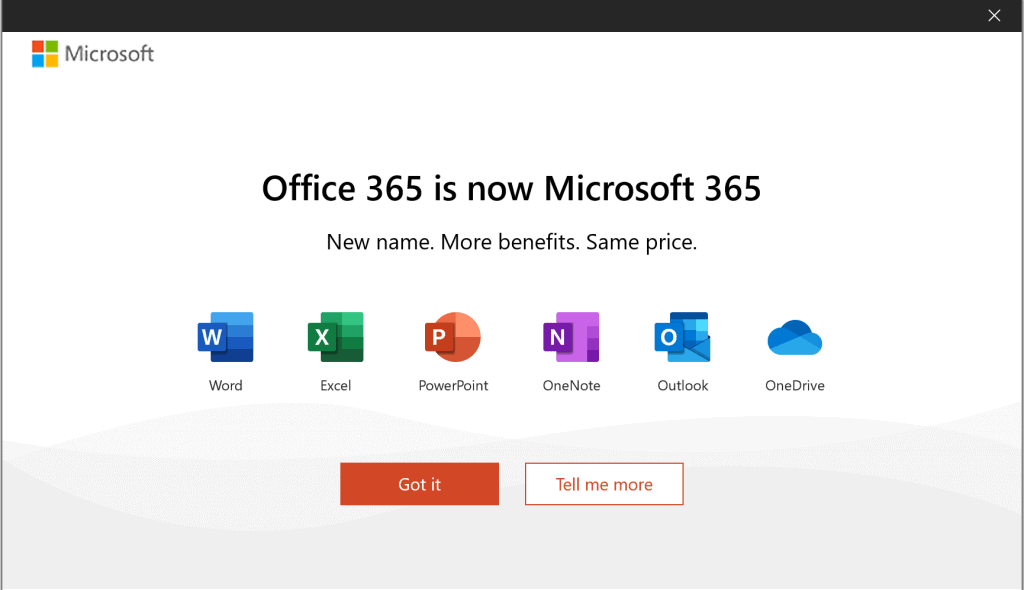
I must agree to the new license agreement before using any Office 365 application. As shown below, a new banner states that Office 365 is now Microsoft 365.
It seems that Office 365’s rebranding policy has started reaching end-user devices. My device is part of the Microsoft 365 Semi-annual Enterprise (preview) channel.
How to Confirm
Let’s check how to confirm your subscription and rebranding of Office 365 to MS 365.
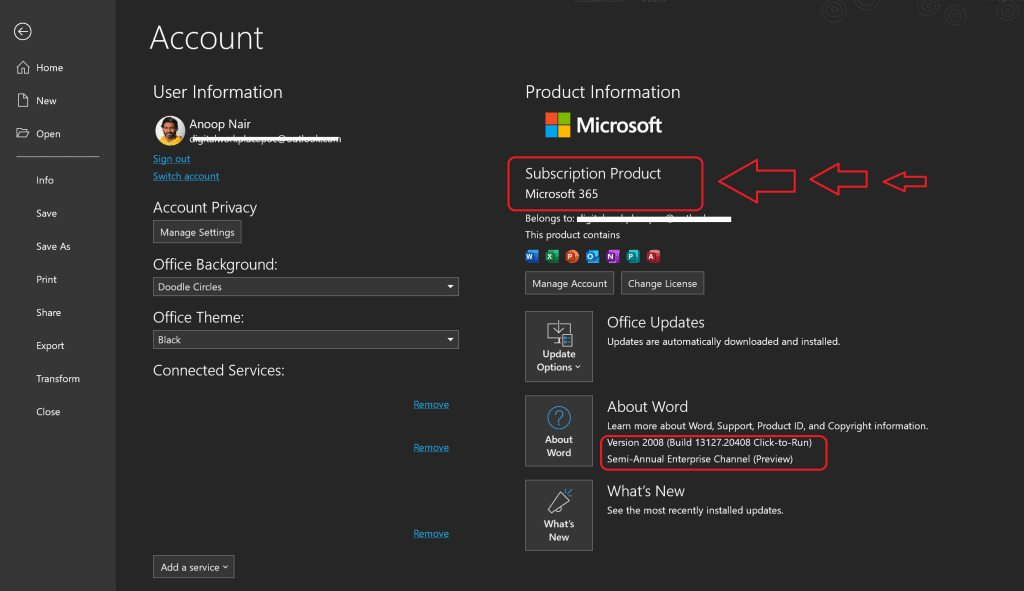
- Click on File
- Click on Account
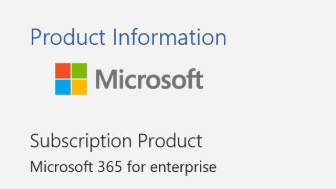
- Check the product information
The subscription Product should be Microsoft 365 for Enterprise customers. For home users, you can see the Subscription product as MS 365.
Microsoft 365 Build Numbers
I have explained MS 365 Version vs Build Numbers in the following post. You can have more details about the build numbers of Microsoft 365.
Windows 365 – New Updation from Microsoft
In July 2021, Microsoft announced it would start offering Windows 365, a new service providing virtualized Windows desktop subscriptions. The service will allow cross-platform usage, enabling Apple and Android users to access the Windows operating system through a web browser. This move reflects the growing trend of businesses adopting hybrid remote work environments. On August 2, 2021, Windows 365 became available to business and enterprise customers.
Windows 365 is an innovative cloud-based service that seamlessly generates a new breed of Windows virtual machine, known as Cloud PC, for end users. Each Cloud PC is individually assigned to a user, providing them with a dedicated Windows device. Windows 365 delivers the productivity, security, and collaboration advantages of Microsoft 365.
Resources
- Update History of Office 365 Apps – https://docs.microsoft.com/en-us/officeupdates/update-history-microsoft365-apps-by-date
- ConfigMgr CMPivot Query for Out-of-Support Office 365 ProPlus
- SCCM Out of Support Versions of Office 365 Semi-Annual Channel
We are on WhatsApp. To get the latest step-by-step guides and news updates, Join our Channel. Click here –HTMD WhatsApp.
Author
Anoop C Nair is Microsoft MVP! He is a Device Management Admin with more than 20 years of experience (calculation done in 2021) in IT. He is a Blogger, Speaker, and Local User Group HTMD Community leader. His primary focus is Device Management technologies like SCCM 2012, Current Branch, and Intune. He writes about ConfigMgr, Windows 11, Windows 10, Azure AD, Microsoft Intune, Windows 365, AVD, etc.




Discussion