






SCCM Application Estimated Installation Time | ConfigMgr | Endpoint Manager
Let’s check the Estimated installation time for the SCCM Application. The estimated installation time is displayed to the user when an application is installed. With Configuration Manager, You can configure application properties to provide estimated runtime information to the end-user in the Software Center.
The estimated install time option allows administrators to specify how long they anticipate an application will take to complete the installation.
In SCCM Applications properties, the value you specify for the Estimated Runtime for each deployment type is displayed to the user while installing the software available in the software centre.
Microsoft provides many options for SCCM Applications to offer a better user experience. You can use the Software Center Icon to deploy the SCCM application. More Details Easy Steps Software Center Icon for SCCM Application Deployment.

Table of Contents
Specify the Estimated Installation Time for the Application
Follow the steps below to specify the Estimated Runtime for Applications.
Go to the Software Library workspace in the Configuration Manager console, expand Application Management, and select the Applications node.
In the Applications node, select an existing application and select the Deployment Types tab. Right-click on the existing deployment type and select Properties.
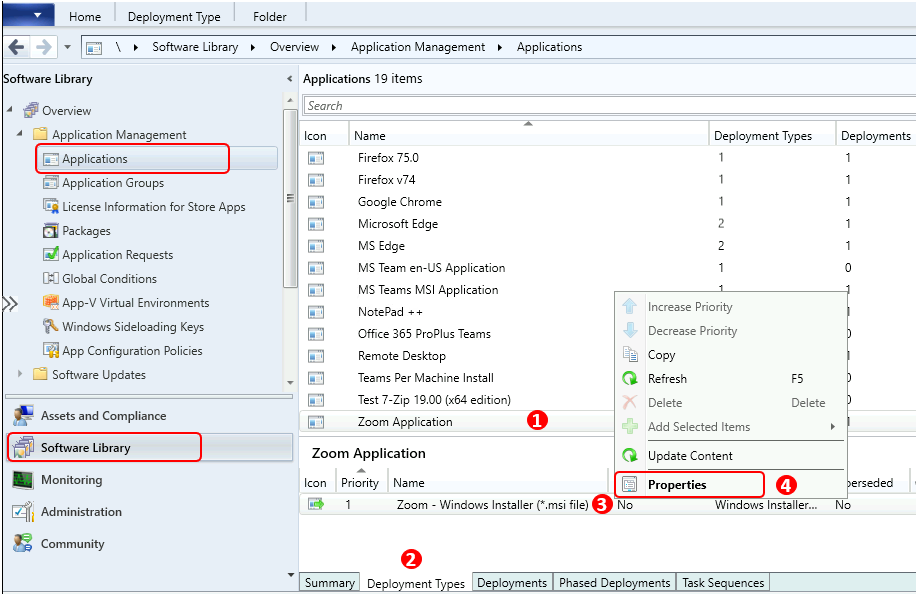
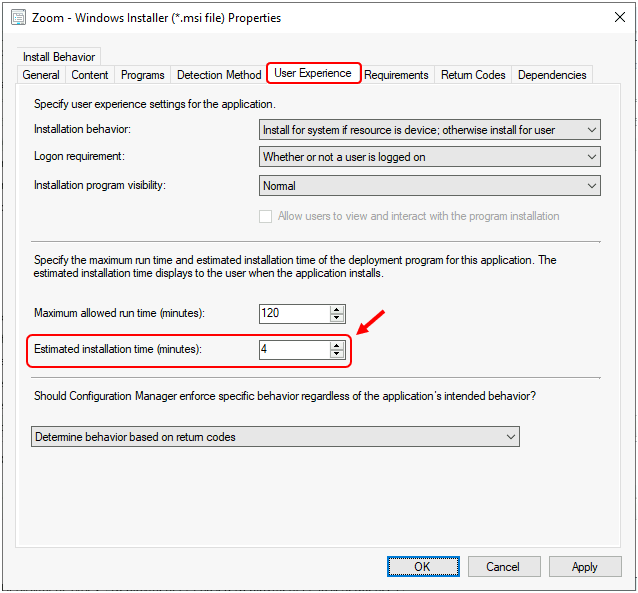
Switch to the User Experience tab. Under Estimated installation time (minutes), specify the installation time for the deployment type. Users see this time in the Software Center. By default, this option is set to 0. Click Apply, and OK.
Once completed, You can initiate the deployment to collections or refresh it if it’s an existing deployment.
End-User Experience – SCCM Application Estimated Installation Time
Let’s check the end-user experience of SCCM Software Center Applications.
- Launch the Software Center on the Windows device that you are managing.
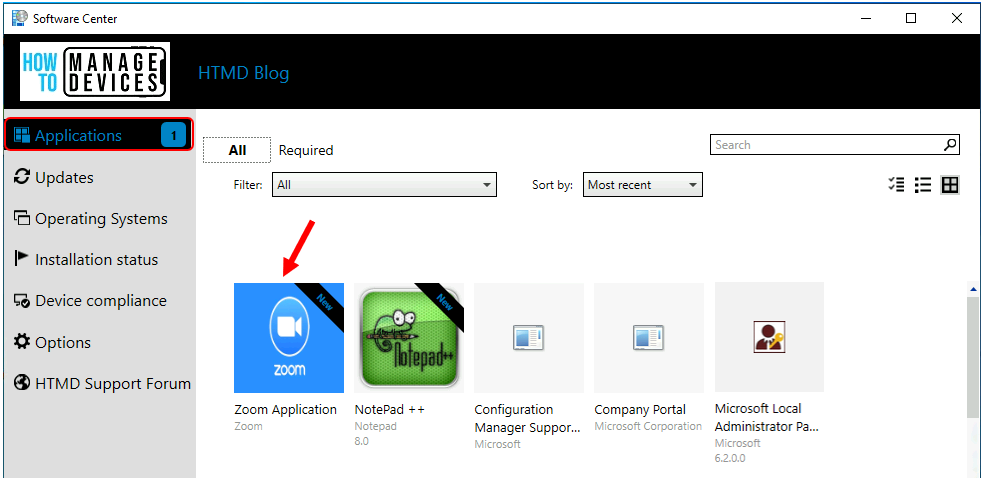
- Select the Applications tab to find and install applications you deploy to this device.
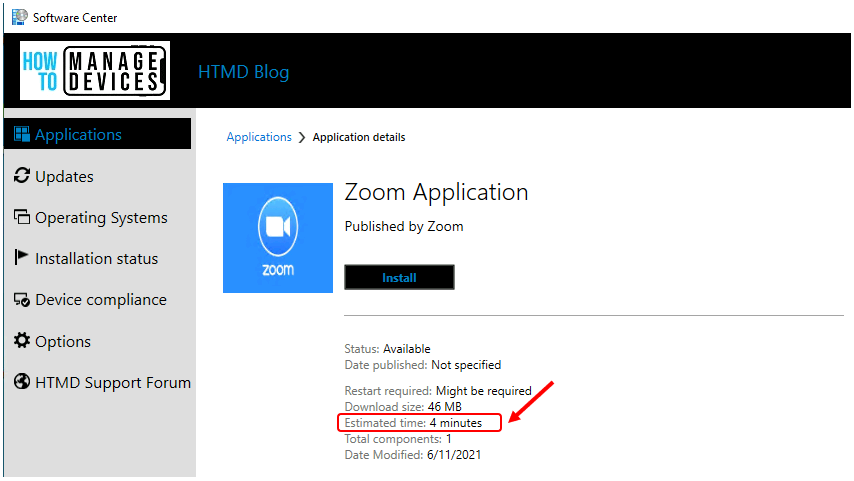
- Here, you see the Zoom application configured above. Click on the Zoom Application to check the Estimated Time.
The estimated time information for the application will be displayed when the end-user opens the installation from the Software Center.
Note: You can follow the same approach to define the information for all applications in Configuration Manager.
We are on WhatsApp. To get the latest step-by-step guides and news updates, Join our Channel. Click here –HTMD WhatsApp.
Author
Anoop C Nair has been Microsoft MVP for 10 consecutive years from 2015 onwards. He is a Workplace Solution Architect with more than 22+ years of experience in Workplace technologies. He is a Blogger, Speaker, and Local User Group Community leader. His primary focus is on Device Management technologies like SCCM and Intune. He writes about technologies like Intune, SCCM, Windows, Cloud PC, Windows, Entra, Microsoft Security, Career, etc.




Hello, I just have a quick question related to that. As you have specified Estimated time here, can we specify the download size, Total components etc ? or does it updated automatically after installation. Currently when the app is in available mode, those details are not updated. Like Estimated time shows not specified (though I have updated in SCCM) & download size as less than 1 MB etc.
Any inputs ?
StaffHi Irfan,
The download size is automatically calculated when you install an application. How many such applications you getting indication >1MB Size!