






SCCM Collection Incremental Updates Not Working Because of Non-Supported WMI Classes ConfigMgr
Let’s understand more about SCCM Collection Incremental updates not Working because of non-supported WMI Classes. A set of WMI classes is not supported with SCCM collection incremental updates. Let’s check what the not-supported SCCM collection incremental updates WMI classes are.
Let’s understand the best practices for creating collections. You should not enable incremental updates for all the collections in your SCCM (ConfigMgr) hierarchy.
A large number of collections with incremental updates can cause performance issues for the entire Configuration Manager infrastructure.
There are tools within the admin console that can help you analyze the evaluation cycle of collections. In the post, ConfigMgr Collection Full Incremental Evaluation Status Summary from Console explains one of them.

Table of Contents
SCCM Collection Incremental updates
An incremental update periodically evaluates new resources and then adds resources that qualify to this collection. This option doesn’t require you to schedule a full update for this collection.
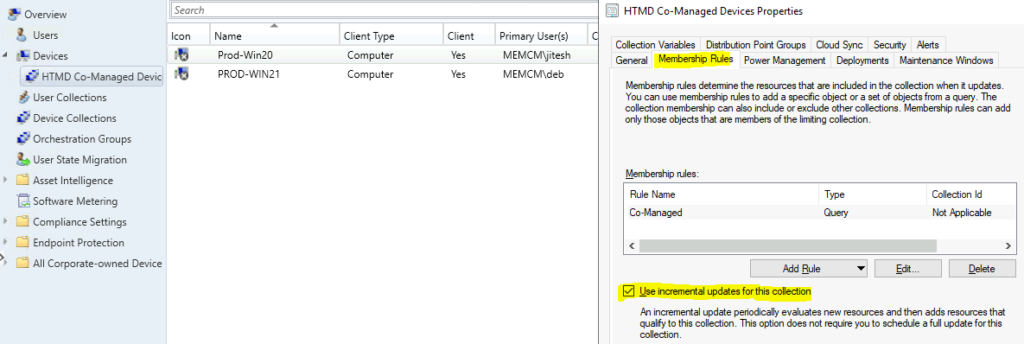
- Change SCCM Collection Incremental Updates Schedule Interval
- Create Windows 11 23H2 SCCM Device Collection
In my initial days of device management with SMS 2003 and, I think, SCCM 2007, incremental updates were an option. The incremental update for collections was introduced in ConfigMgr 2012 onwards. In the comments, let me know whether this is accurate information or not.
Incremental updates of the SCCM collection are handy to reduce the total collection evaluations for many collections. Complete evaluation of collection is more costly in terms of performance. However, an incremental update of collections is just a “delta update” of the collection.
How to Find WMI Classes from ConfigMgr Server
WMI is Windows Management Instrumentation, a database where information is stored locally on Windows devices. You can use the WBEMTEST tool from any Windows device to find out which WMI classes are supported by SCCM.
The easiest way is to download the WMI Explorer Tool from Vinay Pamnani and browse through the WMI classes and more. I have a more detailed post on Windows 10 WMI Explorer Details for Configuration Manager and Intune.
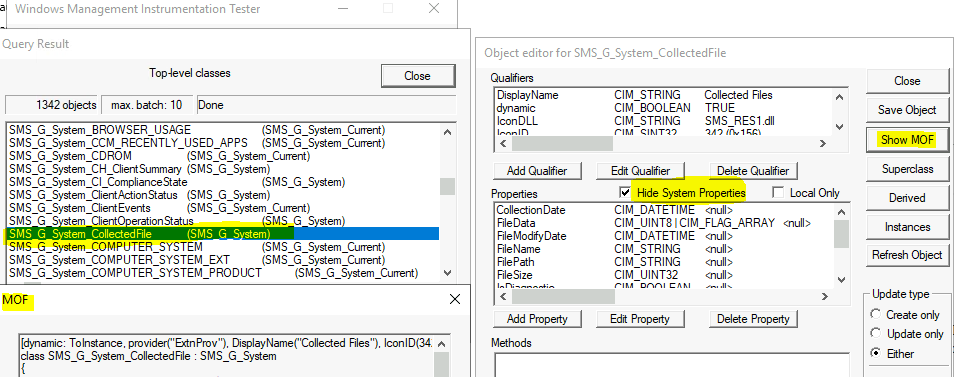
SCCM Collection Incremental updates are not Working
Let’s understand why incremental updates are not working because of non-supported WMI Classes used in WQL queries.
The following are the Microsoft-documented WMI classes that won’t support incremental updates of collections. Some WMI classes are only applicable to dynamic user collections.
If you use the following WMI classes inside the WQL query for dynamic collection, then the incremental update of those dynamic collections won’t work as expected.
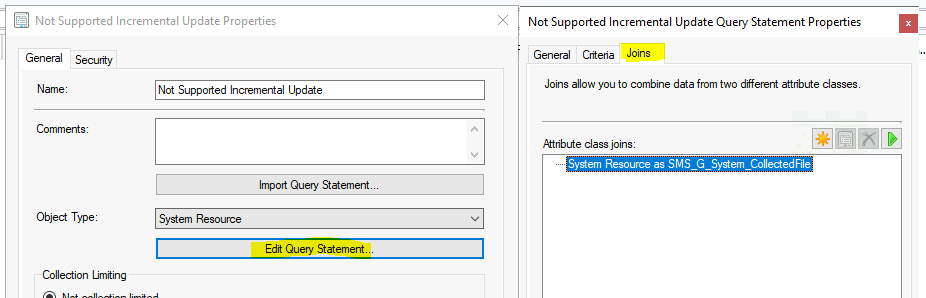
The following table of WMI classes is not supported for use along with incremental collection updates. It applies to a generic set of collections.
| WMI Classes Not Supported for SCCM Collection Incremental Updates |
|---|
| SMS_G_System_CollectedFile |
| SMS_G_System_LastSoftwareScan |
| SMS_G_System_AppClientState |
| SMS_G_System_DCMDeploymentState |
| SMS_G_System_DCMDeploymentErrorAssetDetails |
| SMS_G_System_DCMDeploymentCompliantAssetDetails |
| SMS_G_System_DCMDeploymentNonCompliantAssetDetails |
| SMS_G_System_SoftwareUsageData |
| SMS_G_System_CI_ComplianceState |
| SMS_G_System_EndpointProtectionStatus |
| SMS_GH_System_* |
| SMS_GEH_System_* |
The following two WMI classes are not supported for SCCM dynamic user collections.
| User Collection – WMI Classes Not Supported for SCCM Collection Incremental Updates |
|---|
| SMS_G_User_DCMDeploymentCompliantAssetDetails (for collections of users only) |
| SMS_G_User_DCMDeploymentNonCompliantAssetDetails (for collections of users only) |
Resources
- SCCM Dynamic Collection – Part 2 | WQL Query | ConfigMgr | Create
- SCCM Query All Active Directory Security Groups Dynamic Collection
We are on WhatsApp. To get the latest step-by-step guides and news updates, Join our Channel. Click here –HTMD WhatsApp.
Author
Anoop C Nair has been Microsoft MVP for 10 consecutive years from 2015 onwards. He is a Workplace Solution Architect with more than 22+ years of experience in Workplace technologies. He is a Blogger, Speaker, and Local User Group Community leader. His primary focus is on Device Management technologies like SCCM and Intune. He writes about technologies like Intune, SCCM, Windows, Cloud PC, Windows, Entra, Microsoft Security, Career, etc.




Discussion