






SCCM ConfigMgr CB Download Upgrade Step by Step Guide Configuration Manager Intune
Discuss the SCCM ConfigMgr CB Download Upgrade Step by Step Guide Configuration Manager Intune. This Saturday, the Microsoft SCCM team released the latest technical preview.
I blogged about the two exciting features of the SCCM ConfigMgr CB version in the post “SCCM ConfigMgr AAD User Discovery and Client Authentication with Cloud Identities.”
This is not the production version of the SCCM ConfigMgr CB version. You should not install this version of SCCM in a production environment. Technical preview versions of SCCM CB will get released every month.
I recommend that SCCM admins install the TP version of SCCM CB in their lab environment so that they can keep up with the new features that are enabled in every TP release.

- 2403 Microsoft Intune New Features March Update
- Microsoft Intune 2402 New Features February Update
- Microsoft Intune Extends Support To Android 10 And Later From October 2024
- Use Power Automate To Import Autopilot Devices Hash Via Email For Intune Engineers
- Maximum Size Cap for Intune Win32 App is Increased Now
- Microsoft Introduced CrowdStrike Falcon as a Mobile Threat Defense Partner with Intune
Table of Contents
Step by Step How to SCCM ConfigMgr CB TP 1705 Download and Upgrade Video Guide
In the video titled “Step by Step How to SCCM ConfigMgr CB TP 1705 Download and Upgrade Video Guide,” you will find a detailed tutorial on downloading and upgrading to the (SCCM) Current Branch Technical Preview 1705. The guide walks you through the entire upgrade process, ensuring a smooth transition from previous versions.
SCCM ConfigMgr CB Download Upgrade Step by Step Guide Configuration Manager Intune
SCCM CB TP 1705 comes with loads of new features, and I will discuss some of them in detail in upcoming blog posts. In this post, we will discuss how I completed the download and installation of SCCM ConfigMgr CB TP 1705.
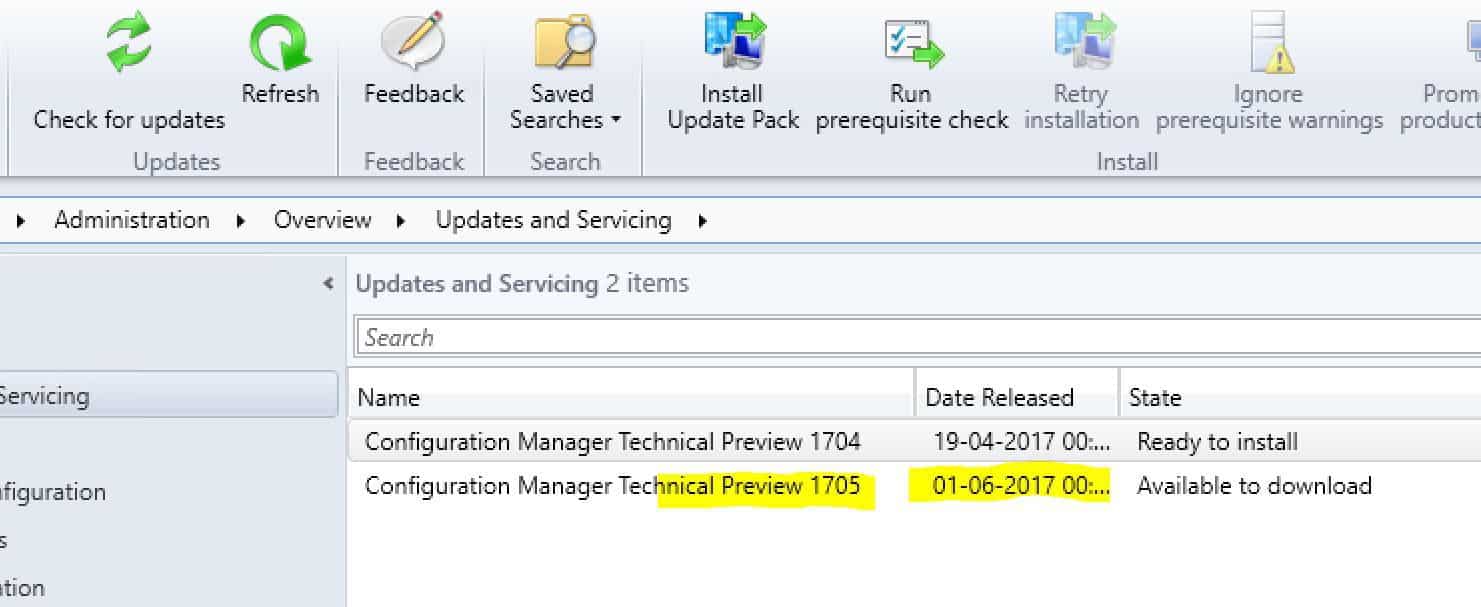
You can refer to the video here or the embedded at the start of this post. In this post, the download and upgrade of the SCCM ConfigMgr CB TP version have been segregated into SIX parts. As you can see in the picture below, you may need to start the download (Available to Download).
- SCCM ConfigMgr CB TP 1705 – Download of the content
- SCCM ConfigMgr CB TP 1705 – Available to Install
- SCCM ConfigMgr CB TP 1705 – Pre-Requisite checks
- SCCM ConfigMgr CB TP 1705 – Installation Process
- SCCM ConfigMgr CB TP 1705 – Post Installation Steps
- SCCM ConfigMgr CB TP 1705 – Console Upgrades
SCCM ConfigMgr CB TP 1705 – Download of the Content
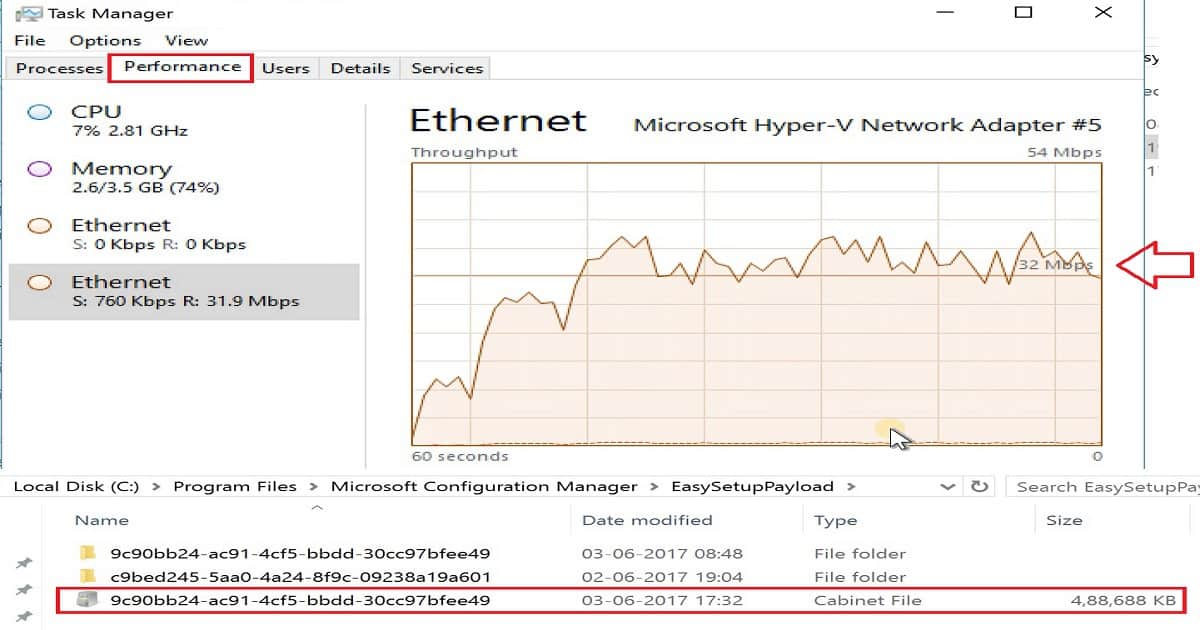
Download SCCM CB 1705 content from the Microsoft content server. You can check the content download status from the log file called DMPDownloader.log. Also, the content status can be analyzed via Ethernet connection via Task Manager – Performance.
In addition to these, you can check the cab file size from the folder “EasySetupPayload.” The SCCM CB installation video guide explains all of this.
SCCM ConfigMgr CB TP 1705 – Available to Install
The following are the high-level steps of SCCM ConfigMgr CB in the console download process. The screenshot below shows the SCCM pack install update. It is in the state of Ready to install.
| SCCM ConfigMgr CB TP 1705 – Available to Install |
|---|
| Process update package |
| Download the updated package cab file |
| Extract update package payload |
| Download Redist |
| Report package as downloaded |
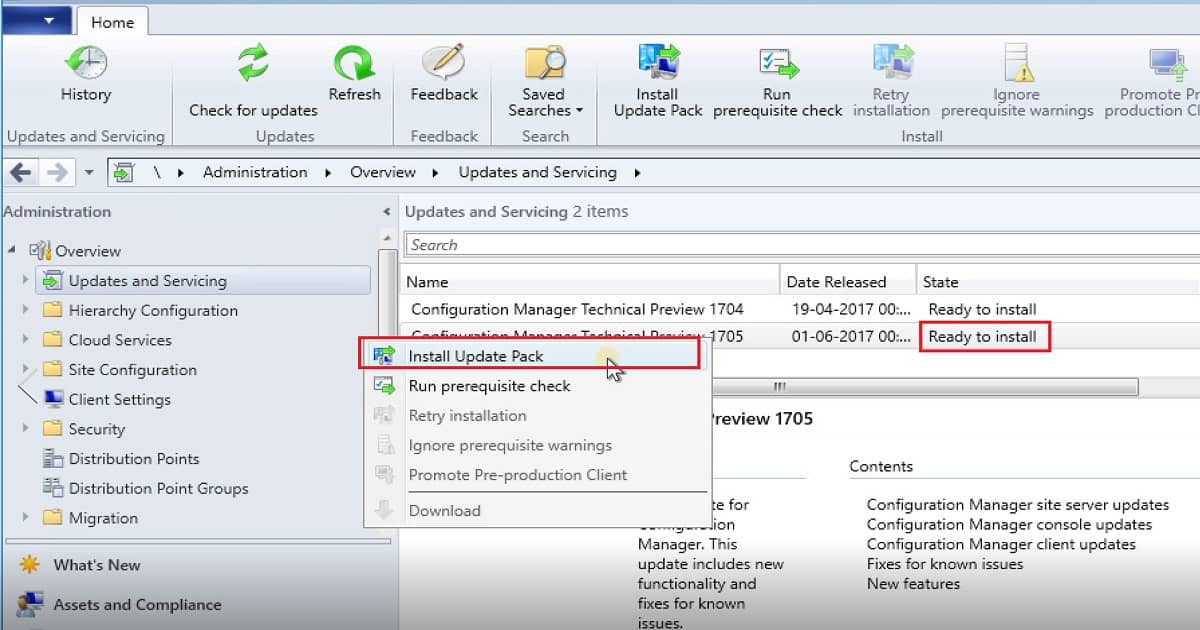
Once the content download of SCCM ConfigMgr has been completed, we can start the installation process of SCCM CB TP 1705. Right-click on the update and tap on “Install update pack.” This action will initiate an upgrade wizard. You can select some important options as part of this upgrade wizard. Monitor this process via CMUpdate.log and the SCCM CB console.
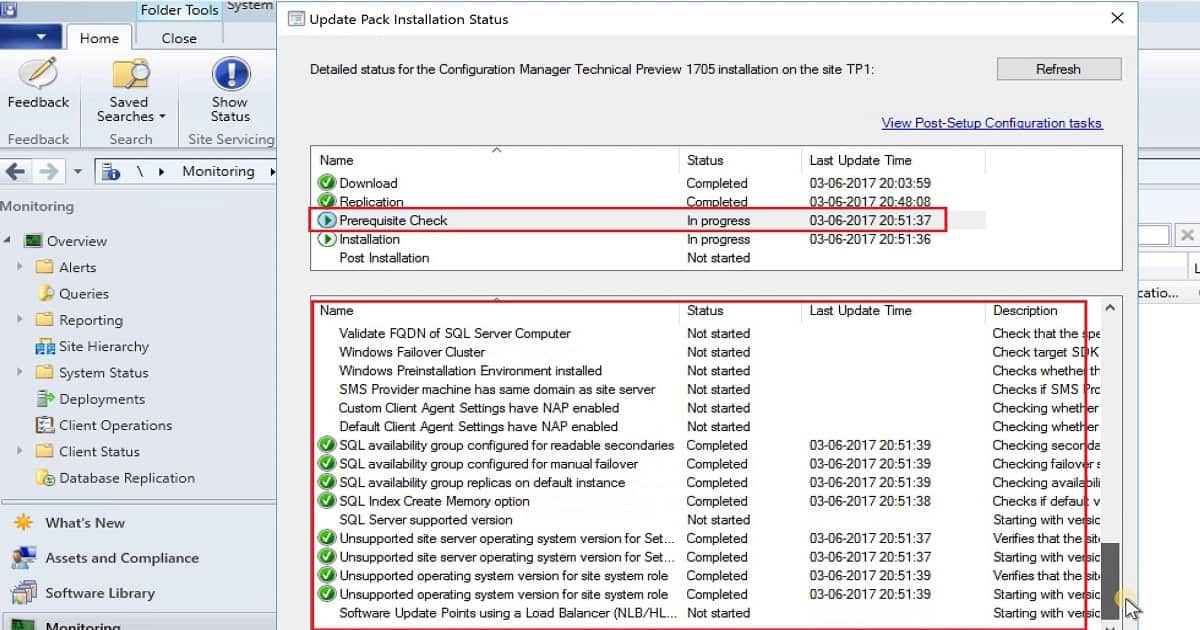
SCCM ConfigMgr CB TP 1705 – Prerequisite Checks
Before the start of the installation, the upgrade process will carry out prerequisite checks, such as checking the disk space available on the server. It will also include loads of other checks to ensure the upgrade process goes through without any issues.
SCCM ConfigMgr CB TP 1705 – Installation Process
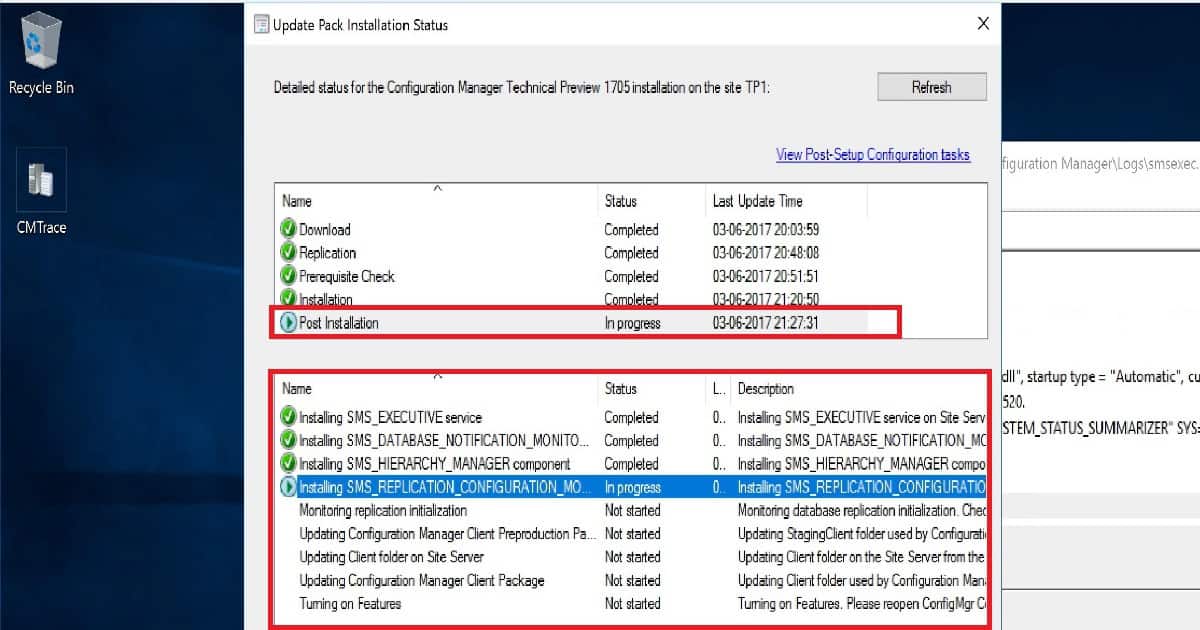
Once the necessary pre-checks have been completed, the actual upgrade process will start. CMUpdate.log is your friend in this SCCM ConfigMgr CB TP 1705 upgrade process. Upgrading the ConfigMgr Database is the most important and time-consuming step in this SCCM CB installation process. Installing files is another process that may take a long time to finish, as you see in the video embedded in this video post.
SCCM ConfigMgr CB TP 1705 – Post Installation Steps
The post-installation steps of SCCM CB 1705 are critical; this is where the SCCM Executive service will be installed. SQL-based replication services, SMS hierarchy manager, etc., were installed during this step. SiteComp.log is your best friend in this step to monitor the progress of that installation.SCCM ConfigMgr CB TP 1705 – Console Upgrades.
The SCCM CB TP 1705 console upgrade is the last step of the in-console upgrade process. This is explained in the SCCM video tutorial embedded in this post. The SCCM CB TP 1705 console version is “5.00.8525.100,” and the site Server version is “5.00.8525.100.“
Resources
Update 1705 for Configuration Manager Technical Preview Branch – Available Now!
More detailed Technical details on SCCM CB TP 1705
We are on WhatsApp now. To get the latest step-by-step guides, news, and updates, Join our Channel. Click here. HTMD WhatsApp.
Author
Anoop C Nair is Microsoft MVP! He is a Device Management Admin with more than 20 years of experience (calculation done in 2021) in IT. He is a Blogger, Speaker, and Local User Group HTMD Community leader. His main focus is on Device Management technologies like SCCM 2012, Current Branch, and Intune. He writes about ConfigMgr, Windows 11, Windows 10, Azure AD, Microsoft Intune, Windows 365, AVD, etc.




Hi – Good video with the upgrade process.
How can, I have TP version in my home lab? Currently, I am running CB1702 with 2 boundaries (CAN & BLR).
Ram
StaffHi, Thank you. You may need to create different SCCM CB instance. The basic process is explained in my previous posts. One of them is here https://www.anoopcnair.com/download-and-install-sccm-configmgr-2016-technical-preview-2/