






SCCM Intune Support for VDI Devices Persistent Non-Persistent
Let’s learn about SCCM Intune Support for VDI Devices Persistent and Non-Persistent. This is an important aspect of Microsoft’s Windows Virtual Desktop offering. It enables organizations to manage their virtual desktop infrastructure more efficiently and effectively.
This post shows SCCM Intune VDI Support for Windows 10 Virtual Desktops in Azure. I didn’t see many developments within SCCM to support new Virtual Desktop (VDI) support scenarios recently (not applicable for SCCM 1906 TP).
By offering support for both persistent and non-persistent VDI devices, SCCM Intune helps ensure that users have a seamless and secure experience regardless of their device.
Microsoft is continuously working to improve SCCM management of its Windows Virtual Desktop offering, making it an even more valuable tool for organizations looking to streamline their virtual desktop infrastructure.

VDI – Still a Thing?
Do you think Virtual Desktops (VDIs) are still a thing in the modern workplace? Microsoft’s answer is YES. The following are the scenarios that Microsoft explained in the Ignite presentation.
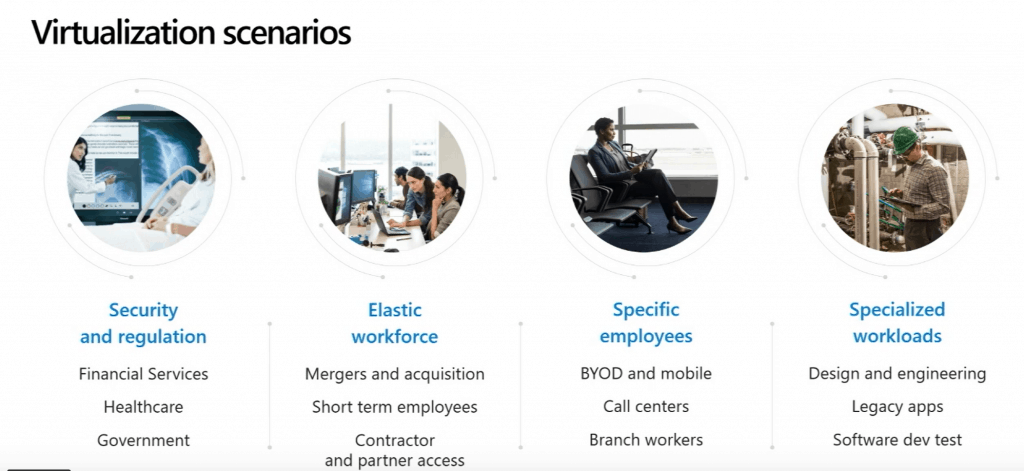
History – SCCM Intune VDI Support
SCCM treats VDI devices like physical devices. Most of the management tasks with SCCM will work just fine for persistent VDIs, but managing non-persistent VDIs might present many challenges.
NOTE 1—We still have issues similar to this, even with the latest SCCM 1902 production version. I’m not saying the above problem is because of SCCM; instead, it’s more a problem with APP-V.
NOTE 2 – SCCM treats all VDI devices (both on-prem and cloud-hosted) as “physical” devices in a domain-joined (NOT Hybrid Azure AD join) scenario. The only different scenario is for Windows 10’s new SKU, ” multiple concurrent active user sessions“(more details below).
I can’t find any specific support statement from Microsoft on SCCM Intune VDI support (on-prem or cloud) apart from the announcements in various Ignite technical sessions. Using persistent VDIs (domain-joined dedicated VMs) will work well.
However, you might face issues if you try to use Intune for managing non-persistent VDIs. The same problems might apply to scenarios like shared PCs and Azure AD Joined devices.
SCCM Azure Windows Virtual Desktop Support
SCCM 1906 preview release is getting some love. Like a terminal server, Windows Virtual Desktops (WVD) in Azure allow multiple concurrent active user sessions.
And SCCM 1906 supports multiple concurrent active user session scenarios.
You can now use SCCM 1906 technical preview to manage these virtual devices running Windows in Azure.
NOTE! – SCCM 1906 TP now disables user policies on any device that allows these multiple user sessions. Even if you enable user policies, the SCCM client disables them by default on these devices, including Windows Virtual Desktop and terminal servers.
The Microsoft documentation explains more Details on Support for Windows Virtual Desktop.
Intune Support for Azure Windows Virtual Desktop
Microsoft has not shared any information about the Intune support for Azure Windows Virtual Desktop. I hope to have more information and an Intune support statement on multiple concurrent active user session scenarios.
Azure AD Support for VDI Devices
Yes, Hybrid Azure AD (Domain joined with Azure AD registration) is not supported for VDI (on-prem? or the VDIs not in Azure) devices.
So, if you have conditional access enabled for your Azure AD tenant, you might need to create some exclusion rules for your VDI estate.
More Details are in the Microsoft documentation.
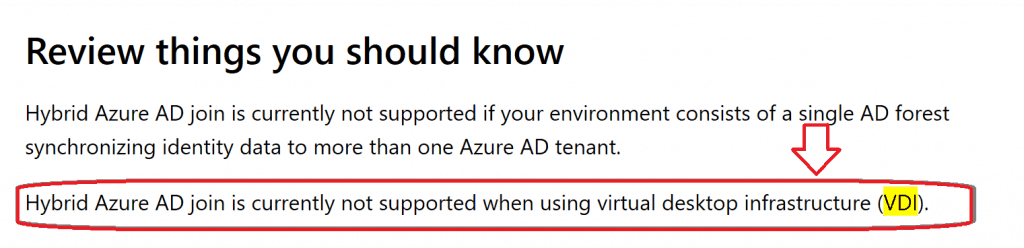
You can learn more about Azure VDI how-to guides from https://docs.microsoft.com/en-us/azure/virtual-desktop/.
NOTE – There is still confusion around the Azure and Hybrid AD join device support for persistent/non-persistent VDIs (not hosted in Microsoft Azure).
Windows Virtual Desktop
Windows Virtual Desktop is a preview feature of Microsoft Azure and Microsoft 365. More details about Microsoft’s Windows Virtual Desktop offering are available in the below list.
- What is Windows Virtual Desktop Preview?
- Create a tenant in Windows Virtual Desktop
- Create a host pool with Azure Marketplace
- Manage app groups for Windows Virtual Desktop
- Create service principals and role assignments with PowerShell
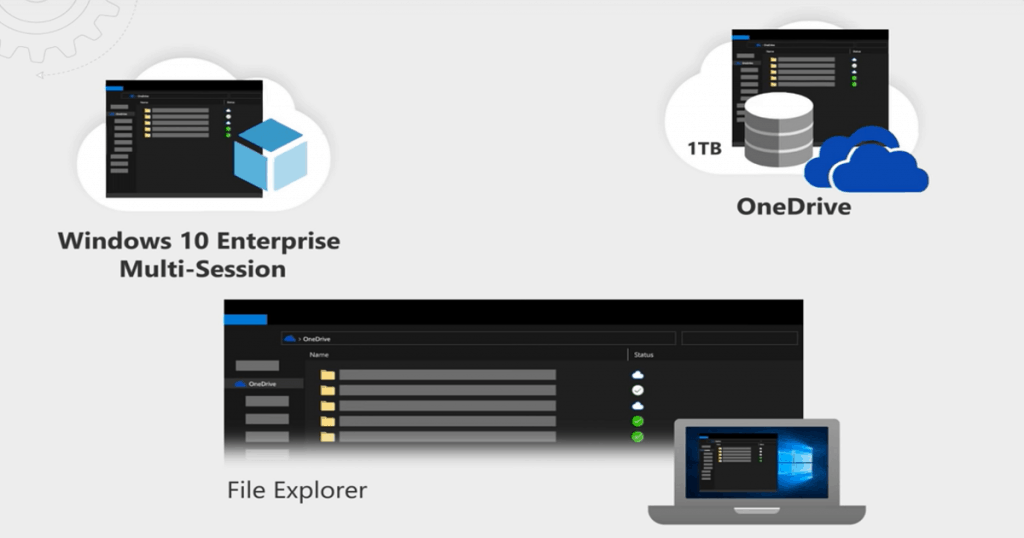
Resources
- Azure Windows Virtual Desktop Preview Documentation
- Support for Windows Virtual Desktop
- Video Windows Virtual Desktop (WVD) Explanation
- Getting started with Windows Virtual Desktop (WVD)
We are on WhatsApp. To get the latest step-by-step guides and news updates, Join our Channel. Click here –HTMD WhatsApp.
Author
Anoop C Nair is Microsoft MVP! He is a Device Management Admin with more than 20 years of experience (calculation done in 2021) in IT. He is a Blogger, Speaker, and Local User Group HTMD Community leader. His main focus is on Device Management technologies like SCCM 2012, Current Branch, and Intune. He writes about ConfigMgr, Windows 11, Windows 10, Azure AD, Microsoft Intune, Windows 365, AVD, etc




Does these lines still valid?
—————————————————————————————————————Azure AD Support for VDI Devices
Yes, Hybrid Azure AD (Domain joined with Azure AD registration) is not supported for VDI (on-prem? or the VDIs not in Azure) devices.
So, if you have conditional access enabled for your Azure AD tenant, you might need to create some exclusion rules for your VDI estate.