






Search Smarter with the New Windows Search Use Any Text or Image Hint and Windows Locates What You Need
Today, we are discussing Search Smarter with the New Windows Search Use Any Text or Image Hint and Windows Locates What You Need. Searching for files on a computer often takes longer than expected because people forget file names or where they saved things. This improved version of Windows search is designed to remove that difficulties by allowing you to find what you need with simple ways.
So here you can work with relaxed when you search anything on Windows. You don’t have to worry about spelling or perfect wording anymore. Even if you only remember a small detail about that you are searching for a trip, a month, or a file type and windows will understand and get your results very easily.
This makes searching more flexible and forgiving, especially when files have uncleared or you forget the name you entered to the file or folder. You can simply type short phrases like lake photo, budget meeting slides, or presentation with Q2 numbers, and Windows will get your results.
By focusing on what you remember instead of forcing you to recall exact names, the improved search reduces stress and saves time. Whether the file is a document, an image, or a system setting, Windows will try to bring forward the most relevant result based on the meaning of your words.


Table of Contents
Search Smarter with the New Windows Search Use Any Text or Image Hint and Windows Locates What You Need
Above we discussed important aspects of this new improvement to the Windows Search. Improved Windows search is available across the core parts of the operating system, including File Explorer, the taskbar search box, and the Settings app. Instead of depending only on keywords, it uses advanced AI models that interpret the purpose behind your search.
- Restrict Users from Viewing Additional Results in Windows Search using Intune Policy
- New Exciting Features in Copilot+ PCs and Windows 11
- Microsoft Introducing Copilot+ PCs
- Best Way to Set Copilot Hardware Key Using Microsoft Intune
How this Works
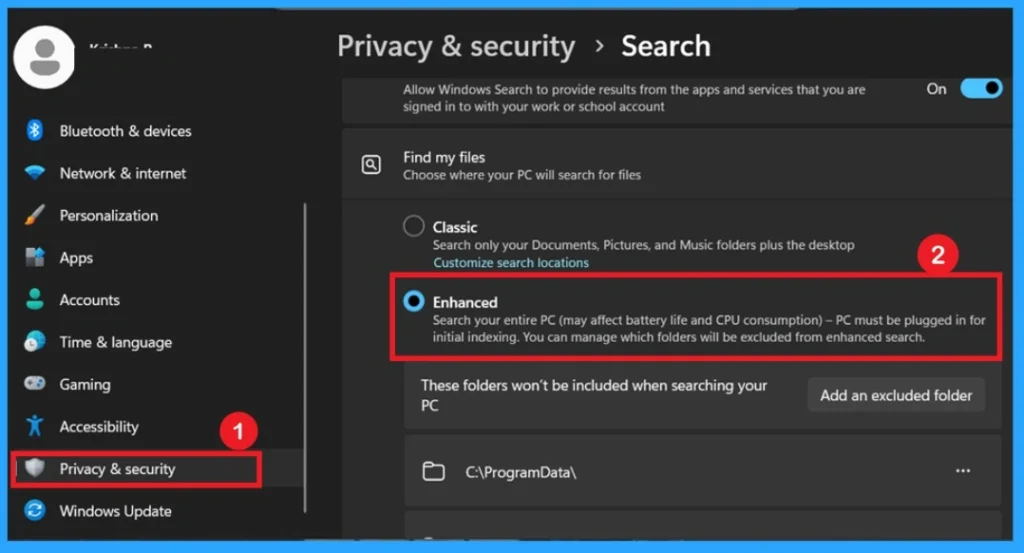
All of this is made possible by the neural processing unit (NPU) inside Copilot+ PCs. By going into Settings, selecting Privacy & Security, and opening the Searching Windows section, you can control which folders are included. Selecting “Enhanced” mode indexes your entire PC, making results even quicker.
- You have to Go to Settings.
- Select Privacy & Security.
- Click on Searching Windows to adjust which locations are indexed on your PC.
- Turn on Enhanced to index your entire PC.
- In the below example it shows the Windows system screenshot.
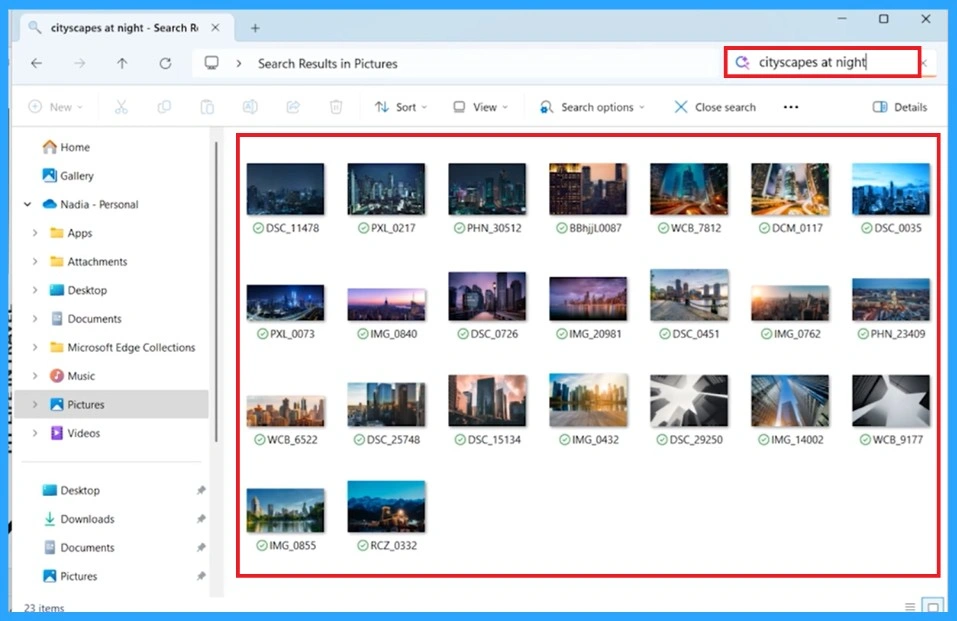
Windows Search in the File Explorer
Windows Search is being used inside File Explorer to find photos just by typing a like “cityscapes at night.” You don’t need to remember the exact file name anymore. Instead, Windows now understands the meaning of the words you type. When you enter a phrase, Windows shows a group of photos from the Pictures folder that match the description.
In this example, it displays many different nighttime city photos, even though none of the images have file names that include those exact words. This shows how the improved Windows Search on Copilot+ PCs can recognize what is actually inside your photos.
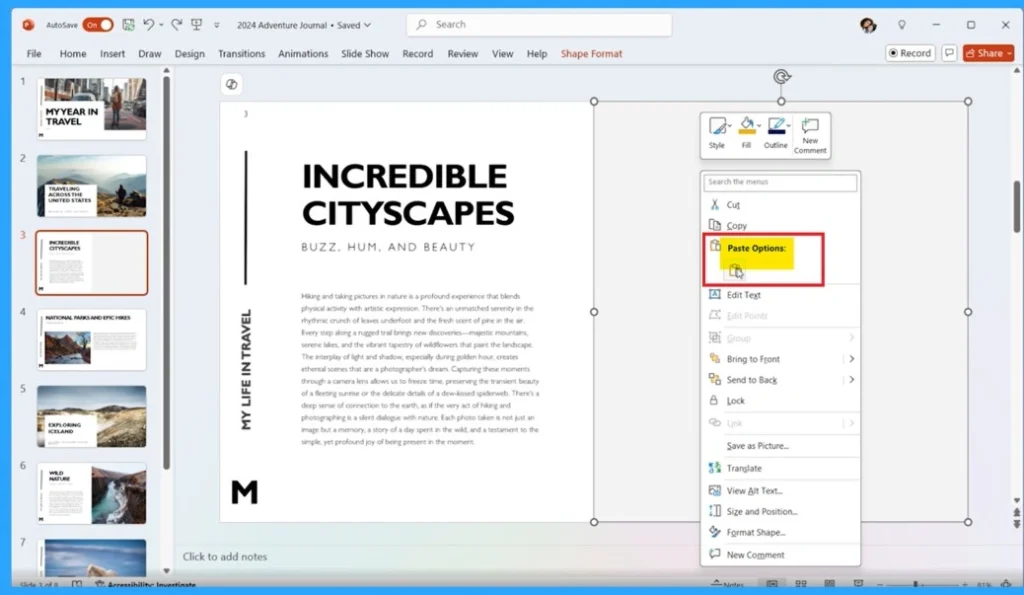
When you get the image through the search that image can be pasted to your PowerPoint slide. For that select the image from windows search and right click on the image and select copy option. Then open the PowerPoint and paste the image that you want to add.
| Improved Feature’s | Info |
|---|---|
| Natural Language Search | You can search using everyday phrases like “dog on the beach” instead of exact file names. |
| Understands Meaning, Not Just Keywords | Search results are based on what your words mean, not whether they match file names exactly. |
| Smarter File Suggestions | Files with unrelated names can still appear if they match your description. |
| Powered by NPU for Faster Results | Copilot+ PCs use powerful NPUs (40+ TOPS) to process searches locally, making results quicker and smarter. |
| Supports Many File Types | Works common photo formats (JPG, PNG, etc.). |
| Support Documents | Documents: .txt, .pdf, .docx, .doc, .rtf, .pptx, .ppt, .xls, .xlsx |
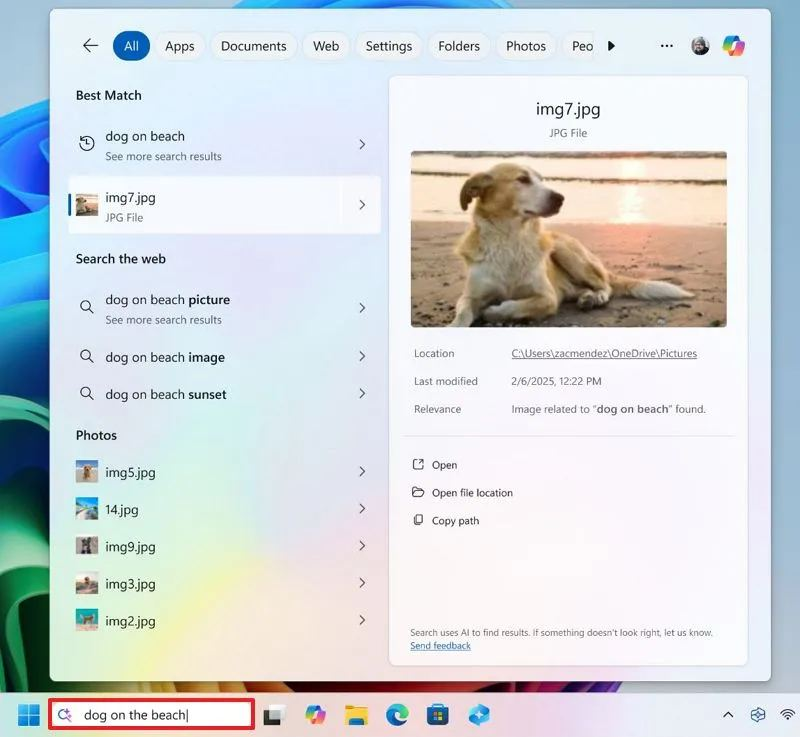
Windows Search in the Search Bar
Windows Search is being used to find a photo by type “dog on the beach.” Even though the photo’s file name is img7.jpg, Windows still understands what the picture contains. It shows the correct image because it recognizes that the photo has a dog sitting on a beach. On the left side, Windows lists related photos and web suggestions.
Need Further Assistance or Have Technical Questions?
Join the LinkedIn Page and Telegram group to get the latest step-by-step guides and news updates. Join our Meetup Page to participate in User group meetings. Also, Join the WhatsApp Community to get the latest news on Microsoft Technologies. We are there on Reddit as well.
Author
Anoop C Nair has been Microsoft MVP from 2015 onwards for 10 consecutive years! He is a Workplace Solution Architect with more than 22+ years of experience in Workplace technologies. He is also a Blogger, Speaker, and Local User Group Community leader. His primary focus is on Device Management technologies like SCCM and Intune. He writes about technologies like Intune, SCCM, Windows, Cloud PC, Windows, Entra, Microsoft Security, Career




Discussion