






Secure AI Applications using Microsoft Defender for Cloud Apps
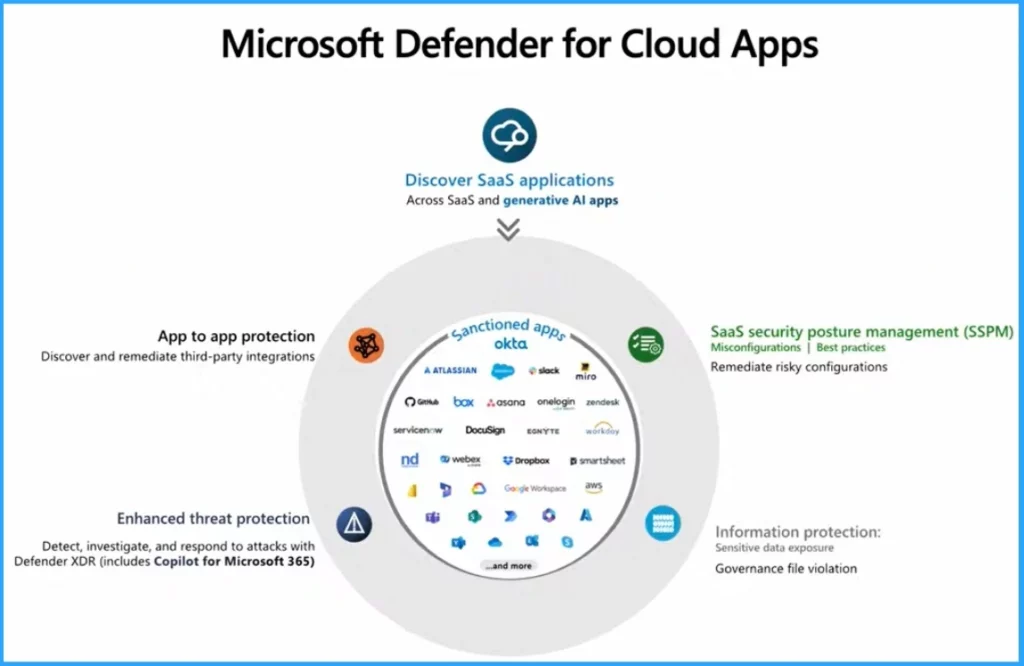
Let’s discuss Secure AI Applications using Microsoft Defender for Cloud Apps. Microsoft Defender for Cloud Apps delivers full protection for SaaS applications. It helps users monitor and protect cloud app data across different areas.
Do you know what a SaaS application is? Software as a service (SaaS) allows users to connect to and use cloud-based apps over the Internet. Some examples of SaaS applications are email, calendaring, and office tools (such as Microsoft Office 365.
Microsoft also allows users to secure AI applications Using Microsoft Defender for Cloud Apps. AI is a common word for users, and the security of AI applications is very important. Users may face different difficulties while using AI, including data privacy, content ownership etc.
Users may have many security concerns when using AI in different scenarios. In this blog post, I will explain more about how to Secure AI Applications Using Microsoft Defender for Cloud Apps. Microsoft Defender for Cloud Apps is also the best choice for securing third-party applications.


Secure AI Applications using Microsoft Defender for Cloud Apps
In this digital world, AI’s importance is increasing daily. Proper and efficient usage of Generative AI is also important. Of course, the top concern is the lack of control. We have no idea what users are doing. Anybody can open a new browser tab, go to open AI, and start copying and pasting private, confidential corporate data, and that’s the risk in theory.
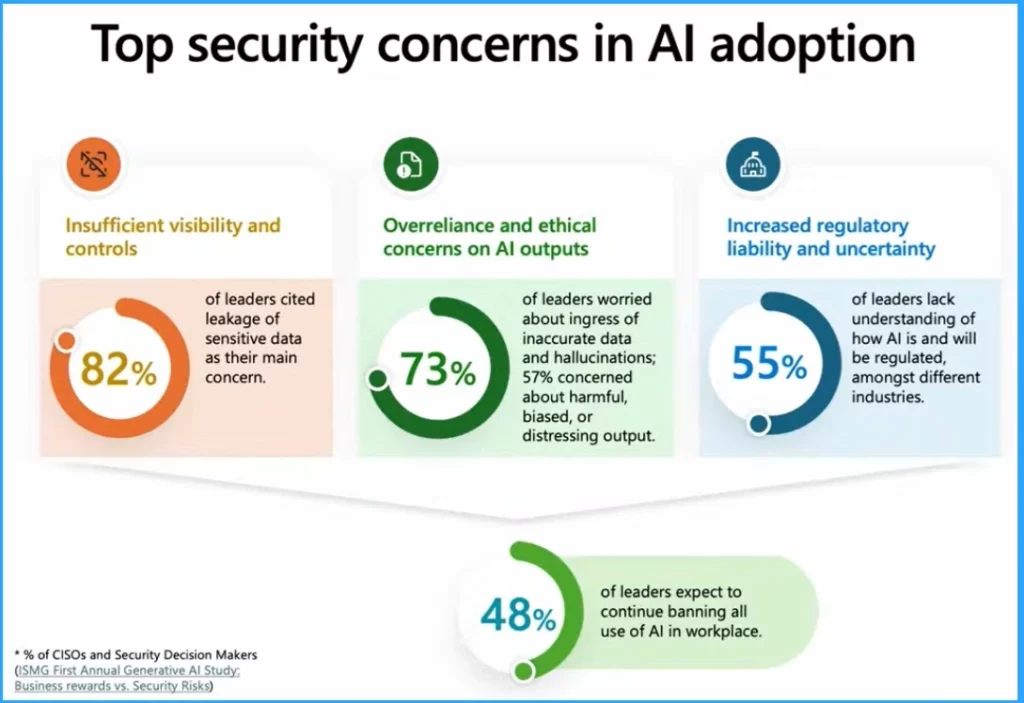
Top Security Concern in AI Adoption
Users may have many security concerns while using AI tools. AI helps to put everything at their fingertips. However, users are always bothered about their data privacy. The following are the top Security Concerns in AI Adoption.
| Security Concerns in AI Adoption | Details |
|---|---|
| Insufficient Visibility and Controls | 82% of leaders cited leakage of sensitive data as their main concern |
| Overreliance and ethical concerns on AI outputs | 73% of leaders worried about the ingress of inaccurate data and hallucinations; 57% were concerned about harmful, biased, or distressing output. |
| Increased regulatory liability and uncertainty | 55% of leaders understand of how AI is and will be regulated, in among different industries |
- Get Free Certification from Microsoft on Copilot for Security
- Insights of How Copilot for Security Works
3 Approaches to Secure Data Privacy
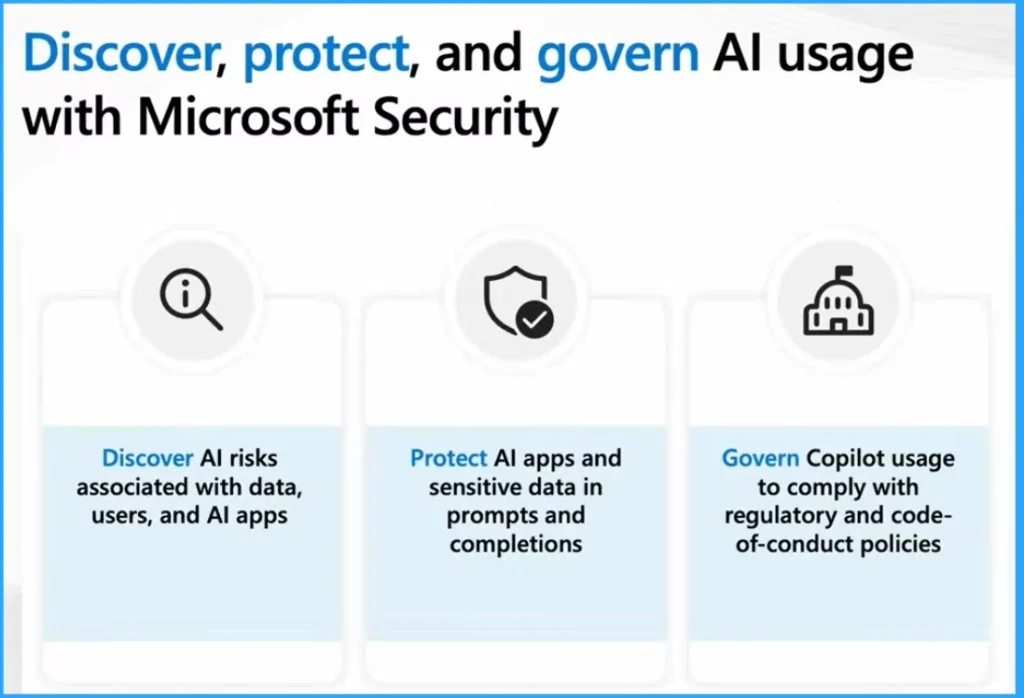
To overcome various challenges while using AI, users can adopt different methods. Microsoft provides 3 Approaches to decreasing the difficulties. Discover, Protect and Govern are the 3 Approaches. The following list shows the details.
- Discover – Discover AI risks associated with data, users, and AI apps.
- Protect – Protect AI apps and sensitive data in prompts and completions.
- Govern – Govern Copilot usage to comply with regulatory and code-of-conduct policies.
How to Discover AI Applications Using Microsoft Defender
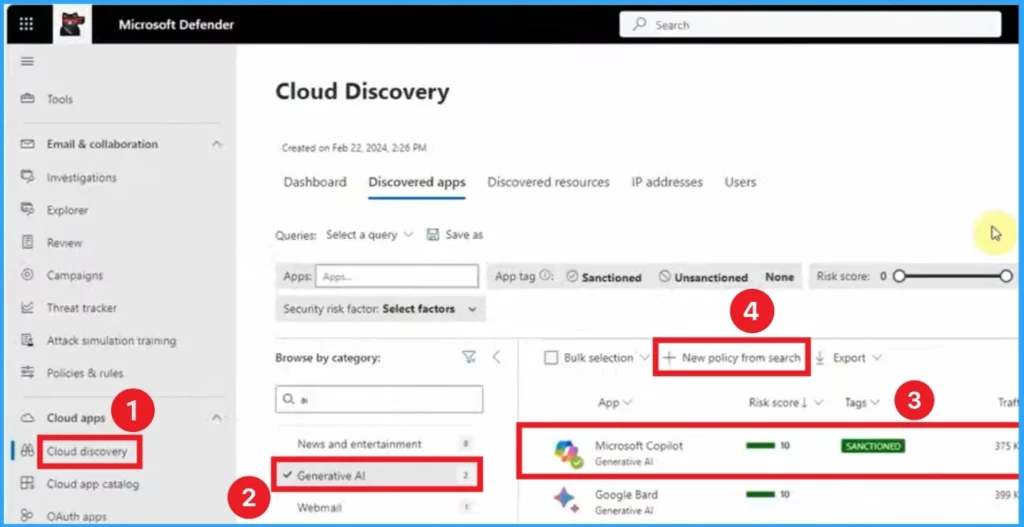
For this, open the Microsoft Defender Portal on your PC. Select the Cloud Discovery option on the left side of the window. Cloud Discovery feature is belongs under Cloud Apps. In the Cloud Discovery tab, you can see different cloud Apps and browse apps by their category.
In the search bar, search AI, and you will get the Generative AI option. We’ll see the list of apps we have analyzed that generate data now if you see applications with a lower score than you would tolerate. You can already unsanctioned it from this window for any other setting that your policies. Here Microsoft Copilot is sanctioned.
- Click on the +New policy from the search.
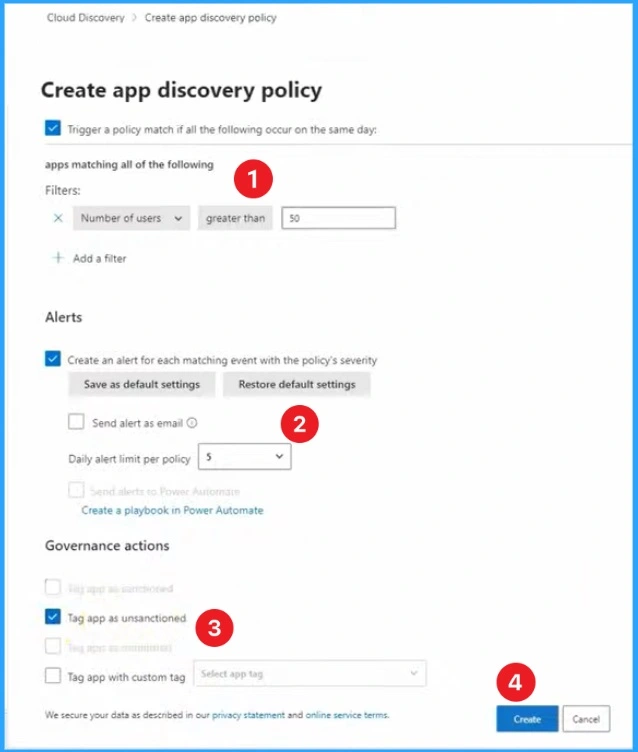
In the new window, you can select filters, tags, etc. Some options are enabled by default, but you can enable them according to your preference. Then click on the Create button.
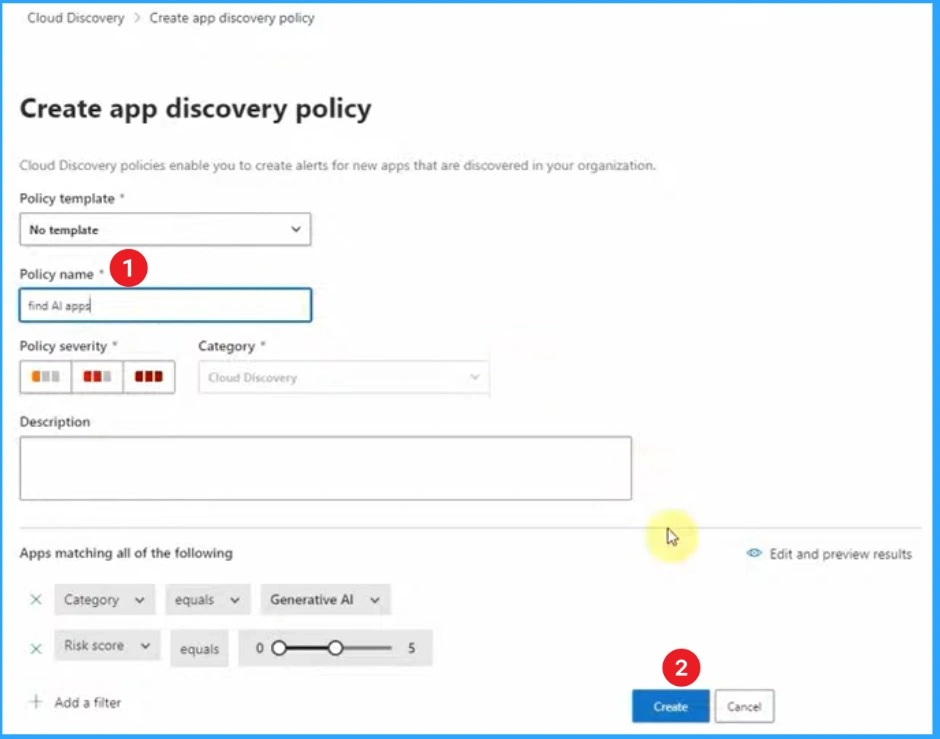
You can also give a Policy Name from this window. Here, we create a policy to protect Microsoft Copilot using Microsoft Defender. The policy name is Find AI Apps. After that, click on the Create button.
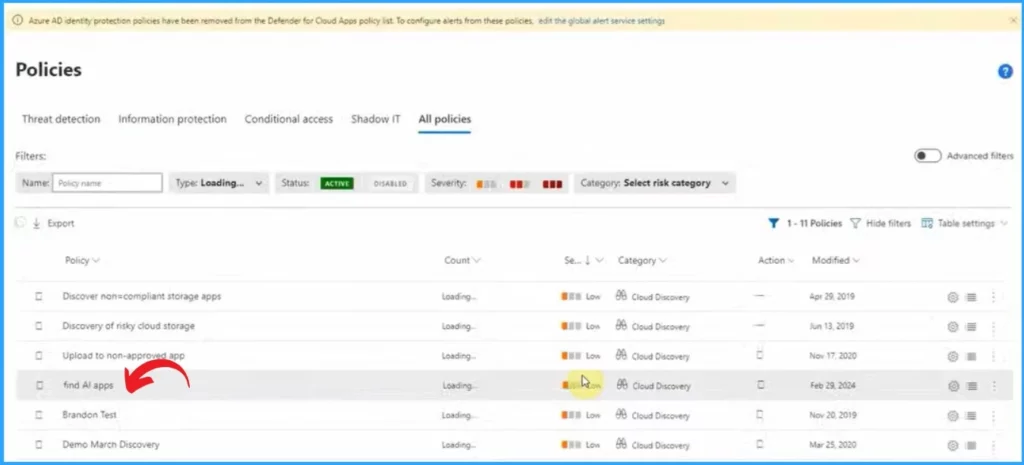
After clicking on the Create button from the above window, you can see the created policy on the All Policies tab. Here, you can see the policy name, Find AI apps.
- 11 Microsoft Copilot Features of 2024
- Copilot Vs Copilot Pro Vs Copilot for Microsoft 365 Comparison
Reference
Secure AI applications using Microsoft Defender for Cloud Apps | Microsoft Secure Tech Accelerator
We are on WhatsApp. To get the latest step-by-step guides and news updates, Join our Channel. Click here for HTMD WhatsApp.
Author
Gopika S Nair is a computer enthusiast. She loves writing on Windows 11 and related technologies. She is here to share quick tips and tricks with Windows 11 or Windows 10 users. She is Post Graduate Diploma Holder in Computer Science.

Discussion