






Let’s discuss the Conditional Access Security Settings for Countries Location in Entra ID. Microsoft EntraID is an essential component of identity management and access control. Understanding location-based policies requires understanding the geographical context.
Microsoft Entra ID has many powerful features, and conditional access is essential. Conditional access allows organizations to control resource access based on various conditions. The most important part of this Conditional access is location.
We live in a world of technology, and security is an essential part of that. Organizations need a strong tool to control access to their resources and protect sensitive data; conditional access makes this possible. The named location is the most effective part of conditional access. Country locations are the geographical boundaries for access control.
With the Conditional access policies, you can set the rules through the Named location. Named locations can also act as a way to define countries or regions, such as denying entry from certain countries or only allowing from trusted areas.

- What is Microsoft Entra ID?
- Security Enhancement with Named Locations in Entra ID
- Modernize MFA Authentication Policies in Entra ID
Conditional Access Security Settings for Countries Location in Entra ID
Named location allows administrators to define trusted locations, such as office IPs, for more secure sign-in and access control. In the named location, you can set the Countries or regions. You can define named locations based on countries or regions.
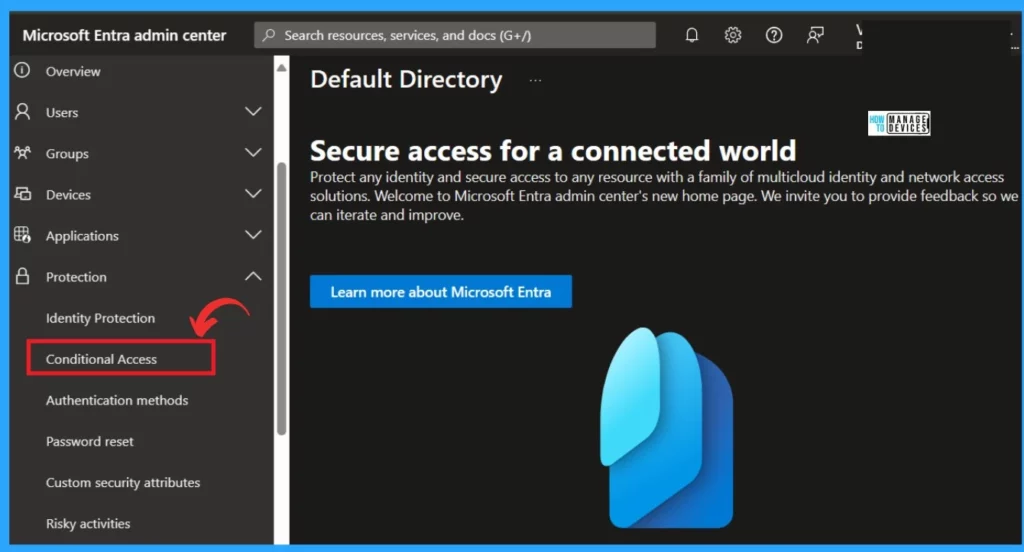
- Sign in to Microsoft Entra Admin Center
- Expand the Protection option
- Click on the Conditional Access
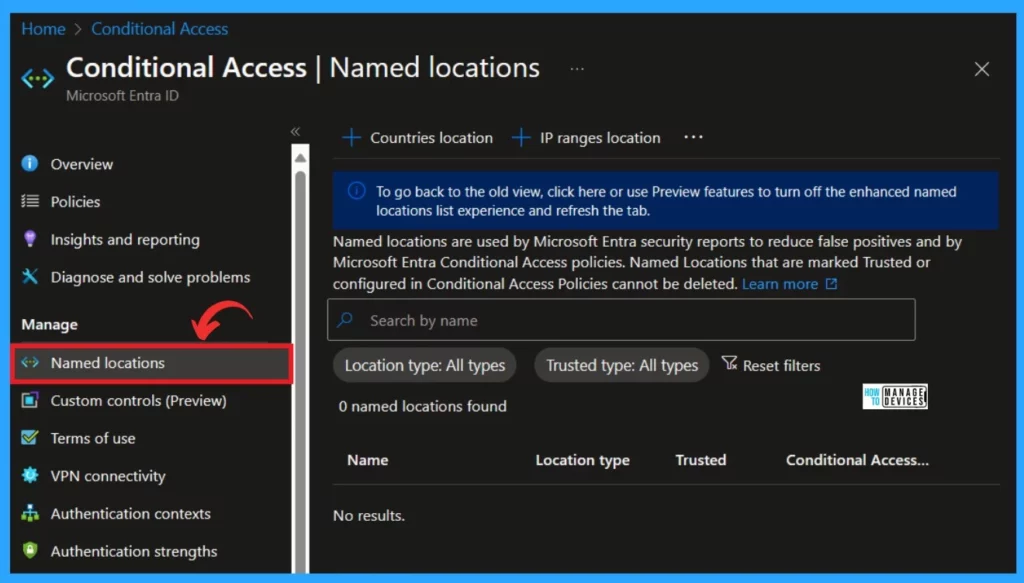
After clicking on the conditional access, select Named location under the Manage option. Named location is a security feature in identity and access management systems.
- Click on the Named Location
- Optimize Entra License with New Entra License Utilization Feature
- List of Entra ID Ignite 2023 Sessions
- Free Entra Training Videos | Start Learning Entra ID Azure AD
You can easily find the Country’s location in the Named location. This digital map associates IP addresses with specific countries or regions, but it’s not always perfect.
Note: As of May 2023, IPv4 and IPv6 addresses are mapped to countries/regions.
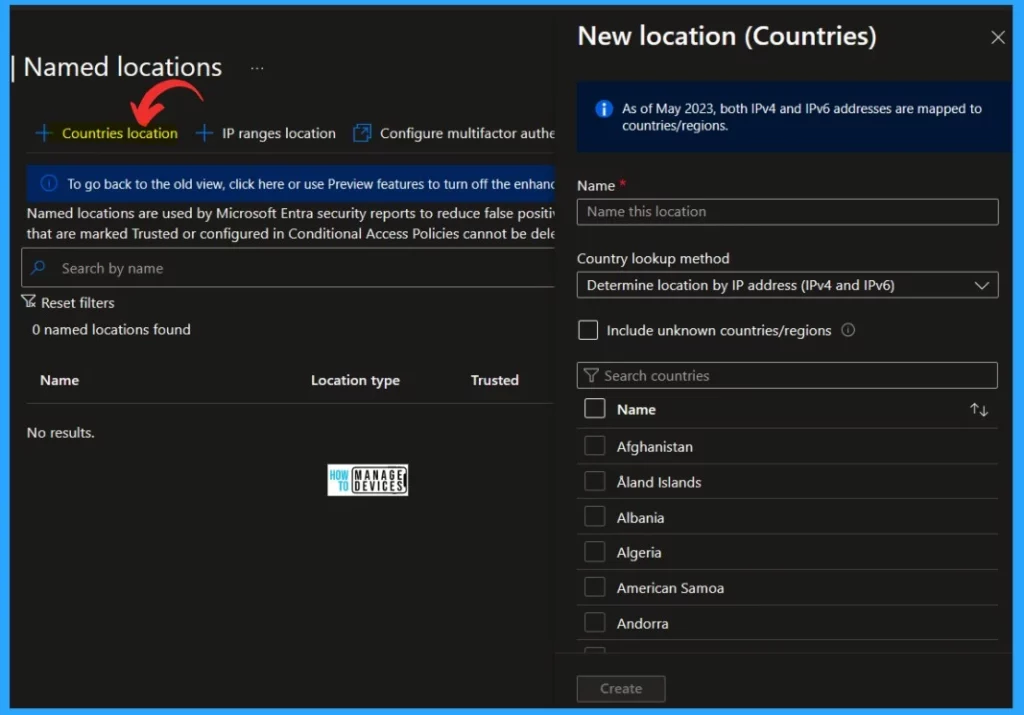
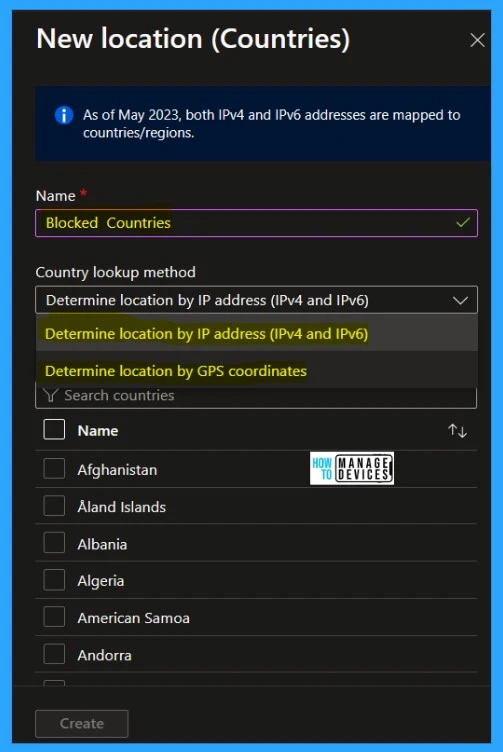
You can block access for users connecting from specific countries or regions where your organization doesn’t operate. Organizations can find country/region locations by IP address or GPS coordinates. For this, you can give the Name of the locations.
- Choose a location by IP address or GPS coordinates
- Add one or more countries/regions
- Choose to Include unknown countries/regions.
| Options for Determining Location | Info |
|---|---|
| Determine Location by IP Address | The system collects the IP address of the user’s signing-in device |
| Determine Location by GPS Coordinates | Users need to install the Microsoft Authenticator app on their mobile devices. The system also contacts the user’s app to collect their GPS location. |
Note: GPS location doesn’t work with passwordless authentication methods.
Reference
How to secure Microsoft Entra ID tenant
We are on WhatsApp. To get the latest step-by-step guides and news updates, Join our Channel. Click here –HTMD WhatsApp.
Author
Krishna. R is a computer enthusiast. She loves writing about Windows 11 and Intune-related technologies and sharing her knowledge, quick tips, and tricks about Windows 11 or 10 with the community.




Discussion