






Access Settings Insight in Intune Security Baselines
In this post, we will be viewing Settings insight in Intune security baselines for policies. We will explore how to get Settings Insight within Intune security baselines and how Settings Insight works.
Starting with Intune Service Release 2306, The Settings insight feature adds insights to security baselines, giving you confidence in configurations that similar organizations successfully adopt.
The Settings insight feature provides confidence in configurations by adding insights that similar organizations have successfully adopted, Settings insight is tailored insights powered by a Machine Learning model. The settings insight in Intune empowers us to make data-driven decisions, enhance device security, and mitigate potential risks effectively.
Security baselines are pre-configured Windows settings that help you apply and enforce granular security settings recommended by the relevant security teams. You can customize each deployment baseline to implement only the required settings and values.

Once you create baseline policies, These insights are available as a light bulb when you create and edit the workflow. By leveraging Settings Insight within Intune Security Baselines, admins can ensure that devices are properly configured and aligned with the organization’s security requirements.
- Intune Security Policy Configuration Options
- Intune Security Baselines Policies For Windows 10 Or Windows 11 Deployment Guide
Prerequisites for using Settings Insight in Intune
Before utilizing Settings Insights in Microsoft Intune, there are a few prerequisites to consider. These requirements ensure a seamless experience and enable the effective analysis of configuration settings. Here are the key prerequisites:
- Licensing/Subscriptions: You must have a Microsoft Intune Plan 1 license to use Settings insight.
- Permissions: Global Admins or Endpoint Security Administrators can create a profile using Baselines.
View Settings Insight in Intune Security Baselines
Settings Insight is a valuable feature within Intune that provides visibility into the configuration settings and their impact on the security of devices. To get Settings Insight within Intune Security Baselines, follow these steps:
- Sign in to the Microsoft Intune admin center https://intune.microsoft.com/.
- Navigate to the Endpoint Security node.
- Click on the Security Baselines node to see available security baseline policies in this node.
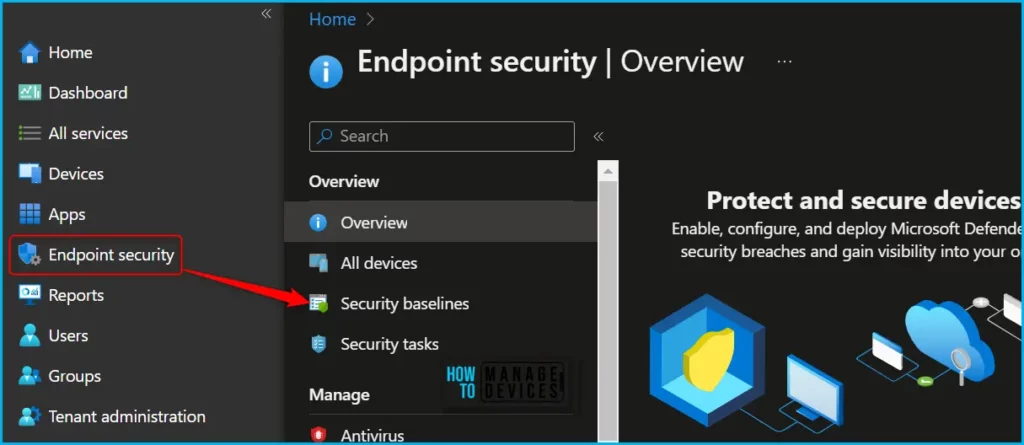
The following security baseline options are available for use with Intune. You can click on view the settings for recent instances of each baseline.
- Security Baseline for Windows 10 and later
- Microsoft Defender for Endpoint baseline
- Security Baseline for Microsoft Edge
- Windows 365 Security Baseline
- Microsoft 365 Apps for Enterprise Security Baseline (Office Baseline)
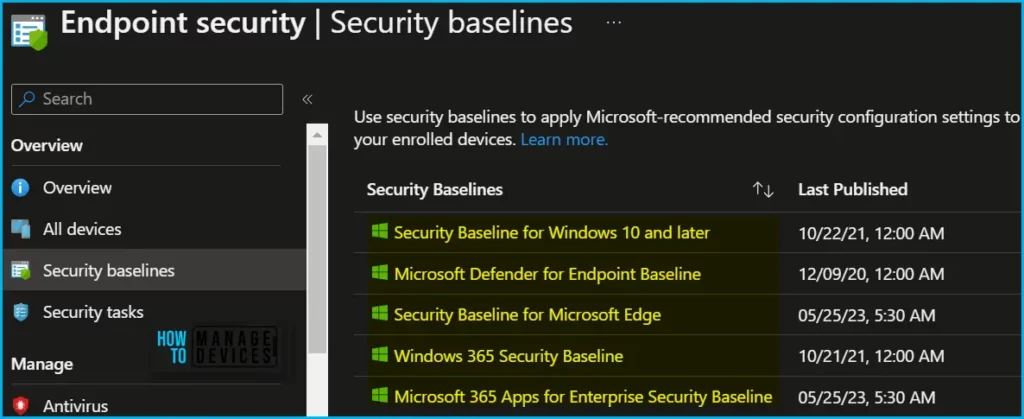
The next step is to select the available security baselines from the above list and proceed to create a profile. For Example, I selected here for Security Baseline for Microsoft Edge.
- On the Basics tab, specify the Name and Description properties. Select Next.
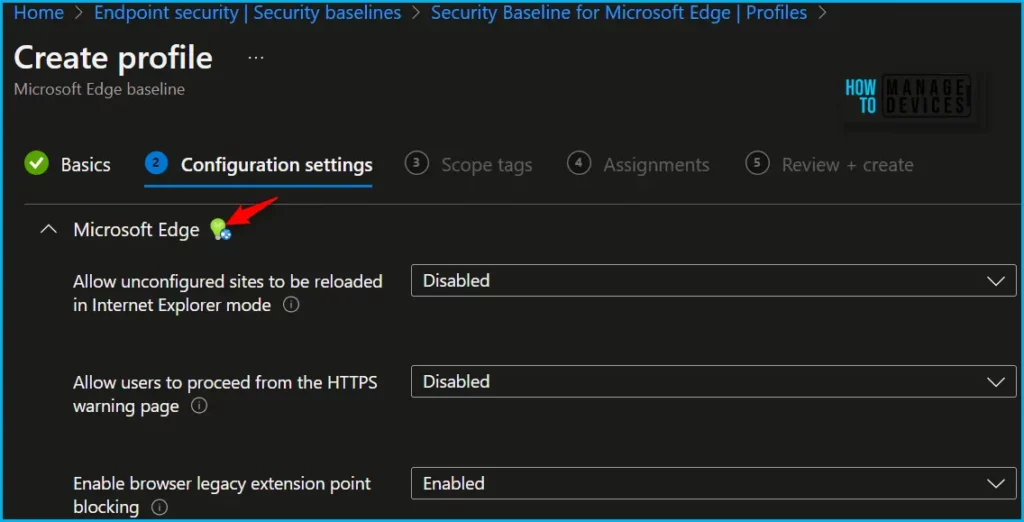
- On the Configuration settings tab, view the available Settings groups. You can expand a group to view the settings in that group, and the default values for those settings.
Here in the section, You can see the Insights are available besides some settings with a lightbulb icon indicating the message Organizations like yours configure this setting to ‘Enabled’ for the appeared settings, However, the message would vary based on the policy, and recommendations.
Note! You can also view these insights while creating a profile or editing an existing Profile.
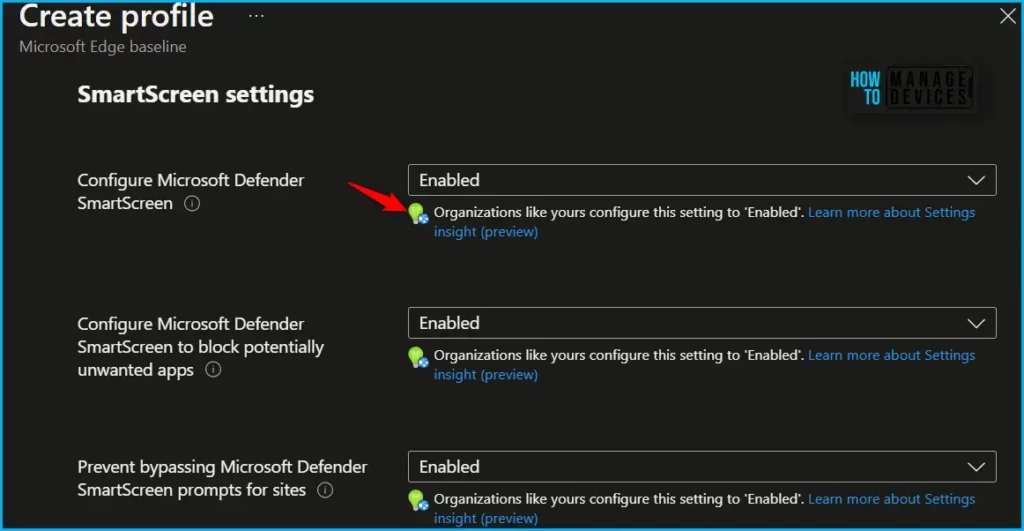
You may also find that some settings may not have insights If you are curious to know how it’s working or appearing with the policy. The interesting fact is, These Settings insight is powered by machine learning and heavily relies on underlying data used to make recommendations.
To provide dependable recommendations, Microsoft has implemented substantial guardrails that only display recommendations when there is sufficient data to support them. If administrators do not see recommendations for specific settings, it may indicate a lack of adequate data to offer insights. However, this situation can evolve over time as more data becomes accessible, potentially expanding the scope of available recommendations.
Author
About Author – Jitesh, Microsoft MVP, has over six years of working experience in the IT Industry. He writes and shares his experiences related to Microsoft device management technologies and IT Infrastructure management. His primary focus is Windows 10/11 Deployment solution with Configuration Manager, Microsoft Deployment Toolkit (MDT), and Microsoft Intune.


Discussion