






Big Changes in Microsoft Teams App Chats Teams and Channels moving into one place under Chat
Big Changes in Microsoft Teams App Chats Teams and Channels moving into one place under Chat. Let’s start with the new Microsoft Teams Chat and Channel Experience.
As we know, Microsoft Teams continuously develops, with new features introduced each month that enhance our experience and cooperation. This time, they are introducing a new feature, Microsoft Teams Chat and Channels Experience.
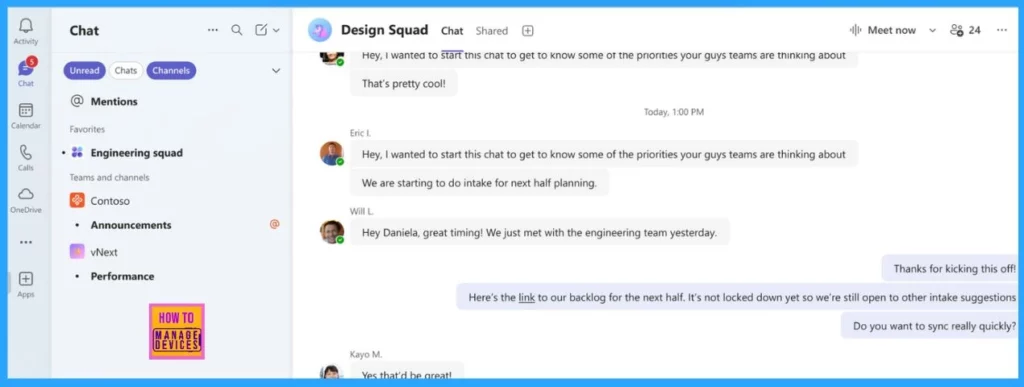
Microsoft redesigned the chat experience, which helped us find all our chats, teams, and channels in one spot under Chat. This new feature allows customers to easily navigate and prioritize conversations without switching between areas.
Users can customise their experience anytime without IT support by using separate chats and channels. In this post, I will explain the Microsoft Teams Chat and Channels Experience and how it helps customers with their workspace.

Table of Contents
Big Changes in Microsoft Teams App Chats Teams and Channels moving into one place under Chat
Microsoft Teams App Chats, Teams, and Channels are moving into one place under Chat. The significant change we will cover in the article is that you won’t be able to have a separate page for Teams or Channels anymore in the Microsoft Teams application. The Teams or Channels pages will get moved under the Chat page.
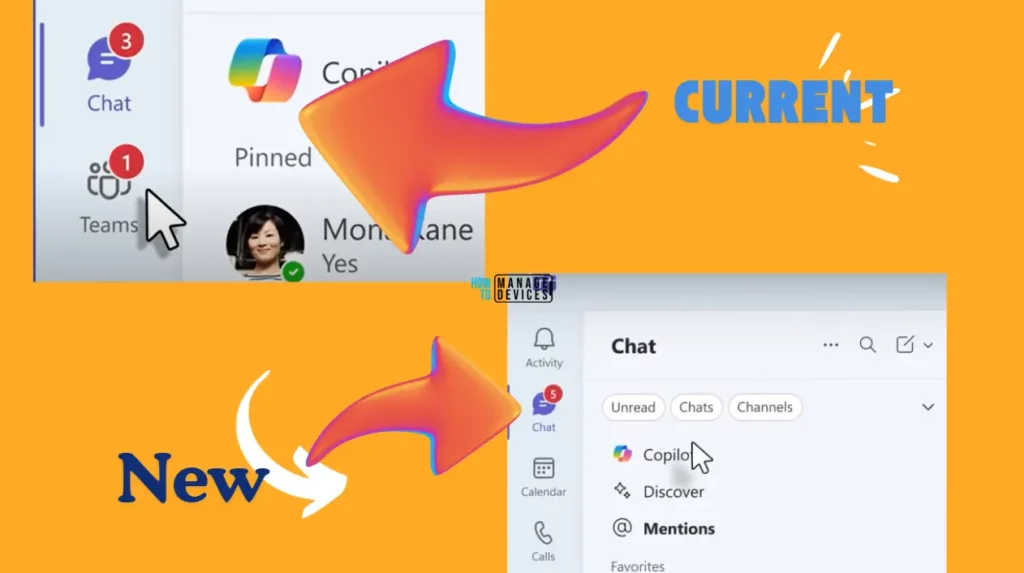
The following table shows the features of Microsoft Teams Chat and Channels Experience.
| Features of Microsoft Teams Chat and Channels Experience |
|---|
| Customize Conversations |
| Prioritise Messages |
| Clear Communication Save Time |
| Personalise the Experience with Preferences |
- How To Detect Sensitive Content During Screen Sharing In Microsoft Teams
- Microsoft 365 Copilot In Teams For Chat Meeting Calls Generally Available
- Deploy New Microsoft Teams for macOS using Intune
- Windows AutoPilot Step-by-Step Admin Guide To Provision Windows 10 11 Devices
Customize Conversations
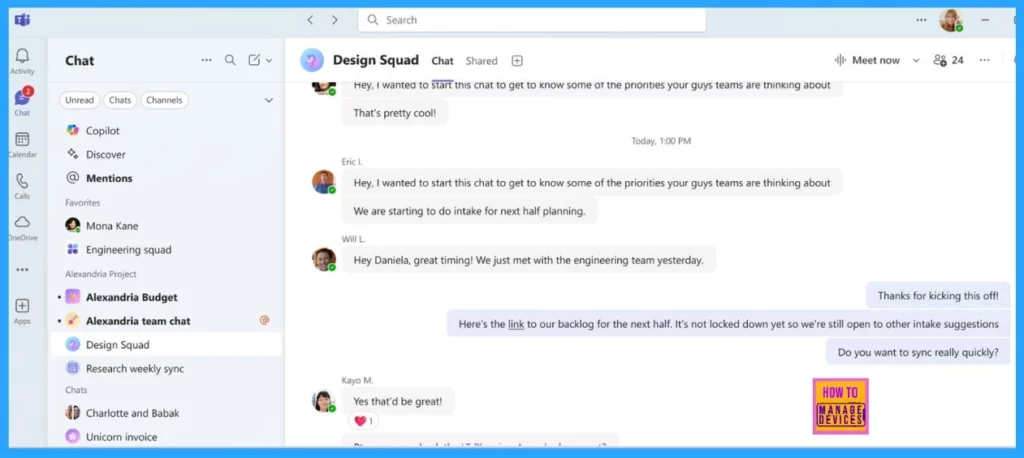
You can customise the workspace with the new team’s chat and channel experience. This option is available by default and combines all your pinned chats and channels from previous experiences. It will help you easily keep track of new messages and important information.
- Drag and drop your conversation list to place key discussions at the top.
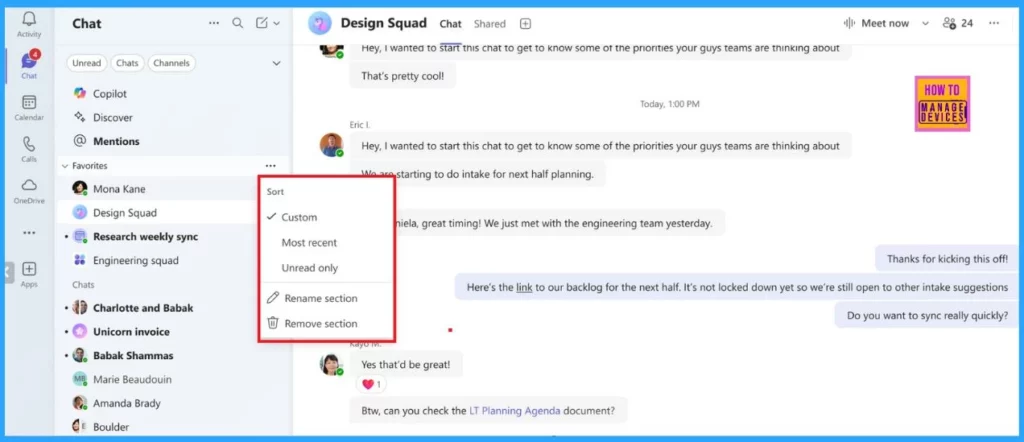
- You can also sort your conversations by the most recent messages or show only unread ones.
Clear Communication Save Time
You can start a chat or post in a channel from the same place, saving you from first going to a specific channel. This new message feature is more efficient.
- You can use the keyboard shortcut Ctrl+N (Cmd+N on Mac) to create a new message faster.
Prioritise Messages
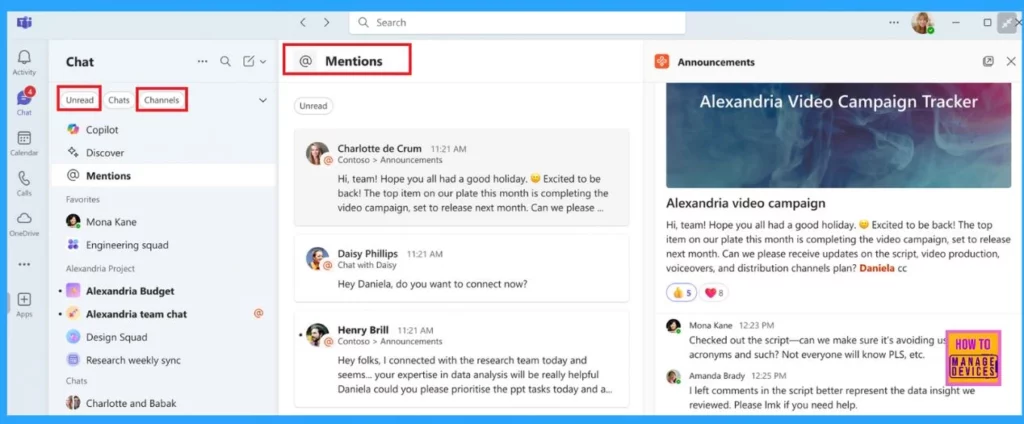
Microsoft has introduced new filters, including Unread, Chat, Channels, Meetings, and Muted, to help customers manage their messages more effectively.
By clicking on the Unread filter, you can easily view all your unread messages across chats, channels, and meetings in one convenient location. If you want a specific type of conversation, such as those in channels, you can select the Channels filter, which helps to limit your search. These tools update your communication and help you quickly find important information.
The new @mention view can help coordinate all messages sent to you into one easy list so you can quickly pay attention to essential messages and reply to them from your workflow.
Personalise the Experience with Preferences
The new feature enables customers to customize Teams chat and channels based on their workflow and information preferences. It provides separate views for chats and channels, offers message previews, or allows all channels to be displayed in one list.
- Display all channels in a single list to quickly see the latest channel messages.
- You can customise your mobile experience by showing messages by sections or the most recent.
- The design adjusts to different screen sizes for easy reading and response.
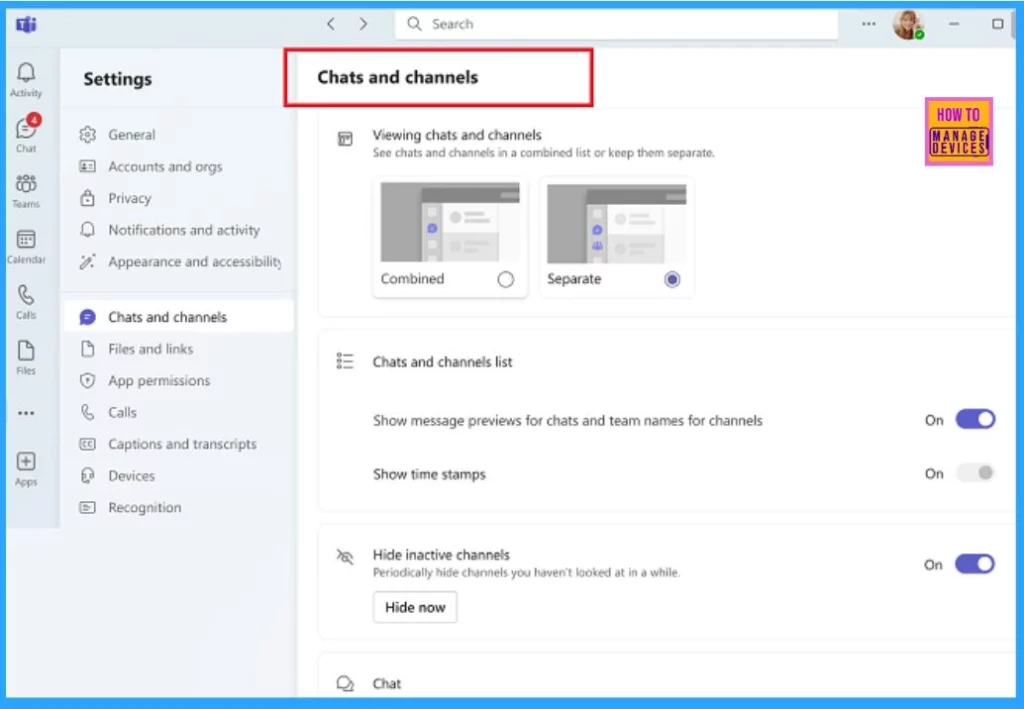
The new chat and channel experience will be available on all devices for continuous productivity. In November, it will be available for public preview on desktop, mobile, iOS, and Android.
Resources
Need Further Assistance or Have Technical Questions?
Join the LinkedIn Page and Telegram group to get the latest step-by-step guides and news updates. Join our Meetup Page to participate in User group meetings. Also, Join the WhatsApp Community to get the latest news on Microsoft Technologies. We are there on Reddit as well.
Author
Anoop C Nair has been Microsoft MVP for 10 consecutive years from 2015 onwards. He is a Workplace Solution Architect with more than 22+ years of experience in Workplace technologies. He is a Blogger, Speaker, and Local User Group Community leader. His primary focus is on Device Management technologies like SCCM and Intune. He writes about technologies like Intune, SCCM, Windows, Cloud PC, Windows, Entra, Microsoft Security, Career, etc.




Discussion