






TeamsTfwStartupTask Registry Key is not Roamed with FSLogix ODFC Containers
Let’s discuss a concern the community is discussing: TeamsTfwStartupTask Registry Key is not Roamed with FSLogix ODFC Containers. TeamsTfwStartupTask is a Microsoft Teams Component that controls whether Teams starts automatically when you boot up your computer.
We will also discuss the confusion of “rely on your other Profile Management tools” mentioned in Microsoft docs. Registry keys are also available to control Microsoft Teams‘ autostart. TeamsTfwStartupTask Registry Key means its configuration settings synchronise across different devices or user sessions.
FSLogix ODFC containers are a subset of the profile container and are used to redirect specific Microsoft 365 app data into a VHD stored on a storage provider.
Microsoft Teams now has the New Auto-Start feature available. Some components influence the behaviour of the New Teams auto-start. This blog post will help you learn more about how the TeamsTfwStartupTask Registry Key is Paired with FSLogix ODFC Containers.


Rely on your other Profile Management Tools – Confusion
There was confusion about the note in the Microsoft docs that mentioned that it’s better to rely on other profile management tools, such as VMWare DEM, AppSense, and Citrix UPM.
“If you’re using non-persistent VDI, you must make sure the TeamsTfwStartupTask registry key is roamed. FSLogix ODFC containers won’t roam this, so you must rely on your other profile management tools (VMWare DEM, AppSense, Citrix UPM) to persist this key.”
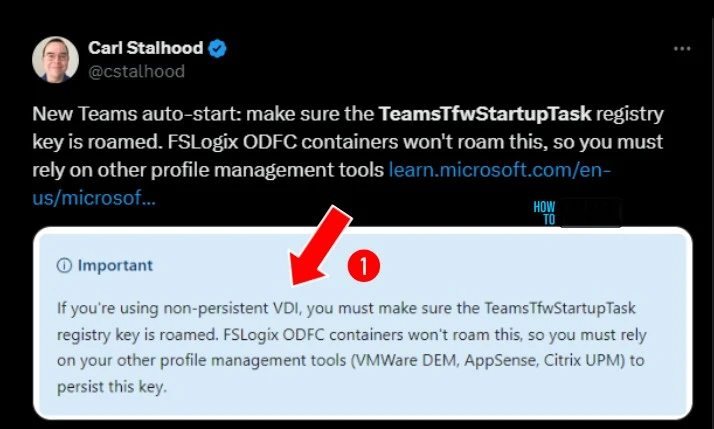
René Bigler from the community shared his opinion “There’s not many reasons anymore to use ODFC. Full blown profile container imho, maybe combined with ODFC if you really need to separate profile data and M365 cache.” Jim Moyle confirmed that Rene is correct.
- How To Enable Roam Recycle Bin In FSLogix Using Intune Policy
- Ensure Safe User Sign-ins Through Healthy Providers Required For Register Using Intune Policy
- How To Configure FSLogix Forced Unregister Cache Settings Using Intune Policy
- Enable Disable MS Teams Notify When Available Settings
- Windows 365 Cloud PC Gallery Images Pre-Install New Microsoft Teams
- Drag Teams Presenter Toolbar during Screen Sharing Frustrating Experience is Going to End Soon
TeamsTfwStartupTask Registry Key is not Roamed with FSLogix ODFC Containers
Users must make sure the TeamsTfwStartupTask registry key is roamed. FSLogix ODFC containers won’t roam this, so users must rely on other profile management tools.
Components that Control Auto-Start Behavior
3 components Control the Auto-Start Behavior of New Teams Auto-Start. The table below shows the 3 Components that control Auto-Start Behaviour.
| Components that Control Auto-Start Behavior |
|---|
| By default, MSIX-based applications will not auto-start until there is a first launch, because the Windows OS doesn’t auto-start packages in a provisioned state. |
| If the “Auto-start Teams” checkbox is greyed out, it means a system-wide GPO is disabling this option for UWP apps |
| This registry key controls the Teams auto-start behavior, so you can enable or disable it programmatically |
Enable Auto-Start using Teams Settings
After the first launch of Teams, users can enable the Auto-Start Teams option using Teams Settings. To enable this, follow the steps.
- Open Microsoft Teams on your PC
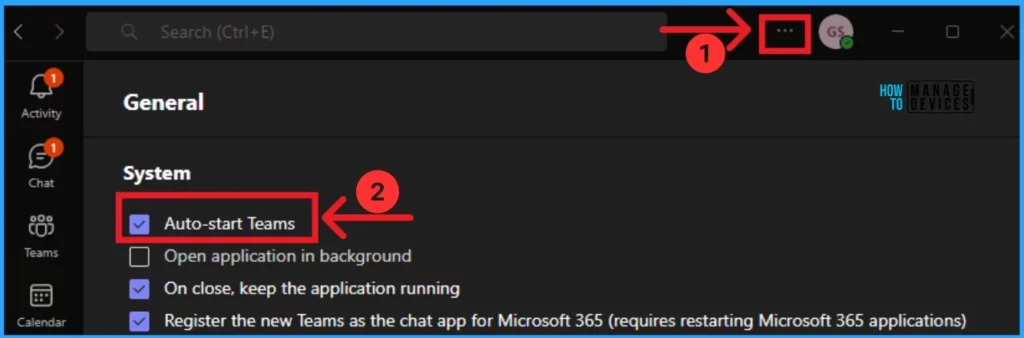
- Click on the 3 dot option(Settings) on the top of the Teams window
- Under General Settings, you can see the Auto-start Teams option
- Click on the Checkbox to enable the Auto-start Teams
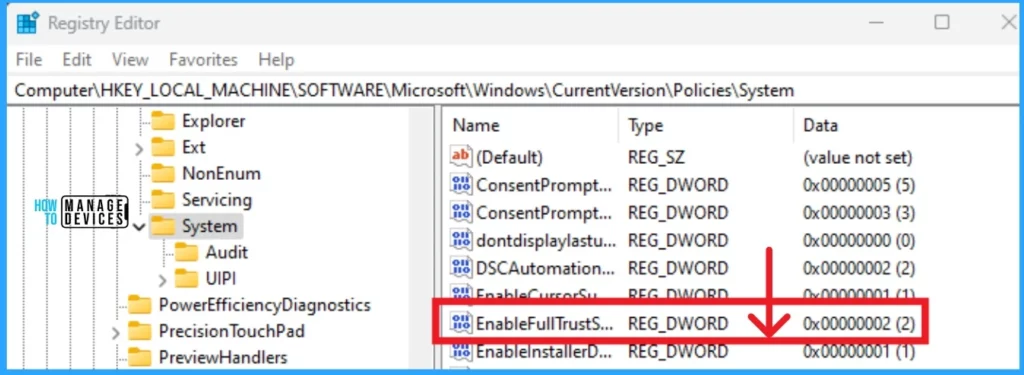
Registry setting causes the option to be unavailable in the operation systems under Settings > Apps > Installed Apps. Use the Registry HKEY_LOCAL_MACHINE\SOFTWARE\Microsoft\Windows\CurrentVersion\Policies\System. Click on the EnableFullTrustStartupTasks. You can see the value as dword:00000002.
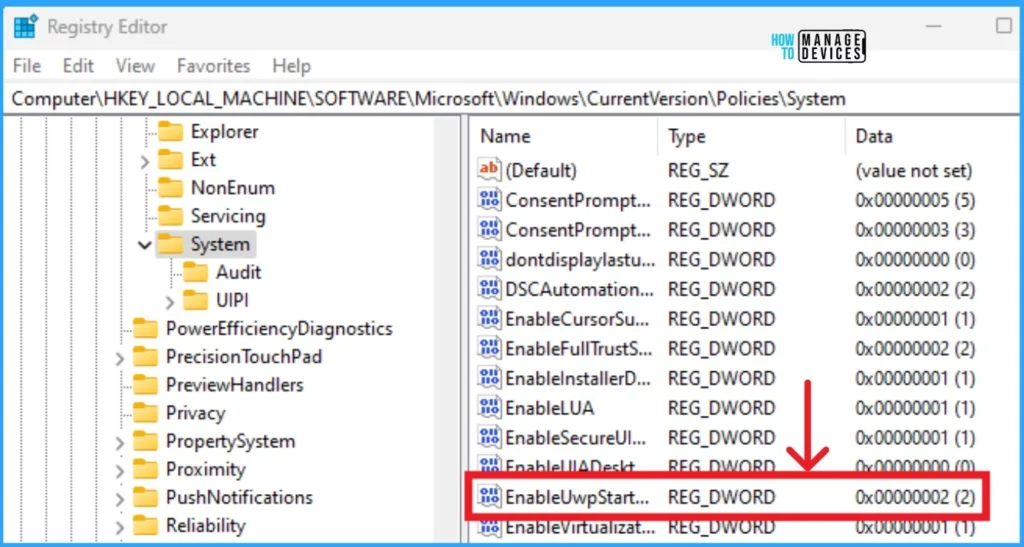
You can see this EnableUwpStartupTasks Registry key to check if the (UWP) apps or desktop applications to start automatically when the system boots up or when a user logs in to their device. Change the Value as 00000002.
- New Hide General Channel Feature in Microsoft Teams
- Microsoft Teams Phone Connects with Millions of PSTN Users
- Microsoft Classic Teams Reaching to End of Life
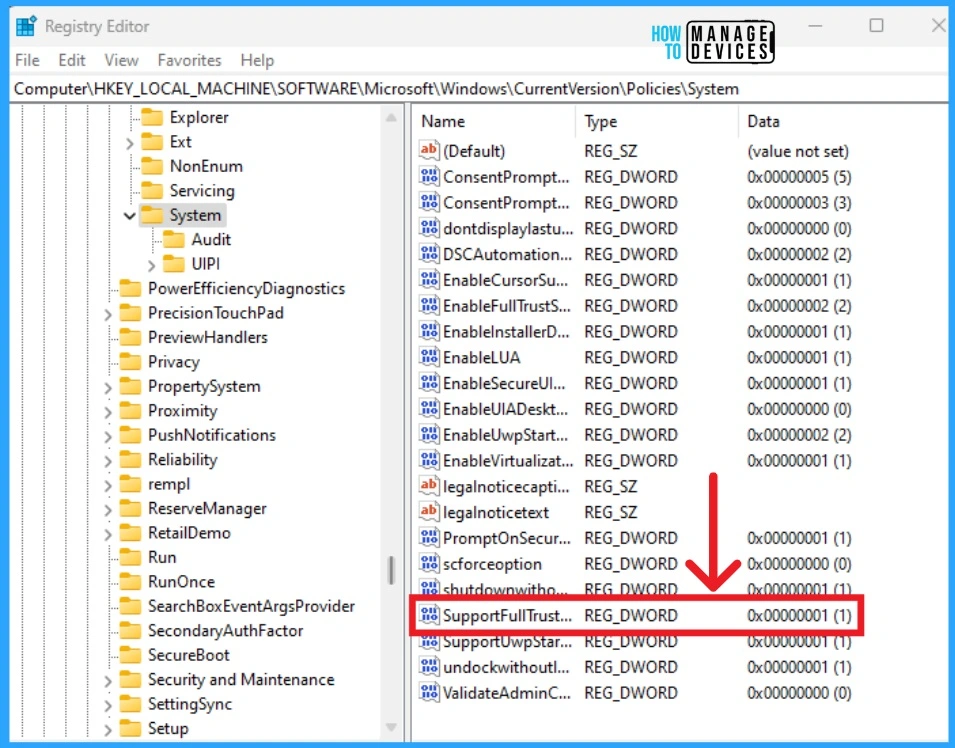
The SupportFullTrustStartupTasks registry key is a solution that can help resolve issues related to enabling the “Auto-start Teams” feature in the New Microsoft Teams client. Change the Value as 00000001.
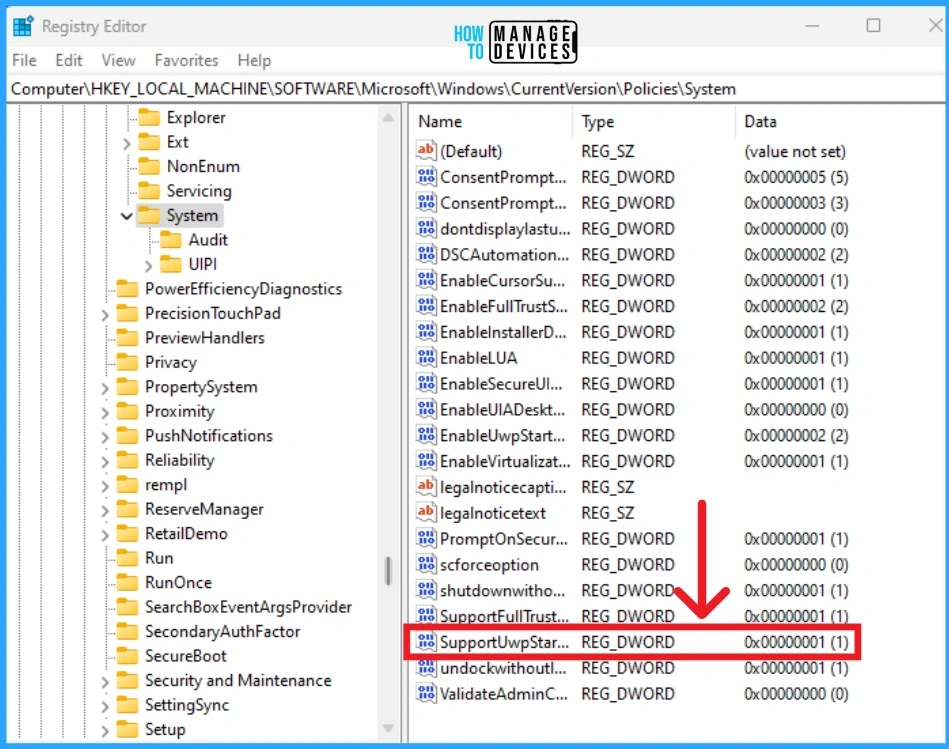
SupportUwpStartupTasks registry key also helps users to solve issues related to enabling the “Auto-start Teams” feature in the New Microsoft Teams client. Change the value as 00000001.
We are on WhatsApp now. To get the latest step-by-step guides, news, and updates, Join our Channel. Click here. HTMD WhatsApp.
Author
Anoop C Nair has been Microsoft MVP from 2015 onwards for 10 consecutive years! He is a Workplace Solution Architect with more than 22+ years of experience in Workplace technologies. He is also a Blogger, Speaker, and leader of the Local User Group Community. His main focus is on Device Management technologies like SCCM and Intune. He writes about technologies like Intune, SCCM, Windows, Cloud PC, Windows, Entra, Microsoft Security, Career, etc.




Discussion