






Top 4 Pillars of SCCM to Intune Migration Workloads Identity Applications Policies
Let’s discuss the Top 4 Pillars of SCCM to Intune Migration Workloads Identity Applications Policies. Moving from SCCM to Intune is not just an IT change, it is a big, organisation-wide transformation. It is about preparing the company for the modern way of working, where employees might work from anywhere in the world and need secure access to company data.
SCCM is a Microsoft tool that helps you to manage computers, software, and updates within an organization’s internal network. It is ideal for traditional office environments where all devices are connected to the company’s data center.
Microsoft Intune is a cloud-based device management solution that allows IT teams to manage and secure devices over the internet, including Windows, macOS, iOS, and Android. This makes it perfect for modern, remote, or hybrid work setups where employees are spread across different locations.
Migrating from SCCM to Intune is important because it helps organisations move from an on-premises, network-dependent setup to a modern, cloud-based management model. Intune enables centralised control, improves security through Zero Trust principles, and allows device management from anywhere. This transition supports flexibility, scalability, and enhanced security.

Table of Contents
Top 4 Core Migration Pillars for a Smooth Transition from SCCM to Intune
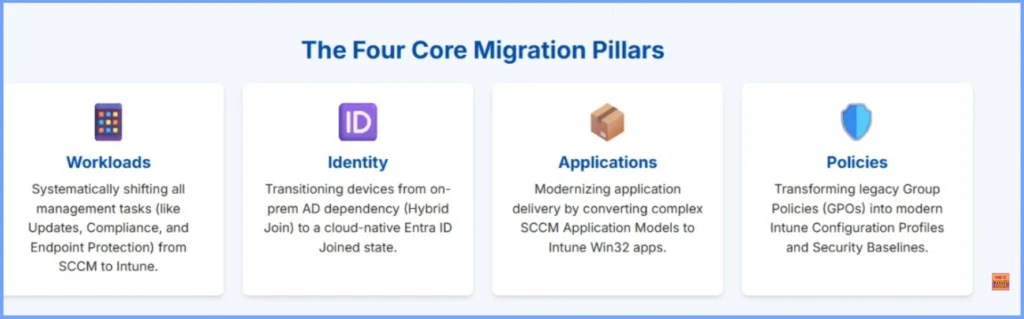
The migration from SCCM to Intune is built around 4 core pillars such as Workloads, Applications, Identity, and Policies. Each of these plays a vital role in ensuring a smooth and successful transition. Workloads define which management tasks are handled by SCCM and which are moved to Intune. This helping organisations gradually shift control without disrupting existing operations.
| Four Core Migration Pillars | More Details |
|---|---|
| Workloads | Systematically shifting all management tasks (like Updates, Compliance, and Endpoint Protection) from SCCM to Intune. |
| Identity | Transitioning devices from on-prem AD dependency (Hybrid Join) to a cloud-native Entra ID Joined state. |
| Applications | Modernizing application delivery by converting complex SCCM Application Models to Intune Win32 apps. |
| Policies | Transforming legacy Group Policies (GPOs) into modern Intune Configuration Profiles and Security Baselines. |
- Why App Delivery Is Slowing Down In Microsoft Intune During Or After Migration
- Download 37 Page Best Intune Migration Document from Microsoft
- Migration Guide Intune Hybrid to Intune Standalone
- Microsoft Intune Adoption Kit Got a Recent Update
Pillar 1 – Workload Migration Path
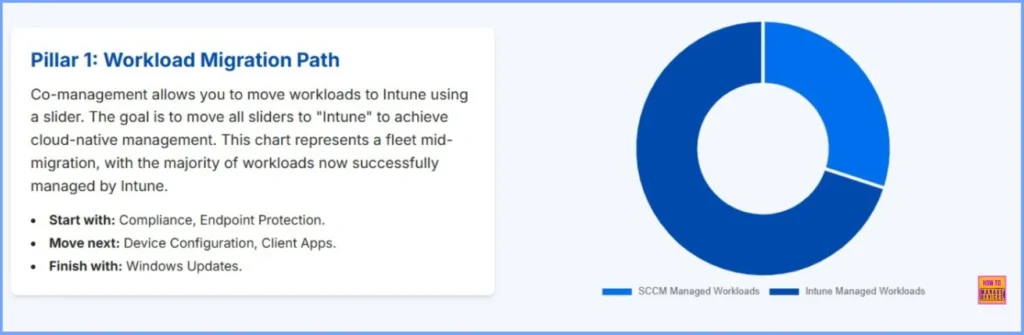
Co-management is a feature that helps you move different management tasks from SCCM to Intune step by step. You can do this using sliders; each slider represents a workload. The goal is to move all sliders to Intune, so all management happens in the cloud.
| Workload Migration Path | Details |
|---|---|
| Start with | Compliance, Endpoint Protection. |
| Move next | Device Configuration, Client Apps. |
| Finish with | Windows Updates. |
Pillar 2 – Identity Strategy (Hybrid vs. Cloud)
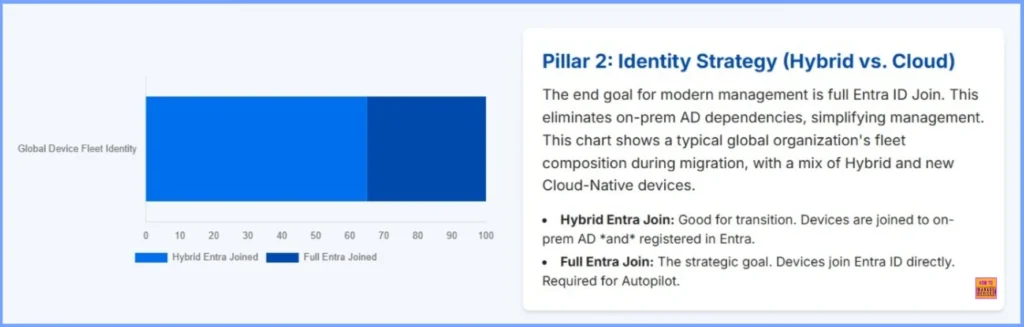
The Identity Strategy is an important key part of migrating from SCCM to Intune. It is focuses on how user and device identities are managed. Organisations can choose between a Hybrid or Cloud-only identity model. In a Hybrid Identity setup, on-premises Active Directory is connected to Entra ID, allowing users to use the same credentials for both environments. In a Cloud Identity model, all users and devices are managed directly in Entra ID, eliminating on-premises dependencies.
- Choosing the right strategy depends on business needs, existing infrastructure, and the organisation’s readiness for full cloud adoption.
| Hybrid Entra Join | Full Entra Join |
|---|---|
| Good for transition. Devices are joined to on- prem AD and registered in Entra. | The strategic goal. Devices join Entra ID directly. Required for Autopilot. |
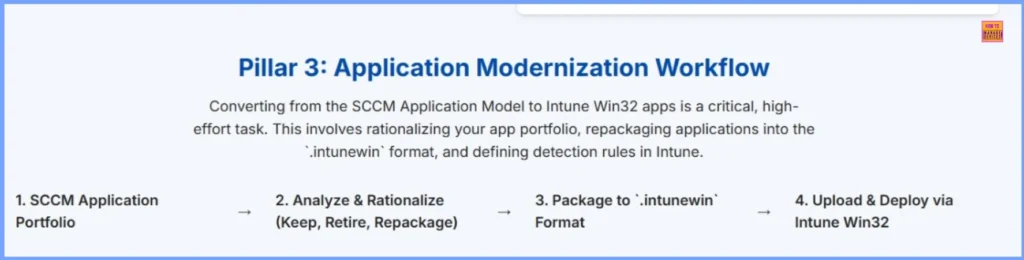
Pillar 3: Application Modernization Workflow
The Application Modernization Workflow is the process of preparing, transforming, and moving applications from SCCM to Intune so they can be managed and delivered through the cloud. It ensures that users continue to access the apps they need. It helps organizations move from traditional software deployment methods to a modern, cloud-based approach that supports remote users and enhances security.
| Application Modernization Workflow |
|---|
| SCCM Application Portfolio |
| Analyze & Rationalize (Keep, Retire, Repackage) |
| Package to ‘.intunewin‘ Format |
| Upload & Deploy via Intune Win32 |
- Unsupported Windows 10 Devices in Intune may Experience Limited or Unreliable Functionality
- Intune Administrative Templates Support is Going Away by December 2024
- Windows Device Configuration Policies Migrating to Unified Settings Platform in Intune
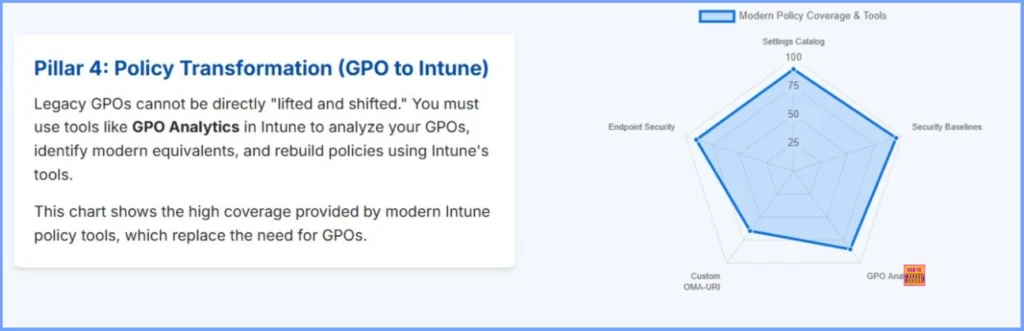
Pillar 4: Policy Transformation (GPO to Intune)
Policy Transformation (GPO to Intune) is the process of moving existing Group Policy Objects (GPOs) from on-premises Active Directory to Intune’s cloud-based management. It involves identifying current policies, mapping them to equivalent Intune settings, and recreating them using configuration profiles or security baselines.
This shift allows organizations to apply consistent policies to both on-premises and remote devices, improving security and enabling modern, cloud-first management without relying on traditional domain infrastructure.
Need Further Assistance or Have Technical Questions?
Join the LinkedIn Page and Telegram group to get the latest step-by-step guides and news updates. Join our Meetup Page to participate in User group meetings. Also, Join the WhatsApp Community to get the latest news on Microsoft Technologies. We are there on Reddit as well.
Author
Anoop C Nair has been Microsoft MVP for 10 consecutive years from 2015 onwards. He is a Workplace Solution Architect with more than 22+ years of experience in Workplace technologies. He is a Blogger, Speaker, and Local User Group Community leader. His primary focus is on Device Management technologies like SCCM and Intune. He writes about technologies like Intune, SCCM, Windows, Cloud PC, Windows, Entra, Microsoft Security, Career, etc.


Discussion