






How to Uninstall Windows 10 Restore Previous Version of Windows
How to Uninstall Windows 10 Restore Previous Version of Windows. I’ve upgraded the Windows 7 laptop to Windows 10.
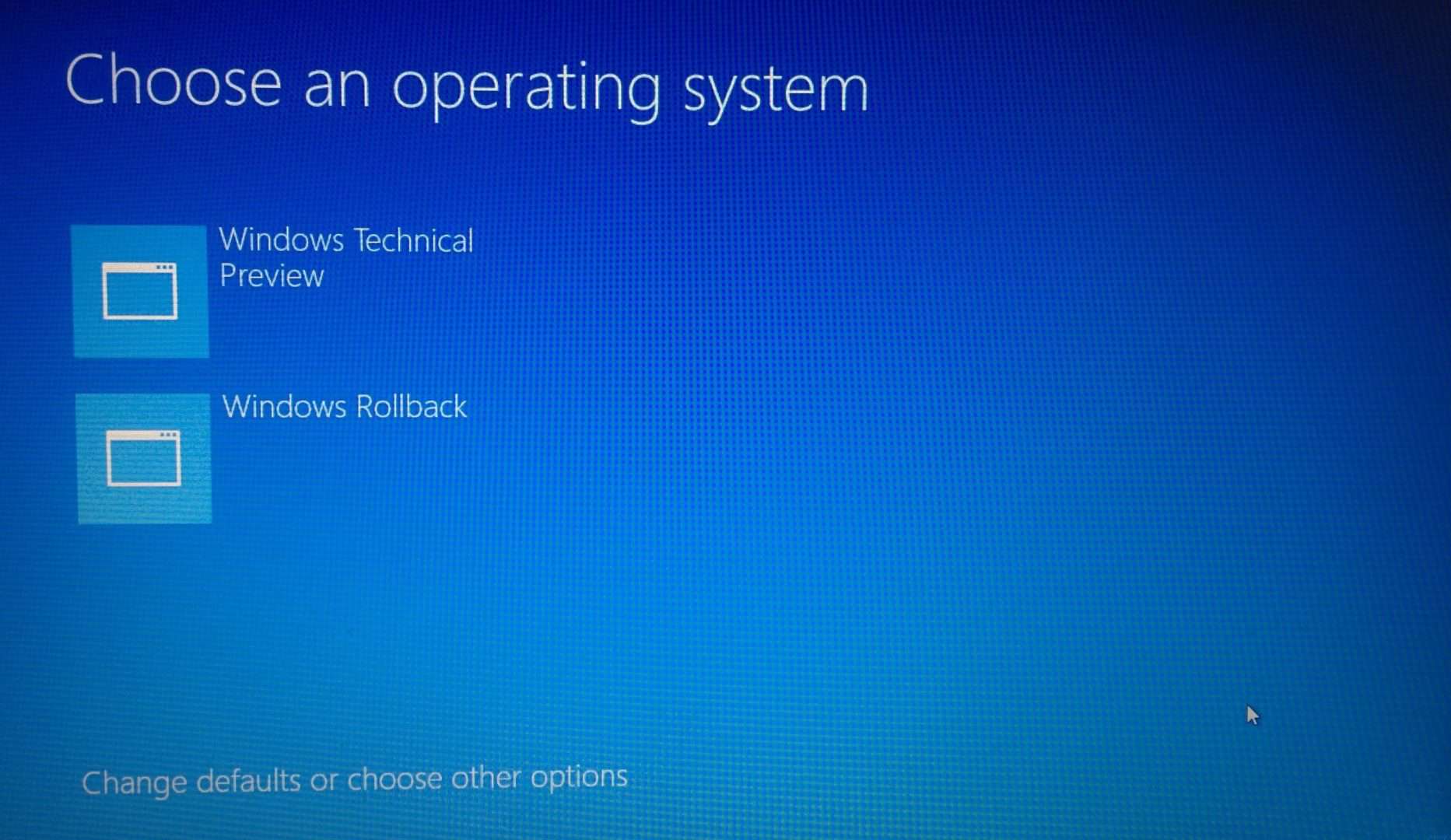
It’s interesting that whenever I boot up Dell LATITUDE E7240, I get an option to “Choose an Operating System”. There are two options: the first is “Windows Technical Preview,” and the second is “RollBack“. Windows 10 provides two boot options, but it’s NOT dual boot.
Don’t get confused; if you select the second (Windows Rollback) option, there is no way to get back to Windows 10 TP2 (other than going through the Windows 7 to Windows 10 Upgrade process).
In this post, I’ve included a Windows Rollback video; in the video, you’ll be able to see it took only 2 minutes to restore the old Windows 7 operating system onto my laptop.

| Index |
|---|
| How to Uninstall Windows 10 Restore Previous Version of Windows |
| Video Tutorial to Restore the Previous Version of Windows |
| Steps to Restore the Previous Version of Windows |
- Free Generic Windows 10 Product Keys from Microsoft
- Windows 10 Product Key Change Home to Professional Upgrade | Activate
- Easiest Option to Upgrade to Latest Version of Windows 10 21H1 | No Need to Download 21H1 | Best Upgrade Option
- Windows Update for Business policies through Intune
- WSUS through SCCM (Windows 10 Servicing)
- Windows 10 Upgrade Task Sequence
- Apps Show Open with Dialog Issues on Taskbar or Start Menu Icons
How to Uninstall Windows 10 Restore Previous Version of Windows
If you’ve upgraded the Windows 8.1 machine to Windows 10, you may not get the Windows Rollback screen when you restart the machine. Here is how to enable the #Windows10 Rollback option for the Upgraded Windows 8.1 Machines
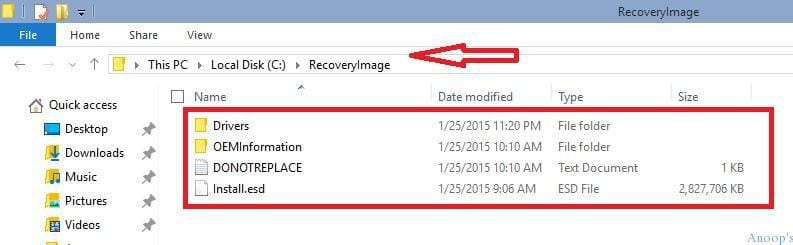
In some cases, it’s better to have a rollback option to the previous version of Windows. Windows 10 rollback process is straightforward. You must ensure that “C:\RecoveryImage” and “C:\Windows.old” folders are intact in your Windows 10 TP2 laptop. Don’t delete that folder; if the folder is deleted, then you won’t be able to perform “Windows Rollback“.
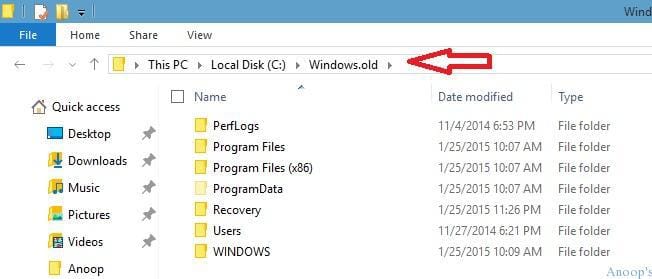
After the restore/rollback process, the Windows folder of the “Windows 10” version will be deleted. However, the following folder will be intact 😉
Video Tutorial to Restore the Previous Version of Windows
How to roll back Windows 10 !! How to Uninstall Windows 10 and Restore Previous Version of Windows.
Steps to Restore the Previous Version of Windows
1) If you’re browsing from Windows 10, restart the device. 2) It will boot with a Windows 10 boot loader. You’ll get the option to choose an operating system. Select Windows Rollback.
- 3) When you look at the above video, you can see that it took only 2 minutes to roll back windows.
| Choose an Operating System |
|---|
| Windows Technical Preview |
| Windows Rollback |
Resources
Windows 10 Latest Version Of Client Operating System From Microsoft (anoopcnair.com)
We are on WhatsApp now. To get the latest step-by-step guides, news, and updates, Join our Channel. Click here. HTMD WhatsApp.
Author
Anoop C Nair is Microsoft MVP! He is a Device Management Admin with more than 20 years of experience (calculation done in 2021) in IT. He is a Blogger, Speaker, and Local User Group HTMD Community leader. His main focus is on Device Management technologies like SCCM 2012, Current Branch, and Intune. He writes about ConfigMgr, Windows 11, Windows 10, Azure AD, Microsoft Intune, Windows 365, AVD, etc.



I deleted Windows 10 and tried to go back to Win 7…Files have been deleted and I cannot even get online..I do not have a boot disc…thank goodness for kindle…am getting a new computer…without Windows 10.
StaffIt’s very easy to make a bootable DVD or USB rather than buying a computer 🙂
So how do you do that? How can you create a bootable DVD or USB?
Windows 10 just auto updated on my Windows 7 and I did the uninstall and now my computer states it can’t start up. It runs a diagnostic testin safe mode and comes back stating computer can not start up. Is there anything I can do?