






What is Microsoft Unified Endpoint Management UEM?
Let’s understand what Microsoft Unified Endpoint Management (UEM) solution is. Microsoft UEM is not a single tool but a grouping of different tools that provides end-to-end device management solutions to the organization. Microsoft introduced the product called Endpoint Manager Microsoft Intune with UEM in mind.
The Endpoint Manager Microsoft Intune from Microsoft is a Unified Endpoint Manager product that allows managing multiple endpoint types in a single console. Microsoft combines Microsoft Intune with more tools like SCCM, Intune, etc.
As per industry standards, the UEM must include traditional client management tools (CMT). In the Microsoft scenario, it’s the combination of Configuration Manager with other traditional tools. In the following sections, let’s take a closer look at the Microsoft UEM solution.
Read More on Autonomous Endpoint Management AEM and opportunities with AEM in this market, as well as which new players are in the market. AEM is nothing but next-level automation of Workplace operations.

Table of Contents
Video Tutorial- What is the UEM Unified Endpoint Management Tool?
Let’s check out the following video to understand the question: What is UEM Unified Endpoint Management? By 2027, unified endpoint management (UEM) and digital employee experience (DEX) tools will converge to drive autonomous endpoint management, reducing human effort by at least 40%.
By 2025, more than 90% of clients will use cloud-based UEM tools to manage most of their estate, up from 50% in early 2022.
- Latest Vendors:- Microsoft, VMWare, Ivanti, Manage Engine, Matrix 42, and IBM
What Are the Products Included in Microsoft Unified Endpoint Management Products?
Microsoft’s UEM product is called Microsoft Intune. MS Intune combines many different products within the Microsoft ecosystem. The following is a quick list of tools the Microsoft Endpoint Manager solution includes.
- Microsoft Intune – Cloud-based unified management.
- Microsoft Configuration Manager – On-premises and cloud-based management.
- Microsoft Intune Suite of Advanced Solutions
- Microsoft Intune Remote Help
- Microsoft Tunnel for Mobile App Management
- Microsoft Intune Endpoint Privilege Management
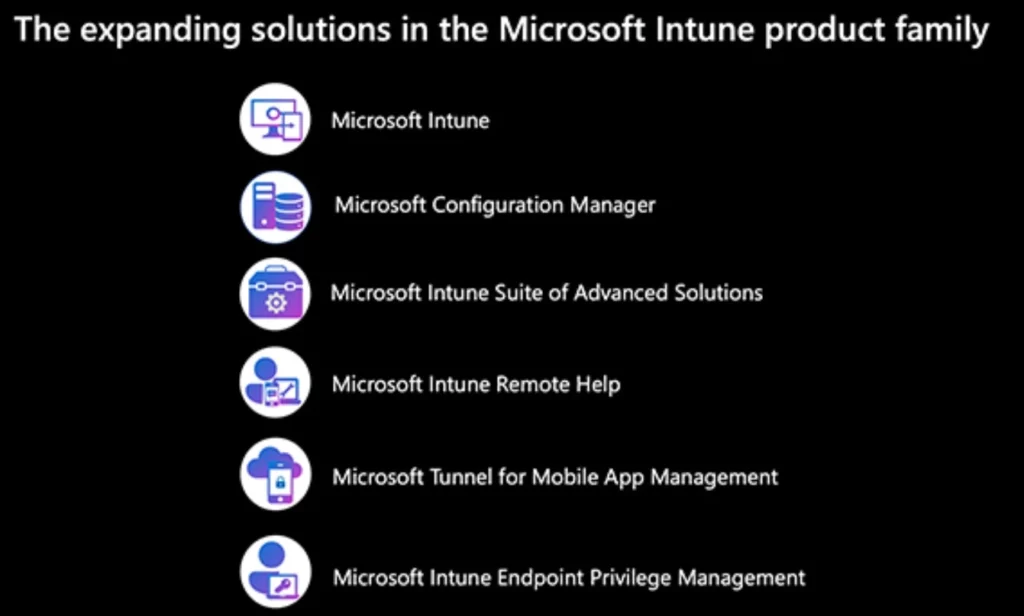
Manage Multiple Endpoint Types in a Single Console
Microsoft Unified Endpoint Manager product Endpoint Manager connects with the on-prem client management solution SCCM (a.k.a Configuration Manager). You can manage multiple endpoint types (modern and traditional) in a single console.
The single console for the Microsoft UEM solution is called Microsoft Endpoint Manager Admin Center. Once you have relevant subscriptions, you can start using the admin center portal. You can access the single console for Microsoft UEM from the following URL.
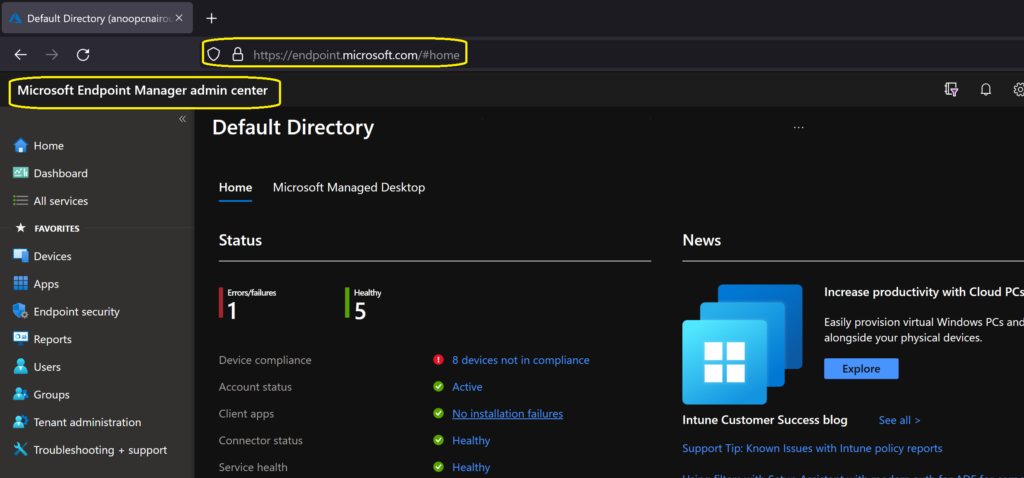
Full Capabilities of Traditional Client Management Tools (CMT)
Let’s check whether the Microsoft Unified Endpoint Manager tool provides the full capabilities of traditional client management tools. Even though SCCM is no longer a traditional client management tool, the comparison is between SCCM and the Unified Endpoint Manager tool.
The Microsoft Endpoint Manager (MEM), with the integration of all the other products (covered in the above section), can deliver almost all the features of a traditional client management tool. I don’t think getting all the integration working between some products like SCCM and Intune is straightforward. However, the integration works very well!
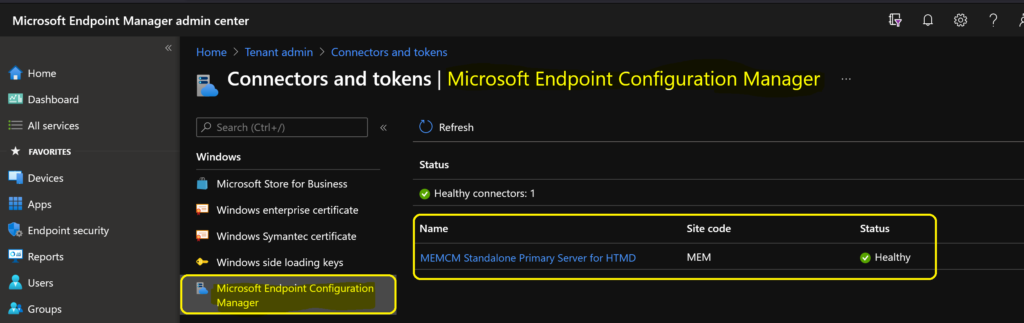
NOTE! – The following picture shows integration between SCCM and Intune using the feature called Tenant Attach.
A Single View of Multidevice Users
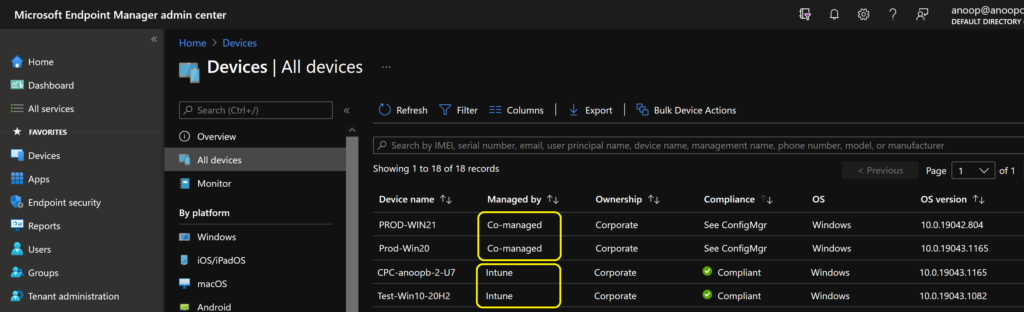
The Admin Center portal allows you to view multiple users in one view. You can also manage SCCM and Intune-managed devices from a single console. In the following example, two devices are SCCM-managed (using tenant attach), and the other two are managed by the Intune solution.
Client Management from One Console
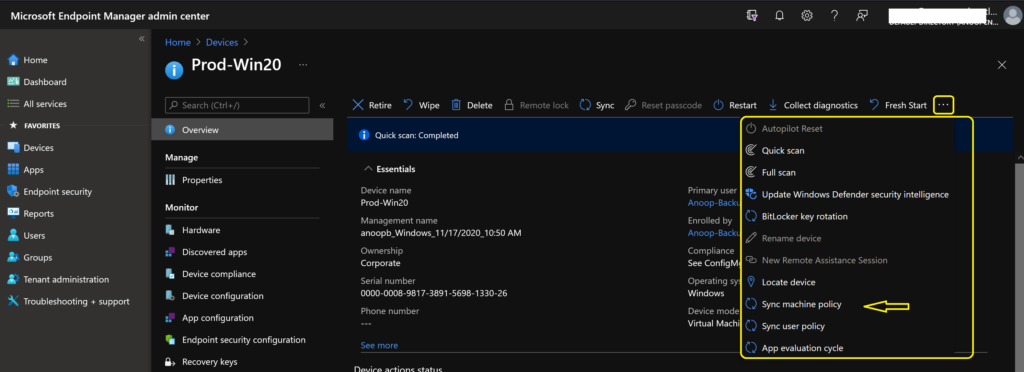
With the Microsoft UEM solution, you can manage devices as part of the on-prem client management solution (SCCM) from the MEM admin centre console. The following remote actions and application deployment options are available from the MEM portal.
- Sync Machine Policy
- Sync User Policy
- Resource Explorer (SCCM Hardware inventory information)
- App evaluation Cycle
- Run CMPivot Query
- Run PowerShell Scripts
- SCCM Collections
- SCCM Applications
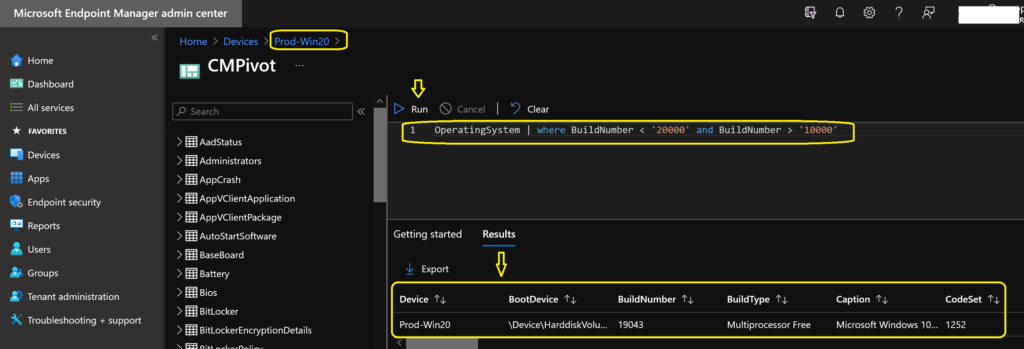
Live Queries using CMPivot
You can run a live query (CMPivot) on the on-prem devices from the cloud admin center portal. This gives you the real power of the integration between SCCM and Intune. If the on-prem managed devices are connected online to the network, you can run the live queries to get the results immediately.
iOS, Android, and MacOS Management using Intune
Using the Intune cloud solution, which is part of Microsoft’s Unified Endpoint Management solution, you can natively manage iOS, Android, and macOS devices. Intune can also manage MS Teams room devices, Surface Hubs, etc.
The Intune Endpoint Manager post provides details about Intune device management features like application deployment, security policies, compliance policies, etc.
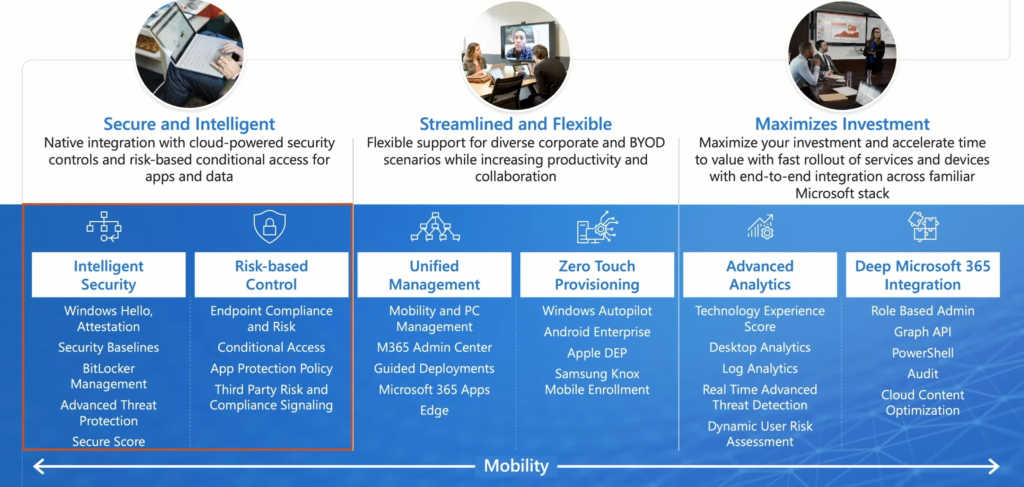
NOTE! – I have not covered all the aspects of the Microsoft UEM solution in this post.
We are on WhatsApp. To get the latest step-by-step guides and news updates, Join our Channel. Click here –HTMD WhatsApp.
Author
Anoop C Nair has been Microsoft MVP for 10 consecutive years from 2015 onwards. He is a Workplace Solution Architect with more than 22+ years of experience in Workplace technologies. He is a Blogger, Speaker, and Local User Group Community leader. His primary focus is on Device Management technologies like SCCM and Intune. He writes about technologies like Intune, SCCM, Windows, Cloud PC, Windows, Entra, Microsoft Security, Career, etc.




Hi, I’m just starting on my Microsoft Endpoint Manager journey with Configuration Manager and Microsoft Intune. At this stage I’m very green, and trying to understand basic concepts and implementation settings. Can you recommend any books, videos, CBTs, or other resources to get me up to speed? Thanks for your time
thank