






Windows 10 KB5055518 April 2025 Patch and 1 Zero Day Vulnerability and 134 Flaws
Let’s discuss Windows 10 KB5055518 April 2025 Patch and 1 Zero Day Vulnerability and 134 Flaws. Microsoft released patches for Windows 10 KB5055518. There are many security features available on April 2025 Patch Tuesday Update.
In this Windows 11 also has many security features. There are some notable vulnerability addressed on this Patch Tuesday Update. On Windows 11 many improvements which are also addressed. Windows 11 has 2 KBs KB5055523 and KB5055528.
On Windows 10 you can see several improvements. This month Microsoft Bing app’s web search provider in Windows Search updated. Windows Search now opens search results with the default browser in EEA. You can refer this post know more details of this update.
Various fixed issues are shown on the April 2025 Patch Tuesday Update of Windows 10. This update addressed an issue on Thumbnails in File Explorer. It crash resulting in white pages appearing instead of the actual thumbnail.


Table of Contents
KB5055518 Zero Day Security Vulnerability for April 2025
On April 2025 Microsoft addressed 1 Zero day vulnerability. CVE-2025-29824 Windows Common Log File System Driver Elevation of Privilege Vulnerability.The below table shows more informations.
| CVE Number | CVE Title | Publicaly Disclosed | Exploitability Assessment | Exploited |
|---|---|---|---|---|
| CVE-2025-29824 | Windows Common Log File System Driver Elevation of Privilege Vulnerability | No | Exploitation Detected | Yes |

- Top 83 Windows 11 Desktop Admin Interview Questions
- Windows 10 Version Numbers Build Numbers Major Minor Build Rev
- Updated Windows 10 End of Life Dates
April 2025 Windows 10 Patch
Microsoft declared many fixed issues on April 2025 Patch Tuesday Update. Thumbnails in File Explorer affected by an issue. The below table shows the Windows 10 22H2 Version details.
| Windows 10 22H2 |
|---|
| KB5055518 |
Updated Version of Windows 10 After Installing KB5055518 April 2025 Patch
Windows 10 Patch Tuesday update helps you to maintain device security and explore with latest features. This update shows the version number and build number. The following list shows the details.
- Windows 10 Version Details – Windows 10 22H2 KB5055518
- Version Details – Windows 10 version 22H2– (OS Builds 19044.5737 and 19045.5737)
- More Details on Windows 10 version Numbers: Windows 10 Version Numbers Build Numbers Major Minor Build Rev
New Improvements with Windows 10 April Patches
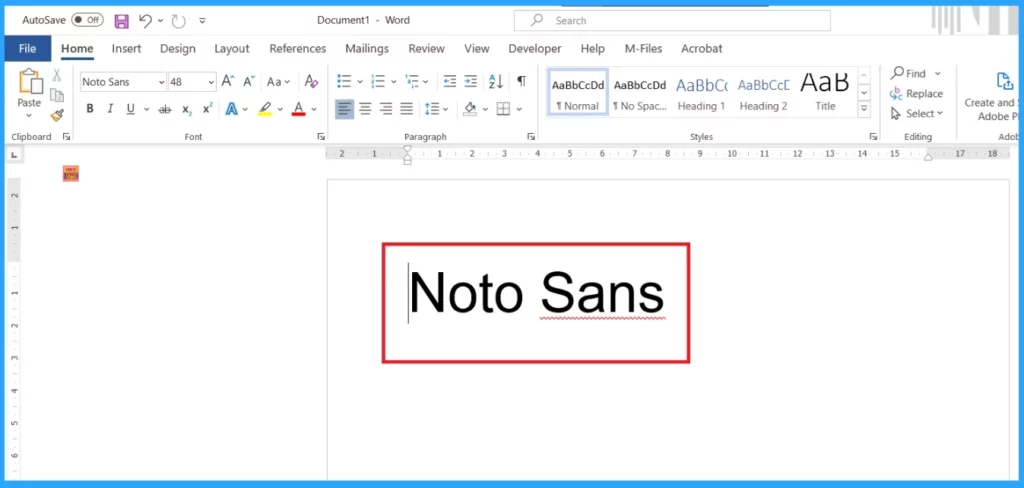
On April 2025 Patch Tuesday update shows many improvements in Windows 10 KB5055518. This update provides Noto CJK (Chinese, Japanese, and Korean) fonts in Windows. The table below shows more details and other improvements.
| New Improvements April Patches | Details |
|---|---|
| Updates on Windows Noto Fonts | This update provides Noto CJK (Chinese, Japanese, and Korean) fonts in Windows. |
| Mobile Operator Profiles | With this update, Country and Operator Settings Asset (COSA) profiles are updated. |
| [Temporary files updated | System processes to store temporary files in a secure directory “C:\Windows\SystemTemp” via either calling GetTempPath2 API or using .NET’s GetTempPath API, thereby reducing the risk of unauthorized access. |
| Windows Search has been updated in the European Economic Area (EEA) | Windows Search has been updated in the European Economic Area (EEA). With this update, Windows Search improved support for web search providers, including increased discoverability and merged results in the All scope. |
| Updated the Microsoft Bing app’s web search provider in Windows Search | Microsoft Bing app’s web search provider in Windows Search in Windows Search now opens search results with the default browser in the EEA |
Issues Fixed with Windows 10 April Patch
April patches show Windows 10’s recently fixed issues. An issue with USB-connected dual-mode printers. The table below shows the other fixed issues of Windows 10 22H2.
| Fixes with Windows 10 April Patch | Deatails |
|---|---|
| An issue with USB-connected dual-mode printers | This update addressed an issue on USB connected dual-mode printers that support both US Print and IPP Over USB protocols. It unexpectedly output incorrect or unwanted text. |
| Issue with Remote Desktop | With this update, Certain Get-Help troubleshooters might not run in a Remote Desktop session. |
| Thumbnails in File Explorer are affected by an issue | This update addressed an issue with Thumbnails in File Explorer. It crashed, resulting in white pages appearing instead of the actual thumbnail. |
- Free Generic Windows 10 Product Keys from Microsoft
- Windows 10 21H2 Support is Ending in June
- Windows 11 24H2 Now Available Through WSUS | New Features and Enhancements
Known Issues – Windows 10 KB5055518 April Patch
An issue on Linux boot in dual-boot setup devices which is affected by Windows 10 Devices last few months. Due to this issue device might fail to boot Linux and show the error message. The below table shows the more information of this issue.
| Summary | Originating Update | Details |
|---|---|---|
| Issue on Linux boot in dual-boot setup devices. Due to this issue your device might fail to boot Linux and show the error message “Verifying shim SBAT data failed: Security Policy Violation. Something has gone seriously wrong: SBAT self-check failed: Security Policy Violation.” | OS Build 19044.4780 | Working on a final resolution |
Intune and SCCM Windows 10 Apr Patch Deployment
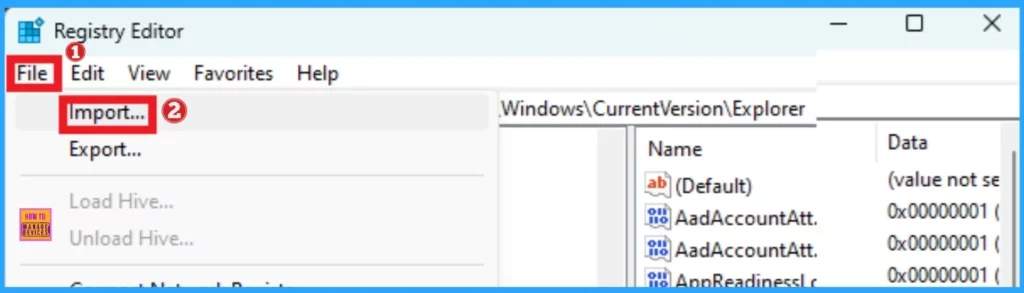
In enterprise environments, Microsoft Intune and SCCM can be used for patch management. You can use these tools to deploy Windows 10 KB5055518 April Cumulative Update using Intune + WUfB and SCCM + WSUS.
SCCM – Learn more about SCCM patch deployments, from how to create a Deploy New Software Update Patch Package Using SCCM ConfigMgr. SCCM ADR Automatic Deployment Rule Creation Process.
Intune – You can expedite the deployment and Installation of April 2025 patches using Intune.
How to Manually Windows 10 April Patches for Offline Install
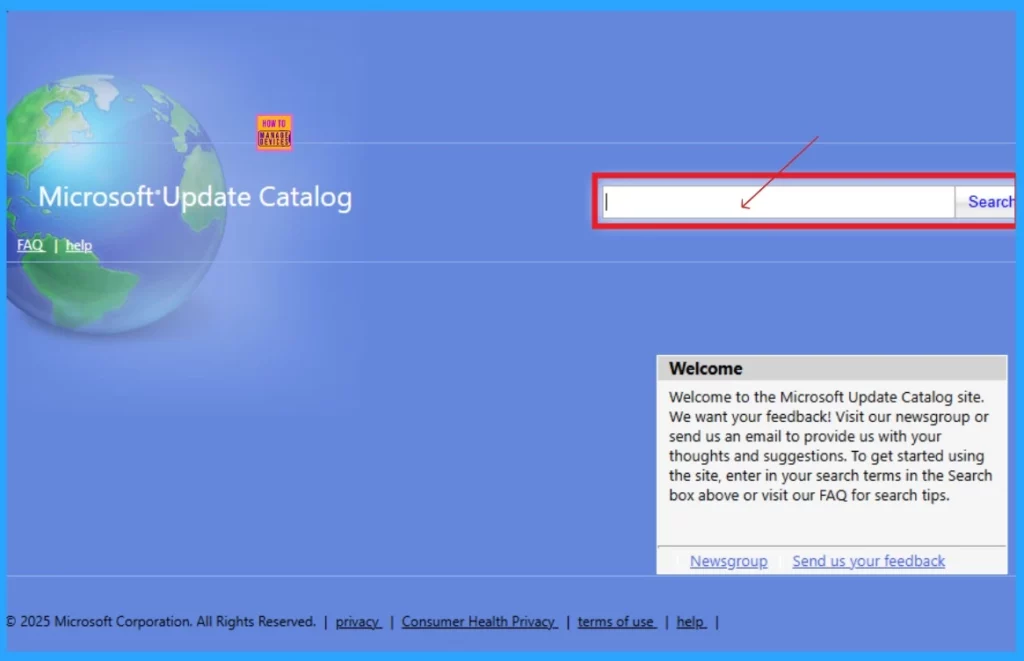
Intune Update catalog helps you to get the Cumulative Update for Windows 10 KB5055518 of April 2025. Manual downloading of the cumulative update from the Microsoft Update Catalog website. The tables below provide direct links to download the April 2025 Cumulative Updates for Windows 10.
You can check the Microsoft Update Catalog portal to get the direct download links to the hotfixes for the April 2025 LCU. Check this out: Microsoft Update Catalog – https://www.catalog.update.microsoft.com/ and Search Keyword 2025-04.
| Title | Product | Size | Direct Download |
|---|---|---|---|
| 2025-04 Cumulative Update for Windows 10 Version 22H2 for x64-based Systems (KB5055518) | Windows 10 22H2 | 711.3 MB | Download |
Need Further Assistance or Have Technical Questions?
Join the LinkedIn Page and Telegram group to get the latest step-by-step guides and news updates. Join our Meetup Page to participate in User group meetings. Also, Join the WhatsApp Community to get the latest news on Microsoft Technologies. We are there on Reddit as well.
Resource
April 8, 2025—KB5055518 (OS Builds 19044.5737 and 19045.5737)
Author
Anoop C Nair has been Microsoft MVP from 2015 onwards for 10 consecutive years! He is a Workplace Solution Architect with more than 22+ years of experience in Workplace technologies. He is also a Blogger, Speaker, and Local User Group Community leader. His primary focus is on Device Management technologies like SCCM and Intune. He writes about technologies like Intune, SCCM, Windows, Cloud PC, Windows, Entra, Microsoft Security, Career, etc.


Discussion