Skip to content
Windows 10 Server RUN Shortcut Commands for Admin Tools

Windows 10 Server RUN Shortcut Commands for Admin Tools

Written By Anoop C Nair
Last Updated July 24, 2024
Posted In Windows
SHARE

Windows 10 Server RUN Shortcut Commands for Admin Tools. In the last post, I provided CPL file details or canonical names for control panel applets and more information about SCCM and Windows Command Line Shortcut to Launch Control Panel Tools Applets via CPL files

After that post, I received a request to create documentation for “.MSC” files, shortcuts, or canonical names for Administrative tools components. Here is a list of the components I can install on Windows 10 and Server 2012 R2 machines.

Windows 10 Server offers various Run shortcut commands to access administrative tools quickly. These commands allow administrators to efficiently open and manage different system utilities without navigating multiple menus.

Using these shortcuts, tasks like managing group policies, monitoring system performance, and configuring server settings become more streamlined, making system administration more convenient and efficient.

Patch My PC
Index
Windows 10 Server RUN Shortcut Commands for Admin Tools
Windows 10 Server 2012 RUN CMD Shortcuts for Admin Tools?
Windows 10 Server RUN Shortcut Commands for Admin Tools – Table 1

Windows 10 Server RUN Shortcut Commands for Admin Tools

Let’s discuss the Windows 10 Server RUN Shortcut Commands for Admin Tools. It is explained in detail below.

azman.MSC – Command Prompt Shortcut or canonical name to Launch Authorization Manager

Windows 10 Server RUN Shortcut Commands for Admin Tools - Fig.1
Windows 10 Server RUN Shortcut Commands for Admin Tools – Fig.1

certlm.msc – Command Prompt Shortcut or canonical name to Launch Certificates Manager for Local Computer or Machine.

Windows 10 Server RUN Shortcut Commands for Admin Tools - Fig.2
Windows 10 Server RUN Shortcut Commands for Admin Tools – Fig.2

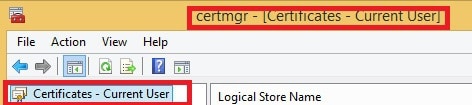
certmgr.MSC – Command Prompt Shortcut or canonical name to Launch Certificates Manager for Local User.
Windows 10 Server RUN Shortcut Commands for Admin Tools - Fig.3
Windows 10 Server RUN Shortcut Commands for Admin Tools – Fig.3

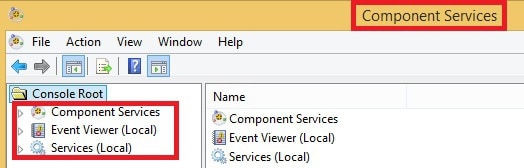
comexp .msc–  Command Prompt Shortcut or canonical name to Launch Component Services (DCOM console), Event Viewer, and Services.

Component Services
Event Viewer (Local)
Services (Local)
Windows 10 Server RUN Shortcut Commands for Admin Tools – Table 2
Windows 10 Server RUN Shortcut Commands for Admin Tools - Fig.4
Windows 10 Server RUN Shortcut Commands for Admin Tools – Fig.4

compmgmt.msc – Command Prompt Shortcut or canonical name to Launch Computer Management.

Windows 10 Server RUN Shortcut Commands for Admin Tools - Fig.5
Windows 10 Server RUN Shortcut Commands for Admin Tools – Fig.5

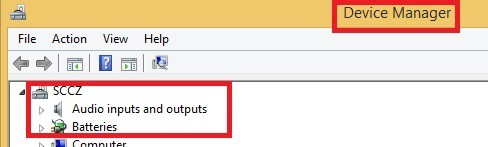
devmgmt.msc – Command Prompt Shortcut or canonical name to Launch Device Manager.
Windows 10 Server RUN Shortcut Commands for Admin Tools - Fig.6
Windows 10 Server RUN Shortcut Commands for Admin Tools – Fig.6

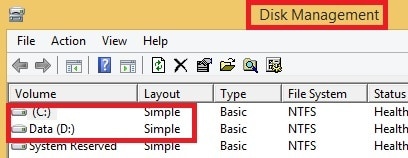
diskmgmt.msc – Command Prompt Shortcut or canonical name to Launch Disk Management.
Windows 10 Server RUN Shortcut Commands for Admin Tools - Fig.7
Windows 10 Server RUN Shortcut Commands for Admin Tools – Fig.7

eventvwr –  Command Prompt Shortcut or canonical name to Launch Event Viewer.
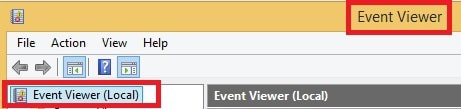
Windows 10 Server RUN Shortcut Commands for Admin Tools - Fig.8
Windows 10 Server RUN Shortcut Commands for Admin Tools – Fig.8

Windows 10 Server 2012 RUN CMD Shortcuts for Admin Tools?

fsmgmt – Command Prompt Shortcut or canonical name to Manage Shared Folders, Sessions, and Open Files Sessions.
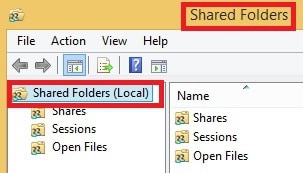
Windows 10 Server RUN Shortcut Commands for Admin Tools - Fig.9
Windows 10 Server RUN Shortcut Commands for Admin Tools – Fig.9

gpedit  – Command Prompt Shortcut or canonical name to Launch Local Computer (Machine) Policy.
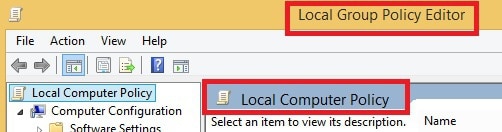
Windows 10 Server RUN Shortcut Commands for Admin Tools - Fig.10
Windows 10 Server RUN Shortcut Commands for Admin Tools – Fig.10

lusrmgr.msc –  Command Prompt Shortcut or canonical name to Launch and Manage Local Users and Groups.

Windows 10 Server RUN Shortcut Commands for Admin Tools - Fig.11
Windows 10 Server RUN Shortcut Commands for Admin Tools – Fig.11

NAPCLCFG.MSC – Command Prompt Shortcut or canonical name to Launch and Manage NAP Client Configuration.

Windows 10 Server RUN Shortcut Commands for Admin Tools - Fig.12
Windows 10 Server RUN Shortcut Commands for Admin Tools – Fig.12

perfmon.MSC – Command Prompt Shortcut or canonical name to Launch and Manage Performance Monitor.
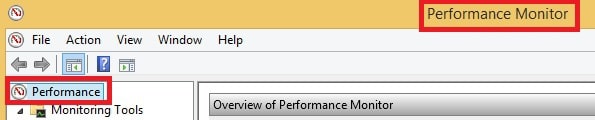
Windows 10 Server RUN Shortcut Commands for Admin Tools - Fig.13
Windows 10 Server RUN Shortcut Commands for Admin Tools – Fig.13

printmanagement – Command Prompt Shortcut or canonical name to Launch and Manage Print Management.
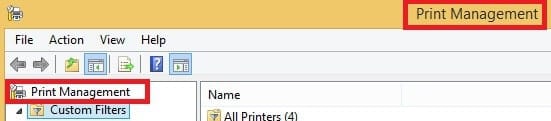
Windows 10 Server RUN Shortcut Commands for Admin Tools - Fig.14
Windows 10 Server RUN Shortcut Commands for Admin Tools – Fig.14

rsop – Command Prompt Shortcut or canonical name to Launch and Manage  RSOP Resultant Set Of Policies.
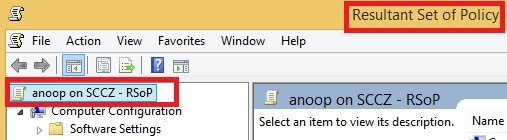
Windows 10 Server RUN Shortcut Commands for Admin Tools - Fig.15
Windows 10 Server RUN Shortcut Commands for Admin Tools – Fig.15

secpol – Command Prompt Shortcut or canonical name to Launch and Manage Local Security Policy.
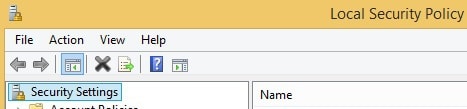
Windows 10 Server RUN Shortcut Commands for Admin Tools - Fig.16
Windows 10 Server RUN Shortcut Commands for Admin Tools – Fig.16

services – Command Prompt Shortcut to or canonical name Launch and Manage local Services.
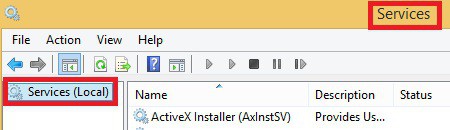
Windows 10 Server RUN Shortcut Commands for Admin Tools - Fig.17
Windows 10 Server RUN Shortcut Commands for Admin Tools – Fig.17

taskschd – Command Prompt Shortcut or canonical name to Launch and Manage Task Scheduler.
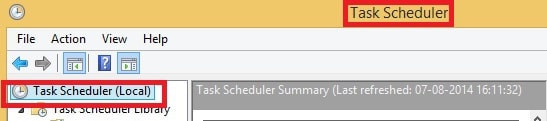
Windows 10 Server RUN Shortcut Commands for Admin Tools - Fig.18
Windows 10 Server RUN Shortcut Commands for Admin Tools – Fig.18

tpm –  Command Prompt Shortcut or canonical name to Launch and Manage Trusted Platform Module (TPM) Management.

Windows 10 Server RUN Shortcut Commands for Admin Tools - Fig.19
Windows 10 Server RUN Shortcut Commands for Admin Tools – Fig.19

virtmgmt.msc -Command Prompt Shortcut or canonical name to Launch and Manage Virtual Machines using Hyper-V manager.
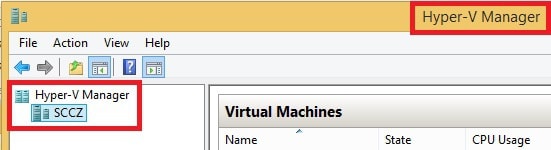
Windows 10 Server RUN Shortcut Commands for Admin Tools - Fig.20
Windows 10 Server RUN Shortcut Commands for Admin Tools – Fig.20

WF – Command Prompt Shortcut or canonical name to Launch and Manage Windows Firewall with Advanced Security.
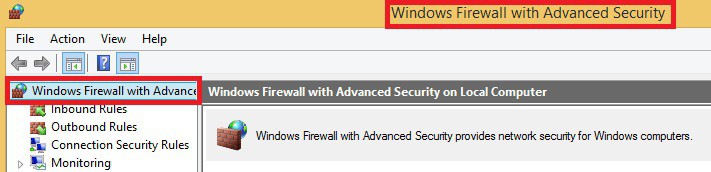
Windows 10 Server RUN Shortcut Commands for Admin Tools - Fig.21
Windows 10 Server RUN Shortcut Commands for Admin Tools – Fig.21

WmiMgmt – Command Prompt Shortcut or canonical name to Launch and Manage Windows Management Instrumentation (WMI) management.
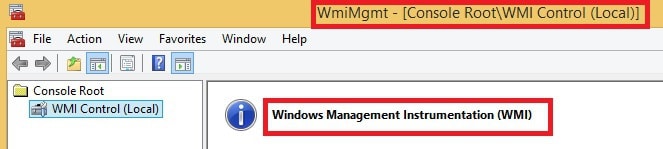
Windows 10 Server RUN Shortcut Commands for Admin Tools - Fig.22
Windows 10 Server RUN Shortcut Commands for Admin Tools – Fig.22

adsiedit – Command Prompt Shortcut or canonical name to Launch and Manage Active Directory Services Interfaces (ADSI) Editor.
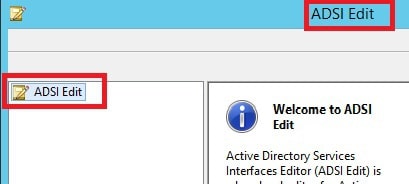
Windows 10 Server RUN Shortcut Commands for Admin Tools - Fig.23
Windows 10 Server RUN Shortcut Commands for Admin Tools – Fig.23

AdRmsAdmin.msc – Command Prompt Shortcut or canonical name to Launch and Manage Active Directory Right Management Services (AD RMS).
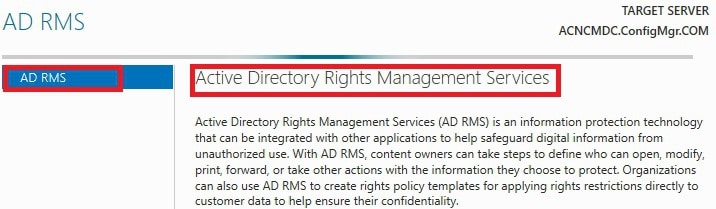
Windows 10 Server RUN Shortcut Commands for Admin Tools - Fig.24
Windows 10 Server RUN Shortcut Commands for Admin Tools – Fig.24

CluAdmin.msc –  Command Prompt Shortcut or canonical name to Launch and Manage Cluster Manager.
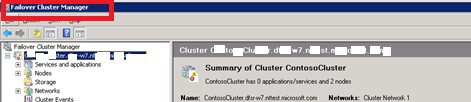
Windows 10 Server RUN Shortcut Commands for Admin Tools - Fig.25
Windows 10 Server RUN Shortcut Commands for Admin Tools – Fig.25

dfsmgmt.msc Command Prompt Shortcut or canonical name to Launch and Manage DFS Management.
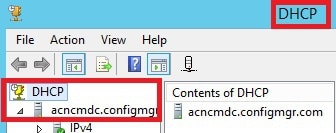
Windows 10 Server RUN Shortcut Commands for Admin Tools - Fig.26
Windows 10 Server RUN Shortcut Commands for Admin Tools – Fig.26

domain.msc – Command Prompt Shortcut or canonical name to Launch and Manage Active Directory (AD) Domains and Trusts.
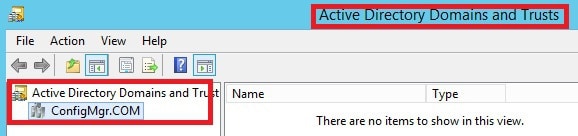
Windows 10 Server RUN Shortcut Commands for Admin Tools - Fig.27
Windows 10 Server RUN Shortcut Commands for Admin Tools – Fig.27

dsa.msc – Command Prompt Shortcut or canonical name to Launch and Manage AD users and computers.
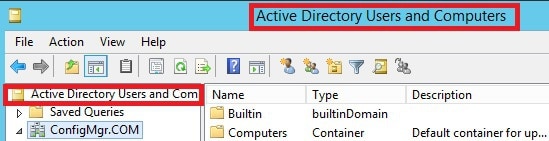
Windows 10 Server RUN Shortcut Commands for Admin Tools - Fig.28
Windows 10 Server RUN Shortcut Commands for Admin Tools – Fig.28

dssite.msc –  Command Prompt Shortcut or canonical name to Launch and Manage AD Sites and Services.
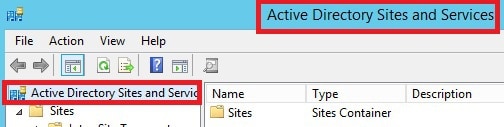
Windows 10 Server RUN Shortcut Commands for Admin Tools - Fig.29
Windows 10 Server RUN Shortcut Commands for Admin Tools – Fig.29

fsrm.msc – Command Prompt Shortcut or canonical name to Launch and Manage File Server Resource Manager.
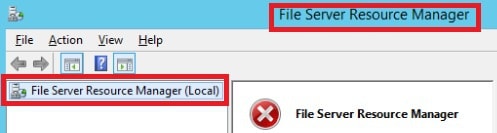
Windows 10 Server RUN Shortcut Commands for Admin Tools - Fig.30
Windows 10 Server RUN Shortcut Commands for Admin Tools – Fig.30

gpmc.msc –  Command Prompt Shortcut or canonical name to Launch and Manage Group Policy Management.
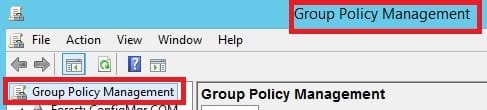
Windows 10 Server RUN Shortcut Commands for Admin Tools - Fig.31
Windows 10 Server RUN Shortcut Commands for Admin Tools – Fig.31

gpme.msc – Command Prompt Shortcut or canonical name to Launch and Manage Group Policy Objects.
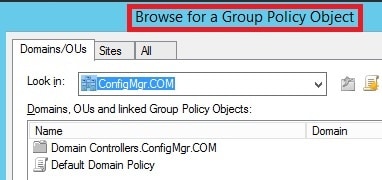
Windows 10 Server RUN Shortcut Commands for Admin Tools - Fig.32
Windows 10 Server RUN Shortcut Commands for Admin Tools – Fig.32

gptedit.msc – Command Prompt Shortcut or canonical name to Launch and Manage Group Policy Starter GPO Editor.
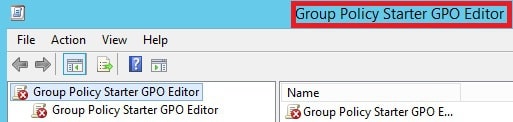
Windows 10 Server RUN Shortcut Commands for Admin Tools - Fig.33
Windows 10 Server RUN Shortcut Commands for Admin Tools – Fig.33

HCSCFG.MSC – Command Prompt Shortcut or canonical name to Launch and Manage Health Registration Authority.
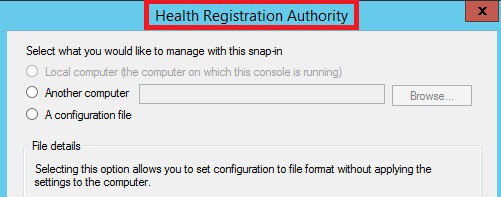
Windows 10 Server RUN Shortcut Commands for Admin Tools - Fig.34
Windows 10 Server RUN Shortcut Commands for Admin Tools – Fig.34

HCSCFG – Health Registration Authority. The below screenshot provides more details.

Windows 10 Server RUN Shortcut Commands for Admin Tools - Fig.35
Windows 10 Server RUN Shortcut Commands for Admin Tools – Fig.35

nps.msc – Command Prompt Shortcut or canonical name to Launch and Manage Network Policy Server.
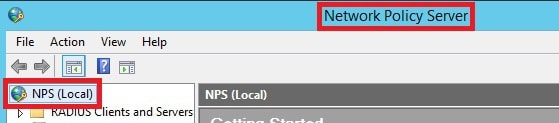
Windows 10 Server RUN Shortcut Commands for Admin Tools - Fig.36
Windows 10 Server RUN Shortcut Commands for Admin Tools – Fig.36

pkiview.msc – Command Prompt Shortcut or canonical name to Launch and Manage Enterprise PKI.
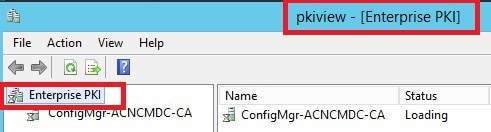
Windows 10 Server RUN Shortcut Commands for Admin Tools - Fig.37
Windows 10 Server RUN Shortcut Commands for Admin Tools – Fig.37

rrasmgmt.msc – Command Prompt Shortcut or canonical name to Launch and Manage Routing and Remote Access.
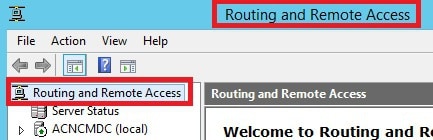
Windows 10 Server RUN Shortcut Commands for Admin Tools - Fig.38
Windows 10 Server RUN Shortcut Commands for Admin Tools – Fig.38

tapimgmt.msc – Command Prompt Shortcut or canonical name to Launch and Manage Telephony.
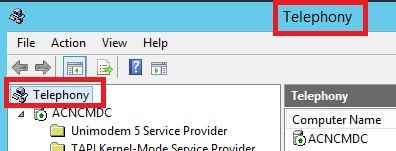
Windows 10 Server RUN Shortcut Commands for Admin Tools - Fig.39
Windows 10 Server RUN Shortcut Commands for Admin Tools – Fig.39

wbadmin.msc – Command Prompt Shortcut or canonical name to Launch and Manage Windows Server Backup WBADMIN.
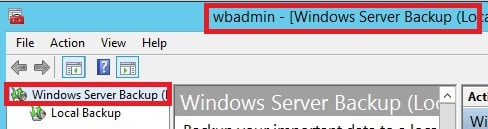
Windows 10 Server RUN Shortcut Commands for Admin Tools - Fig.40
Windows 10 Server RUN Shortcut Commands for Admin Tools – Fig.40

WdsMgmt.msc – Command Prompt Shortcut or canonical name to Launch and Manage Windows Deployment Services.
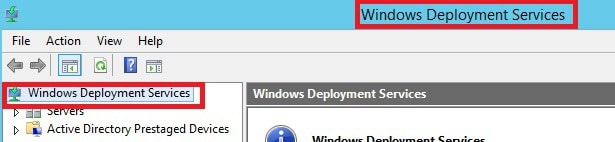
Windows 10 Server RUN Shortcut Commands for Admin Tools - Fig.41
Windows 10 Server RUN Shortcut Commands for Admin Tools – Fig.41

winsmgmt.msc – Command Prompt Shortcut or canonical name to Launch and Manage WINs.
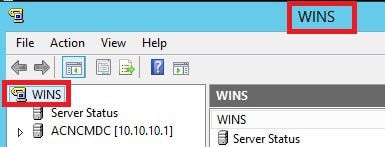
Windows 10 Server RUN Shortcut Commands for Admin Tools - Fig.42
Windows 10 Server RUN Shortcut Commands for Admin Tools – Fig.42

wlbadmin.msc – Command Prompt Shortcut or canonical name to Launch and Manage Local Backup Console Root.
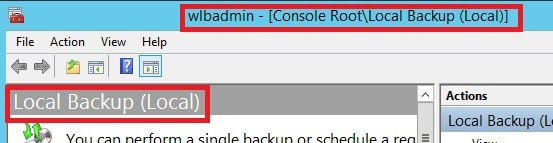
Windows 10 Server RUN Shortcut Commands for Admin Tools - Fig.43
Windows 10 Server RUN Shortcut Commands for Admin Tools – Fig.43

Resources

SCCM Related Posts Real World Experiences Of SCCM Admins

We are on WhatsApp now. To get the latest step-by-step guides, news, and updates, Join our Channel. Click here. HTMD WhatsApp.

Author

Anoop C Nair is Microsoft MVP from 2015 onwards for consecutive 10 years! He is a Workplace Solution Architect with more than 22+ years of experience in Workplace technologies. He is a Blogger, Speaker, and Local User Group Community leader. His main focus is on Device Management technologies like SCCM and Intune. He writes about technologies like Intune, SCCM, Windows, Cloud PC, Windows, Entra, Microsoft Security, Career etc…

Written by

Anoop C Nair is Workplace Technology solution architect with 25+ years of experience in global enterprise organizations such as JP Morgan, Capgemini, etc. Microsoft Certified Trainer. Microsoft MVP from 2015 onwards for consecutive 11+ years! He also conducts Intune and modern workplace tech training for enterprise organizations. He is Blogger, Speaker, and Founder of HTMD Community and HTMD Conference. His main focus is on Device Management technologies like Intune, Windows, Cloud PC. He writes about technologies like Intune, SCCM, Windows, Cloud PC, Windows, Entra, Microsoft Security.

Discussion · 4 comments

  1. If you are going to post this sort of information, please get it right. For instance, gpedit opens the local machine group policy not “users”.

    Teaching people wrong information is worse than shutting the heck up and not bothering decent people.

    1. StaffThank you for Letting me know Neil ! I don’t think you’re really bad to understand that it could be a typo.

      God bless !!

      Regards
      Anoop

Join the discussion

Your email address will not be published. Required fields are marked *

Related guides

Intune

Windows 11 KB5101650 KB5099414 July 2026 Patch and 3 Zero Day Vulnerabilities and 570 Flaws

Key Takeaways Windows 11 KB5101650 KB5099414 July 2026 Patch and 3 Zero Day Vulnerabilities and 570 Flaws! In the July 2026 Patch, Microsoft introduced new features designed to improve the overall Windows experience. The update adds enhancements to Windows Update for more flexible update management and introduces Point-in-Time Restore, providing an additional recovery option for […]

AC Anoop C Nair 9 min read
Intune

BitLocker Prompt Issue After June Patch KB5094126 Secure Boot UEFI 2023 Certificate Update

Key Takeaways BitLocker Prompt Issue After June Patch KB5094126 Secure Boot UEFI 2023 Certificate Update! After deploying the June 2026 Windows update (KB5094126), some HP EliteDesk 800 G6 devices began prompting for the BitLocker recovery key after every reboot. Based on our investigation, the Secure Boot UEFI 2023 certificate update does not appear to be […]

AC Anoop C Nair 5 min read
Microsoft Defender for Endpoint

Microsoft Defender for Endpoint EDR Updates are now Separate from Monthly Windows Security Updates for Faster Protection

Key Takeaways In this post, we are discussing how Microsoft Defender for Endpoint EDR Updates Will Be Delivered Through Microsoft Update. Microsoft has introduced a new update model for Microsoft Defender for Endpoint Detection and Response (EDR) security updates. Previously, these updates were included with the monthly Windows security updates. This change enables Microsoft to […]

AC Anoop C Nair 5 min read