






Windows Accessibility and AI Creating Technology that Works Better for Everyone
Hey, let’s discuss about Windows Accessibility and AI Creating Technology that Works Better for Everyone . Microsoft works closely with the disability community to create helpful technology. Accessibility has existed long before computers, like audiobooks and curb cuts. These ideas were made for people with disabilities but help everyone today. Now AI is becoming the next big step in making life easier for all.
Microsoft trains all employees to understand accessibility. Teams build products with ideas from people with disabilities. The Disability Answer Desk supports customers with their needs. This creates trusted and inclusive technology from start to finish.
New inventions like adaptive controllers and immersive reading tools were created through feedback from disabled users. These tools now help many different people. Accessibility is added to software, hardware, and even packaging. This gives users more independence and confidence.
AI brings big opportunities but must be used carefully. Tools like Seeing AI help people understand the world around them. AI voice tools support better communication. When used responsibly, AI can help create a fair and accessible future for all.

Windows Accessibility and AI Creating Technology that Works Better for Everyone
Accessibility matters for everyone, and the session clearly explained why. It highlighted how many people around the world live with disabilities and why their needs must be included from the start. Microsoft is working to create products, tools, and environments that are easy for all people to use.
| Feature | Meaning |
|---|---|
| Inclusive Design | Products are built with input from people with disabilities |
| AI-Powered Accessibility Tools | AI helps users see, read, or communicate better |
| Accessibility Testing Tools | Automated tools check code for accessibility issues |
- Watermarking and Advanced AI Security in Edge for Business Available for Fully Managed and MAM Only BYOD Devices
- Security Compute Units Direct Purchase vs the E5 Bundle What You Need to Know for Copilot AI Agent Workloads
- Understanding Entra Agentic AI in Security From Manual Work to Fully Autonomous Agents
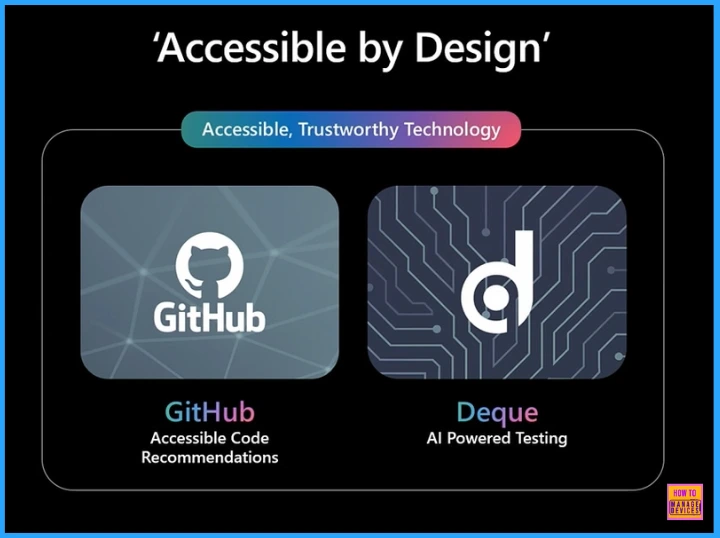
Accessible by Design
This given screenshot shows the Accessible by Design. GitHub provides recommendations to help developers write more accessible code, while Deque uses AI to test accessibility issues.
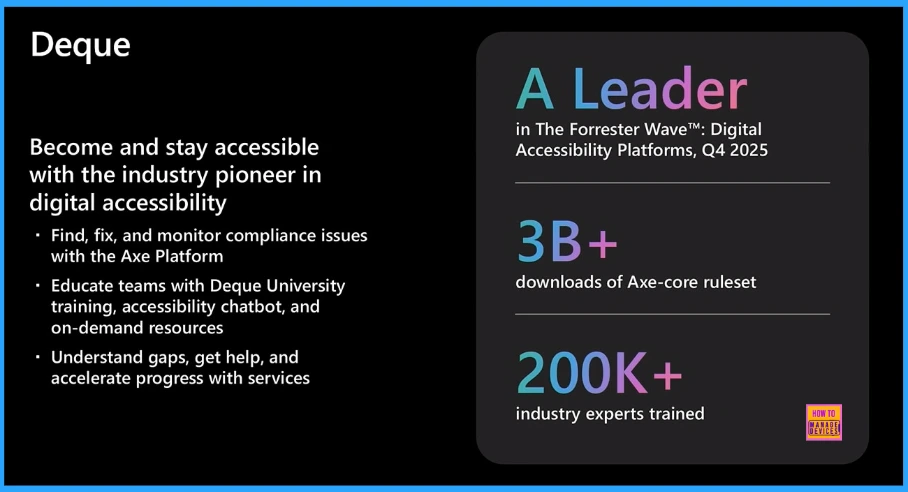
Deque
Deque helps organizations stay accessible by finding, fixing, and monitoring accessibility issues with its Axe platform. It also trains teams through Deque University and offers tools, resources, and services to speed up progress.
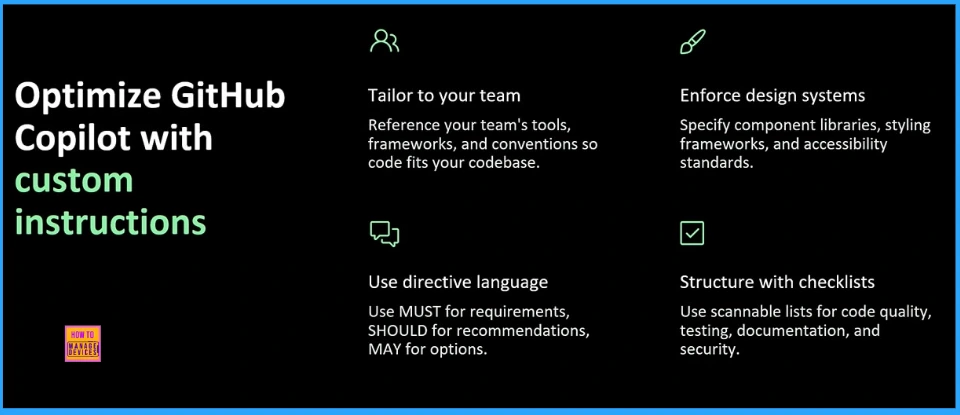
GitHub
You can make GitHub Copilot work better by giving it custom instructions. You can tailor it to match your team’s tools and coding style, enforce design and accessibility standards, use clear language rules, and add checklists for code quality and testing.
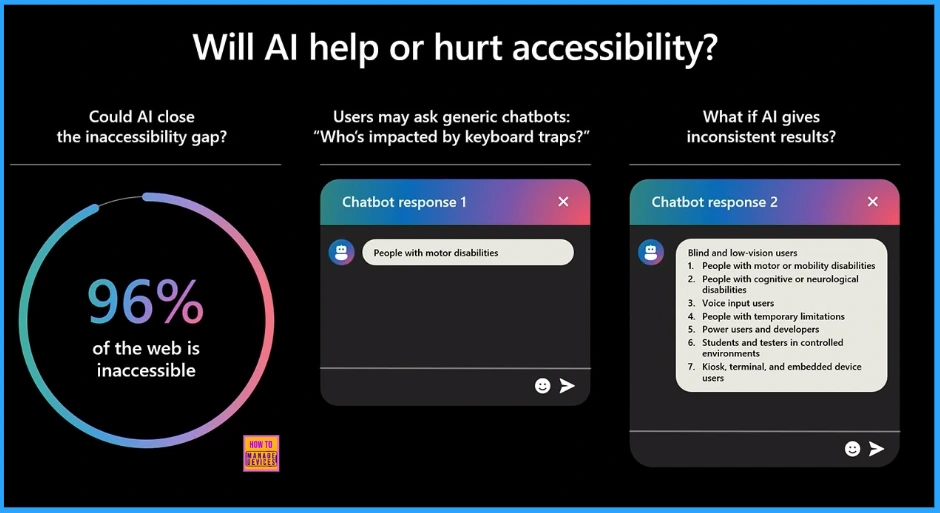
The slide highlights that most of the web 96% is still inaccessible. It questions whether AI can help fix this, while also showing that AI can give inconsistent answers to basic accessibility questions. Overall, it says AI can help, but only if used responsibly.
Accessible Experience
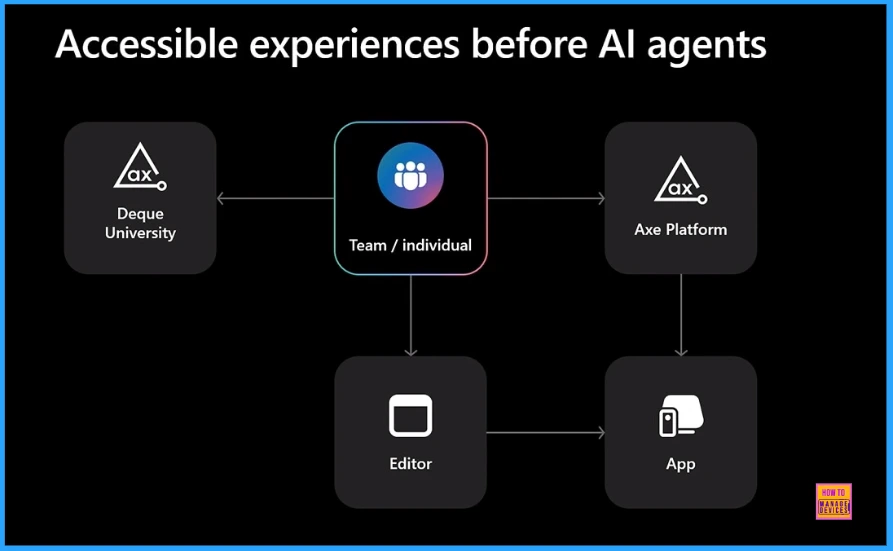
The screenshot explains that before AI agents, accessibility depended on people using training tools like Deque University and testing tools like the Axe Platform to check editors and apps manually. It was a slower, manual workflow.
Need Further Assistance or Have Technical Questions?
Join the LinkedIn Page and Telegram group to get the latest step-by-step guides and news updates. Join our Meetup Page to participate in User group meetings. Also, Join the WhatsApp Community to get the latest news on Microsoft Technologies. We are there on Reddit as well.
Author
Anoop C Nair has been Microsoft MVP from 2015 onwards for 10 consecutive years! He is a Workplace Solution Architect with more than 22+ years of experience in Workplace technologies. He is also a Blogger, Speaker, and Local User Group Community leader. His primary focus is on Device Management technologies like SCCM and Intune. He writes about technologies like Intune, SCCM, Windows, Cloud PC, Windows, Entra, Microsoft Security, Career, etc
Discussion