Skip to content
Windows Autopatch Reports Stopped working after 29th August

Windows Autopatch Reports Stopped working after 29th August

Written By Vidya M A
Last Updated September 2, 2022
Posted In Intune
SHARE

Microsoft confirmed the Windows Autopatch Reports Stopped working with the new advisory. The Windows Autopatch reports are “missing” from the MEM admin center portal. The admins don’t see Windows Quality Updates reports after August 29, 2022.

We have noticed similar issues for other Microsoft 365 cloud services as well. Admins may be unable to see the Office Semi-Annual Enterprise Channel update option in the Microsoft 365 admin center. The MO423644 issue is fixed now.

Microsoft 365 services are also impacted by other reporting issues. A recent one was a delay in the delivery of Office Activation reports, and the delay was up to two days in the Microsoft 365 admin center. This issue (MO422250) is also fixed now.

Updated on 8:12 PM UTC 01st Sept 2022 – The issue with Windows Autopatch reporting is fixed. Service is restored for the advisory MO423644. The monitoring of the reprocessing of the affected reports has confirmed that the impact has been remediated.

Patch My PC

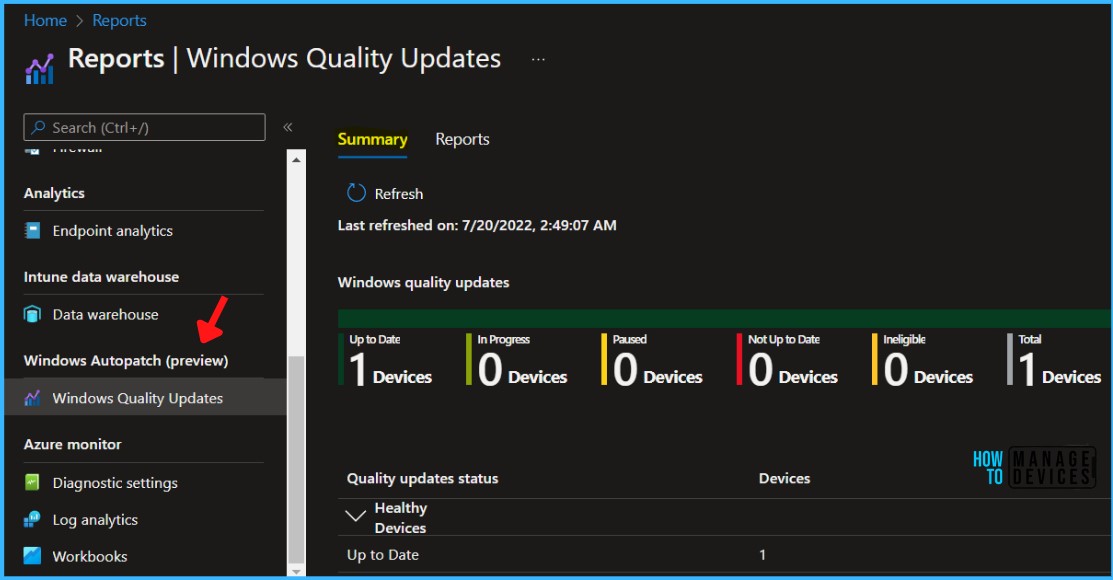
Windows Autopatch reporting and messaging capabilities are designed to provide visibility into update status and device health and offer insights into your estate. Windows Autopatch report is very detailed, and you can drill down to get all the granular details.
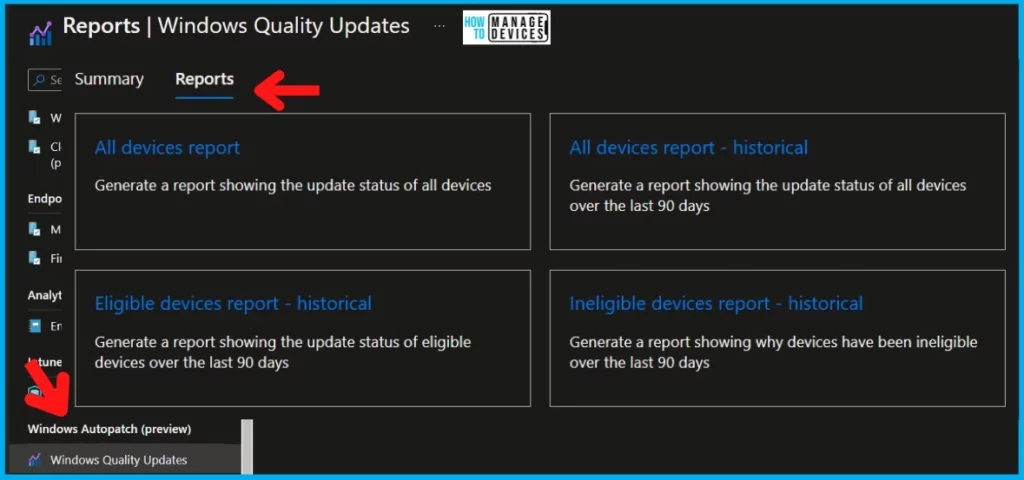
Windows Autopatch Reports Stopped working Intune MEM 1

Issue: Windows Autopatch Reports Stopped working

Microsoft released a new advisory (MO423661) to make admins aware of Windows Autopatch reporting issues. We don’t know whether this is impacting all the tenants and admins.

As per Microsoft, this issue affects all admins attempting to view Windows Quality Updates reports after August 29, 2022, via Microsoft Endpoint Manager.

The HTMD team can confirm that we can generate Windows quality update reports; hence we think that this is not impacting all the tenants. Or Microsoft has already started restoring the services.
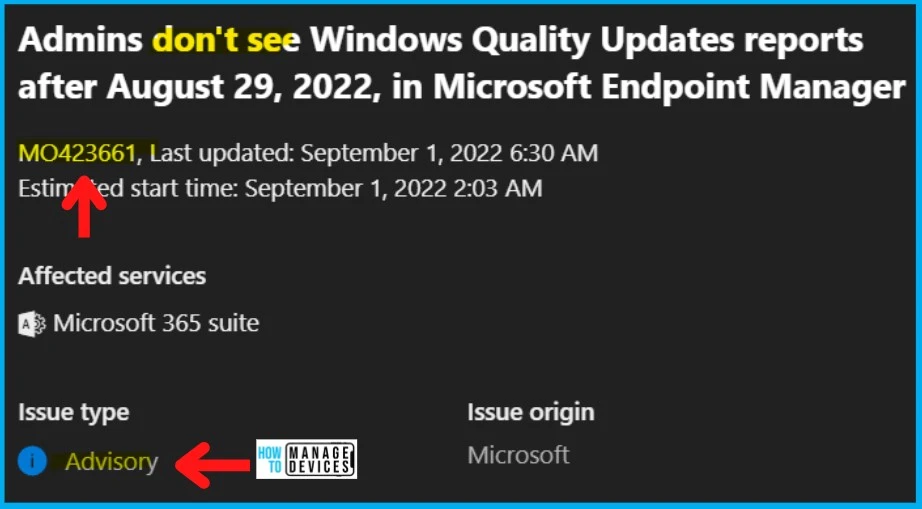
Windows Autopatch Reports Stopped working Intune MEM 2

FIX: Admins don’t see Windows Quality Updates Windows Autopatch Reports

Microsoft is investigating to fix the following issue “Admins don’t see Windows Quality Updates Windows Autopatch reports.” They already identified the problems and restarted the affected machines to restore the performance.

Restarted the affected machines, and this helped to restore the performance of that service. It’s funny that this seems to be the typical “Windows Restart problem.” But the root cause of the missing Autopatch reports the issue is a network issue on Microsoft’s side.

User ImpactCurrent StatusScope Of ImpactRoot CauseImpacted Services
Admins don’t see Windows Quality Updates reports from the Windows Autopatch service.Issue is FIXEDAll Admins attempting to view Windows Quality Updates reportsA portion of service infrastructure responsible for routing requests for reports isn’t performing at acceptable thresholds due to a network issue.Microsoft 365 suite (Windows Autopatch)
Windows Autopatch Reports Stopped working Intune MEM – Table 1
Windows Autopatch Reports Stopped working Intune MEM 3

Author

HTMD Admin Account to provide news and latest updates on the known issue from Microsoft world. We cover Windows, Intune, Azure, AVD, and Windows 365 news.

Written by

About Author - Vidya is a computer enthusiast. She is here to share quick tips and tricks with Windows 11 or Windows 10 users. She is also keen to find solutions to day-to-day tech problems and write about them.

Discussion

Join the discussion

Your email address will not be published. Required fields are marked *

Related guides

Intune

Simplify Windows Devices to Run Only the Required Applications using Intune

Key Takeaways Hey, let’s learn about Simplify Windows Devices to Run Only the Required Applications using Intune. This policy lets administrators replace the default windows shell with a custom or lightweight shell. it improves performance by using system resources and is useful for devices that run a dedicated application. If the policy is disabled or […]

AC Anoop C Nair 8 min read
Intune

Enhance macOS Compliance with Custom Security and Compliance Checks to Improve Device Security using Microsoft Intune

Key Takeaways In this post we are discussing about Enhance macOS Compliance with Custom Security and Compliance Checks to Improve Device Security using Microsoft Intune. Microsoft has announced the general availability of Custom Compliance Settings for macOS in Microsoft Intune. The feature helps organizations strengthen security controls while supporting many types of macOS management scenarios. […]

AC Anoop C Nair 4 min read
Intune

Manage Samsung Galaxy Firmware Versions to Improve Security and Compliance using Microsoft Intune

Key Takeaways In this post we are discussing Manage Samsung Galaxy Firmware Versions to Improve Security and Compliance using Microsoft Intune. Microsoft Intune has received a new update that expands firmware management capabilities for Samsung Galaxy devices through Firmware Versionsintegration. This enhancement gives IT administrators more control over firmware and operating system updates, helping them […]

AC Anoop C Nair 4 min read
Intune

MS Intune Adds Windows Registry Data Collection to Device Inventory for Single Values All Key Values and Subkeys

Key Takeaways Microsoft Intune 2607 introduces Windows Registry Data collection in Device Inventory, allowing IT admins to verify actual device configurations without relying on custom discovery or remediation scripts. Using the Properties Catalog, admins can collect registry information through Single Value, All Values Under a Key (Non-Recursive), or Same Value Across Subkeys. MS Intune Adds […]

AC Anoop C Nair 5 min read