






Let’s discuss the Windows Update Logs Deep Dive with Microsoft. The Windows Update logs document the activities and events associated with the updating process on a Windows operating system.
The logs provide valuable information about the installation, troubleshooting, and status of updates on your computer. The logs have different components, such as USO, UX, and WU. The different components of Logs are explained.
Windows Update regularly releases security updates to address vulnerabilities and protect the operating system from potential threats. In addition to security updates, Windows Update provides critical and important updates that address various issues and enhance the operating system’s overall performance and stability.
In this post, you will get all the details of the Windows Update logs. Analyzing the logs can help users to understand and address issues with the Windows Update process. Windows Update Logs make it a valuable tool for troubleshooting and improving the overall update experience.

- How to Collect Windows Update Logs from SCCM Client Remotely ConfigMgr CMPivot Query for Event Logs Error
- Intune Logs Event IDs IME Logs Details for Windows Client Side Troubleshooting
What Does USO Do?
USO stands for Update Stack Orchestrator. This part of the logs tells us where the update is encountering problems.
What is the Role of WU Logs?
WU logs, or Windows Update logs, provide insights into why a particular update might be causing problems on your device.
What Information Does the UX Provide?
UX, or User Experience, helps identify if you are facing issues related to reboots or notifications during the update process.
Windows Update Logs Deep Dive with Microsoft
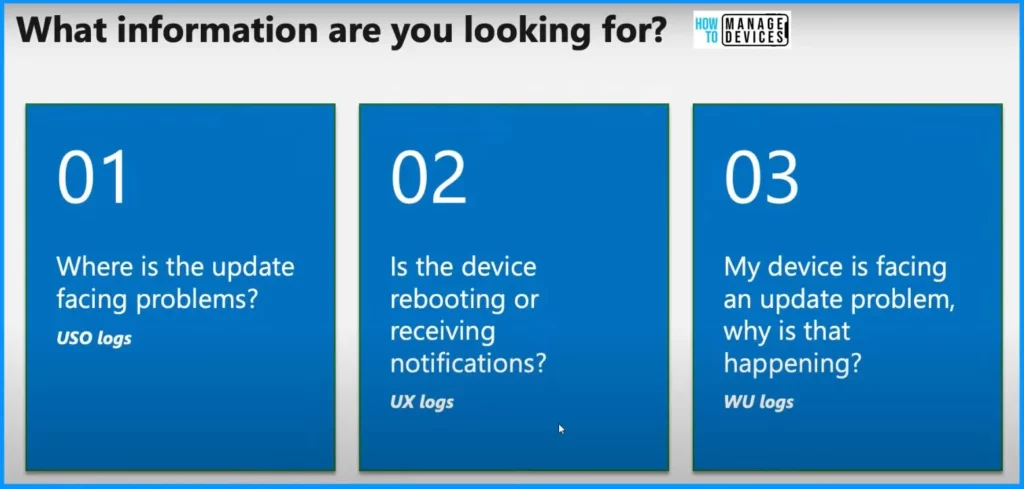
When looking at logs for Microsoft updates, they can be divided into 3 main parts. Microsoft checks them separately for different information. Firstly, there is the USO, which shows where the update is having troubles. It points out the specific areas causing issues.
| Windows Update Logs Deep Dive with Microsoft |
|---|
| Next is the UX, which helps identify whether you’re having problems with reboots or notifications. This part focuses on your experience and any related issues. |
| Lastly, there are the WU logs. These logs reveal why a particular update is causing problems. They give insights into the reasons behind the issues you might be facing. |
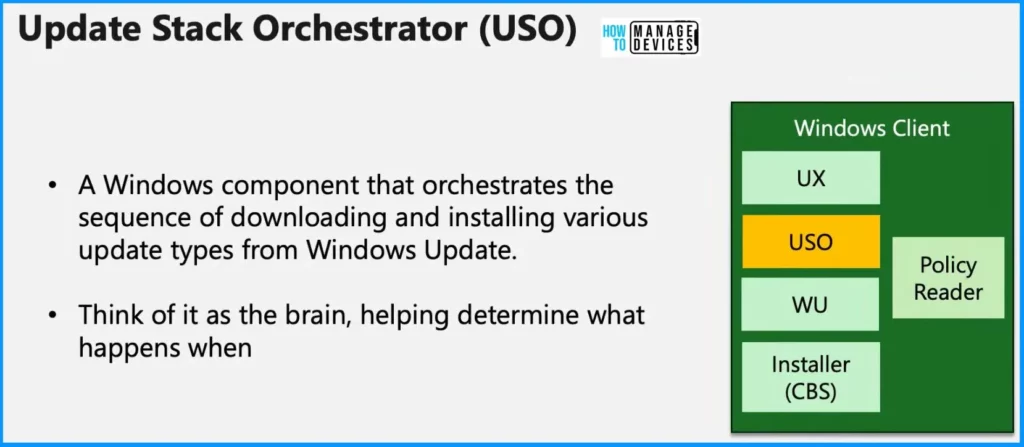
Update Stack Orchestrator (USO)
The USO, or Update Stack Orchestrator, is your computer’s brain of the update process. It decides what happens when your system is updating. The USO connects the UpdateUX, which you see during updates, and the WUC line, which talks to DCAT.
The USO is essential because it helps your computer update in the best and most efficient way possible. It allows you to make sure everything runs smoothly.
- A Windows component that orchestrates the sequence of downloading and installing various update types from Windows Update
- Think of it as the brain that helps determine what happens when
| Windows Client |
|---|
| UX |
| USO |
| WU |
| CBS Installer |
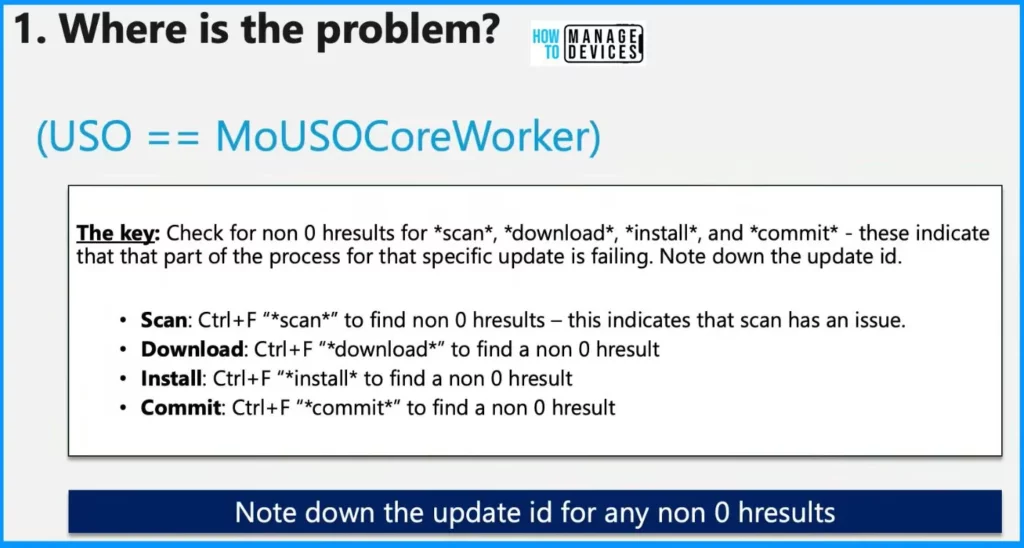
Regarding the USO (Update Stack Orchestrator), paying attention to the MoUSOCoreWorker logs is essential. They are a detective tool for figuring out what’s going on. There are “non-zero results ” for 4 important things: scan, Download, Install, and Commit. These tell us which part of the update process is having trouble.
The key: Check for non-0 hresults for scan, download, install, and commit – these indicate that part of the process for that specific update is failing. Note down the update ID.
- . Scan: Ctrl+F “scan” to find non-0 hresults – this indicates that the scan has an issue.
- . Download: Ctrl+F “download” to find a non-0 hresult
- . Install: Ctrl+F “install to find a non-0 hresult
- . Commit: Ctrl+F “commit” to find a non-0 hresult
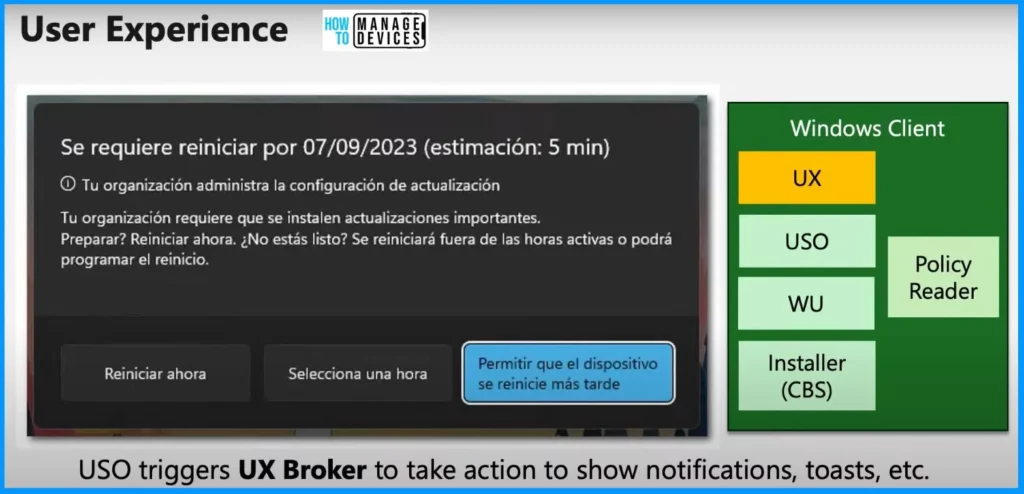
Ux – User Experience
Now, let’s dive into the UX, which stands for the user experience part of updates. USO also comes into play here as it triggers the UX broker to take action to show notifications and those, as explained earlier. So, when you see notifications or anything related to how your update works, the UX is doing its job, guided by the USO.
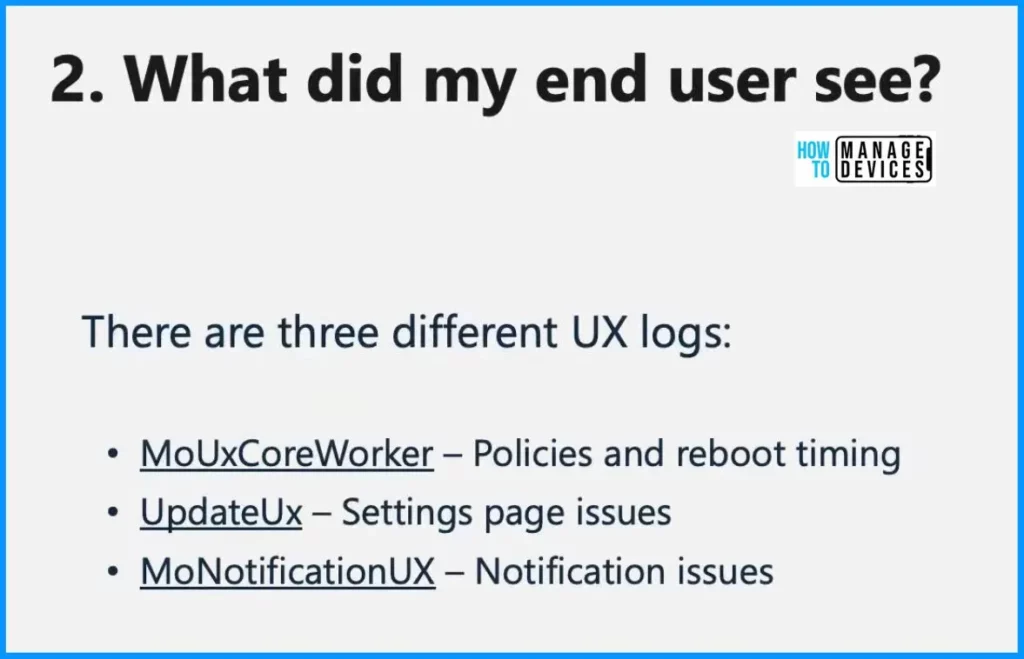
There are 3 different UX logs. The first one is MoUxCoreWorker, which involves policies and reboot timing. The second one is UpdateUx, which involves settings page issues. The third one is MoNotificationUX, which requires notification issues.
| Different UX Logs | Description |
|---|---|
| MoUxCoreWorker | Policies and reboot timing |
| UpdateUx | Settings page issues |
| MoNotificationUX | Notification issues |
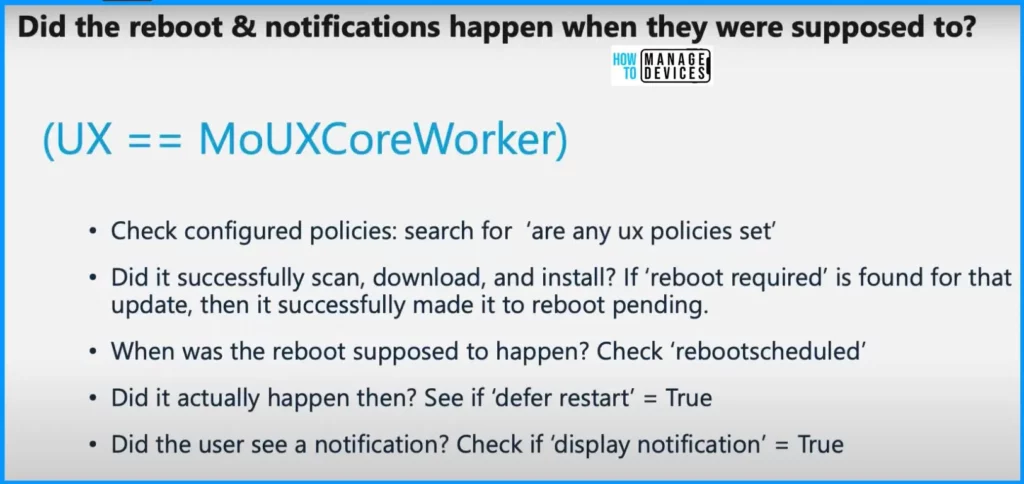
Reboot and Notifications
To find out if your computer did the reboot and showed notifications when it was supposed to, Microsoft checked for 5 things. The 5 things are as follows.
- Check configured policies: search for ‘are any ux policies set’
- Did it successfully scan, download, and install? If ‘reboot required’ is found for that update, it successfully made it to reboot pending.
- When was the reboot supposed to happen? Check ‘rebootscheduled’
- Did it actually happen then? See if ‘defer restart’ = True
- Did the user see a notification? Check if ‘display notification’ = True
We are on WhatsApp now. To get the latest step-by-step guides, news, and updates, Join our Channel. Click here. HTMD WhatsApp.
Author
About the Author: Vidya is a computer enthusiast. She is here to share quick tips and tricks with Windows 11 or Windows 10 users. She loves writing about Windows 11 and related technologies. She is also keen to find solutions and write about day-to-day tech problems.




Discussion