






Microsoft is testing the new Azure Virtual Desktop client store app. Microsoft Remote Desktop Client (aka RD Client) is the client tool used for AVD virtual desktop or application connection. Microsoft AVD is building a new dedicated client connection tool for AVD.
We don’t know the special features available with the new Azure Virtual Desktop client store app. We also don’t know whether there would be a separate non-store AVD client for the Windows platform similar to RD Client. The Twitter user @Alumia_Italia shared the information on the new AVD client.
We think there would be Android, iOS, and macOS versions of the AVD clients in development. Let us know if you find the details on any of these. We also don’t understand why Microsoft is creating a new dedicated Azure Virtual Desktop Client.
The dedicated AVD client app would help the Microsoft AVD team to develop and manage the features at their own pace. Or is there any undercover development going on? Citrix HDX Plus for Windows 365 is supported via W365 WebClient and Citrix Workspace App. Does this new AVD client help with this kind of integration?

- Windows Terminal Default Command Line In Windows 11
- Intune Support for Multi-Session Windows Server OS Version | AVD Workloads
Microsoft Store App – New Azure Virtual Desktop Client
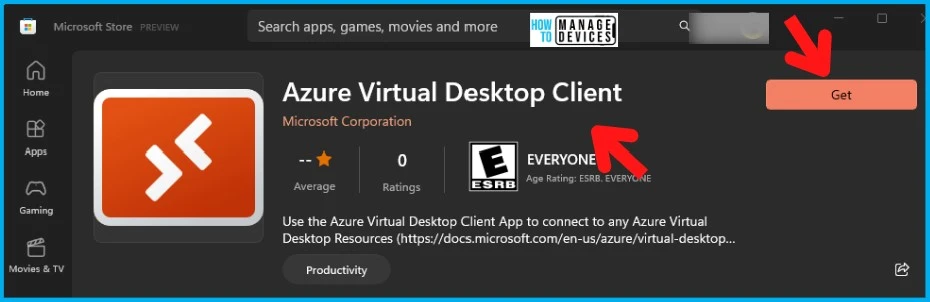
Let’s check the details of the new Microsoft Store App, “Azure Virtual Desktop Client.” The description of the app – this AVD Client app is to connect to any Azure Virtual Desktop Resources.
The description is clear to confusion between RD Client and AVD Client. Use the “Remote Desktop Connection” app pre-installed on your Windows device for Remote Desktop connections. The AVD client is the application recommended for connecting to any AVD resources (in the near future), such as:
- Remote Desktop
- Remote App
- Windows 365 Cloud PC?
NOTE! – Use the Azure Virtual Desktop Client App to connect to any Azure Virtual Desktop Resources – https://www.microsoft.com/store/productId/9NZSG2H7MS6B
- AVD Health Checks using Azure Portal | Monitoring | KQL Queries
- AVD End-User Experience Journey with Intune Management
Download Azure Virtual Desktop Client
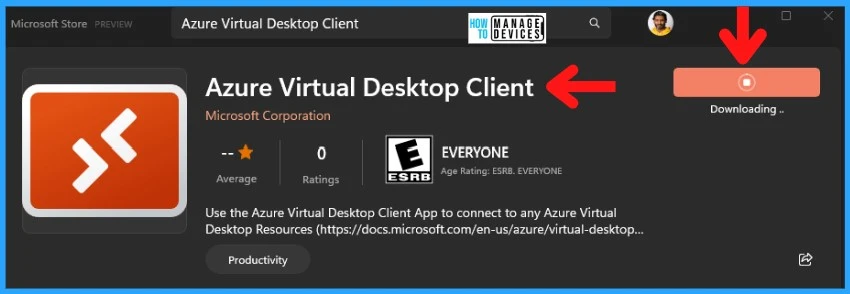
Let’s download the Azure Virtual Desktop client from the Microsoft store. You must log in to the Microsoft store to install this app on Windows 11 or 10 devices. Microsoft has not released any details on this new AVD client and the Win32 version of the new AVD client.
- Click on the GET button to start downloading the AVD client.
- The status gets changed to DOWNLOADING and shows the percentage.
After downloading, the app will automatically get installed on Windows 11 or Windows 10 devices. We will add download details about the AVD client application on other platforms and the Win32 AVD client app whenever Microsoft publishes more information.
NOTE! – There are other options to download and install the AVD client app in an automated way with Intune or SCCM using different methods. We will update those details once available.
- AVD Auto Feed Registration Intune Group Policy Setup Default Connection URL Options
- AVD RDP Settings Options Available in Azure Portal
Launch AVD Client
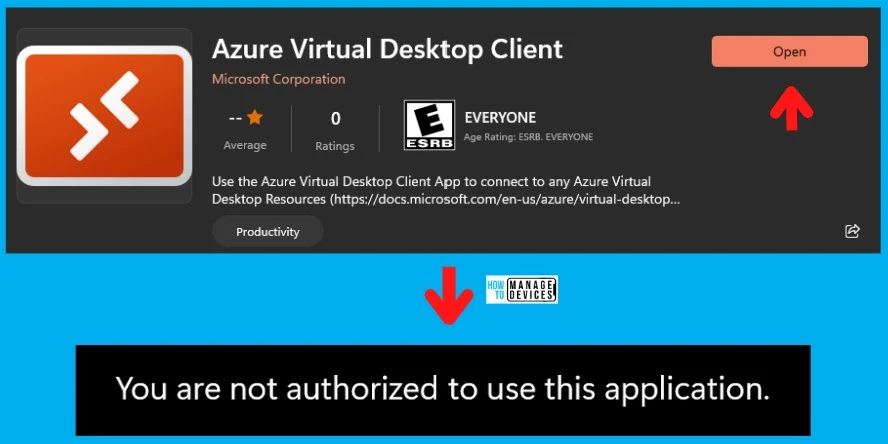
Once the AVD client application is installed, you can launch the application either from Windows 11 Start menu or the Open button, as shown below.
NOTE! – While writing this post, the AVD Client application is not available for public use. It seems Microsoft is just performing private preview or internal testing (?) with the new AVD client. The following is the message that you get:
- You are not authorized to use this application.
- AVD Web Client URL Details Azure Virtual Desktop
- Azure Virtual Desktop RD Client Subscription Options for AVD
Other AVD Client Installation Options
Let’s check other AVD Client Installation options. Once the AVD client app is released for public use, you can deploy device management solutions such as Intune and SCCM. You can use the WInGet method (Windows Package Manager).
We checked whether this app is available via the Windows Package Manager WinGet command line (using Windows Terminal) tool. Still, it is unavailable with the following search queries (while writing this post).
winget search --name Azure
winget search --id 9NZSG2H7MS6B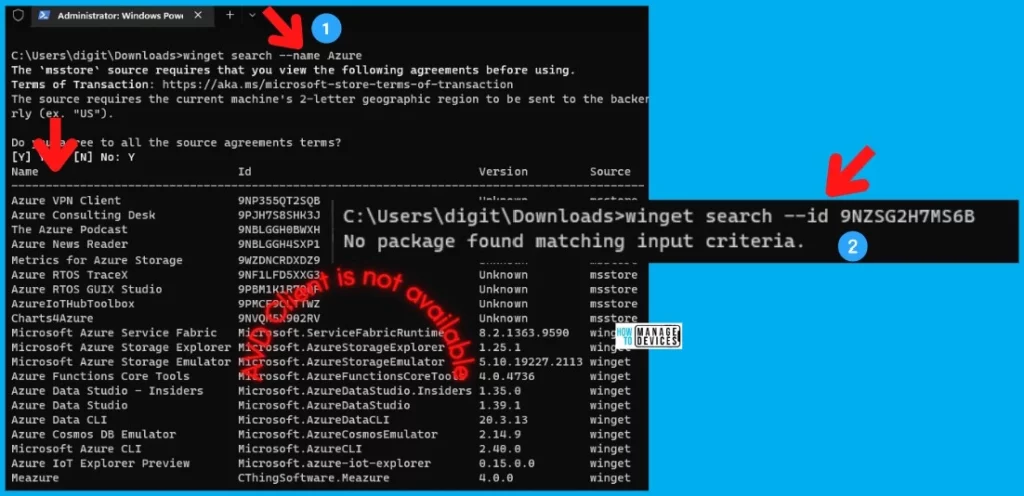
Author
HTMD Admin Account to provide news and latest updates on the known issue from Microsoft world. We cover Windows, Intune, Azure, AVD, and Windows 365 news.




Discussion