






Intune Change Review Agent a Smarter Way to Review Approve and Secure Every Change
Intune Change Review Agents a Smarter way to Review Approve and Secure Every Change! At Microsoft Ignite, Microsoft shared that Intune is getting a new set of AI-powered agents built on Security Copilot. These Intune AI Agents are designed to make everyday admin tasks easier.
The Change review agent is one of them help you to improve security, and give clearer insights into devices and policies. They help IT teams work faster and make better decisions with the help of intelligent automation. In one of our earlier posts, we highlighted the three Intune AI Agents reshaping device and policy management.
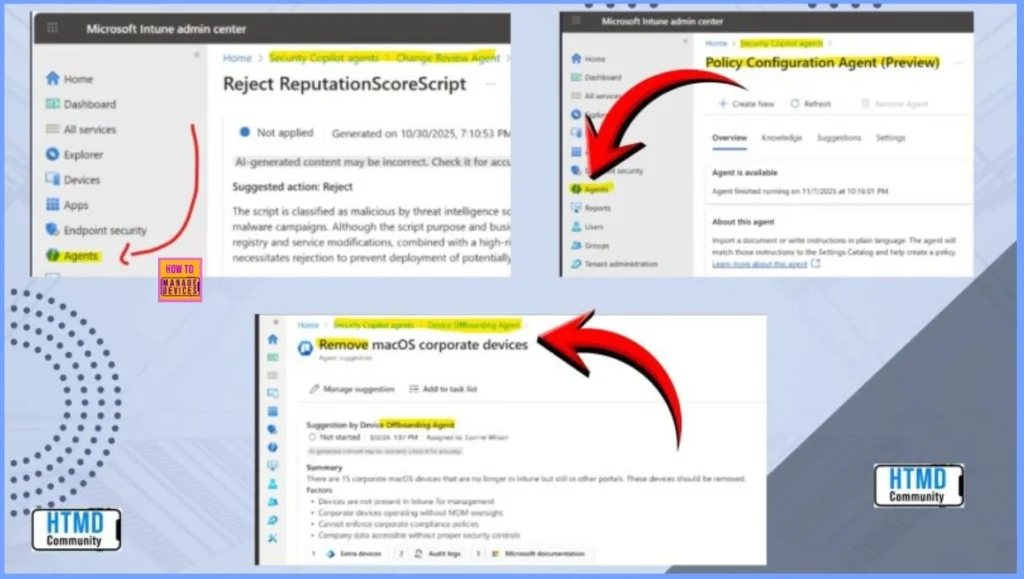
These agents are the Policy Configuration Agent, which turns natural-language requirements into Intune policies; the Change Review Agent, which checks proposed changes for risks and compliance issues; and the Device Offboarding Agent, which identifies and removes outdated or unused devices to keep the environment clean and secure.
Together, they bring smarter automation and clarity to everyday Intune operations. In this post, you will get all the key details about how the new AI-powered Change Review Agent analyzes configuration updates, checks for risks or conflicts etc.

Table of Contents
Intune Change Review Agents a Smarter way to Review Approve and Secure Every Change
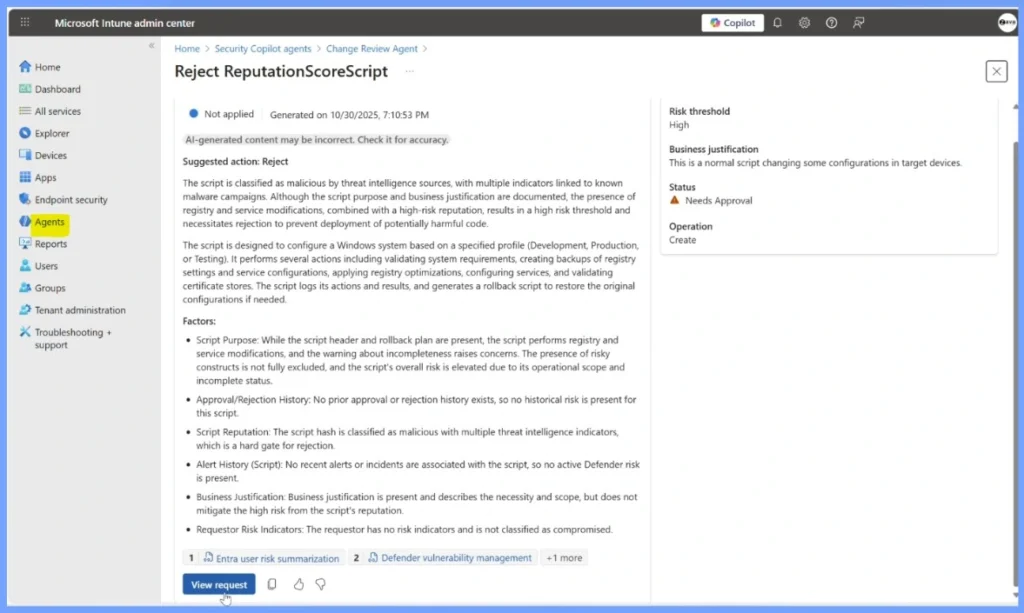
The Change Review Agent is an AI-powered agent in Intune. It initially focuses on Multi-Admin Approval (MAA) script requests. More types of policy and configuration changes will be supported over time as Microsoft expands the agent’s capabilities.
- Effective Vulnerability Remediation Agent Strategies and Best Practices with Microsoft Intune
- How to Fix Intune Agent Crash Access Violation Error 0xc0000005
Intune Change Review Agent for Risk Conflict and Compliance Analysis
The Change Review Agent is part of the broader Agentic AI wave in Intune. It is one of the new Security Copilot–powered agents designed to simplify everyday administrative tasks. It also helps you to automate decision-making and enhance overall endpoint security. By intelligently reviewing changes and providing actionable guidance, it supports Microsoft’s larger vision of bringing smarter, AI-driven automation to modern device and policy management.
| Agent | Details |
|---|---|
| Name | Change Review Agent |
| Purpose | Uses advanced AI to analyze configuration and policy changes before rollout. |
| What It Checks | Risks, conflicts, compliance issues, and potential impact on productivity or security. |
| Initial Scope | Reviews Multi-Admin Approval (MAA) script requests. |
| Future plan | Will support more types of policy and configuration change requests over time. |
Need Further Assistance or Have Technical Questions?
Join the LinkedIn Page and Telegram group to get the latest step-by-step guides and news updates. Join our Meetup Page to participate in User group meetings. Also, Join the WhatsApp Community to get the latest news on Microsoft Technologies. We are there on Reddit as well.
Author
Anoop C Nair has been Microsoft MVP from 2015 onwards for 10 consecutive years! He is a Workplace Solution Architect with more than 22+ years of experience in Workplace technologies. He is also a Blogger, Speaker, and Local User Group Community leader. His primary focus is on Device Management technologies like SCCM and Intune. He writes about technologies like Intune, SCCM, Windows, Cloud PC, Windows, Entra, Microsoft Security, Career, etc.


Discussion