






Exciting News! Get Free Certification from Microsoft on Copilot for Security. Microsoft security is an AI-powered tool that enhances the capabilities of IT professionals. It was generally available on April 1, 2024. The newly available Copilot for security is an essential tool for improving cybersecurity in organizations.
In today’s world, keeping information safe in an online platform is very important, especially for organizations. Copilot for Security plays a vital role in ensuring the confidentiality and availability of information. It has many essential uses, such as protecting personal data, financial transactions, or critical infrastructure.
The new Get Free Certification from Microsoft on Copilot for Security will be necessary. This course provides a wide range of security training on Microsoft Copilot that is aimed only at organizations. Users can explore monitoring, detection, analysis, and response to security threats in hybrid environments.
In this post, I will share the details of Microsoft’s Free Certification course on Copilot for Security. The course contains 400-level training courses and includes advanced content. This course will teach you how to use Microsoft Copilot for security.

- New Capabilities in Microsoft Copilot for Security
- Microsoft Copilot for Security is Generally Available
- What is the Security Compute Unit in MS Copilot for Security Context

Get Free Certification from Microsoft on Copilot for Security
The Microsoft Course for Copilot Security will benefit participants as it will teach them more about it. The course mainly focuses on 3 levels, each learning the different parts of Copilot Security. After completing each module, you can take a short test to see how much you’ve learned.
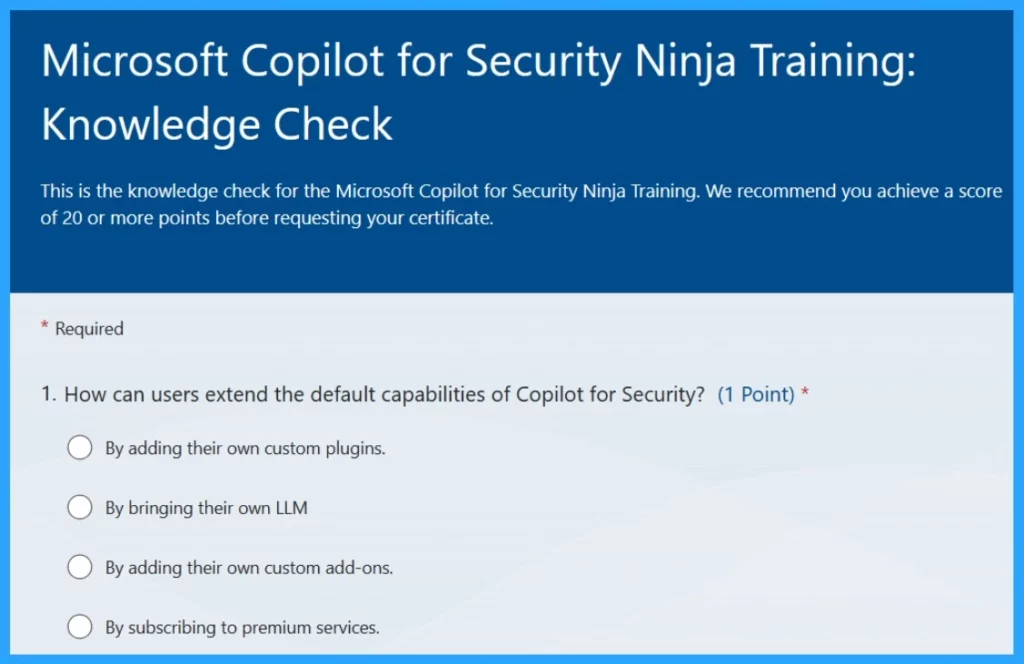
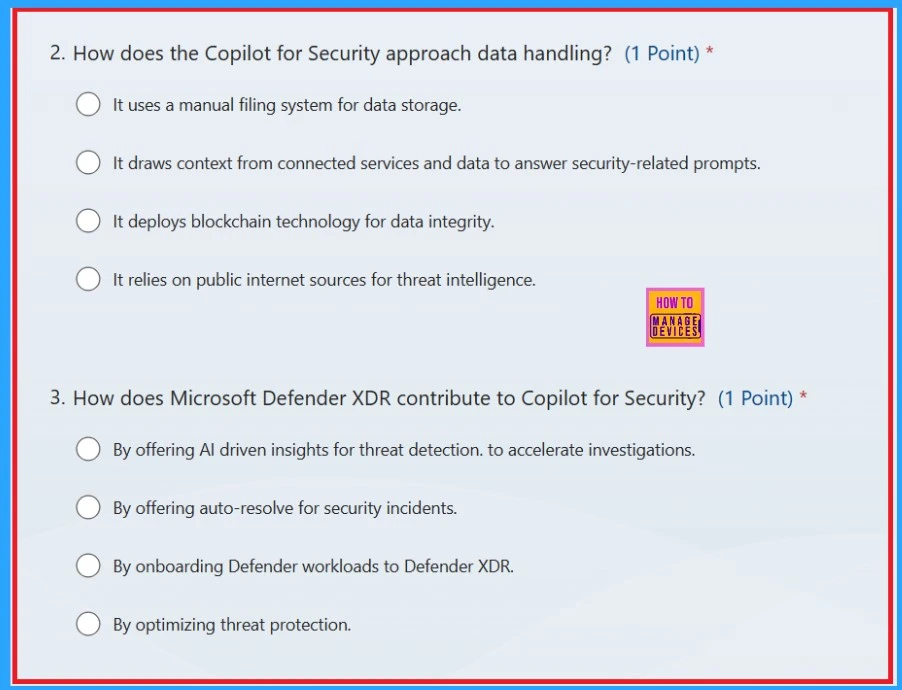
Complete the Knowledge Check – Take the knowledge check. It’s like a quiz to test what you’ve learned during the program. Answer the questions to show you understand the material.
To Get Free Certification from Microsoft on Copilot for Security -Microsoft Copilot for Security Ninja Training: Knowledge Check – https://forms.office.com/r/ttvbe3rZR4
You can request your participation certificate if you score 80% or higher on the knowledge check. Just click the link provided and fill out the necessary information. This certificate shows that you completed the program successfully.
Microsoft Copilot for Security Ninja Training attestation – https://forms.office.com/r/FnQgxLu6pb
| Level | Types of Course Level |
|---|---|
| 1 | Beginner Level |
| 2 | Intermediate Level |
| 3 | Advanced Level |
Overview of Part 1 Module level
Part one of the training structure is divided into 3 modules, each giving an overview of Copilot security and details of other Learning and Support Options for Microsoft Copilot for Security, including FAQs, learning paths, workshops, and community programs.
- Module 0 – Includes details of various learning and support options for Microsoft Copilot for Security, including FAQs, etc. Before diving into the Copilot for Security content, it also provides knowledge about language models (LLMs), vector search, and responsible AI.
- Module 1– Module 1 briefly explains Microsoft Copilot for Security and the Minimum requirement details for setting up Copilot for Security, including an Azure subscription and provisioning SCU capacity.
- Module 2– This Module explains the configuration of Copilot for Security, authentication details of the on-behalf-of authentication process, and the roles required to access Copilot for Security. It also covers the details of plugins.
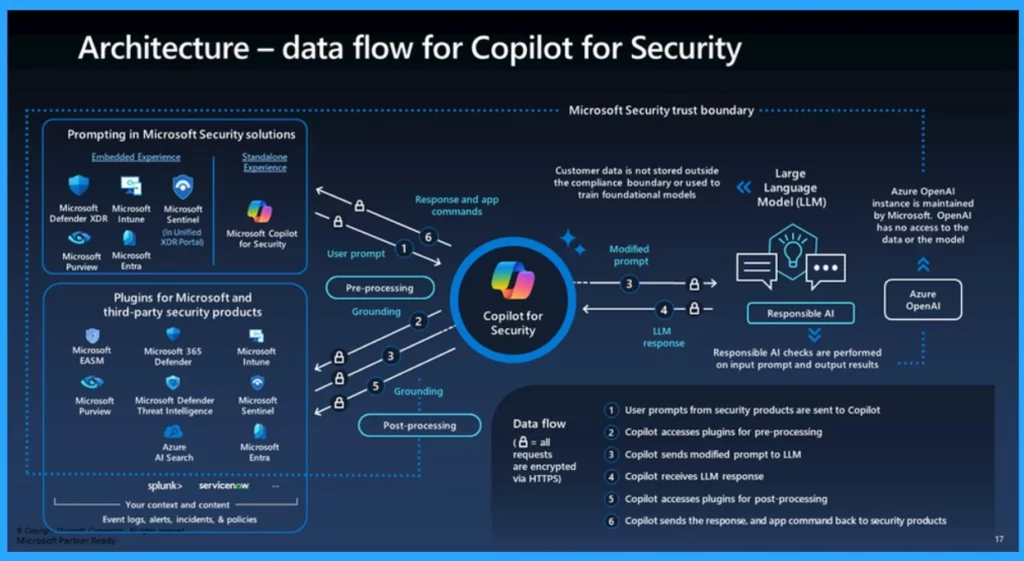
- Module 3 is all about the features and architecture of Copilot for Security. It also describes how users can use natural language prompts to interact with Copilot for Security via plugins to perform security tasks. Its architecture explains the need for a compound AI system like Copilot for Security. It also covers types of plugins and prompt books.
Understand the Part 2 Module Level
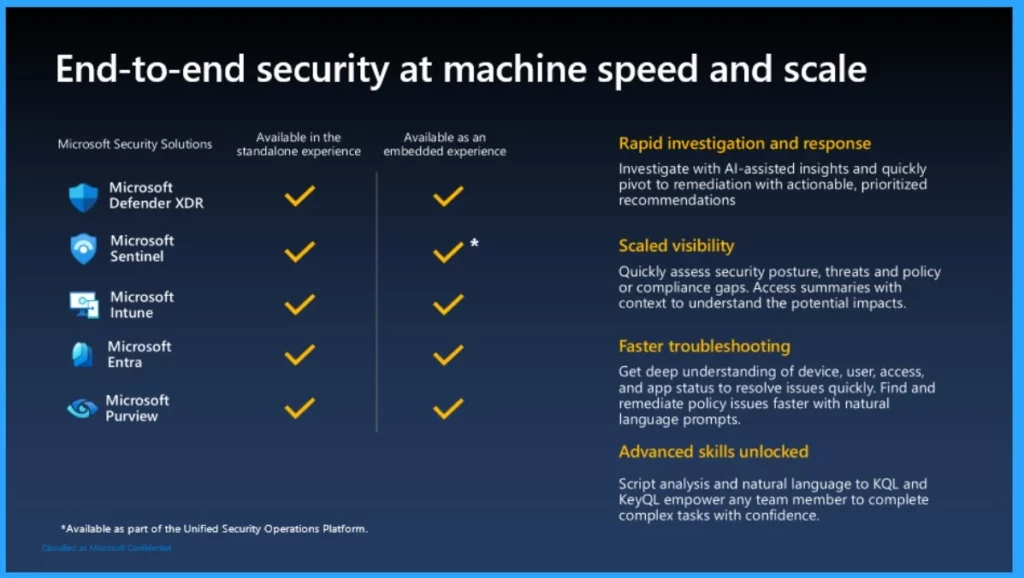
In the part of the module level, it explains 5 types of modules. These modules are designed to provide a deeper understanding of the Microsoft Copilot for Security platform, focusing on integrating and managing various plugins, creating effective prompts for the AI, and exploring third-party integrations to enhance security.
- Module 1- Security Product Plugins
- Module 2– OpenAI Copilot for Security Plugins
- Module 3– Creating Effective Prompts
- Module 4– Managing Plugins
- Module 5– Third-Party Integrations
| Module Level 1 Importance | Info |
|---|---|
| Defender XDR Plugin | It integrates AI into Microsoft Defender XDR to enhance attack investigation and threat hunting, with features such as incident summarization, script analysis, and file analysis. |
| Entra Plugin | It enhances identity and access management in Microsoft Entra with AI-driven insights for investigating identity risks and managing user access efficiently. |
| Microsoft Intune Plugin | It will Optimize endpoint management in Microsoft Intune by providing information on devices, apps, policies, and troubleshooting issues |
| Threat Intelligence Plugins | Its an important one, and it offers insights on threat actors, IOCs, and vulnerabilities through Microsoft Defender Threat Intelligence (MDTI) and Threat Analytics (TA), aiding in incident investigation and threat prioritization. |
| Purview Plugin | Assists in data governance and management in Microsoft Purview by identifying, summarizing, and remediating alerts and events related to DLP, insider risk, and compliance. |
- Data Flow Architecture for Intune and Security Copilot
- How to Prepare Microsoft Copilot with Zero Trust
- 16 New Copilot Actions Released by Microsoft
Overview Of Part 3 Module Level
The final part 3, Module level, explains about 4 types of module levels, such as Custom Promptbooks, plugins, Automation Scenarios, and knowledge-based integrations.
- Module 1 -level explains how to create and manage custom promptbooks for automating security tasks and workflows
- Module 2 is dedicated to custom plugins and provides resources for managing and creating custom plugins to enhance security measures.
- Module 3– Automation with logic apps, Offers guidance on integrating Copilot for Security with Logic Apps for automating security incident response.
- Module 4 -explains how to connect an organizations knowledge base to a copilot for security for more relevant and customized responses
Reference
How to Become a Microsoft Copilot for Security Ninja: The Complete Level 400 Training
We are on WhatsApp. To get the latest step-by-step guides and news updates, Join our Channel. Click here –HTMD WhatsApp.
Author
Krishna. R is a computer enthusiast. She loves writing about Windows 11 and Intune-related technologies and sharing her knowledge, quick tips, and tricks about Windows 11 or 10 with the community.
Discussion