






How to Secure Entra Connect Sync with TPM Backed App Authentication
Let’s discuss How to Secure Entra Connect Sync with TPM Backed App Authentication to Enhance Security of Entra Connect Application Sync. Microsoft plan to bring change on security of Microsoft Entra Connect application sync process.
With the new change, you will be able to use a TPM backed certificate in Entra Connect Sync for authentication. As you know, A TPM-backed certificate in Microsoft Entra Connect Sync is a security enhancement that allows authentication using a certificate stored in the Trusted Platform Module (TPM) of a device.
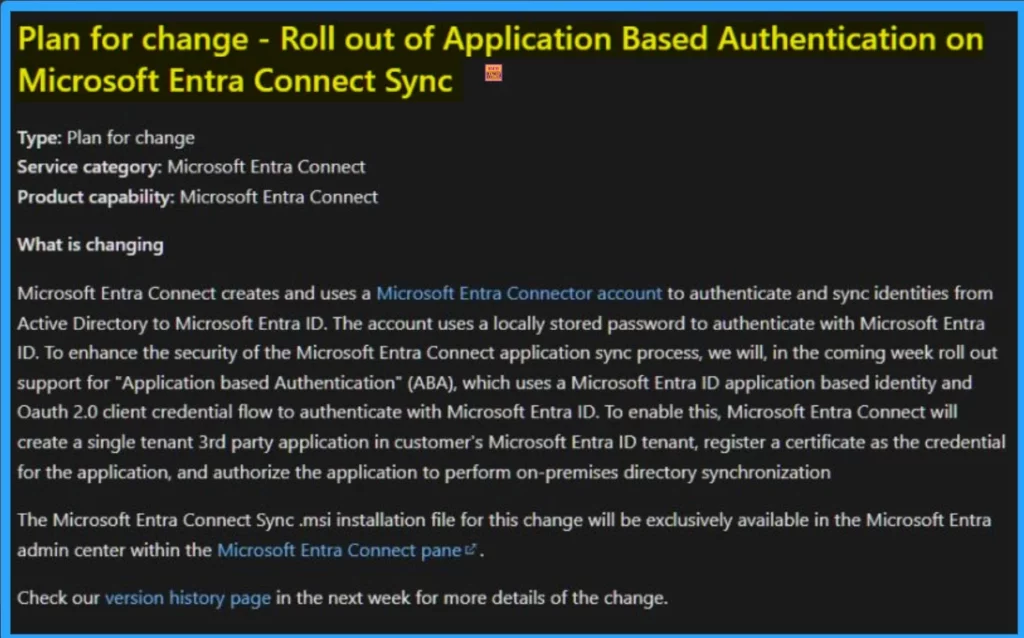
Microsoft Entra Connect creates and uses a Microsoft Entra Connector account to authenticate and sync identities from Active Directory to Microsoft Entra ID. The account uses a locally stored password to authenticate with Microsoft Entra.
To enhance the security of the Microsoft Entra Connect application sync process is introduced. In this blog post I will help you to know more about Application Based Authentication in Microsoft Entra. The new change can be expected on Next week onwards.

Table of Contents
How to Secure Entra Connect Sync with TPM Backed App Authentication
As mentioned above, the new Application Based Authentication for Entra Connect sync roll out on Next week. It uses OAuth 2.0 client credential flow to authenticate with Microsoft Entra ID. It allows applications to access resources on behalf of a user without exposing their credentials.
- How to Enable Token Protection in Entra Conditional Access for Windows App to Secure AVD and Windows 365
- How to Configure Sign-In Frequency Every Time and Periodic Reauthentication Policies in Microsoft Entra
- Phase out of Microsoft Entra Permissions Management in April 2025
Features of Application Based Authentication
Application-based authentication enhances security by allowing applications to authenticate using certificates or tokens instead of traditional credentials. ABA is particularly useful for protecting highly privileged accounts, even with recent modifications to role permissions. The following are the advantages.
| Features | Details |
|---|---|
| Phishing Resistant Authentication | It uses TPM-backed certificates to prevent credential theft. |
| Device Bound Authentication | It ensures authentication is tied to a specific device. |
| Improved Security for Privileged Account | It helps to Protects high-privilege accounts from unauthorized access. |
| Certificate-based authentication | It eliminates reliance on passwords, reducing attackers |
| Integration with Microsoft Entra | Works seamlessly with Entra Connect Sync for secure authentication. |
How to Enable Application Based Authentication
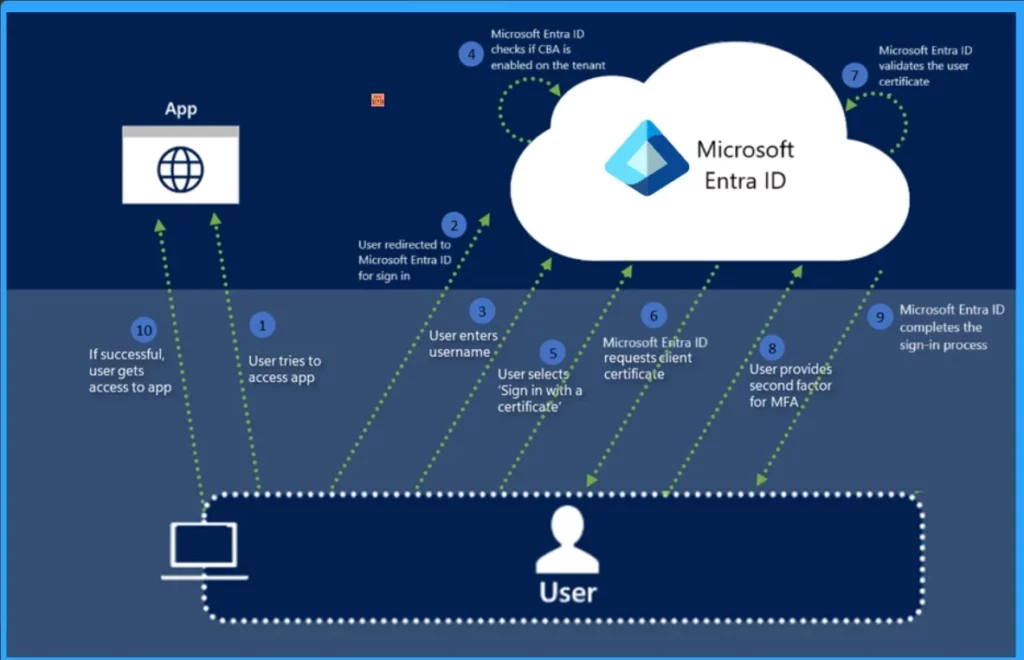
To enable this, Microsoft Entra Connect will create a single-tenant 3rd party application in the customer’s Microsoft Entra ID tenant, register a certificate as the credential for the application, and authorise the application to perform on-premises directory synchronisation.
Need Further Assistance or Have Technical Questions?
Join the LinkedIn Page and Telegram group to get the latest step-by-step guides and news updates. Join our Meetup Page to participate in User group meetings. Also, Join the WhatsApp Community to get the latest news on Microsoft Technologies. We are there on Reddit as well.
Resource
Application Based Authentication on Microsoft Entra Connect Sync
Author
Anoop C Nair has been a Microsoft MVP for 10 consecutive years from 2015 onwards. He is a Workplace Solution Architect with more than 22+ years of experience in Workplace technologies. He is a Blogger, Speaker, and Local User Group Community leader. His primary focus is on Device Management technologies like SCCM and Intune. He writes about technologies like Intune, SCCM, Windows, Cloud PC, Windows, Entra, Microsoft Security, Career, etc.




Discussion