






Faster and Advanced Windows Search Performance is Now Available with Copilot + PCs
Hai let’s discuss Faster and Advanced Windows Search Performance is Now Available with Copilot + PCs. In this post we are discussing new enhanced Windows Search option. As you all know that Windows search is very crucial feature in Windows. Nowadays in artificial intelligence are there to help the devices with many benificials.
Recently Windows search got some advanced AI feature it is Rollout start March 2025. This advanced search feature is designed to utilize natural language processing, enabling users to find files, photos, applications, and system settings effortlessly.
With a single context it finds the files, photos, apps, and settings easier through Windows search. The system understands context and gives results quickly. It works smoothly with cloud services like OneDrive, so you can search both local and cloud files at once.
One of the most important features of Enhanced Windows search is that you can also search offline, even without an internet connection. This feature saves time, boosts productivity. In this post, let’s discuss how the New Windows Search Experience on Copilot PCs works on your device.

Table of Contents
Faster and Advanced Windows Search Performance is Now Available with Copilot + PCs
Above we discussed an overall view on the topic of New Windows Search Experience on Copilot +PCs. In this new enhancement it is allowing a User-friendly experience. The integration with cloud services like OneDrive ensures smooth access to both local and online files in a single search, delivering convenience and efficiency.
- By adding support for voice commands and live captions, it’s designed to be more user-friendly.
- Open any of the search by opening File Explorer, the search box on your taskbar, or the Settings menu.
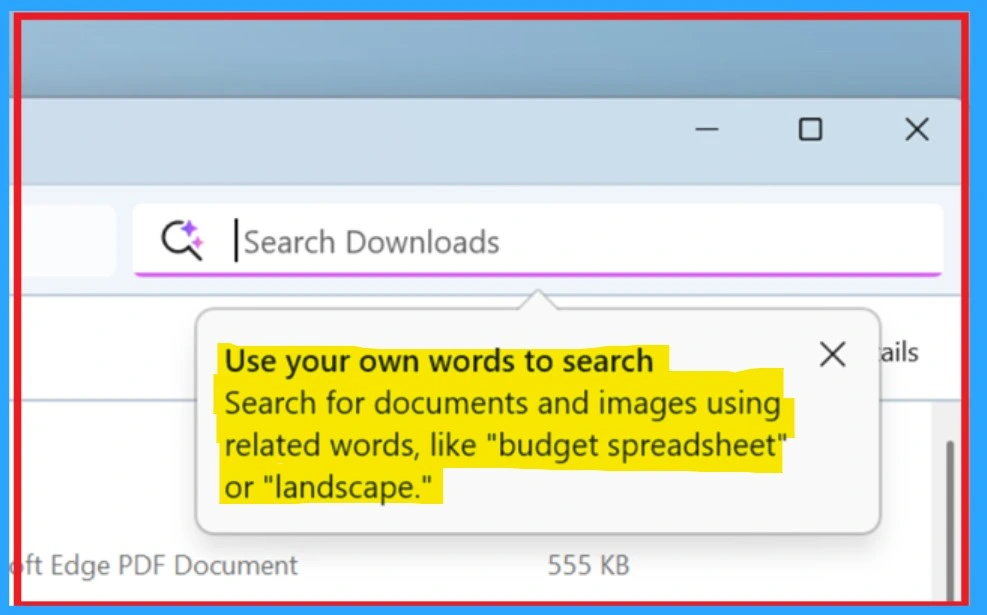
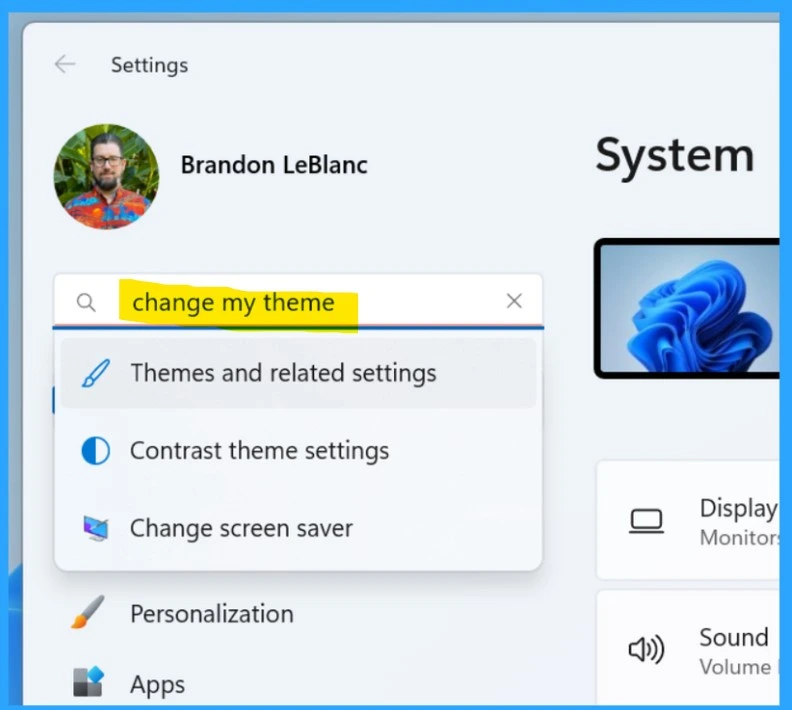
- You can search using your own words, like “bridge at sunset” for images, Europe trip budget for documents, or change my theme for settings.
| Importance Windows Search | Info |
|---|---|
| Platform | Copilot+ PC |
| Status | Gradually rolling out |
| Version | 24H2 |
| Channels | Retail |
Note: Use your own words to search – Search for documents and images using related words, like “budget spreadsheet” or “landscape.”
- New Exciting Features in Copilot+ PCs and Windows 11
- Microsoft Introducing Copilot+ PCs
- Best Way to Set Copilot Hardware Key Using Microsoft Intune
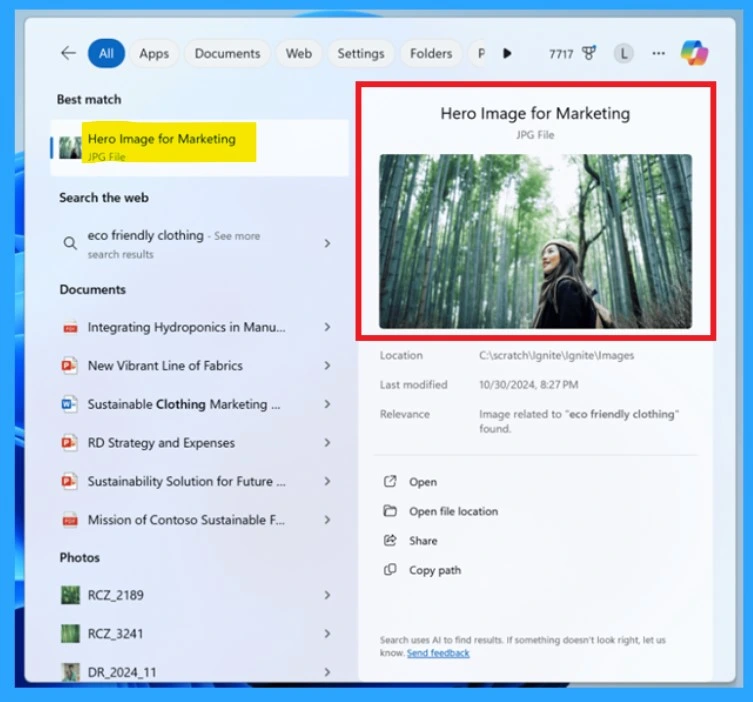
Use your own words to search for documents and images from your taskbar. Here in this picture, you can see that the search of Hero image of marketing was searched, and, in the results, you will get the same file.
Note: By default, the new Windows Search features are turned off for devices managed by businesses or organizations. These devices will only get the features when they install the yearly feature update or enable them through specific policies set by their IT administrators.
In the Windows Search you can find options to customize how search works on your PC. You can adjust which folders and locations are to make it easier to find files stored in specific places Currently, you can use the improved Windows Search on your Copilot+ PC to find files stored locally in specific location.
Need Further Assistance or Have Technical Questions?
Join the LinkedIn Page and Telegram group to get the latest step-by-step guides and news updates. Join our Meetup Page to participate in User group meetings. Also, Join the WhatsApp Community to get the latest news on Microsoft Technologies. We are there on Reddit as well.
Source – Windows Roadmap | Microsoft Windows for Business
Author
Anoop C Nair has been a Microsoft MVP from 2015 onwards for 10 consecutive years! He is a Workplace Solution Architect with more than 22+ years of experience in Workplace technologies. He is also a Blogger, Speaker, and leader of the Local User Group Community. His primary focus is on Device Management technologies like SCCM and Intune. He writes about technologies like Intune, SCCM, Windows, Cloud PC, Windows, Entra, Microsoft Security, Career, etc.





Discussion