






Fix AVD Could Not Connect to Session Desktop Admin has Restricted the Type of Logon Azure Virtual Desktop
Today, I will explore the topic Fix AVD Could Not Connect to Session Desktop Admin has Restricted the Type of Logon Azure Virtual Desktop.
In this post, let’s see how to fix AVD, which could not connect to the session desktop. The admin has restricted the type of Logon-related issues. This is a common error I have seen in PoC/testing environments where admins use different test accounts to access AVD session hosts.
I explained in the previous post about Fixing AVD Refreshing Your Token Error | Couldn’t Connect to Session Desktop. I have seen that the admin has restricted the type of login error for AVD web clients.
I have also shared my experience with two other common errors. In later sections of this post: 1. Sign-in Failed Error 2. Legacy code: 0x300006D Error.

Table of Contents
Issue – AVD Could Not Connect to Session Desktop
I have seen this exact error “couldn’t connect to session desktop” many times, and several AVD PoC testers raised this issue.
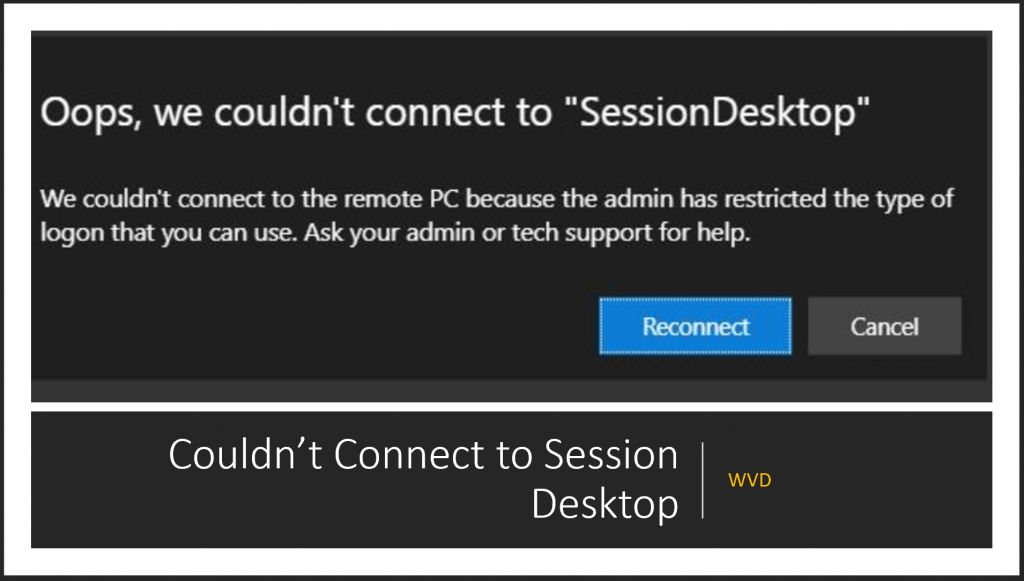
Error Message – Oops, we couldn’t connect to “SessionDesktop” – we couldn’t connect to the remote PC because the admin has restricted the type of logon that you can use. Ask your admin or tech support for help.
- Fix AVD Refreshing Your Token Error | Couldn’t Connect to Session Desktop | Azure Virtual Desktop Tips
- AVD Troubleshooting Options Tips Tricks – Azure Virtual Desktop
Cause of AVD Admin has Rejected Type of Login Error
Well, the cause of this admin is restricted to the type of login error when you try to connect to the session host in AVD, mainly because of the end-user’s ignorance. What? Yes, of course. This is why I highlighted in the first paragraph of this post that I have seen this issue mainly with PoC/Test environments. AVD Could Not Connect to Session Desktop
In a PoC or Test environment, the test users might have multiple user accounts to test and certify different scenarios. This error occurs when:
- User Logs into the AVD Web client with a user ID (for example – anoop1@htmdforum.com).
- Click on Remote Desktop Icon to log into the desktop/remote PC session.
- The user (anoop1@htmdforum.com) will get prompted to re-enter the user name and password (domain-level authentication).
- But because of user error or ignorance, the user entered a different user name (anoop2@htmdforum.com) and password.
- Click on the Submit button.
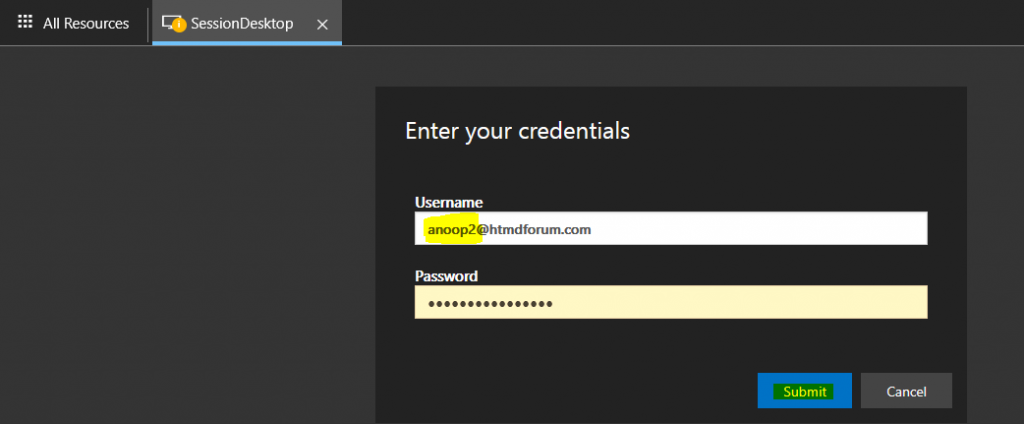
AVD Sign-in Failed Error
The cause of AVD Admin’s Rejected Type of Login Error is given below.
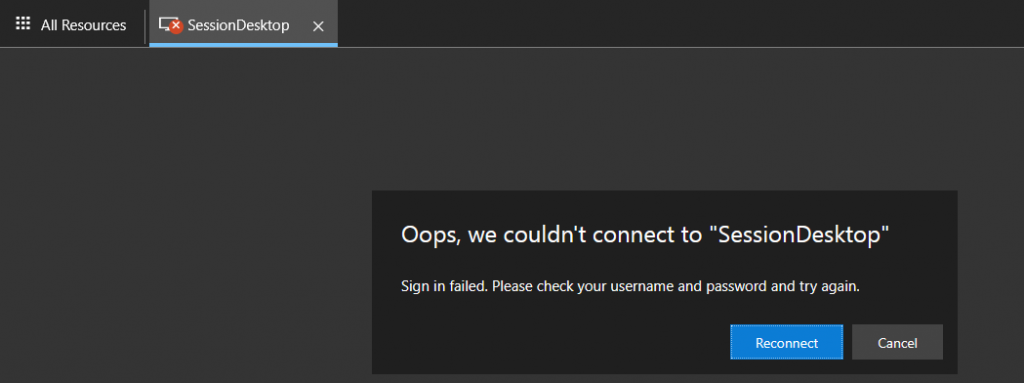
If a user enters the wrong credentials, the domain controller will try to authenticate and provide the following error message: Sign-in failed.
Error Message – Oops, we couldn’t connect to “SessionDesktop”. Sign-in failed. Please check your username and password and try again.
AVD Legacy code: 0x300006D Error
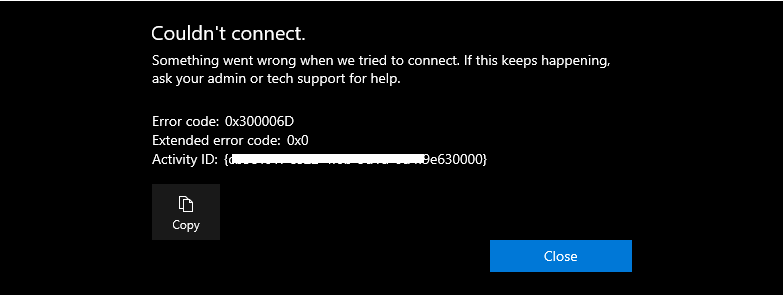
This is a quick note about the following AVD error. To resolve this issue, click the close button and relaunch the remote or session desktop connection.
- I couldn’t connect. Something went wrong when we tried to connect. If this keeps happening, ask your admin or tech support for help.
- Disconnect code: UnknownError, legacy code: 0x300006D, legacy extended code: 0x0, activityId: {cb5c561f-c822-4f0b-8d7d-0d4f9e630000}
AVD Session Host – Could Not Start the Connection Due to a Webworker Error
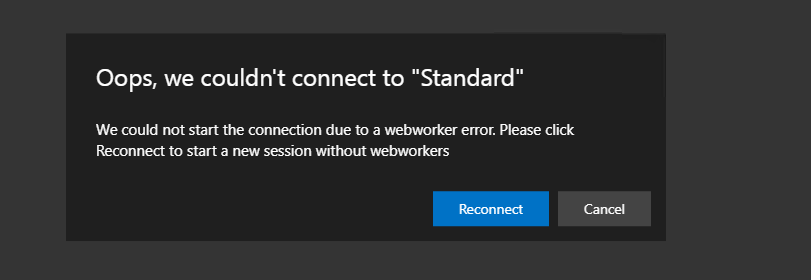
I have received any other error from the AVD Web Client. The error confuses end-users because they might not understand the web worker. I just disconnected the AVD session and reconnected.
The reconnecting helped to resolve the issues with the AVD webworker. I think this is just a timeout issue or something else.
Oops, we couldn’t connect to “Standard.”
We could not start the connection due to a webworker error. Please click Reconnect to start a new session without a webworker.
Fix AVD VM RD Client Connection Error 0x83886181
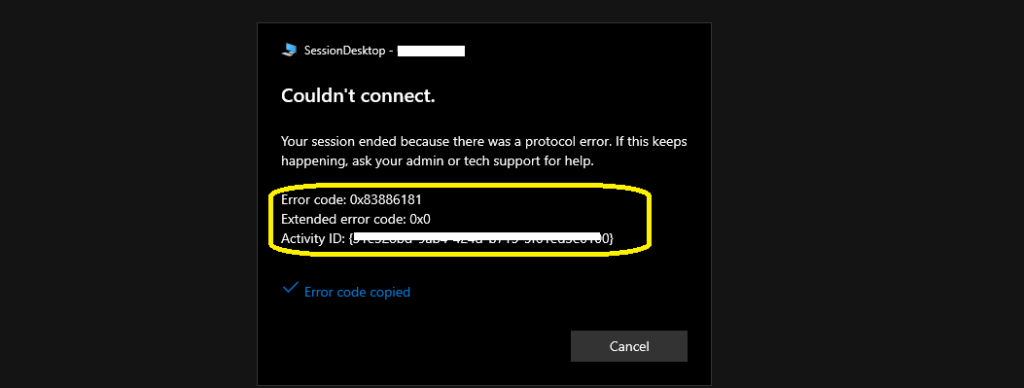
Let’s quickly look at the AVD VM RD client connection error 0x83886181. I have been using the AVD VM, and the session got disconnected with the following error. The main challenge with this kind of disconnection is a bad Team meeting experience.
Couldn’t connect—Your session ended because of a protocol error. If this keeps happening, ask your admin or tech support for help.
Solution | Fix – AVD VM RD Client Connection Error 0x83886181 HTMD Blog (anoopcnair.com)
AVD User Wrong UserName and Password Error
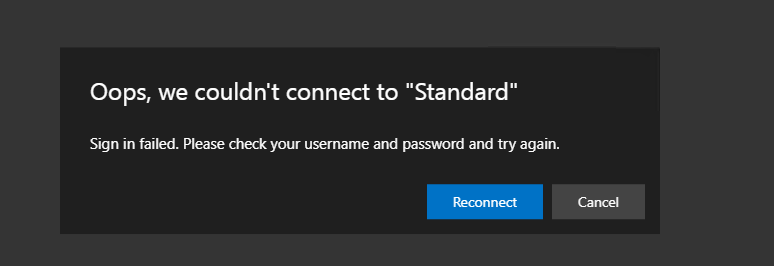
This is the most common error with AVD (Azure Virtual Desktop). The reason could be because of different keyboard layouts. I always get the Wrong username and password errors because of the default UK keyboard layout configured on my AVD Session Host. However, my physical keyboard layout is en-us.
Oops, we couldn’t connect to “Standard.”
Sign-in failed. Please check your username and password and try again.
Resources
- Install Subscribe Windows RD Client for AVD End User Step-by-Step Guide
- Microsoft VDI Story AVD Concept Setup Guide Myths Known Issues
- AVD Video PlayList https://aka.ms/WVDPlaylist
- AVD AMA 28th Aug 2019 Azure Virtual Desktop Microsoft AVD FAQs from AMA
- Microsoft VDI Story AVD Concept Setup Guide Myths Known Issues
- SCCM Intune Support for Persistent Non-Persistent VDI VMs
We are on WhatsApp now. To get the latest step-by-step guides, news, and updates, Join our Channel. Click here – HTMD WhatsApp
Author
Anoop C Nair has been Microsoft MVP for 10 consecutive years from 2015 onwards. He is a Workplace Solution Architect with more than 22+ years of experience in Workplace technologies. He is a Blogger, Speaker, and Local User Group Community leader. His primary focus is on Device Management technologies like SCCM and Intune. He writes about technologies like Intune, SCCM, Windows, Cloud PC, Windows, Entra, Microsoft Security, Career, etc.




Discussion