


Skip to content
FIX Office for Mac Vulnerabilities CVE-2023-24953 and CVE-2023-29344 Urgent Update Required

FIX Office for Mac Vulnerabilities CVE-2023-24953 and CVE-2023-29344 Urgent Update Required

Written By Vidya M A
Last Updated May 16, 2023
Posted In Mac
SHARE

During the May Patch Tuesday, Microsoft announced Office for Mac Vulnerabilities CVE-2023-24953 and CVE-2023-29344. Today (16th May), Microsoft announced that they have released a fix for this issue.

Microsoft fixed 3 zero-day vulnerabilities as part of the May patch Tuesday. The Office for Mac fix is released today by the Office team as per the latest notification from MSRC. Recently Microsoft fixed the vulnerabilities in Office applications for Windows devices as well.

The following are the Office for Mac vulnerabilities – Microsoft Excel Remote Code Execution Vulnerability CVE-2023-24953 and Microsoft Office Remote Code Execution Vulnerability CVE-2023-29344. The recommendation is to update the impacted Office for Mac versions immediately.

In our last blog post, we discussed the Easy method to Manage Multiple Profiles in Outlook for Mac and Easy Method To Deploy Microsoft 365 On MacOS using Intune.

Patch My PC
FIX Office for Mac Vulnerabilities CVE-2023-24953 and CVE-2023-29344 Fig. 1

The impacted version of Office for Mac?

Microsoft Office 2019 for Mac and Microsoft Office LTSC for Mac 2021 are the impacted versions of Office for Mac. This is for both the Vulnerabilities CVE-2023-24953 and CVE-2023-29344. You don’t have to worry If you are using a different version of Office application.

Impacted VersionsVulnerabilities
Microsoft Office 2019 for MacVE-2023-24953 and CVE-2023-29344
Microsoft Office LTSC for Mac 2021VE-2023-24953 and CVE-2023-29344
FIX Office for Mac Vulnerabilities CVE-2023-24953 and CVE-2023-29344 – Table 1

Are the updates for Microsoft Office for Mac currently available?

Yes! The security update for Microsoft Office 2019 for Mac and Microsoft Office LTSC for Mac 2021 is available as per the latest update from Microsoft.

FIX Office for Mac Vulnerabilities CVE-2023-24953 and CVE-2023-29344

How to fix Office for Mac Vulnerabilities CVE-2023-24953 and CVE-2023-29344. You can update the impacted Office versions using the following methods.

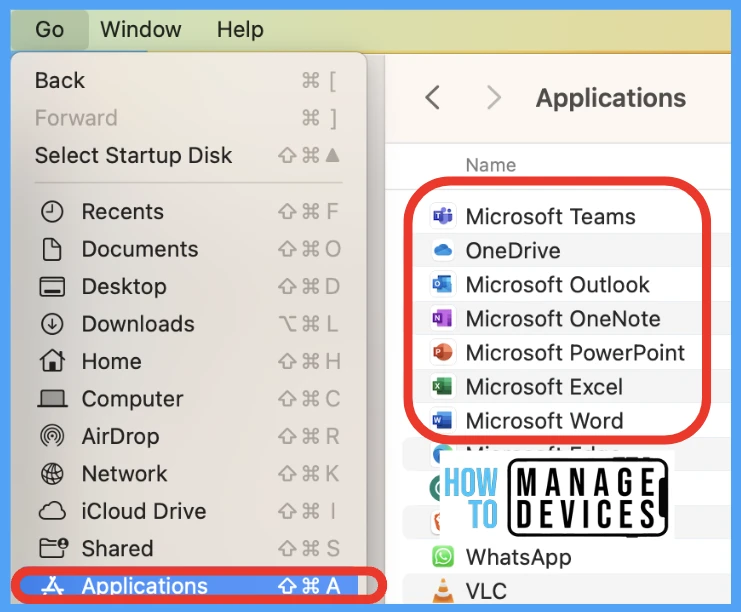
  • Manual – Updates are available from Microsoft AutoUpdate (MAU). To use Microsoft AutoUpdate, start an Office application, such as Word, and then choose Help > Check for Updates
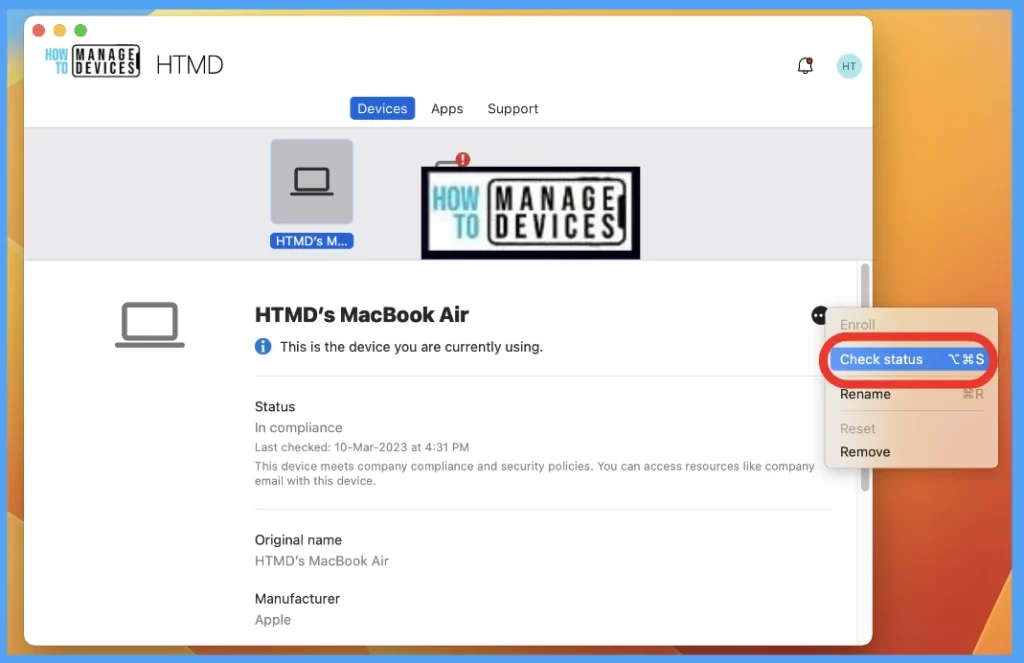
  • Automated way using Intune –  You can download and deploy the update packages for each application within Office for Mac app suite.

You can check out the following post for more details on step by step process to perform Office for Mac installation and update. Refer to Easy Method to Deploy Microsoft 365 on MacOS using Intune.
FIX Office for Mac Vulnerabilities CVE-2023-24953 and CVE-2023-29344 Fig. 2

Author

Vidya is a computer enthusiast. She is here to share quick tips and tricks with Windows 11 or Windows 10 users. She is also keen to find solutions to day-to-day tech problems and write about them.
Written by

About Author - Vidya is a computer enthusiast. She is here to share quick tips and tricks with Windows 11 or Windows 10 users. She is also keen to find solutions to day-to-day tech problems and write about them.

Discussion

Join the discussion

Your email address will not be published. Required fields are marked *

Related guides

iOS

Update M365 Apps on macOS and iOS Before July 2026 to Avoid Certificate Expiration Issues

Key Takeaways: Let’s discuss Update M365 Apps on macOS and iOS Before July 2026 to Avoid Certificate Expiration Issues. Microsoft announced the biggest change in licensing update for Microsoft 365 apps on macOS and iOS takes effect on July 13, 2026. Apps that are updated to the minimum required versions already include the renewed certificate and […]

AC Anoop C Nair 3 min read
Intune

Customise macOS LAPS Password Rotation in MS Intune Beyond 180 Days

Key Takeaways Customise macOS LAPS Password Rotation in MS Intune Beyond 180 Days! Earlier, MSIntune macOS LAPS, the local admin password was automatically rotated every 180 days. This was a fixed setting, so administrators did not have the option to change how often the password was updated. Customise macOS LAPS Password Rotation in MSIntune Beyond […]

AC Anoop C Nair 3 min read
Intune

No Wipe No Reenrollment Needed for MacOS iOS iPad OS Devices Migration to Intune from other MDM Solutions

Let’s discuss No Wipe No Reenrollment Needed for MacOS iOS iPad OS Devices Migration to Intune from other MDM Solutions. Apple brings a new update that changes the MDM migration capability. One of the biggest headaches faced by the admins is migrating macOS and iOS/iPadOS devices from (MDM solution to another without factory resets. Also, manual re-enrollment […]

AC Anoop C Nair 5 min read