






How to Organize Endpoint Manager Portal Neat Clean for Intune Activities | Microsoft Intune
How do you organize the Endpoint Manager Portal Neat Clean for Intune Activities? The MEM portal is a one-stop shop for all the services in the Microsoft cloud. When users log in to a MEM portal for the first time, they can see all these services, which are already selected as favorite services by default.
The selection of favorite services in the MEM portal for individual users is not based on the user’s profile or access rights of the user. This is not good for new users in the Intune portal. They will struggle to find out their role-related services.
One of our articles helps you by showing the Intune Admin Portal walkthrough guide. It is one of the first things you have to learn. From this post, you understand what is where in the Intune admin portal (aka Microsoft Intune Admin Center).
Microsoft recently changed its brand name from MEM (Microsoft Endpoint Manager) to Microsoft Intune. For more information, refer to the Top 50 Latest Intune Interview Questions and Answers, and if you are interested, check out the Top 50 Latest SCCM Interview Questions and Answers.

- What is Intune Endpoint Manager
- Create Intune Settings Catalog Policy
- What is Microsoft Intune Product Family
Table of Contents
How to Make Your Azure Intune Console Look Better – Video
The video guide on improving the look of your Azure Intune console is really helpful. It explains all the details step by step and provides easy-to-follow tips for making your console more visually appealing and user-friendly.
It’s an excellent resource for anyone who wants to enhance their Intune console’s visual experience and usability, whether they’re new to Intune or already using it.
How to Organize Endpoint Manager Portal Neat Clean for Intune Activities
For example, you are an Intune admin and can only access Intune and Azure AD users and groups. But if you log into the MEM portal, you will see loads of services that make no sense. You will also find it messy, and I’m sure you will get lost in the portal until you find the search button or Intune services.
| Microsoft Azure Features |
|---|
| Create a resource |
| Home |
| Dashboard |
| All services |
| FAVORITES |
| SOL |
| All resources |
| Resource groups |
| App Services |
| Function App |
| SQL databases |
| Azure Cosmos DB |
| Virtual machines |
| Load balancers |
| Storage accounts |
| Virtual networks |
| Microsoft Entra ID |
| Monitor |
| Advisor |
| Microsoft Defender for Cloud |
| Cost Management + Billing |
| Help + support |
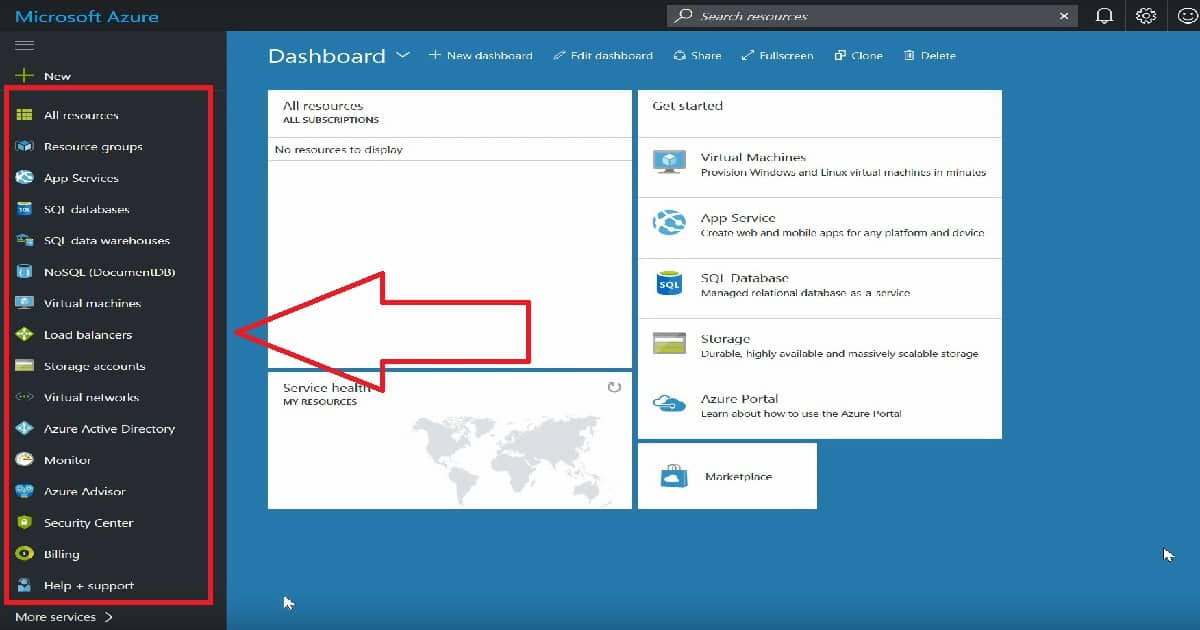
Don’t worry—a very friendly search option is available in the Azure portal. If you are an Intune admin, click on more services and type “Intune” in the search menu. You can see two Intune services: one for Intune (MDM) and the second for Intune App Protection (MAM without enrollment).
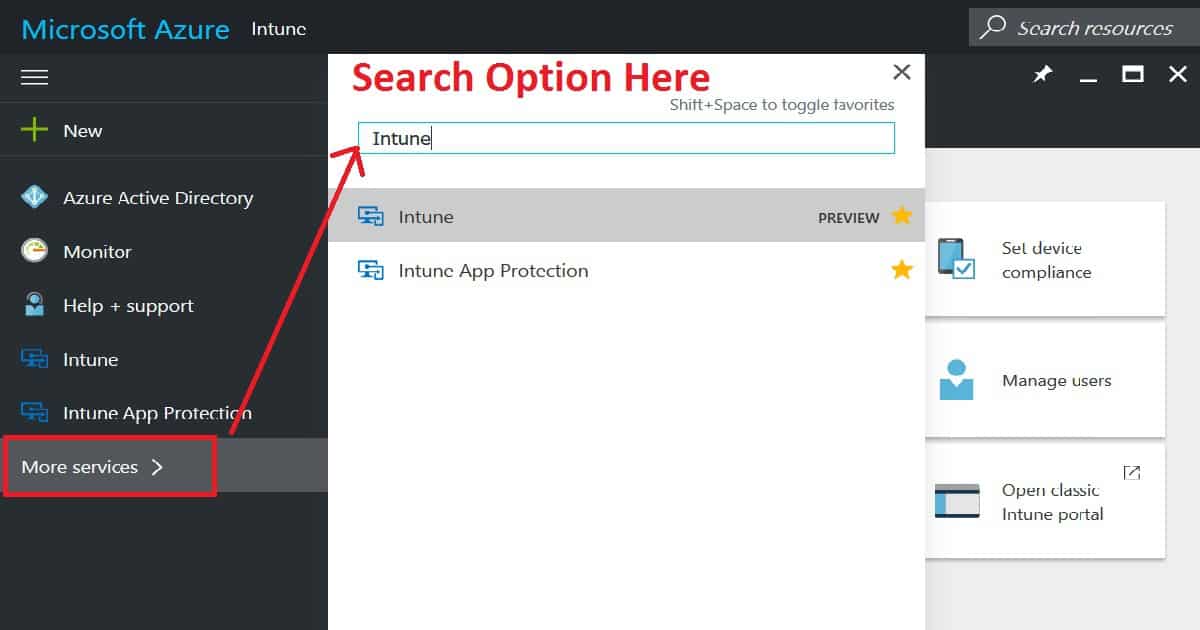
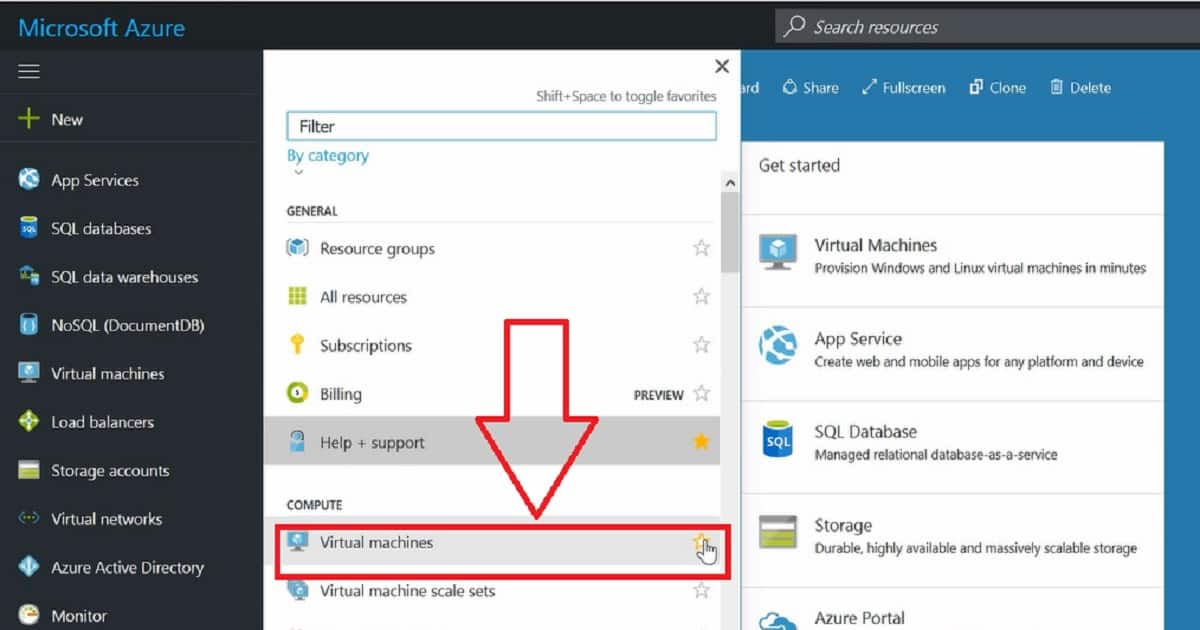
To keep your Azure portal well organized, you must spend only 2-3 minutes when logging in for the first time. What do we need to do to get a neatly organized Azure portal? You log in to the Azure portal, click on the More services button, and then remove the services that are not relevant to you.
For example, Intune admins have nothing to do with “Virtual Machines,” so you can remove the Virtual machine service from your favorite menu. This will help you remove the Virtual machine shortcut from the left-side menu of the MEM portal.
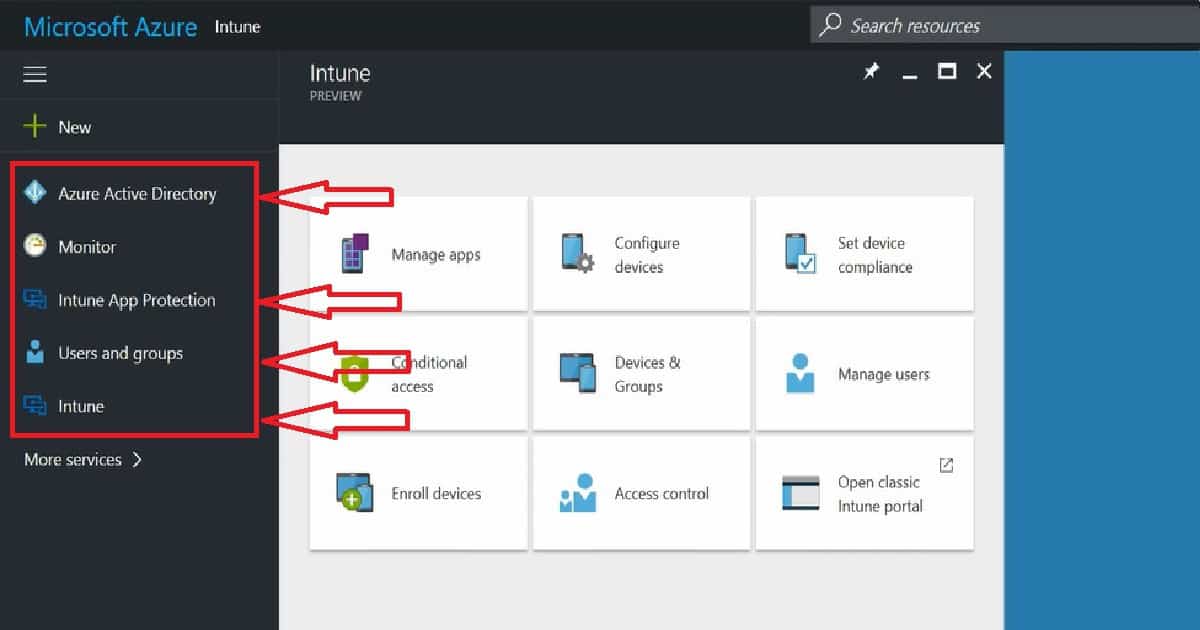
END Result:- Clean and Tidy Azure portal for Intune Admins. Remove all the services from the Azure portal except Azure Active Directory, Users and Groups, Intune, and Intune protection services.
We are on WhatsApp now. To get the latest step-by-step guides, news, and updates, Join our Channel. Click here. HTMD WhatsApp.
Author
Anoop C Nair is Microsoft MVP! He is a Device Management Admin with more than 20 years of experience (calculation done in 2021) in IT. He is a Blogger, Speaker, and Local User Group HTMD Community leader. His main focus is on Device Management technologies like SCCM 2012, Current Branch, and Intune. He writes about ConfigMgr, Windows 11, Windows 10, Azure AD, Microsoft Intune, Windows 365, AVD, etc.



Discussion