





Unified Identity Risk Signals in Microsoft Entra ID Protection Enhance User Risk Detection
Key Takeaways
- Enables unified risk signals for user risk detection in Microsoft Entra ID Protection.
- Correlates signals from Microsoft Defender XDR and other sources to improve accuracy.
- Enhances risk assessment by considering signals across multiple user accounts.
- Requires Microsoft Defender XDR to be configured before enabling.
- The feature is disabled (Off) by default and must be manually enabled.
- Helps admins make more informed and comprehensive identity risk decisions.
Unified Identity Risk Signals in Microsoft Entra ID Protection Enhance User Risk Detection! This preview feature in Microsoft Entra ID Protection helps improve the identification of user risk by leveraging more data from different sources. Instead of checking only one user account, it collects signals from multiple sources, including Microsoft Defender XDR, to determine whether something suspicious is happening. It also looks at activities across related accounts to spot unusual patterns.
Unified Identity Risk Signals in Microsoft Entra ID Protection Enhance User Risk Detection
By combining all these signals, the system creates a single Identity Risk Score that is more accurate and reliable. This makes it easier for admins to quickly understand the level of risk and take the right action to protect user accounts.
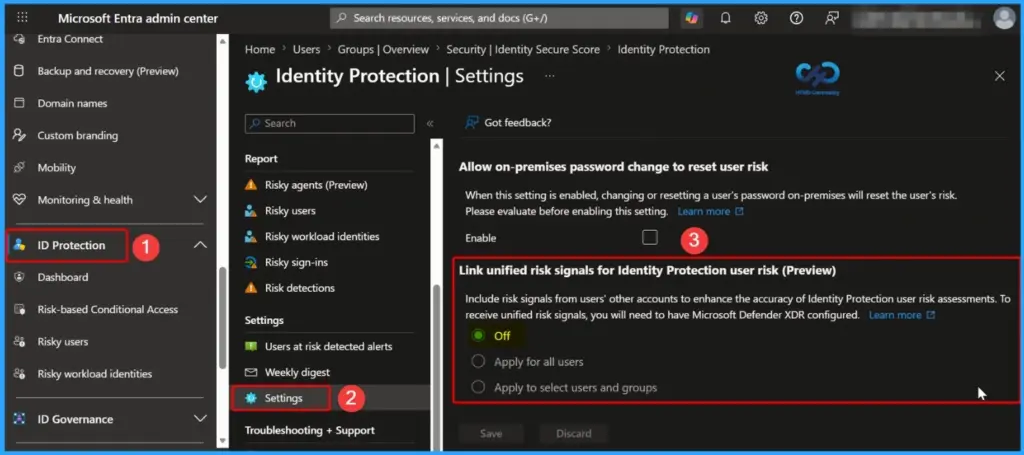
| Link unified risk signals for Identity Protection user risk (Preview) |
|---|
| Include risk signals from users’ other accounts to enhance the accuracy of Identity Protection user risk assessments. To receive unified risk signals, you will need to have Microsoft Defender XDR configured. |
- Faster Work Environment Recovery with Windows First Sign-In Restore for Entra and Hybrid Devices
- Troubleshoot and Fix Issue in Duplicate Device Records in Entra ID During Autopilot Hybrid Join
- Free Entra Training Videos | Start Learning Entra ID Azure AD
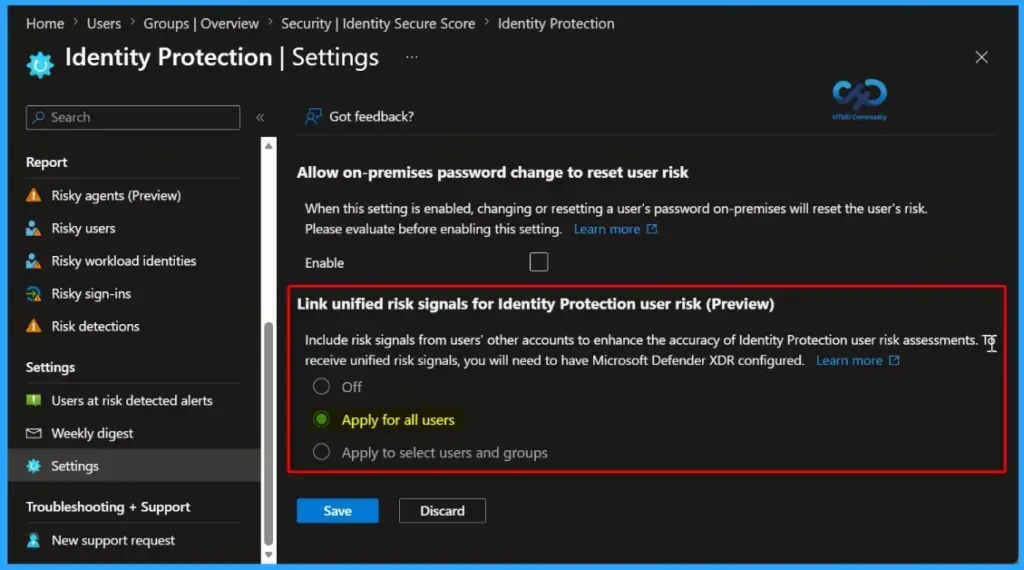
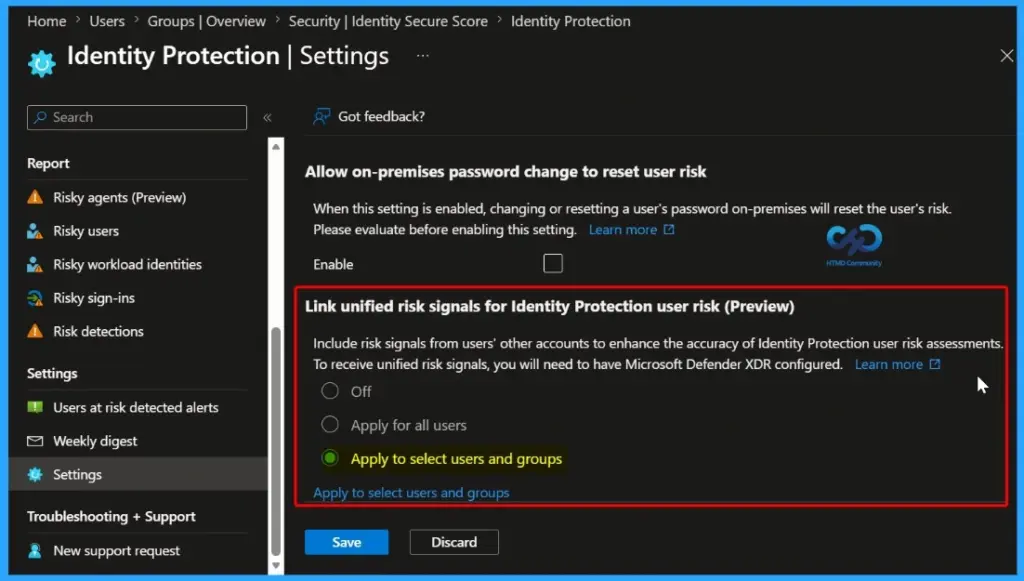
Unified Risk Signal Configuration Options
In Microsoft Entra ID Protection, admins can control how unified risk signals are applied to user risk detection. The table below helps you to show more details.
| Option | Description |
|---|---|
| Off | Feature is disabled. No unified risk signals are used for user risk detection. |
| Apply for all users | Enables unified risk signals for all users in the organization. |
| Apply to select users and groups | Enables unified risk signals only for specific users or groups chosen by admins. |
Link unified risk signals for Identity Protection user risk (Preview)
This feature in Microsoft Entra ID Protection introduces a consolidated user risk model that brings together signals from multiple security layers. Instead of relying on a single source, it correlates data across different platforms to provide a more accurate and unified view of user risk, helping admins detect and respond to threats more effectively.

- Entra ID Protection Detections
- Microsoft Defender for Endpoint (device risk)
- Microsoft Defender for Cloud Apps
- Microsoft XDR Signals
- External/non-MS risk signals
Impact at the Technical Level with Unified User Risk
With unified risk signals in Microsoft Entra ID Protection, user risk is checked using data from multiple sources instead of just one. By combining signals from tools like Microsoft Defender XDR, it becomes easier to spot risks and protect users with better security controls.
| Scenario | Before | Now |
|---|---|---|
| Risk Evaluation | Identity risk evaluated in isolation | Single aggregated user risk score across multiple signals |
| Signal Correlation | Endpoint and cloud signals acted independently | Cross-domain correlation (Identity + Endpoint + Cloud) |
| Access Control | Limited context for decision-making | Context-aware Conditional Access enforcement |
Why Is Unified User Risk Required?
Unified risk signals in Microsoft Entra ID Protection use data from different sources instead of relying on just one event. By combining signals from tools like Microsoft Defender XDR, it gives a clearer view of user risk and helps improve security.
- More accurate risk-based policies
- Reduced blind spots across security layers
- Stronger alignment with Zero Trust principles
Need Further Assistance or Have Technical Questions?
Join the LinkedIn Page and Telegram group to get the latest step-by-step guides and news updates. Join our Meetup Page to participate in User group meetings. Also, join the WhatsApp Community and the Whatsapp channel to get the latest news on Microsoft Technologies. We are there on Reddit as well.
Author
Anoop C Nair is a Workplace Technology solution architect with 25+ years of experience. Microsoft Certified Trainer. Microsoft MVP from 2015 onwards for consecutive 11+ years! He is a blogger, Speaker, and Founder of HTMD Community and HTMD Conference. His main focus is on Device Management technologies like Intune, Windows, and Cloud PC. He writes about technologies like Intune, SCCM, Windows, Cloud PC, Entra, and Microsoft Security.




Discussion