






How to Fix Intune Android App Installation Error 0xC7D1507C
Hey there, today we are talking about a new topic, How to Fix Intune Android App Installation Error 0xC7D1507C when managing devices especially Android devices may sometimes occur, especially when the app installation time. Here we are talking about the Microsoft known issue 0xC7D1507C.
The error code 0xC7D1507C (942583684) happens in Microsoft Intune when apps or policies are sent to Android devices using Device Administrator or KNOX. This error code indicates that the device stopped downloading a file suddenly, usually because the battery was low or the download time is very long.
There are many reasons behind this issue, and it is not permanent, it can delay app or policy installation and cause confusion to the users. The 0xC7D1507C error usually shows up when Intune is trying to install an app or profile on an Android device.
The error doesn’t permanently block deployments; it can delay policy enforcement and slow down device readiness. So, in this post let’s discuss How to Fix Intune Android app Installation Error 0xC7D1507C. Also known about the workaround and causes of this error.

Table of Contents
How to Fix Intune Android App Installation Error 0xC7D1507C
Above we discussed a lot of things about the error 0xC7D1507C and why this happens. The main reason behind the issue is the device battery is low, Android may pause or stop background tasks like downloading files. When this error happens an error message display that saying “The file download service was unexpectedly stopped.
- The policy will be retried the next time the device syncs.
| Error code (Hex) | Error code (Dec) | Error message/code | Description |
|---|---|---|---|
| 0xC7D1507C | 942583684 | The file download service was unexpectedly stopped. The policy will be retried the next time the device syncs. | The OS ended the download process before it was completed. This error can occur when the device has low battery, or the download is taking too long. |
- Intune End of Support for Android Device Administrator
- Enroll Android Devices To Android for Work in Intune
- How to Fix Intune Android App Installation Error 0xC7D14FB2
What are the Causes of this Issue
For resolving this issue, we have to first find out that how this got failed to install and why this error code 0xC7D1507C gets. The first cause this issue happened, If the device battery is low, Android may pause or stop background tasks like downloading files.
Wi-Fi or mobile data connections can delay downloads or cause them to fail. this is a common cause for deploying a file or application download time.
DA Scenarios
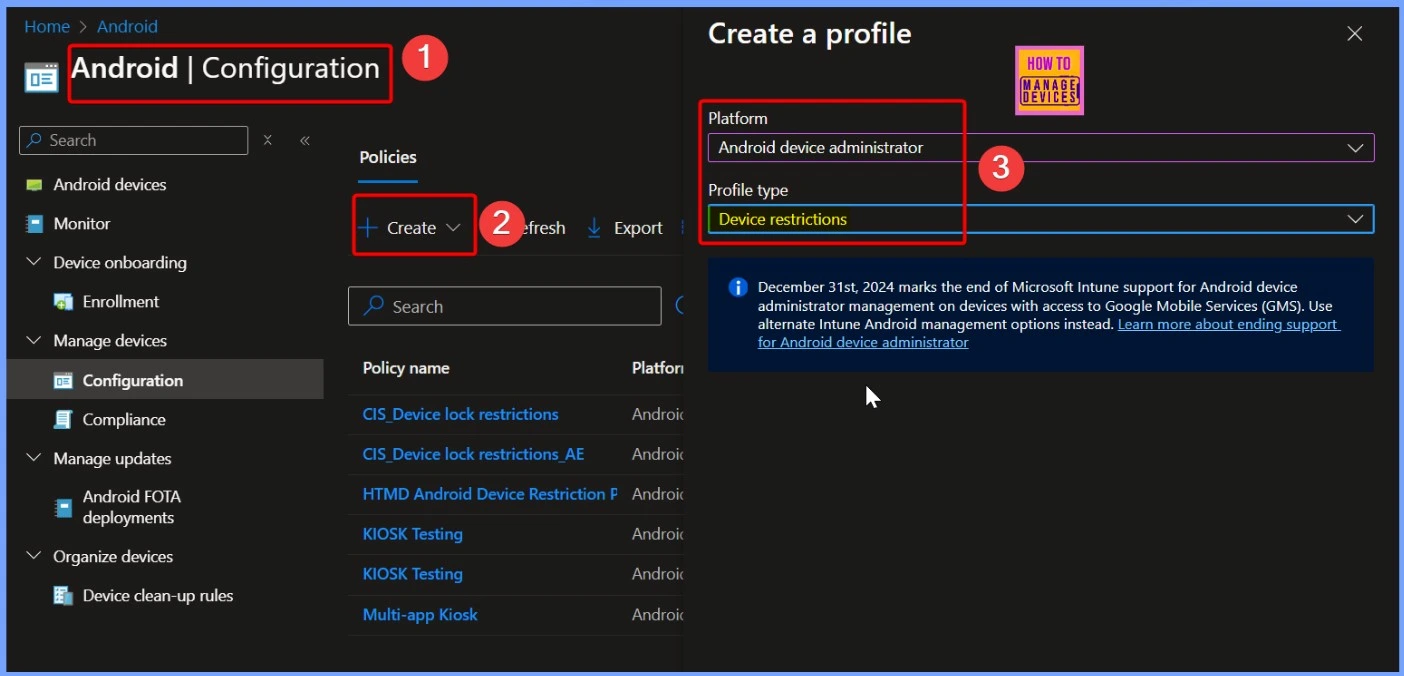
Also, this error is returned for only DA scenarios. Devices that use the Device Administrator (DA) model are more get this issue because DA is an older way of managing Android devices. It’s not as stable as newer methods like Android Enterprise or KNOX, especially when it comes to installing apps.
Knox Scenarios Explanation
Microsoft indicating for KNOX scenarios, the user is not prompted to install, this can be done silently. On Samsung KNOX devices, apps and settings are installed silently, without showing any message to the user. If something goes wrong the user does not get any alert messages.

Workaround For the Issue – Manage the Device Battery
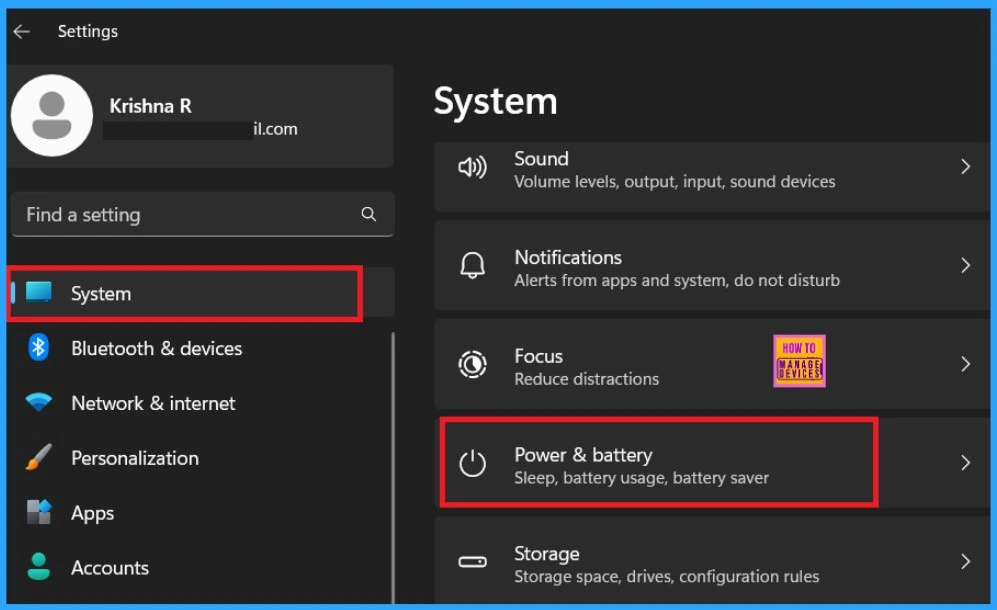
This is the best step we have to implement and its not only solve the error issues it also improve the device performances.If the battery goes down android devices stop the background process. So you have top ensure the device charge is minimum always.
- If any battery relateds issues on you device keep plugg in the charger during deeployments.
- The below screeshot is from our Top 14 Tips and Tricks to Extend Laptop Battery Life for Windows Operating System without using ARM ppost if you need any tips you can visit this like below.
See More: Top 14 Tips and Tricks to Extend Laptop Battery Life for Windows Operating System without using ARM
Ensure the Network Connections
“Downloads may fail if the internet connection is weak or unstable. Before deploying applications through Intune, ensure the device is connected to a strong network. This can help prevent errors like 0xC7D1507C.
Manual Syncying
Syncing forces the device to check in with Intune again and retry any failed downloads. Intune automatically retries failed installations the next time the device checks ins. So you can wait up to 24 hours, as the device will try again to download and install the App.
- For manual Syncing Go to the Cloud PC and select the Company portal from the Start
- Then Go to the settings and Click on the Sync option and wait for sometimes.
- If the issue continues you can restart the device.
Need Further Assistance or Have Technical Questions?
Join the LinkedIn Page and Telegram group to get the latest step-by-step guides and news updates. Join our Meetup Page to participate in User group meetings. Also, Join the WhatsApp Community to get the latest news on Microsoft Technologies. We are there on Reddit as well.
Author
Anoop C Nair has been Microsoft MVP from 2015 onwards for 10 consecutive years! He is a Workplace Solution Architect with more than 22+ years of experience in Workplace technologies. He is also a Blogger, Speaker, and Local User Group Community leader. His primary focus is on Device Management technologies like SCCM and Intune. He writes about technologies like Intune, SCCM, Windows, Cloud PC, Windows, Entra, Microsoft Security, Career, etc.


Discussion