






macOS New Notification Permission for Shell Scripts
News Alert! macOS New Notification Permission for Shell Scripts. As you all know, macOS continually improves to make things easier and better for users. One of the newest updates is a permission prompt that helps improve notifications when using shell scripts.
Microsoft recently announced a New permission prompt to improve the macOS notification experience for users when using shell scripts in their official document. These new updates are significant for those using Intune management agents.
They make notifications work better and more reliable, and users and administrators can control them more easily. This update will be best for improving macOS notifications when using shell scripts. Shell scripts are a strong tool for managing macOS when used with Microsoft Intune.
We know that shell scripts will help IT admins automate tasks, make configuration changes more manageable, and manage macOS devices in Intune more efficiently. We have some posts based on Shell Scripts for macOS Devices in Intune. So, in this post, we can look into the overall views of the new update.

- Data Loss Prevention is Now Available on the macOS Settings Catalog
- New Platform SSO for macOS Devices in Microsoft Intune
- macOS Devices Migration Framework to Intune from Jamf Kandji JumpCloud Platforms
- Microsoft Made Universal Print for macOS Available
| Index |
|---|
| macOS’s New Notification Permission for Shell Scripts |
| Upcoming Update for Intune Agent on macOS |

What is a Shell Scripts?
macOS New Notification Permission for Shell Scripts
Above, we discussed an overall view of macOS’s New Notification Permission for Shell Scripts. With the new Intune management agent for macOS v2407.005, notifications for shell scripts are more reliable.
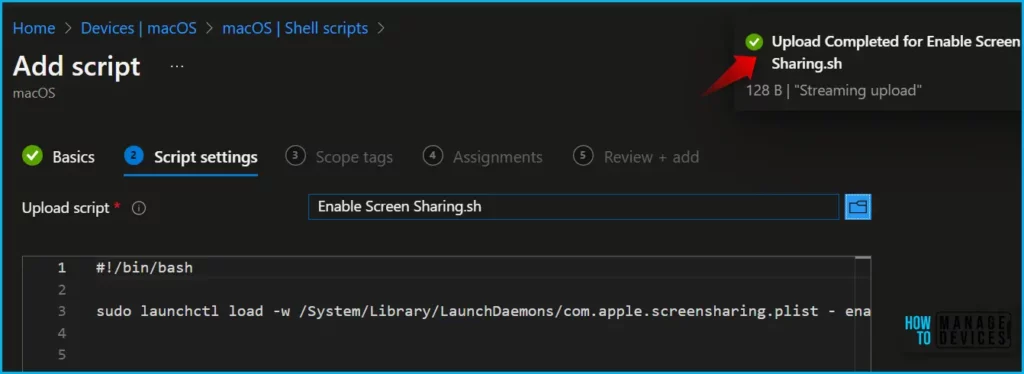
- The below screenshot is from our post, ”Use Shell Scripts for macOS Devices using Intune.”
- The screenshot explains that the shell script will enable screen sharing on macOS devices. The next step is uploading the prepared script file to Intune for deployment.
See more detailed information: Use Shell Scripts for macOS Devices using Intune.
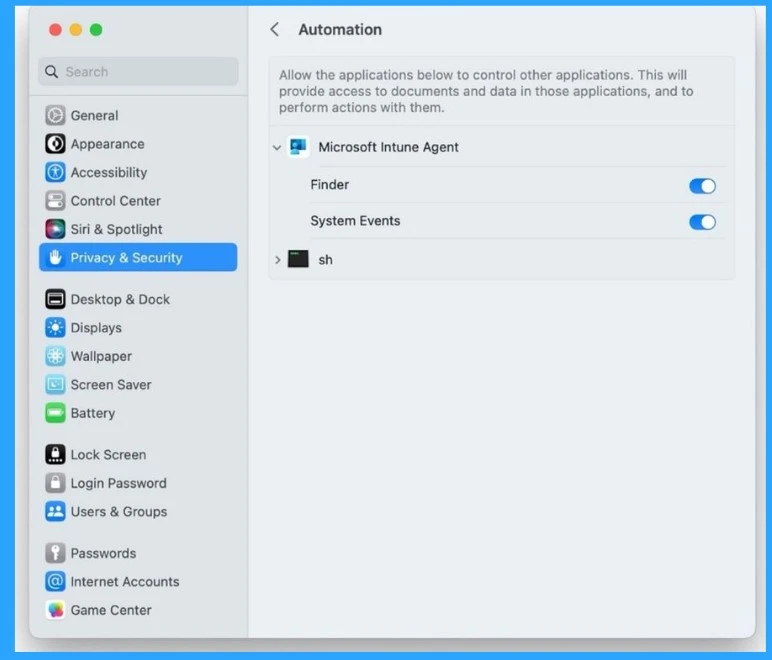
When a script with a notification command is received, the Intune agent asks permission to access “System Events” on your Mac. This will prompt you to either allow or deny this permission. When a user selects the Allow Notification option, scripts run by the Intune agent will be enabled. If the user selects the Dissallow option, the notifications will be disabled.
| macOS Permission Request Alert | Info |
|---|---|
| Allow | Enables macOS system notifications for scripts run by the Intune agent |
| Disallow | macOS system notifications for scripts run by the Intune agent will be disabled |

- Enroll macOS in Intune with Step by Step Guide
- Easy Method to Deploy Microsoft 365 on MacOS using Intune
- Intune Remote Assistance for MacOS Devices
Upcoming Update for Intune Agent on macOS
Intune agents on macOS devices will soon get an update that allows administrators to manage permissions without affecting users with prompts. The Intune agent will receive an updated d Privacy Preferences Policy Control (PPPC) update for Intune agents on macOS devices.
We are on WhatsApp. To get the latest step-by-step guides and news updates, Join our Channel. Click here for HTMD WhatsApp.
Author
Anoop C Nair has been Microsoft MVP from 2015 onwards for 10 consecutive years! He is a Workplace Solution Architect with more than 22+ years of experience in Workplace technologies. He is also a Blogger, Speaker, and leader of the Local User Group Community. His main focus is on Device Management technologies like SCCM and Intune. He writes about technologies like Intune, SCCM, Windows, Cloud PC, Windows, Entra, Microsoft Security, Career, etc..


Discussion