






Microsoft Forms 2024 New Template Customization and Distribution Options
Hi, Let’s check out the new customization and distribution options in Microsoft Forms as part of 2024 feature improvements. As you know, Microsoft recently made several changes to the Microsoft account holders. In this case, one of the best changes will be made in Microsoft Forms. You all know about Microsoft Forms, right?
As we all know, Microsoft Forms is a web-based application. It is a powerful tool for surveys, quizzes, and polls, and it is one of the best parts of Microsoft 365. Forms were introduced in 2016 and have been the best platform for users to create surveys, polls, etc. In a recent update, Microsoft announced extraordinary features for Forms.
This exciting update gives a fresh look to the page, portal, design, and results pages. We can expect the new changes to be the best and offer an extraordinary user experience also. I think one of the best qualities of MS forms is their user-friendly nature; anyone can use this application without any technical skill.
We must understand that the forms integrated with our Microsoft 365, such as Excel,onedrive, and Word. The new experience of form will give you enhanced templates and customization experience. So, in this post, we can look into the quick overview of Microsoft Forms.

Table of Contents
What is Microsoft Forms?
Open MS Forms – Microsoft Forms – Free tool to create online surveys, forms, polls, and quizzes (office.com)
Microsoft Forms 2024 New Template Customization and Distribution Options
Above, we discussed an overall view of Microsoft Forms, including new features to make creating forms easier and more attractive. The update gives it a new, stylish look that not only looks but also makes it easier to use.
- Microsoft’s new updates offer a new and easy Interface
- also, it redesigned the whole look, and it is very easy to work
- The new update offers to save time and effort for users
- So, let’s look into the new changes to the MS Forms
- Microsoft Forms is Down Unable to share Microsoft Office Forms
- Configure Organizational Messages From Intune Portal
- Simplified Troubleshooting with Microsoft 365 App Remote Diagnostics in Intune
- Microsoft Made Universal Print for macOS Available
- Microsoft Ends Support for Running Android Apps on Windows 11
1. Introducing New Templates for MS Forms
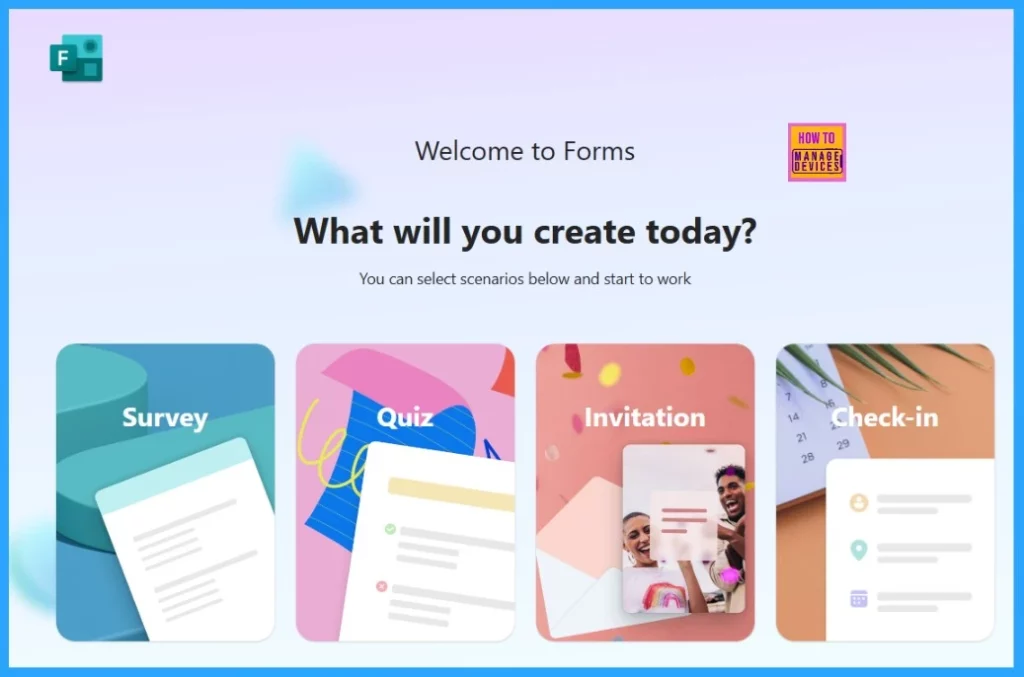
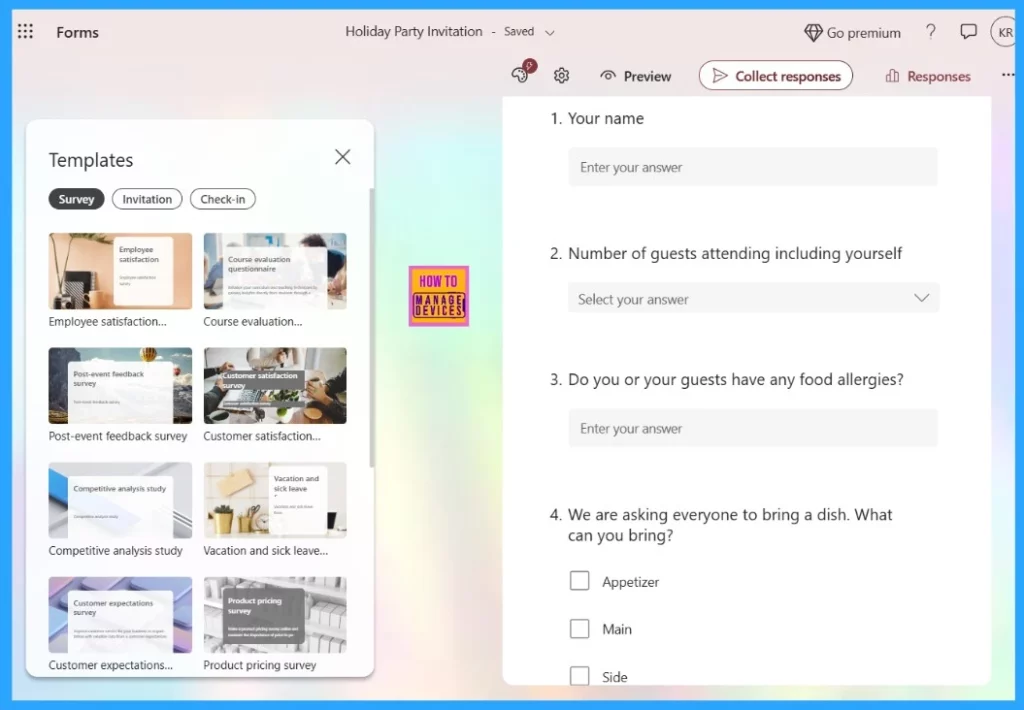
The new templates are one of the best features introduced to Forms. Microsoft introduced new categories for templates such as Surveys, quizzes, invitations, and check-ins. Templates also offer an invitation for your personal party, which can be the best way to reduce time.
- On the design page that offers many types of templates
- the templates can be accessed from the left side of the design page
- Also, you can customize the invitation with the details on the right side
| Templates | Info |
|---|---|
| Survey | Survey templates are mostly used for Business |
| Invitation | Invitations are used for Birthday parties and meetings if its personnel or official |
| Check-in | Check-in templates allow templates for events or meetings |
2. Customization Changes
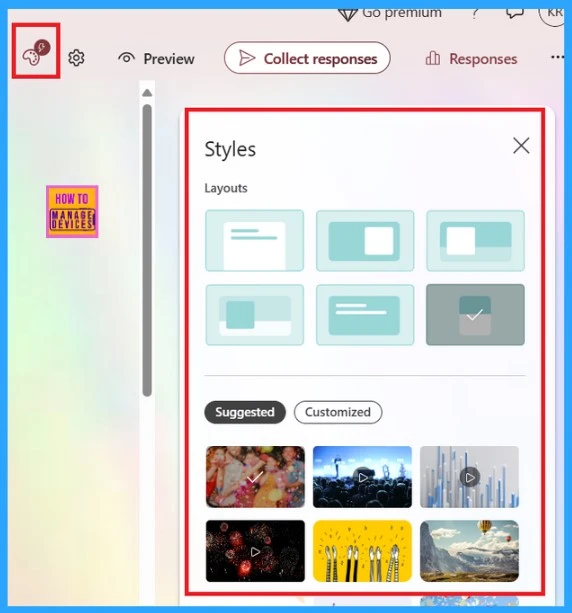
Microsoft Forms’ recent update provides many types of customization with the Styles option. You can also select the cover page layout for your invitation. Even if it’s your birthday, you wear a birthday–themed style.
- You can also set the invitation layout for mobile viewing
- Microsoft Introducing Multi-Tenant Organization Capabilities in Microsoft 365
- Copilot is in All Microsoft 365 Apps
- Publish Sensitivity Labels in Microsoft 365 to Protect Corporate Data
3. New Distribution Interface
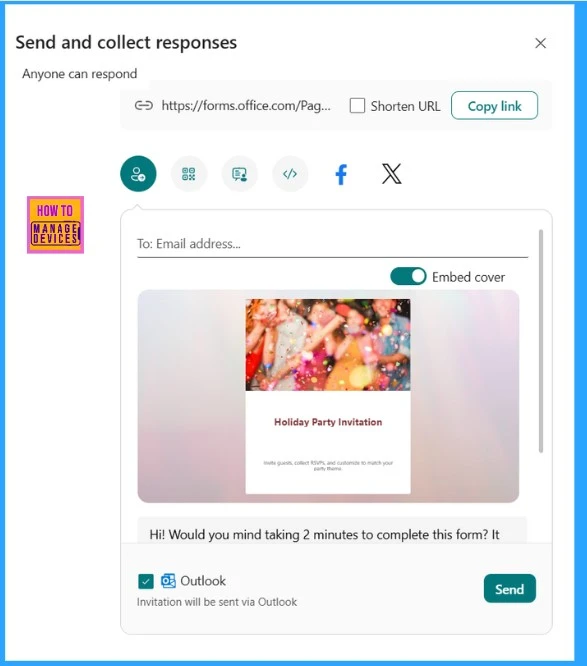
When you create an Invitation, the next step is to send it to the people you want to invite, right? So, there is a change in the distribution interface, which is the best part of the MS forms. You can send your form using traditional methods like URL, QR code, email, or sharing on social media.
We are on WhatsApp now. To get the latest step-by-step guides, news, and updates, Join our Channel. Click here. HTMD WhatsApp.
Author
Anoop C Nair has been Microsoft MVP from 2015 onwards for 10 consecutive years! He is a Workplace Solution Architect with more than 22+ years of experience in Workplace technologies. He is also a Blogger, Speaker, and leader of the Local User Group Community. His main focus is on Device Management technologies like SCCM and Intune. He writes about technologies like Intune, SCCM, Windows, Cloud PC, Windows, Entra, Microsoft Security, Career, etc..




Discussion