






Windows 365 and AVD Support MMR Multimedia Redirection for Call Center VOIP Apps
Windows 365 and AVD Support MMR Multimedia Redirection for Call Center VOIP Apps. Modern Cloud virtual solutions such as Windows 365 and Azure Virtual Desktop (AVD) are now ready to support Multi-Media Redirection (MMR) for VOIP applications.
Call Redirection, specifically for WebRTC (Web Real-Time Communication) calls, is a new feature that enhances the performance of VOIP applications on Azure Virtual Desktop (AVD) and Windows 365 Cloud PCs.
This feature allows WebRTC calls, typically used in many VOIP and video conferencing applications, to be redirected from the virtual desktop session host to the user’s local client device. By processing the call locally rather than on the cloud infrastructure, Call Redirection significantly reduces latency and improves the overall quality of the audio and video.
This post comprehensively details how Windows 365 and Azure Virtual Desktop (AVD) are ready to support Multi-Media Redirection (MMR) for call center VOIP applications. It explains how MMR enhances the call experience by redirecting multimedia processing to the local device, such as video playback and WebRTC calls.


Table of Contents
What is MMR Call Redirection?
MMR (Multi-Media Redirection) Call Redirection is a feature that enhances the quality of WebRTC (Web Real-Time Communication) calls in virtual desktop environments like Azure Virtual Desktop (AVD) and Windows 365.
What Platforms Support MMR Call Redirection?
MMR Call Redirection is supported on Azure Virtual Desktop (AVD) and Windows 365 Cloud PCs, making it available to a broad range of virtual desktop users.
Windows 365 and AVD Support MMR Multimedia Redirection for Call Center VOIP Apps
Before Call Redirection was introduced, users frequently experienced disruptions and delays during calls using WebRTC-based apps on virtual desktops. These interruptions negatively impacted call quality, which could lead to productivity problems, particularly in call centers and customer support teams where clear communication is essential.
With Call Redirection, users can now enjoy a “like-local” call experience, making it feel as if the calls are happening directly on their local devices instead of through a remote cloud connection.
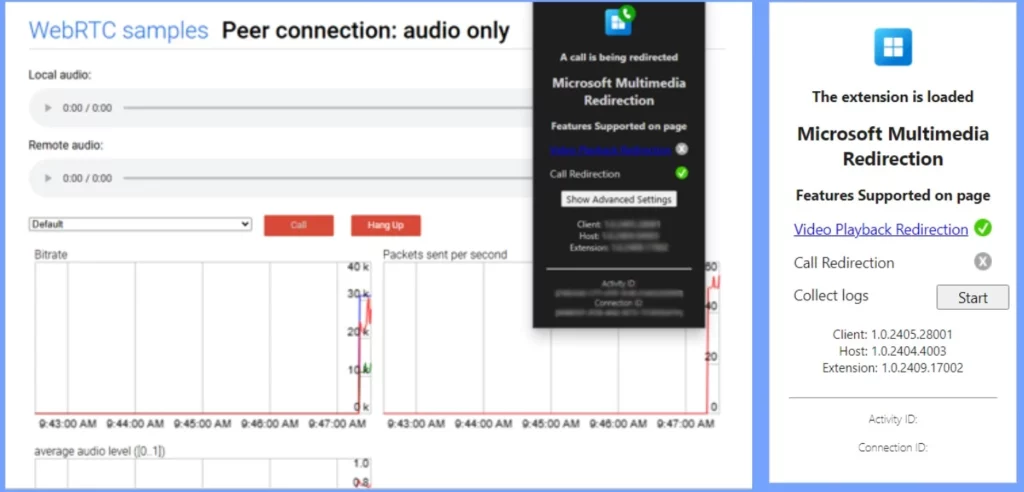
- Latest Updated Windows 365 AVD Redirection in Details
- AVD Enable Audio and Video Playback Redirection and Limit Audio Playback Quality using Intune
- Manage Location Redirection for Windows 365 Cloud PC
- Intune New Clipboard Transfer Direction Settings Now Available in Windows Settings Catalog
Enhanced Integration with MMR Call Redirection and Windows App
MMR Call Redirection works efficiently with the Windows App, a unified platform that securely connects users to Windows environments across various devices and applications. This integration allows users to access Windows 365, Azure Virtual Desktop, Remote Desktop, Remote Desktop Services, Microsoft Dev Box, and other solutions from a single gateway.
- Using MMR Call Redirection, users experience significantly improved audio and video quality during WebRTC calls. It ensures a smooth and responsive communication experience.
- This enhancement is particularly beneficial for remote and hybrid workforces, enabling them to communicate effectively and efficiently, regardless of their device or location.
- The combination of MMR Call Redirection and the Windows App thus elevates the user experience in virtual desktop environments, making it easier for organizations to maintain productivity and collaboration.
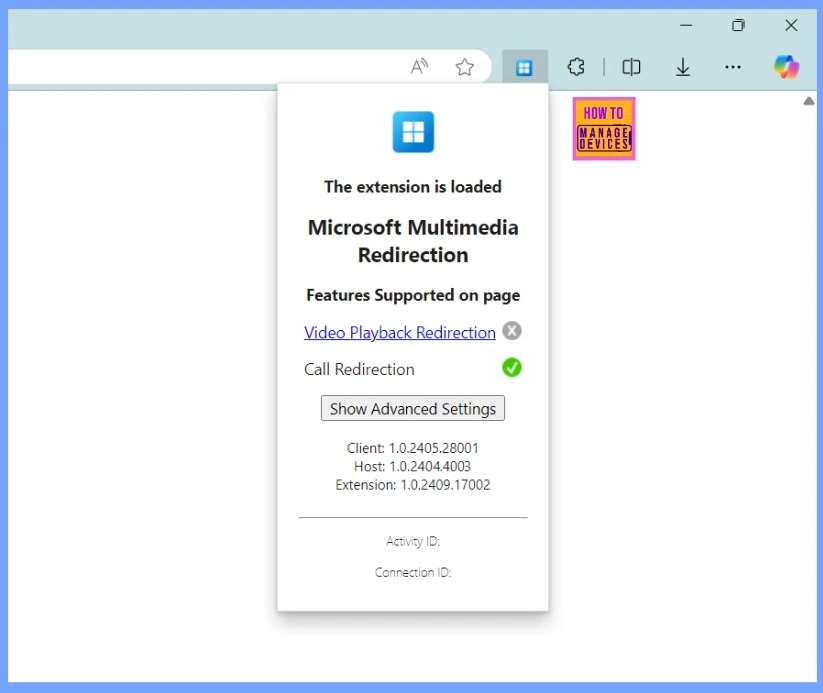
MMR Call Redirection Requirements
Let’s discuss how to get started with MMR Call Redirection. The requirements and related details are shown in the table below.
| Requirement | Details |
|---|---|
| MMR Host Version | 1.0.2404.4003 or above (MSI installer download) |
| MMR Browser Extension Version | 1.0.2409.17002 or above |
| Windows App Version | 2.0.297.0 or higher |
| Remote Desktop App Version | 1.2.5709 or higher |
Understanding Multimedia Redirection
Multimedia Redirection enhances the performance of video playback and audio calls during remote sessions on Azure Virtual Desktop, Windows 365 Cloud PCs, or Microsoft Dev Box by redirecting these functions to your local device for faster processing and rendering.
| Video Playback Redirection | Call Redirection |
|---|---|
| This feature optimizes the video playback experience for web pages with embedded videos, such as those on YouTube and Facebook. | This function optimizes audio calls for WebRTC-based applications by reducing latency and improving call quality. The connection occurs between the local device and the telephony app server, offloading WebRTC calls from the remote session to the local device. |
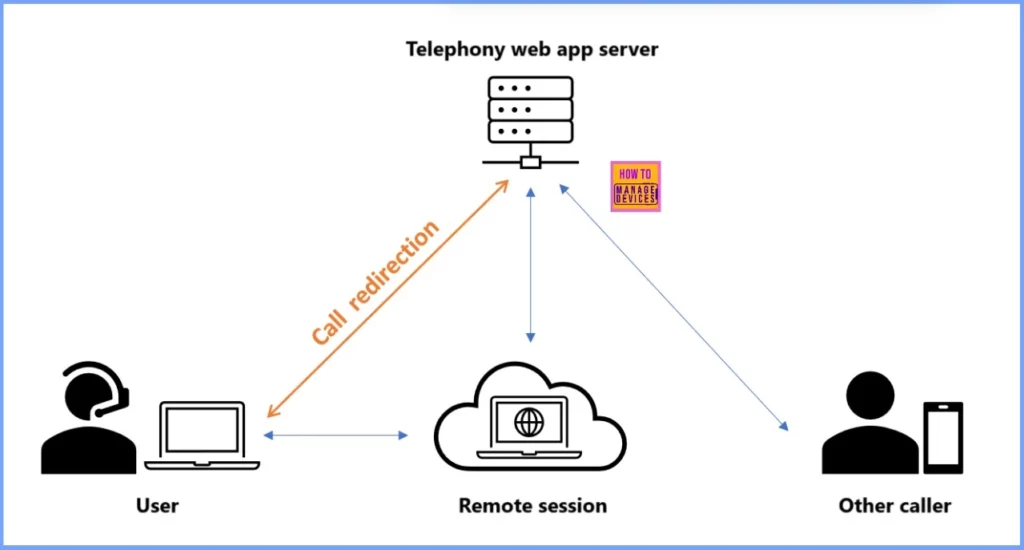
Resource
Christiaan Brinkhoff Post | LinkedIn
Join the LinkedIn Page and Telegram group to get the latest step-by-step guides and news updates. Join our Meetup Page to participate in User group meetings. Also, Join the WhatsApp Community to get the latest news on Microsoft Technologies. We are there on Reddit as well.
Author
Anoop C Nair has been Microsoft MVP from 2015 onwards for 10 consecutive years! He is a Workplace Solution Architect with more than 22+ years of experience in Workplace technologies. He is also a Blogger, Speaker, and Local User Group Community leader. His primary focus is on Device Management technologies like SCCM and Intune. He writes about technologies like Intune, SCCM, Windows, Cloud PC, Windows, Entra, Microsoft Security, Career, etc.




Discussion