






How to Monitor Apache HTTP Web Servers Sites with SCOM OpsMgr Operation Manager
How do you Monitor Apache HTTP Web Servers Sites with SCOM OpsMgr Operation Manager? Before discussing Website monitoring, it’s better to get some basic details about the framework. A web framework makes it easier for you to develop your application.
A framework prevents you from re-writing this each time you create a website. The LAMP stack is a common framework for both internal and public websites.
LAMP stands for Linux, Apache, MySQL, and PHP (also Perl or Python). Monitoring the webserver/site performance is crucial to complying with service level agreements or ensuring a positive end-user experience.
Websites are the main pillar of the business. SCOM/OpsMgr can’t proactively monitor website health in depth. It’s very important to proactively monitor and minimize web server downtime while also understanding and planning for future server load requirements.
| Index |
|---|
| How Do You Monitor Apache HTTP Web Server Sites with SCOM OpsMgr? |

- Online Session about Office 365 Monitoring and Dashboards in SCOM
- SCOM 2025 is here with the Latest System Center
- Monitoring Folders Files with SCOM OpsMgr
- Azure SCOM MI Supports SCCM Management Packs
- Monitor Office 365 with SCOM NiCE Management Pack
- SCCM Server Infrastructure Monitoring Script without SCOM OpsMgr Automation ConfigMgr
- Monitoring Folders Files with SCOM OpsMgr
How Do You Monitor Apache HTTP Web Server Sites with SCOM OpsMgr?
Bridgeway Management Pack for Apache HTTP enables us to perform proactive website monitoring. Download the Trail version of Apache HTTP MP here.
| Name | Report Details | Summary |
|---|---|---|
| Apache Server Capacity Planning Report | Apache Server Capacity Planning Report | This report contains detailed information about capacity usage on the Apache HTTO server. |
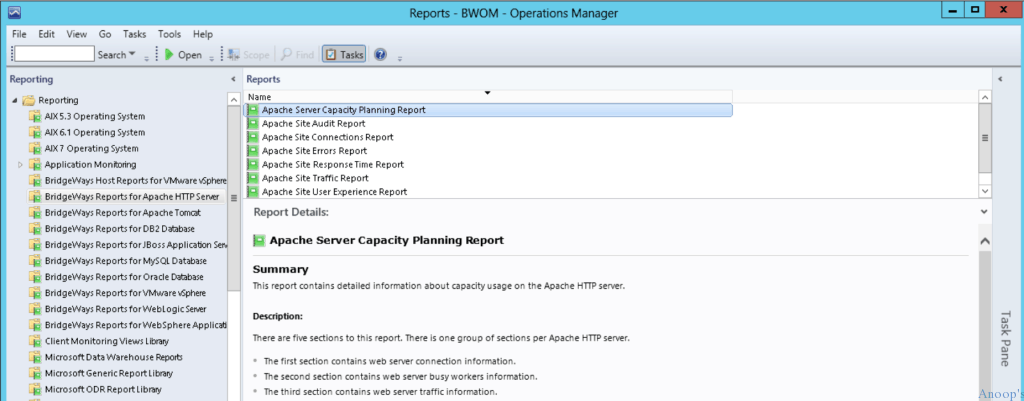
Bridgeways Apache HTTP Web Server can anticipate performance issues before they impact your website users. With the BridgeWays management pack, we can quickly detect and quickly resolve issues.
Bridgeway utilizes SCOM’s built-in Health Explorer to help users diagnose and cure issues by providing extensive application-specific knowledge base articles.
This will help us identify the root cause and solution for the alert generated. Plus, BridgeWays have out-of-the-box reports that let you report the server’s overall health and usage patterns.
Resources
SCCM Related Posts Real World Experiences Of SCCM Admins
We are on WhatsApp now. To get the latest step-by-step guides, news, and updates, Join our Channel. Click here. HTMD WhatsApp.
Author
Anoop C Nair is Microsoft MVP! He is a Device Management Admin with more than 20 years of experience (calculation done in 2021) in IT. He is a Blogger, Speaker, and Local User Group HTMD Community leader. His main focus is on Device Management technologies like SCCM 2012, Current Branch, and Intune. He writes about ConfigMgr, Windows 11, Windows 10, Azure AD, Microsoft Intune, Windows 365, AVD, etc.


For the title I thought it was a tutorial on how to monitor Apache, but when reading the text, you just indicate the Management Pack to be used. Where is the How to do the title?
StaffOh Sorry to see you disappointed. The best way is to install MP for Apache and follow the documentation from vendor to finetune the MP