






How to Monitor IBM DB2 Servers Using SCOM OpsMgr
How can we Monitor IBM DB2 Servers Using SCOM OpsMgr? We can use existing SCOM or OpsMgr infrastructure.
The NiCE DB2 Management Pack (NiCE DB2 MP) helps you increase RDBMS availability and performance and lower the overall cost of maintaining your DB2 databases.
It enables you to perform service-oriented and incident management in your DB2 environment while supporting critical business processes.
Download and Test the Free Evaluation copies of NiCE DB2 MP from here.

Table of Contents
- SCCM Server Infrastructure Monitoring Script without SCOM OpsMgr Automation ConfigMgr
- Office 365 Monitoring and Dashboards in SCOM OpsMgr Operation Manager
- Online Session about Office 365 Monitoring and Dashboards in SCOM
- SCOM 2025 is here with the Latest System Center
- Monitoring Folders Files with SCOM OpsMgr
- Azure SCOM MI Supports SCCM Management Packs
- Monitor Office 365 with SCOM NiCE Management Pack
- SCCM Server Infrastructure Monitoring Script without SCOM OpsMgr Automation ConfigMgr
- Monitoring Folders Files with SCOM OpsMgr
How to Monitor IBM DB2 Servers Using SCOM OpsMgr?
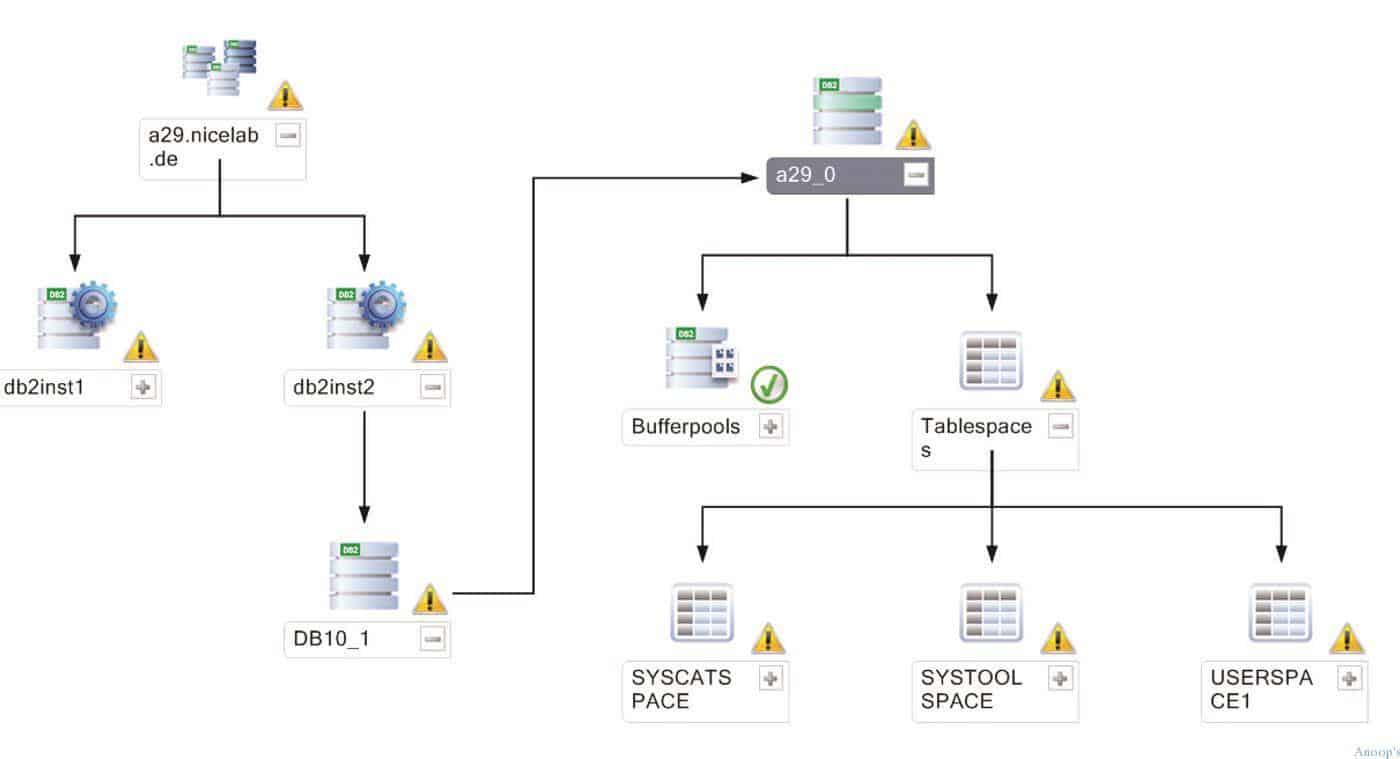
Monitoring IBM DB2 Servers is a multifaceted exercise. Reaching optimal performance of your DB2 Servers is not an easy goal. You need to know how factors such as memory, physical design, and maintenance can affect performance.
To tune and maintain a subsystem or instance, you should start continuously monitoring the entire DB2 environment. Focusing on tuning the server is a good start, but by far, it’s not enough.
Your DB2 environment is like an ecosystem constantly changing through physical design, SQL transactions, and memory – and this needs to balance all themes to work at the best possible performance.
We are on WhatsApp now. To get the latest step-by-step guides, news, and updates, Join our Channel. Click here. HTMD WhatsApp.
Author
Anoop C Nair is Microsoft MVP! He is a Device Management Admin with more than 20 years of experience (calculation done in 2021) in IT. He is a Blogger, Speaker, and Local User Group HTMD Community leader. His main focus is on Device Management technologies like SCCM 2012, Current Branch, and Intune. He writes about ConfigMgr, Windows 11, Windows 10, Azure AD, Microsoft Intune, Windows 365, AVD, etc.


Discussion