






On-Prem Azure Virtual Desktop with Azure Stack HCI
On-Prem Azure Virtual Desktop with Azure Stack HCI. AVD goes on-prem or Hybrid with Azure Stack HCI! Azure Virtual Desktop (aka AVD) can be deployed in your on-prem datacenter with Azure Stack HCI.
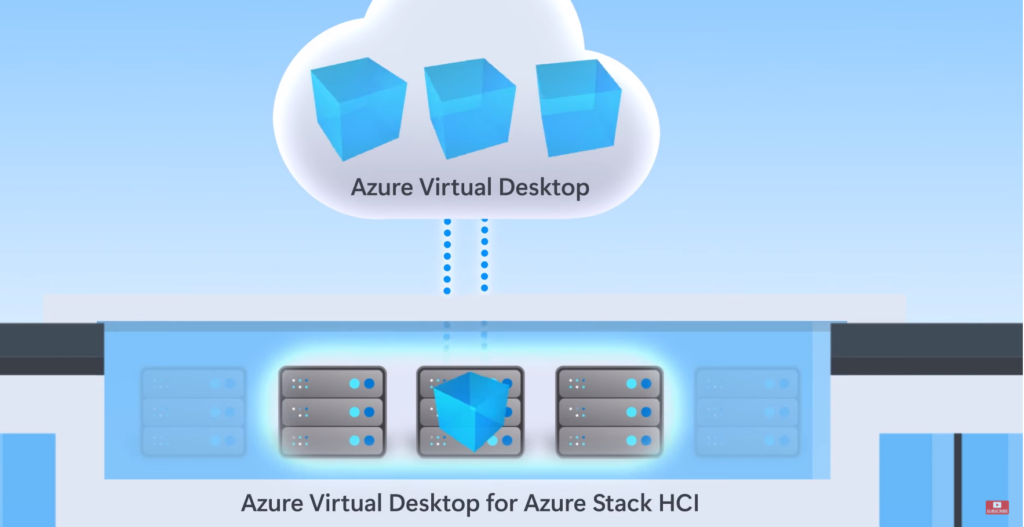
Microsoft is calling Hybrid AVD as Azure Virtual Desktop for Azure Stack HCI. You will manage all the virtual machines in the on-prem data center using the AVD cloud portal. The Hybrid AVD is currently in public preview.
A Hybrid AVD solution means you will be able to join on-prem VMs to host pools managed from the Azure Virtual Desktop portal in the cloud. The agent registration method used in the Hybrid setup is the same as the one in the cloud-only scenario.
Read the latest updated post – Intune Support For Multi-Session Windows Server OS Version | AVD Workloads.

Microsoft announced the Hybrid AVD solution with Azure Stack HCI during Microsoft Ignite 2021 (Nov version). This allows organizations to have a secured hybrid workforce with Microsoft’s hybrid cloud solution called Azure Stack HCI.
Microsoft mentioned in Ignite 2021 that this is to support on-prem workloads, which are latency-sensitive applications. Also, this is a VDI solution for applications that must remain on-premises for regulatory or data locality reasons.
Deploy Multi-Session Windows 11 or Windows 10 Workloads
With this announcement, the customers can maintain full control of all the Windows 10 and Windows 11 multi-session desktop experiences. Until now, Multi-session Windows 10 or Windows 11 were only supported and allowed in Azure Cloud.
This hybrid AVD solution comes with an option to deliver Windows 10 or Windows 11 multi-session in on-prem data centers. AVD for Azure Stack HCI supports the following x64 operating systems:
- Windows 11 Enterprise multi-session (preview)
- Windows 11 Enterprise (preview)
- Windows 10 Enterprise multi-session
- Windows 10 Enterprise
- Windows Server 2022
- Windows Server 2019
Single Pane of Glass Admin Experience with Hybrid AVD Solution
Single pane of glass in terms admin experience another advantage with hybrid AVD solution with Azure Stack HCI. The unified management experience for Azure Virtual Desktop public cloud and on-premises deployments from the Azure portal.
The admins will have options to use other Azure services like Azure Backup, Azure Monitor, and Azure Security Center to manage across hybrid AVD deployments.
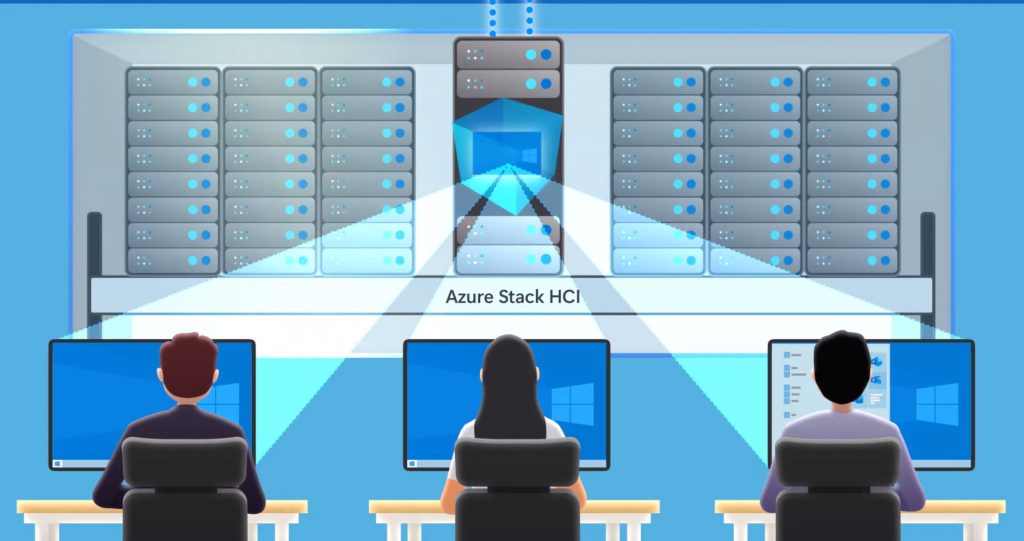
Single Pane of Glass Admin Experience with Hybrid AVD Solution -Pic credit to Microsoft – Hybrid Azure Virtual Desktop.
Hybrid Host Pools for AVD
As per the video shared by Microsoft, the Hybrid AVD customers can build Hybrid and on-prem Host Pools.
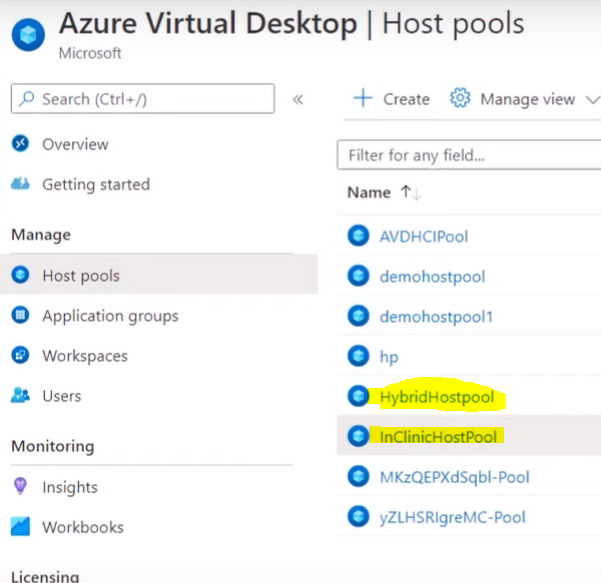
Create a VM from Azure Stack HCI Custer – On-Prem Azure Virtual Desktop
You will be able to create a VM from the Azure Stack HCI cluster or use the Windows Admin center to build the VM. Once the VM is ready, you can head back to the Azure portal and get the registration key from the host pool.
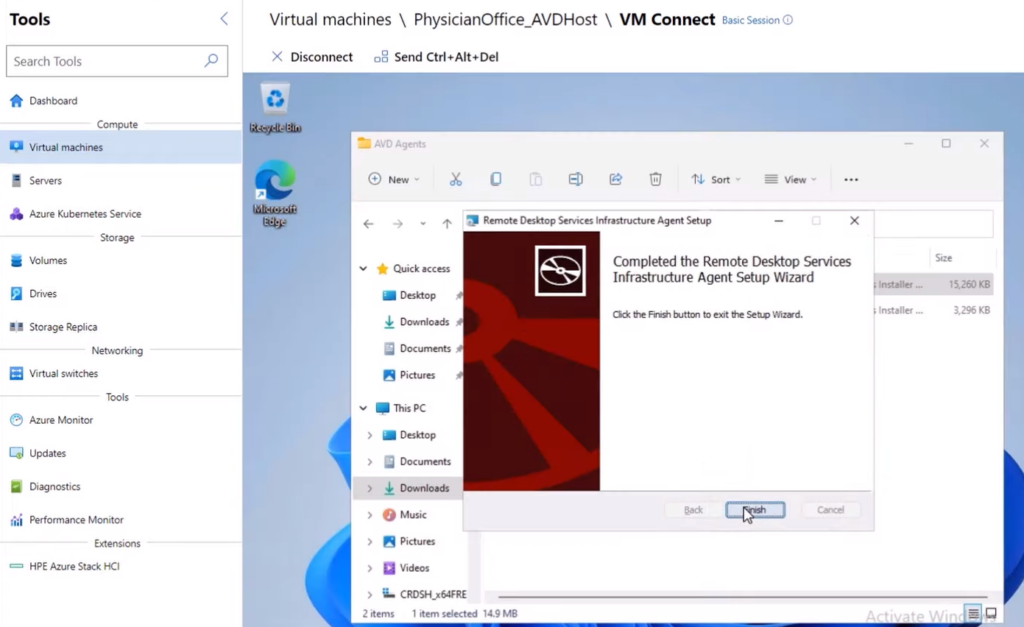
You can use the created registration key to join the VM into the host pool. You might already know that you will need to follow the same cloud VM registration process for on-prem VM registration.
To complete the registration process, you will need to install two agents (listed down) onto the VM. Once that is done, you can connect to the On-prem VM using the same AVD cloud gateways and the same RD client.
- Remote Desktop Services Infrastructure Agent
- Remote Desktop Agent Boot Loader
NOTE! The VM that is added to the AVD host pool is an Azure Arc-enabled resource that comes with many other benefits.
Author
Anoop is Microsoft MVP! He is a Solution Architect in enterprise client management with more than 20 years of experience (calculation done in 2021) in IT. He is Blogger, Speaker, and Local User Group HTMD Community leader. His main focus is on Device Management technologies like SCCM 2012, Current Branch, and Intune. He writes about ConfigMgr, Windows 11, Windows 10, Azure AD, Microsoft Intune, Windows 365, AVD, etc……………




Discussion