






Organizational Messages Now Available on Microsoft 365 Admin Center
Exciting News for Microsoft Intune Users! Organizational Messages Now Available on Microsoft 365 Admin Center. The Microsoft Intune experience for managing organizational messages will be removed before August 2024. Intune users can view and manage messages created on Intune within the Admin Center, a new experience for them.
Do you know what organizational messages are? Organizational Messages allow employees to send important messages to each other on Intune-managed Windows 11 devices. They are really helpful for communicating in remote and hybrid work scenarios and are intended to help employees.
Organizational Messages in the Microsoft 365 Admin Center give new experiences and new, top-requested features, such as authoring custom messages and message delivery on Microsoft 365 apps. Microsoft introduces this new feature to support your organization’s communication efforts.
This blog post provides more information about Organizational Messages Now Available on Microsoft 365 Admin Center. This feature allows admins to reach others in your organization through native, branded, and customized experiences within the Microsoft products they use daily.


- Configure Organizational Messages From Intune Portal
- Simplified Troubleshooting with Microsoft 365 App Remote Diagnostics in Intune
Organizational Messages Now Available on Microsoft 365 Admin Center
Organizational Messages in Microsoft 365 Admin Center is available for users as a preview. This new experience is fully customized messages. You can configure a message’s objective, location, custom content (e.g., title, body, call-to-action URL, image logo, etc.), audience, timeframe and frequency.
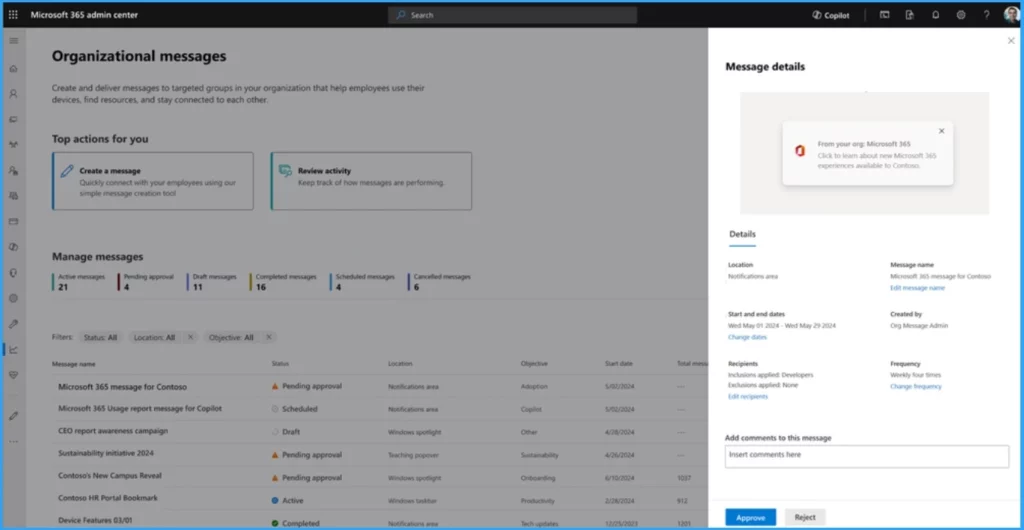
Users can review and approve customized messages submitted by authors in your organization. This helps to ensure the right message is sent or not. To explore Organizational Messages in the Microsoft 365 Admin Center:
- Open Microsoft 365 admin center.
- In the Admin Microsoft 365 Admin Center, select the Reports option on the left of the window.
- Select Organizational Messages from Reports.
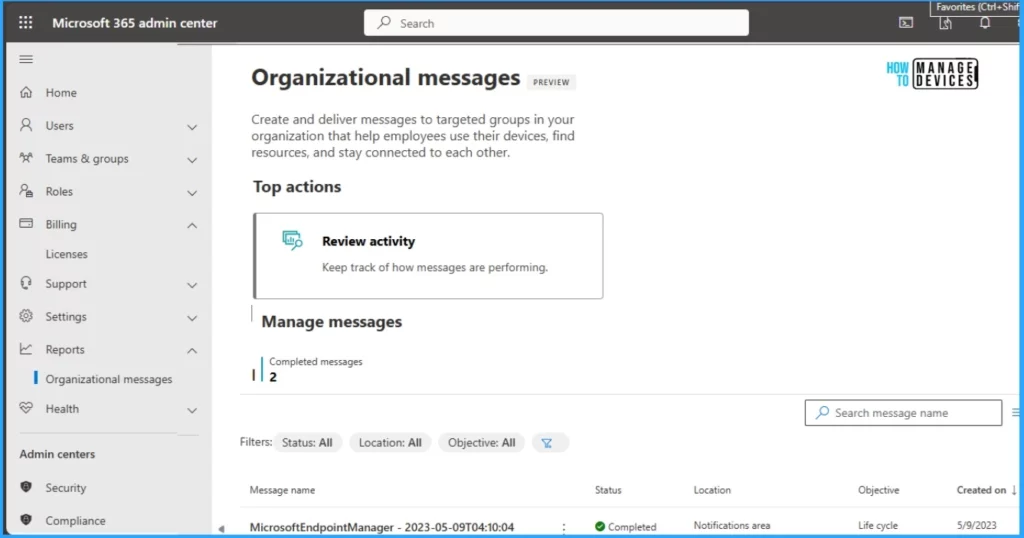
This window shows messages are customized with objectives, surface locations, and content including call-to-action URL, target groups, timeframes, and frequency.
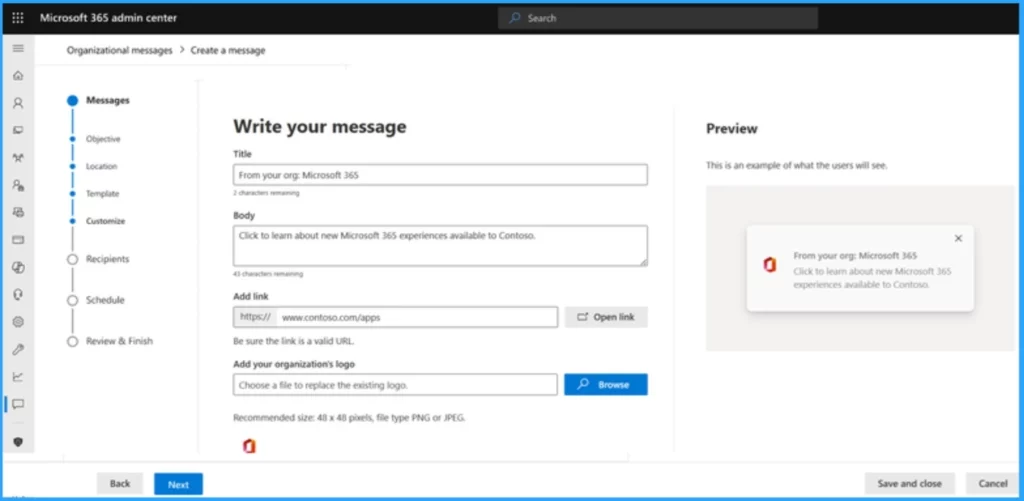
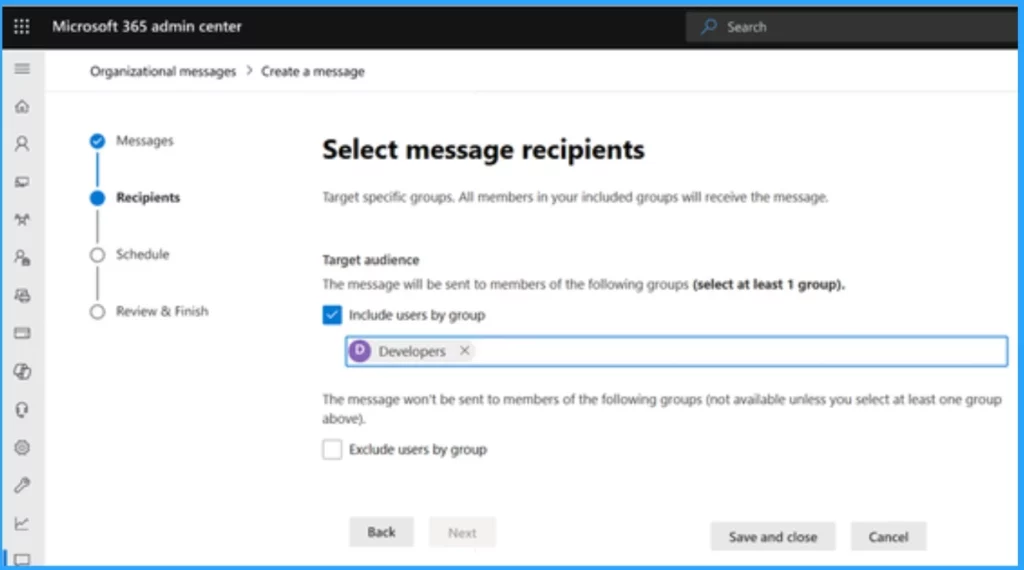
With Organizational Messages in Microsoft 365 Admin Center, Messages can be sent to specific user groups that define appropriate audiences.
- Copilot is in All Microsoft 365 Apps
- Create Sensitivity Labels in Microsoft 365 to Protect Corporate Data
Customized messages require multi-person participation to ensure an organization has proper review and approval before engaging users.
Key Features of Organizational Messages in Microsoft 365 Admin Center
Some key features help give users the best experience in Organizational Messages in the Microsoft 365 Admin Center. The table below shows the Key features.
| Key Features of Organizational Messages in Microsoft 365 Admin Center |
|---|
| Centralized management |
| Customization |
| Targeted deliver |
| Approval flows |
Key Points to be Aware of with Experience Moving to Microsoft 365
There are some things users and admins should understand before Moving to Microsoft 365 from Intune for Organizational Messages. There’s no impact on your users unless you choose to cancel or delete messages.
- Your existing messages created in Intune will be available in the new experience in the Microsoft 365 admin center for you to continue viewing and managing.
- Users can’t create Get Started messages in the Microsoft 365 admin center.
- Existing Get Started messages will continue to work until they are cancelled or deleted
- All Intune role-based access control (RBAC) roles with organizational messages permissions will no longer work and you will have to create new roles (or custom roles) in Microsoft Entra.
- Scope tags are only available in Intune and will not be applicable after this change.
How Organizational Messages Work on Microsoft 365 Admin Center
Organizational Message on Microsoft 365 Admin Center is working with some Key Points. These key points help users create Messages in the Microsoft 365 Admin Center. The below list shows the key points.
- Create – Using the intuitive wizard, Craft your message by choosing ‘Create your own’ to create fully customized messages.
- Target – It helps to define your audience with group-based targeting options.
- Schedule – Set your delivery schedule and frequency.
- Approve – You can submit your message for approval within your organization.
- Review – Helps to Monitor the performance of your messages through detailed analytics.
- 2405 Microsoft Intune New Features May Update
- Prevent Users to Change Date and Time on Windows using Intune Policy
We are on WhatsApp. To get the latest step-by-step guides and news updates, Join our Channel. Click here for HTMD WhatsApp.
Author
Gopika S Nair is a computer enthusiast. She loves writing on Windows 11 and related technologies. She is here to share quick tips and tricks with Windows 11 or Windows 10 users. She is Post Graduate Diploma Holder in Computer Science.




Discussion