






Outlook Start Menu Icon Not Updating to Outlook Classic After Version 2407 Update
Let’s discuss the Outlook Start Menu Icon Not Updating to Outlook Classic After Version 2407 Update. Microsoft recognized an issue with Outlook recently. Microsoft is dedicated to addressing various problems with its products and providing workarounds.
Due to an issue with Outlook Start Menu Icon Not Updating to Outlook Classic. This issue occurred after updating to Outlook version 2407 and higher. Users face many after effects due to this issue with Outlook.
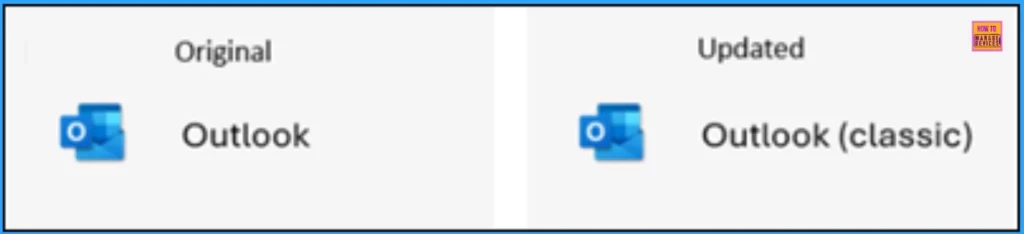
Microsoft changed the app name of Outlook for Windows, which appears in the Start menu, from “Outlook” to “Outlook (classic)” in July 2024. Outlook version 2407 and higher have this update. However, the app icon was not updated after the issue was recognized.
Microsoft provides a manual workaround to resolve these issues. In this blog post, I will share more about the problem with the Outlook Start Menu Icon and the details of the manual workaround. You can easily resolve the issue with this blog post.


Table of Contents
Fix Issue on Outlook Start Menu Icon not Updated from Outlook to Outlook (Classic)
As mentioned, the new Outlook change became available, starting in classic Outlook version 2407 and higher. Tenant Admins can access additional information regarding message center post MC803006 in the M365 Service Health Dashboard.
- Outlook for Mac Email Recall Tips for Resending and Fixing Email Errors
- Global Issue Impacting Outlook 2016 MSI Users in January 2025
- Issue on Microsoft 365 Classic Outlook Crashes on Reply and Forward After Updating to Version 2412
After Effects of Issue in Outlook
There are some after-effects of Using Outlook due to an issue. The issue affects day-to-day activities and decreases efficiency. The following are the after effects.
| After Effects | Details |
|---|---|
| Confusion | Users might be confused if they see the old “Outlook” icon instead of the updated “Outlook (classic)” icon, which could lead to potential usability issues. |
| Inconsistency | The Start Menu might display outdated information, causing inconsistency in the user interface. |
| Delayed Recognition | Users might not immediately recognize the new version of Outlook, which could delay their adoption of new features and improvements. |
Program Data Folder
The ProgramData folder is a hidden system folder in Windows where applications store data that is accessible to all users on the computer. After you update to Version 2407, the new “Outlook (classic)” icon will be in the ProgramData folder.
%ProgramData%\Microsoft\Windows\Start Menu\Programs
Manual Workaround
Microsoft provides a Manual Workaround to fix the Outlook Start Menu Icon issue. To manually work around the issue, delete the old Outlook icon in the AppData folder. After you delete the icon in the AppData folder, the new “Outlook (classic)” icon will appear on the Windows Start menu.
%AppData%\Microsoft\Windows\Start Menu\Programs
Workaround Using PowerShell Script
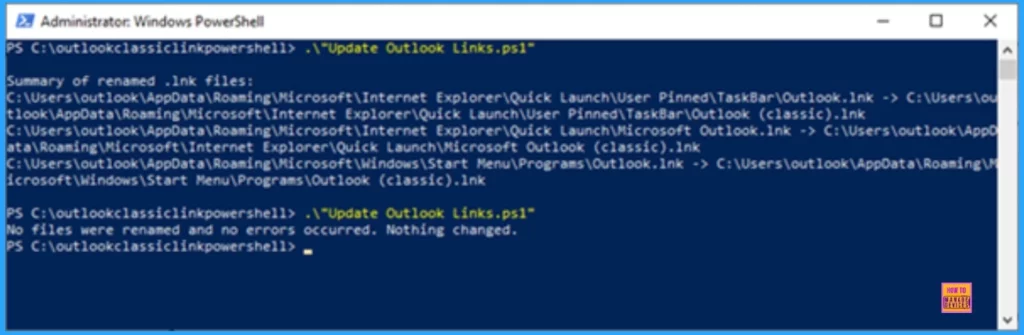
The above workaround can also be done using a PowerShell Script. First, you have to download the Classic Outlook PowerShell Script to fix Outlook .lnk files. The following are the PowerShell scripts.
- “Update Outlook Links.ps1” – Unattended
- This will just run and not do any checks for running with admin rights
- “Update Outlook Links.ps1”
- If the user is not running elevated, it will warn them and ask if they want to continue.
It will attempt to look up the user’s install language to use the correct translation of “classic.” After it runs, it will describe what it did.
- List of successful renames
- List of unsuccessful renames
Need Further Assistance or Have Technical Questions?
Join the LinkedIn Page and Telegram group to get the latest step-by-step guides and news updates. Join our Meetup Page to participate in User group meetings. Also, Join the WhatsApp Community to get the latest news on Microsoft Technologies. We are there on Reddit as well.
Resource
Outlook icon on the Start menu is not updated to Outlook (classic)
Author
Anoop C Nair has been Microsoft MVP for 10 consecutive years from 2015 onwards. He is a Workplace Solution Architect with more than 22+ years of experience in Workplace technologies. He is a Blogger, Speaker, and Local User Group Community leader. His primary focus is on Device Management technologies like SCCM and Intune. He writes about technologies like Intune, SCCM, Windows, Cloud PC, Windows, Entra, Microsoft Security, Career, etc.




Discussion