






Microsoft Moves Per-User Multifactor Authentication to Entra ID for Easier Management
Microsoft Moves Per-User Multifactor Authentication to Entra ID for Easier Management! Microsoft made it easier to set up and manage per-user multifactor authentication (MFA) by moving it to a single place called Microsoft Entra ID.
Administrators can now handle all user MFA settings directly within Microsoft Entra ID instead of needing separate settings, making the process simpler and faster. Per-user Multifactor Authentication (MFA) is a security feature that enables organizations to require additional authentication methods beyond just a password for specific users.
In a per-user MFA setup, administrators can choose which individual users must use MFA rather than applying MFA across all users by default. This flexibility allows organizations to apply extra security selectively, such as for users with access to sensitive information.
In this post, you will find all the details on Microsoft’s recent change to per-user multifactor authentication (MFA). Microsoft has moved per-user MFA into Microsoft Entra ID, making it easier for IT admins to manage it from one central place.

Table of Contents
What is Changing with Per-user Multifactor Authentication (MFA)?
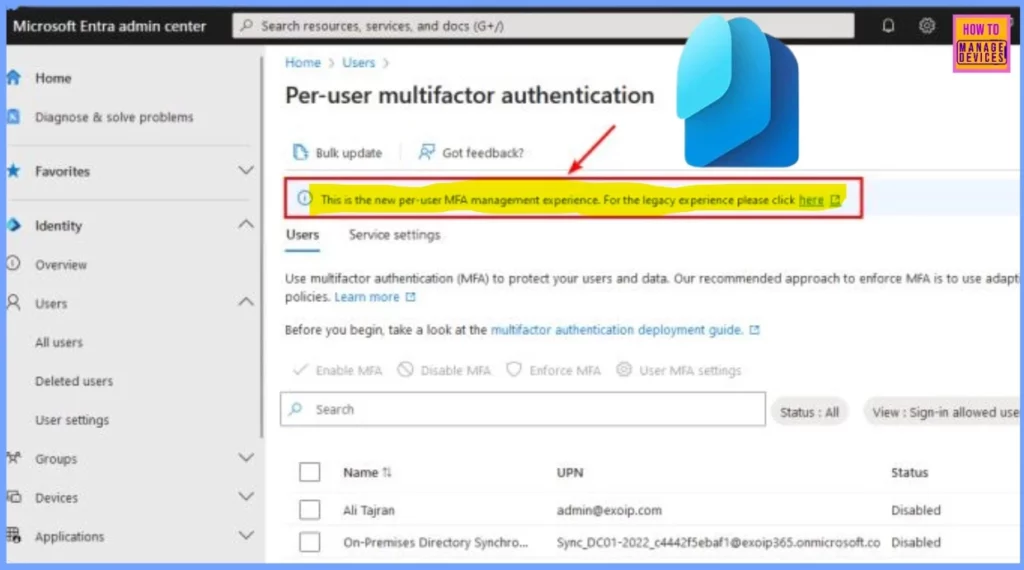
Microsoft has moved per-user MFA management into Microsoft Entra ID. Now, all settings for per-user MFA can be managed directly within the Entra admin center, making it easier for administrators to control and secure specific user accounts.
What is the Advantage of this Update?
This update was introduced to simplify the management process and provide a centralized location for MFA settings. It allows for faster and more consistent control over security for individual users.
Microsoft Moves Per-User Multifactor Authentication to Entra ID for Easier Management
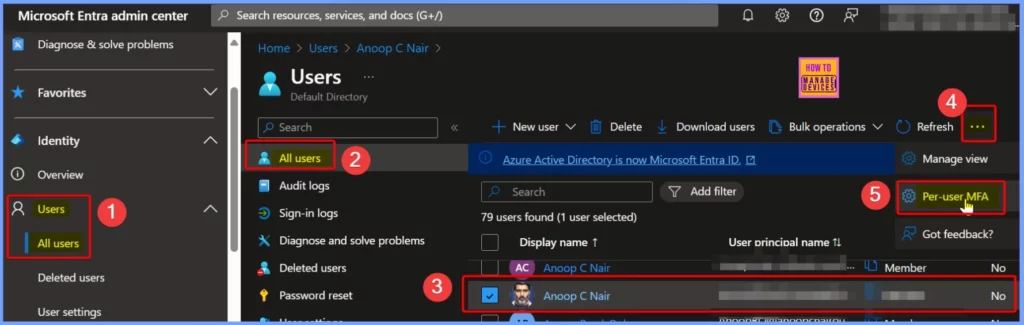
Sign in to the Microsoft Entra admin center to access the new per-user multifactor authentication (MFA) settings in Microsoft Entra ID. Once logged in, go to Identity and select Users, followed by All Users. From here, you will find the Per-user MFA option on the three dots (shown in the screenshot below), allowing you to manage MFA settings for individual users directly within Entra ID.
- This simplified process enables easier access and control over user-specific MFA settings.
| Note |
|---|
| Please update your documentation to include the new steps for accessing and managing per-user multifactor authentication in Microsoft Entra ID |
- Entra External ID Now Supports SMS as an MFA Option
- MFA Authentication now Added to WhatsApp
- Walkthrough of Mac Device Passwordless SSO with Entra
Multifactor authentication (MFA) is critical for protecting your users and your organization’s data. Microsoft recommends using adaptive conditional access policies as the best approach to MFA. With adaptive Conditional Access, you can set rules based on user behavior or location to decide when MFA is needed, adding a flexible layer of security without making it too complicated for users to access their accounts.
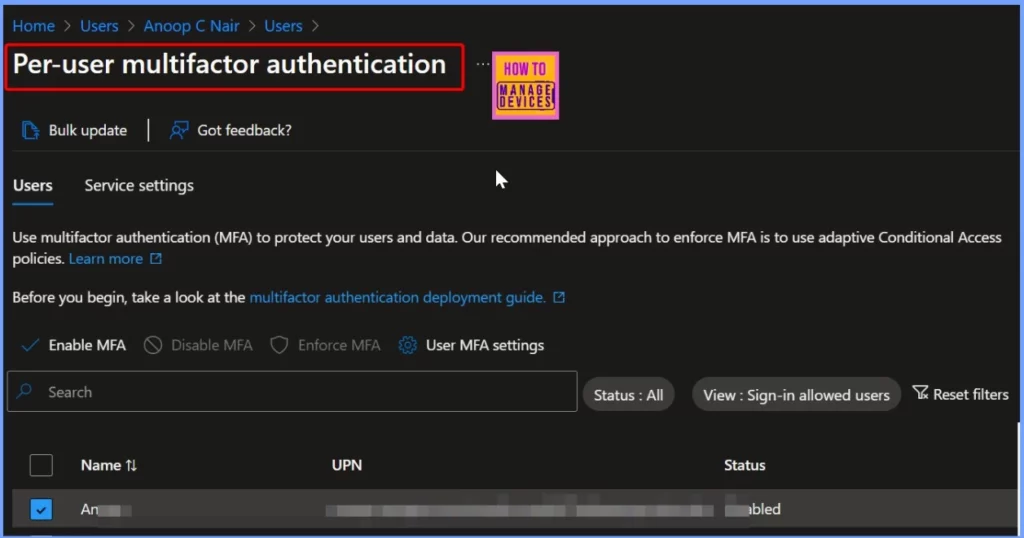
Per User Multifactor Authentication
Per-user multifactor Authentication (MFA) is a security feature that lets administrators enable extra layers of protection. Rather than applying MFA to everyone in an organization, per-user MFA allows admins to set up this added security only for specific users.
Need Further Assistance or Have Technical Questions?
Join the LinkedIn Page and Telegram group to get the latest step-by-step guides and news updates. Join our Meetup Page to participate in User group meetings. Also, Join the WhatsApp Community to get the latest news on Microsoft Technologies. We are there on Reddit as well.
Resources
Enable per-user multifactor authentication – Microsoft Entra ID | Microsoft Learn
Author
Anoop C Nair has been Microsoft MVP from 2015 onwards for ten consecutive years! He is a Workplace Solution Architect with more than 22+ years of experience in Workplace technologies. He is also a Blogger, Speaker, and Local User Group Community leader. His primary focus is on Device Management technologies like SCCM and Intune. He writes about technologies like Intune, SCCM, Windows, Cloud PC, Windows, Entra, Microsoft Security, Career, etc.




Discussion