






What’s New Improvement with SCCM Task Sequence Check Readiness Step | ConfigMgr
Let’s discuss What’s New Improvement with SCCM Task Sequence Check Readiness Step | ConfigMgr. Starting in Configuration Manager version 2103, the SCCM task sequence check readiness step now provides additional information about the readiness checks.
If the task sequence fails because the client does not meet the prerequisites configured in the Check readiness step, users can now view more details about the failed prerequisites.
However, the user can still see the common task sequence error message but can then select an option to Inspect. This action shows the checks that failed on the device.
The readiness check is a built-in step in the SCCM Task Sequence with Windows 10 upgrade options. You can also include it to verify that the target computer meets the specified deployment prerequisite conditions.

Table of Contents
Task Sequence Check Readiness Step
Starting in Configuration Manager version 2006, the Check Readiness step has thirteen checks. None of these nine new checks are selected by default in new or existing instances of the step.
| New Nine Task Sequence Check Readiness Step |
|---|
| The network adapter is not wireless |
| Minimum OS version |
| Maximum OS version |
| Minimum client version |
| Language of current OS |
| AC power plugged in |
| Network adapter connected |
| The computer is in UEFI mode |
| Computer is in UEFI mode |
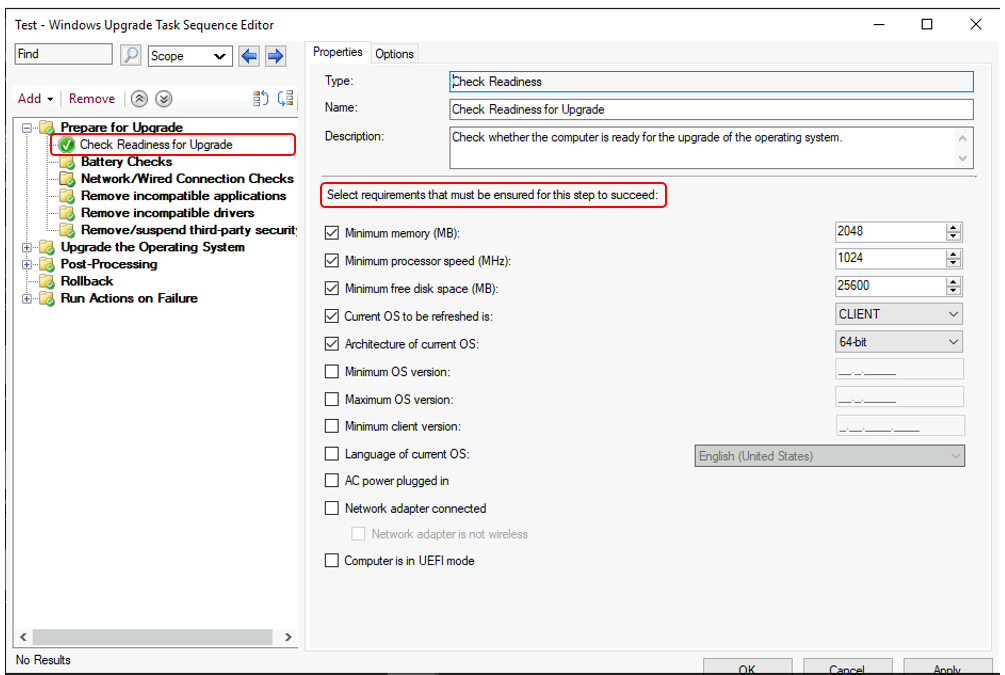
The following default options are available in the Check Readiness step for Upgrade Task Sequence
To add this step in the task sequence editor, select Add, select General, and select Check Readiness.
- Manage Windows 11 Readiness Dashboard using SCCM
- SCCM 2403 New Key Features and Improvements
- New Key Features of SCCM 2309 | Top Improvements
End-User Experience
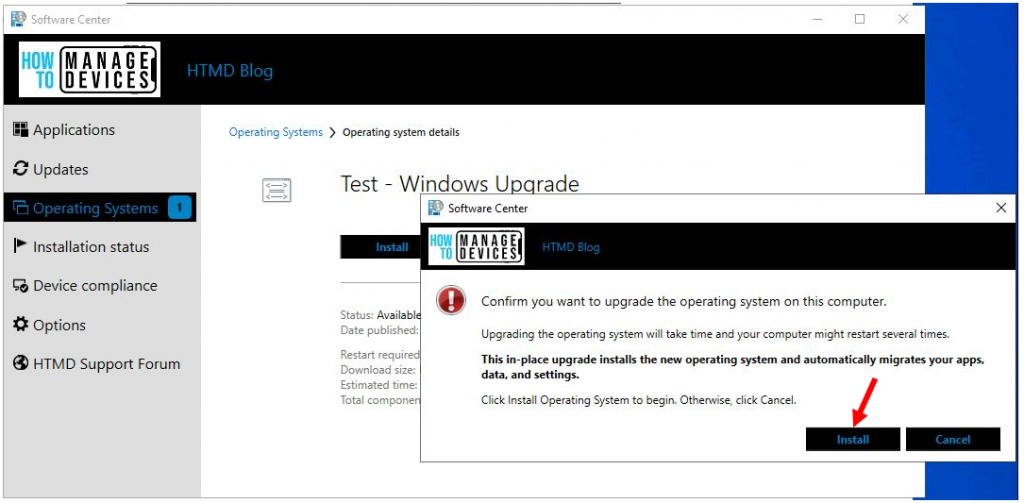
I tried to run an upgrade of the Operating system on the client machine. In the confirmation box, click Install.
Note – You might have different user experiences based on the selection and Task Sequence deployment process. Deploy Windows 10 Upgrade Task Sequence
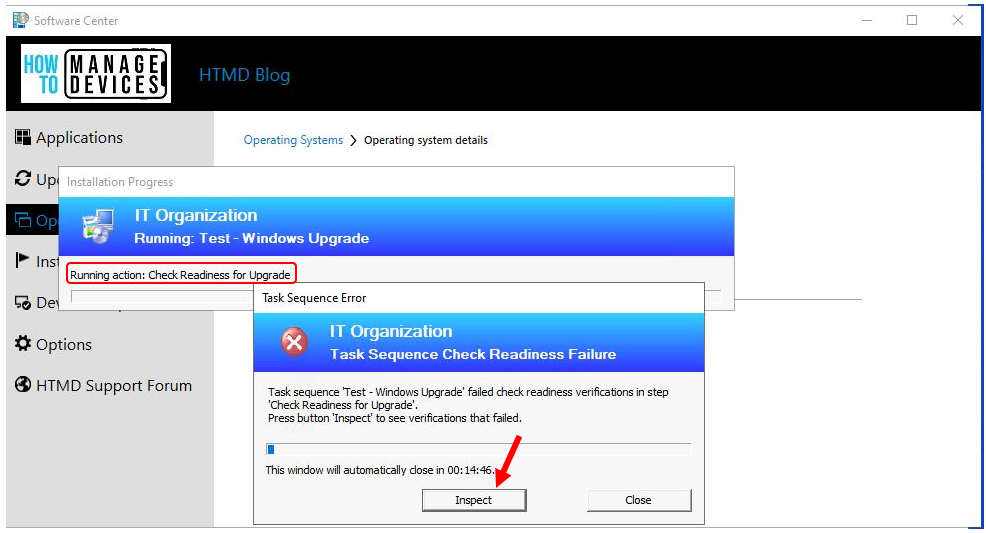
If a task sequence fails because the client doesn’t meet the requirements of this step, the user can select an option to Inspect. This action shows the checks that failed on the device.
Click on the Inspect button to check readiness verifications that failed. This shows the checks that failed on the device.
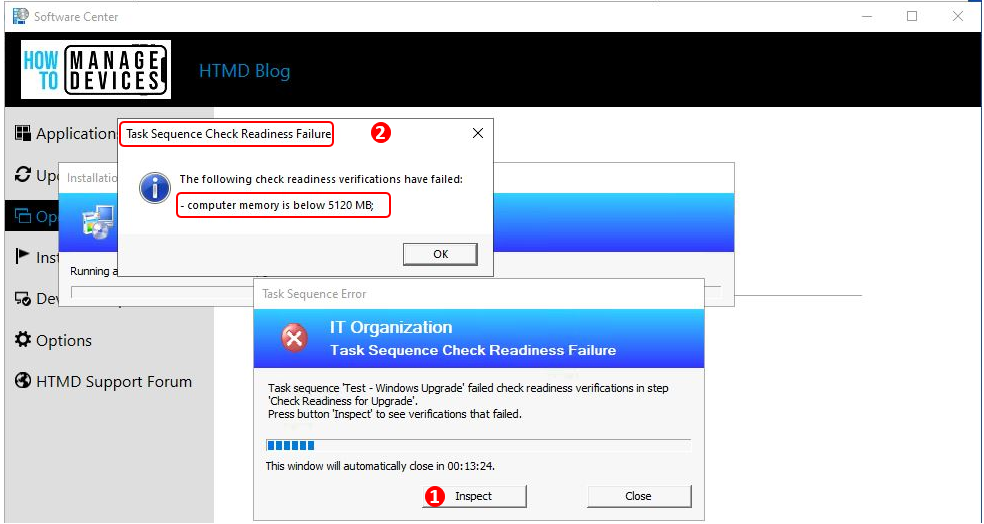
After reviewing the task sequence check readiness failure, you can modify the existing step or change the client machine to meet the specified deployment prerequisite conditions for a smooth user experience.
Resources
- What’s new in version 2103 of Configuration Manager’s current branch
- SCCM 2103 Upgrade Guide | ConfigMgr | Prerequisites | Step by Step
- Top 5 New Features of ConfigMgr 2103 | SCCM
We are on WhatsApp. To get the latest step-by-step guides and news updates, Join our Channel. Click here –HTMD WhatsApp.
Author
Jitesh, Microsoft MVP, has over six years of working experience in the IT Industry. He writes about and shares his experiences related to Microsoft device management technologies and IT infrastructure management. His primary focus is Windows 10/11 Deployment solution with Configuration Manager, Microsoft Deployment Toolkit (MDT), and Microsoft Intune.




Discussion