






How Secure Channel Encryption Protects Domain Members from Attacks
Let’s discuss how Secure Channel Encryption Protects Domain Members from Attacks. When a computer joins a Windows Domain within an organisation, it establishes a secure connection with the Domain Controller. This connection, known as a secure channel. It is acts like a private communication line between the computer and the server.
The computer uses a special password created when it joined the domain to set up this secure channel. After that, each time the computer starts, it automatically reconnects to the Domain Controller using this secure connection.
This secure channel is used for key tasks such as checking login credentials and converting usernames into security IDs. Without it, many essential domain functions would not work correctly. The policy “Domain member: Digitally encrypt or sign secure channel data always” ensures that every single message sent through this channel is protected.
In this post, you will learn everything about how secure channel encryption protects domain members from attacks. This policy helps IT admins and organisations by ensuring that all communication between domain members and Domain Controllers is secure.

Table of Contents
How Secure Channel Encryption Protects Domain Members from Attacks
For IT admins, this policy helps to reduce the risk of credential theft, or unauthorised access, making network management safer and more reliable. For the organisation, it strengthens overall security by protecting sensitive data, maintaining trust in authentication processes.
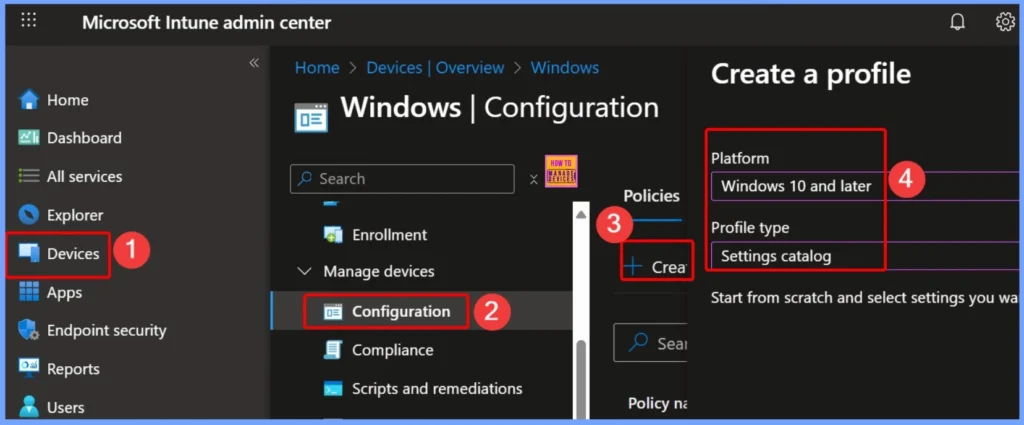
- Sign in to the Intune Admin Center portal https://intune.microsoft.com/.
- Select Devices > Windows > Configuration profiles > Create a profile.
| Platform | Profile Type |
|---|---|
| Windows 10 and later | Settings Catalog |
- How to Use Microsoft Intune Connector with Multiple Domains Security Update Insights
- Create AAD Dynamic Groups based on Domain Join Type Hybrid Azure AD and Azure AD
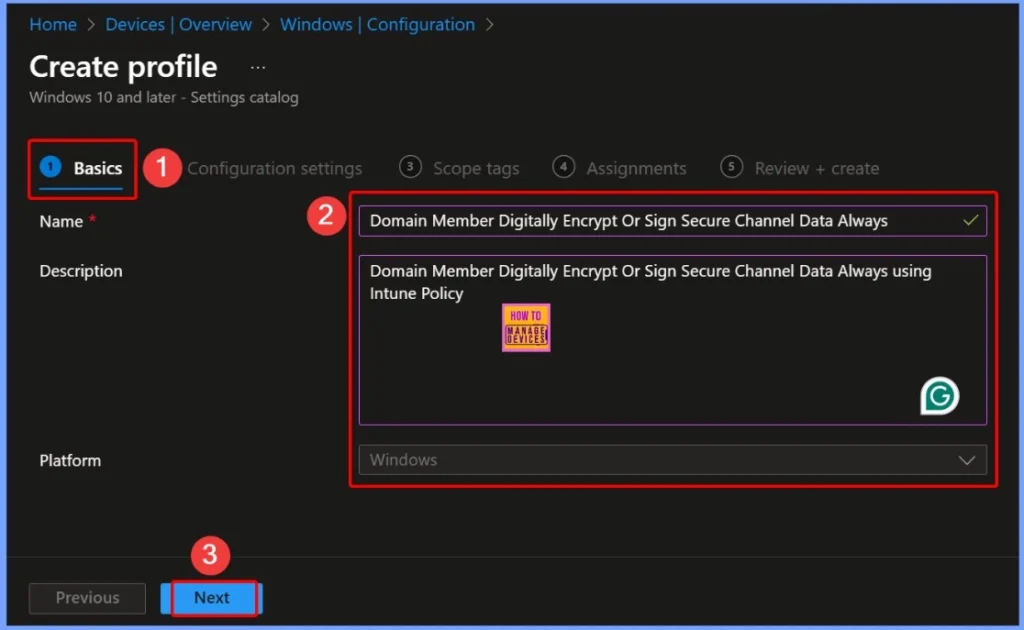
Basics Tab Settings – Domain Member Secure Channel Policy
The Basics tab provides the key information for the policy “Domain Member: Digitally Encrypt or Sign Secure Channel Data (Always)”. The description explains that this policy enforces secure channel encryption and signing for domain members using Intune. The policy applies specifically to the Windows platform, ensuring that all Windows devices in the domain comply with the security requirement.
How a Domain Member Communicates Securely with the Domain Controller
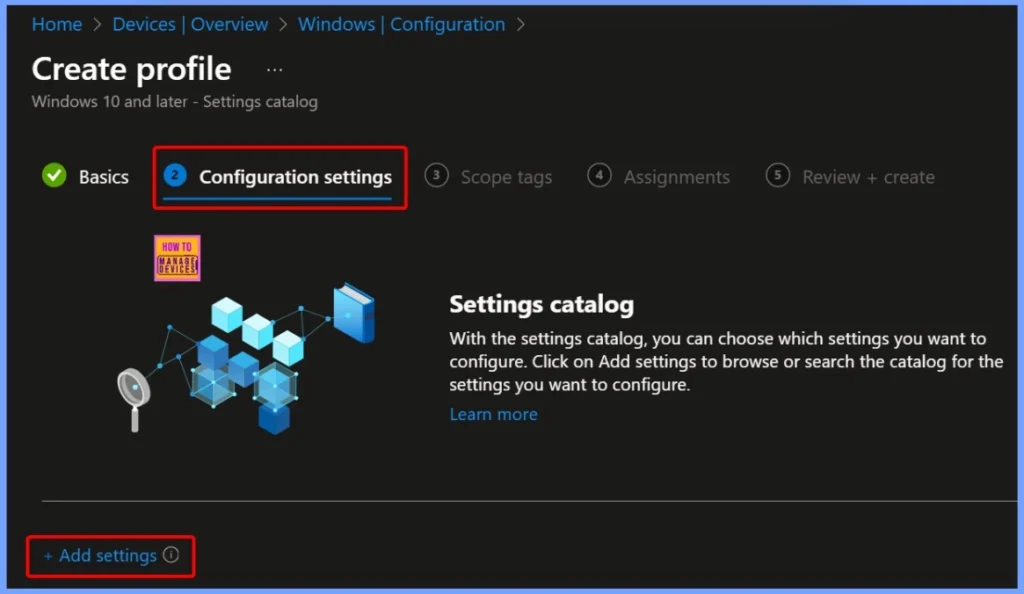
Enforcing this policy helps maintain the integrity of tasks like authentication and SID lookups, ensuring that all domain operations meet minimum security standards. Click the +Add settings hyperlink from the below configuration settings window.
Configuring the Policy via Local Policies Security Options
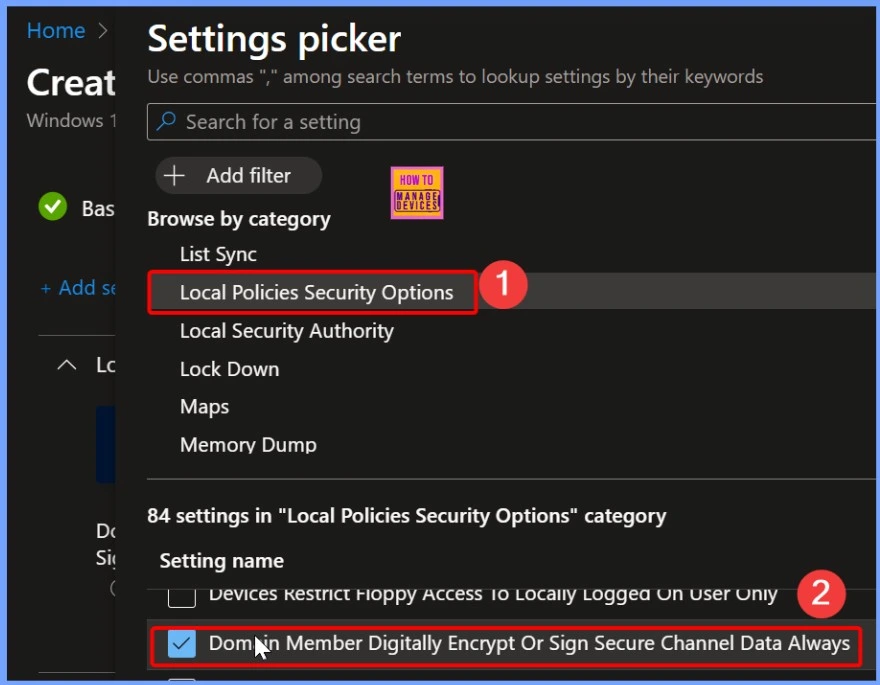
In the Settings Picker window, search for and select Local Policies Security Options. Under the 84 available settings in this section, locate and select “Domain Member: Digitally Encrypt or Sign Secure Channel Data (Always)”.
Default Settings of the Policy
The default value of this policy is 1, which means that it is turned on automatically. When it is on, the computer is forced to communicate securely with the Domain Controller by using encryption or digital signing. The below screenshot shows more details.
| Policy Value | Details |
|---|---|
| 1 (Default) | Enabled / ON Communication is always protected |
| 0 | Disabled / OFF Communication is not forced to be secure |
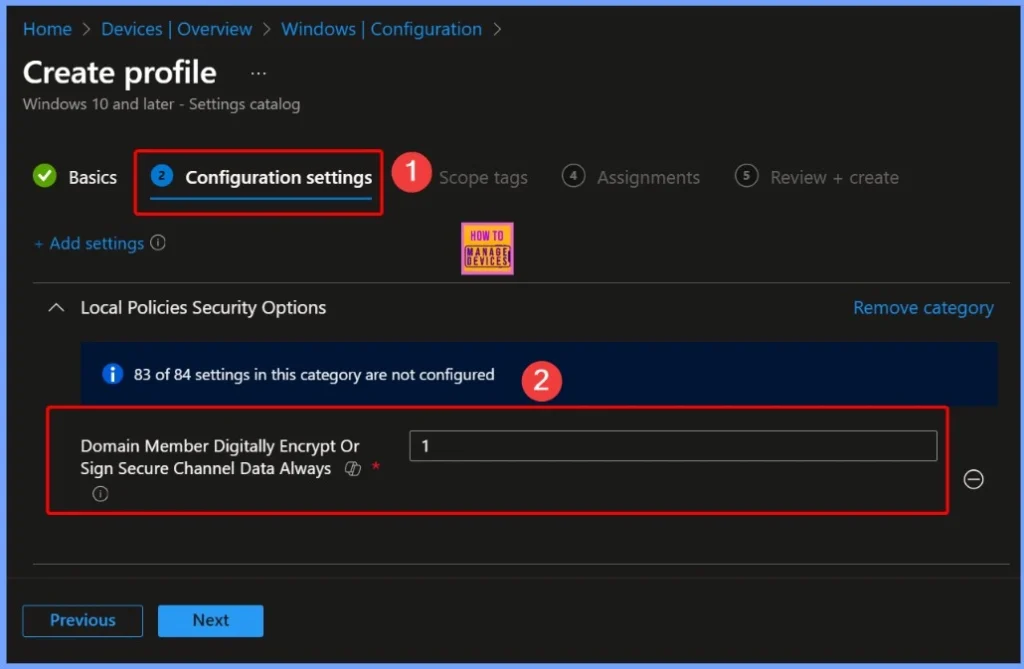
Understanding Policy Values – Domain Member Secure Channel Encryption
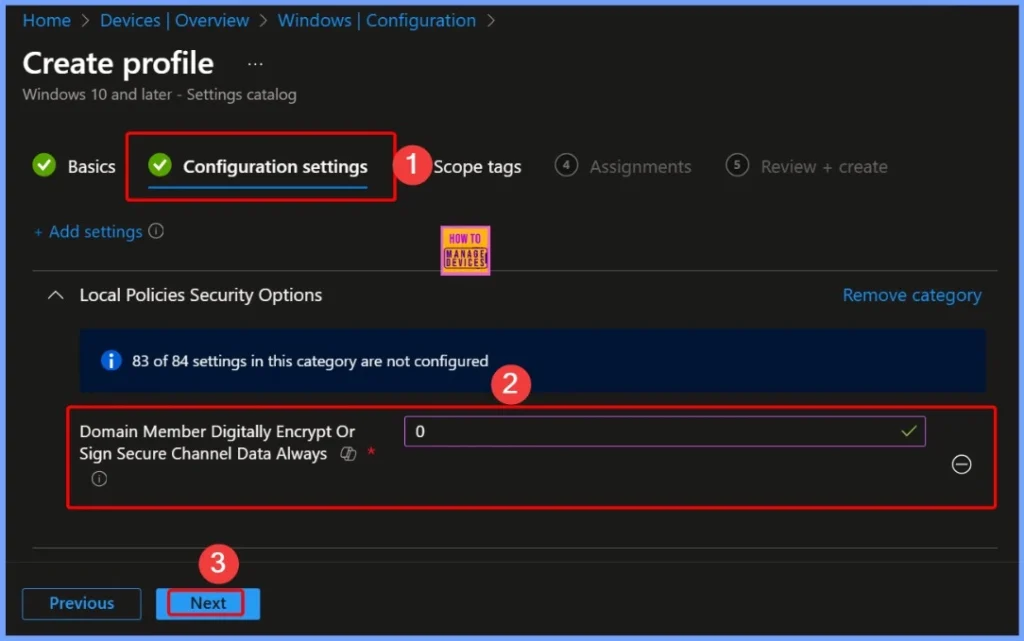
If you change the policy value to 0, you are turning off this requirement. Now, the computer can communicate with the Domain Controller without encryption or digital signing. While this may simplify connections, it also reduces security, as the data is no longer fully protected.
- 0 = Disabled → less secure communication
- Fix Issue with Entra Hybrid Joined Devices Unjoined and Rejoined after Intune Enrollment
- Block Users Personal Devices to Join Entra ID using Intune
- Troubleshooting Entra ID Connect Sync Issue Authentication Failure with Entra ID
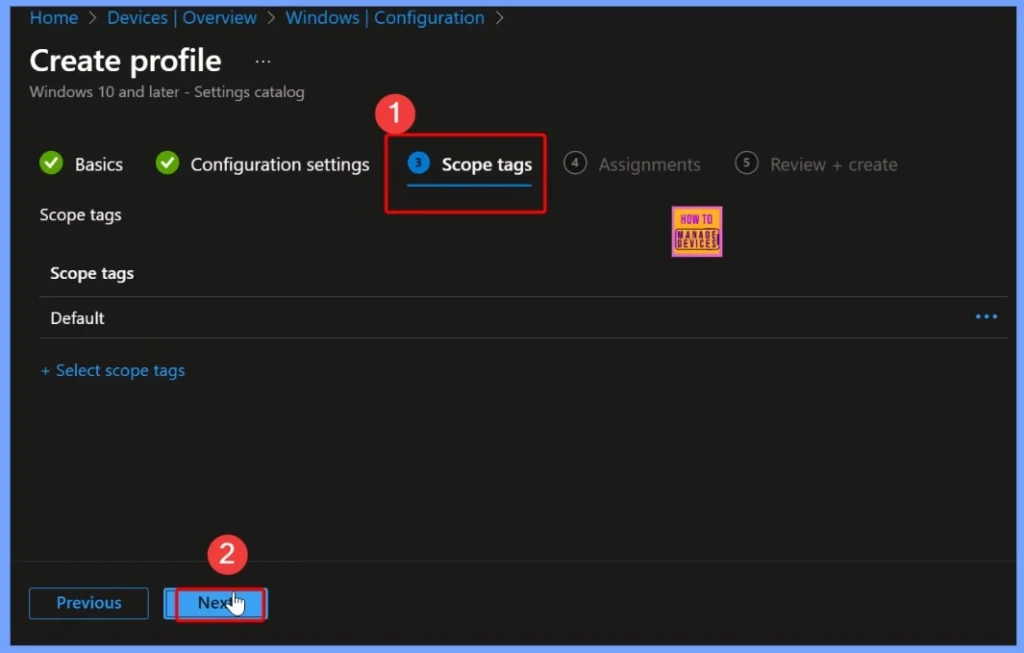
How Scope Tag Controlling Policy Deployment
A Scope Tag is used in Intune to define which users, devices, or groups can see and apply a specific policy. It functions as a label that helps IT administrators organise and control policy deployment across different departments or regions within an organisation.
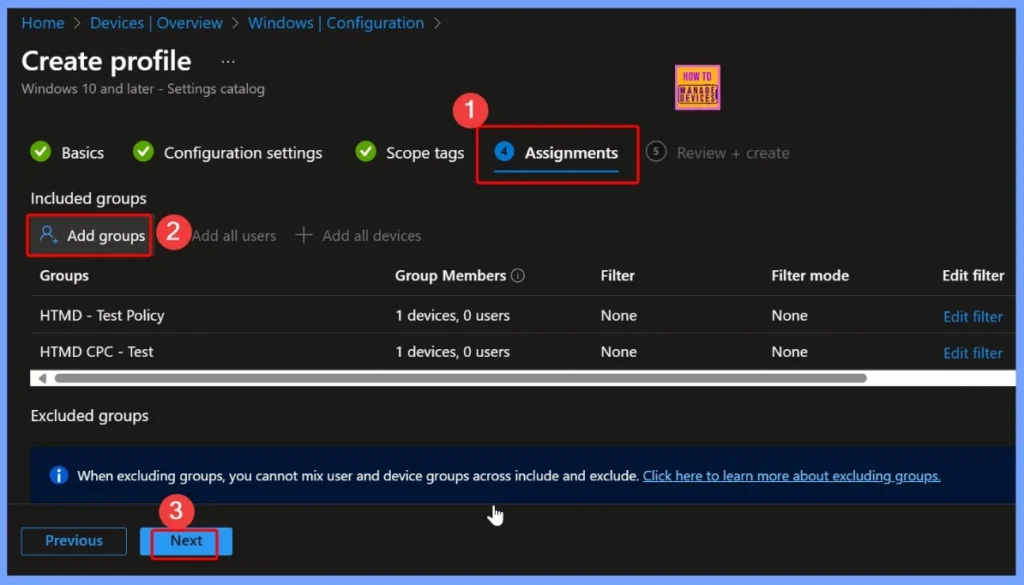
Assignments in Intune Help Target Policies to Devices
In Intune, assignments determine which devices a policy is applied to. When creating a policy, you can select specific device groups, user groups, or all devices/users to receive the configuration. You can easily select the device group by clicking the Add groups option under Included groups as shown below.
Review + Create Helps to Finalise Policy Deployment in Intune
The Review + Create step in Intune allows IT admins to verify all settings before deploying a policy. In this step, you can review the Basics, Configuration Settings, Scope Tags, and Assignments to ensure everything is configured correctly.
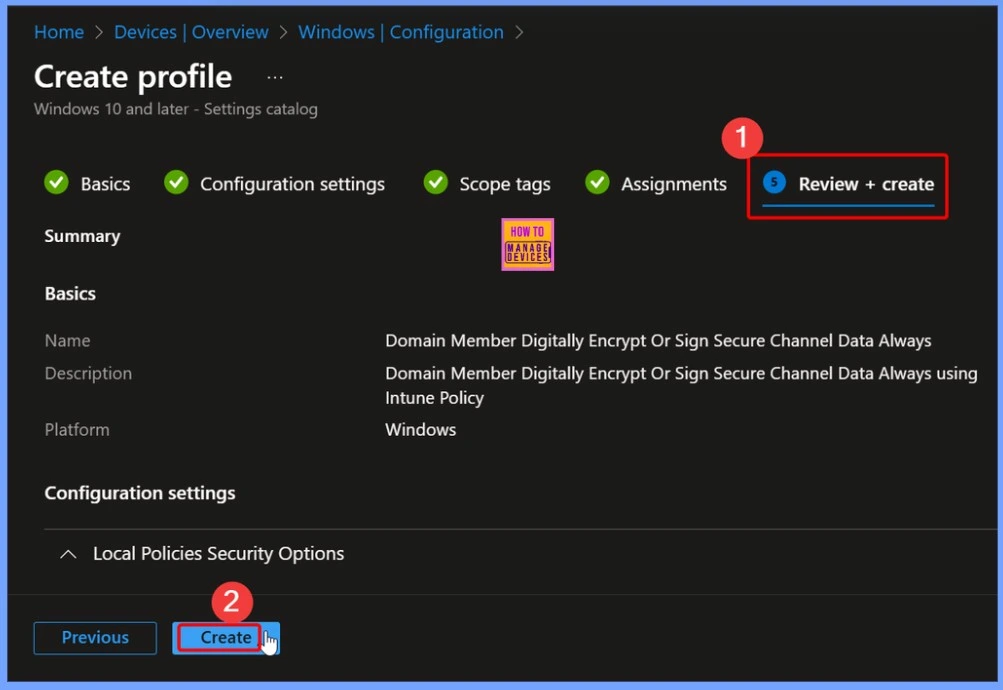
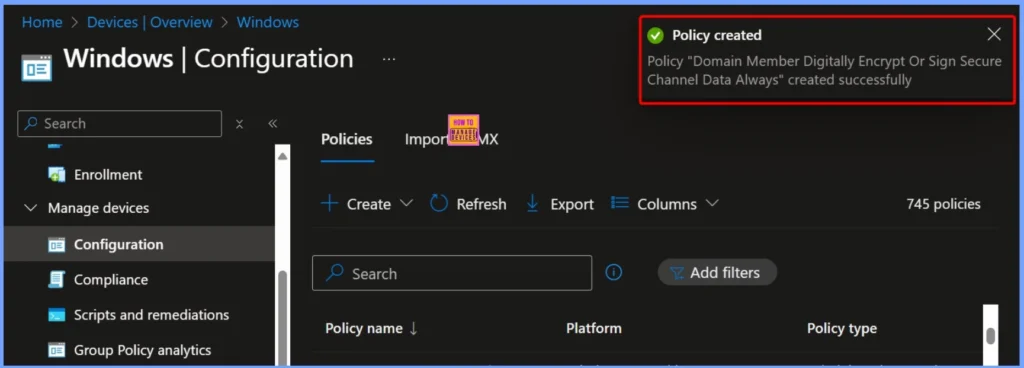
Policy Creation Notification
The policy “Domain Member: Digitally Encrypt or Sign Secure Channel Data (Always)” has been created successfully. This notification confirms that the policy is now available in Intune and ready for deployment to the targeted devices.
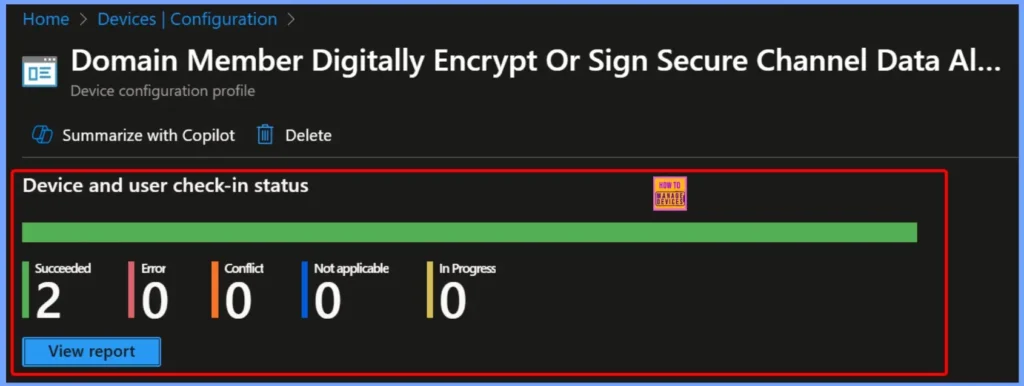
Device Check in Status – Policy Deployment Overview
The Device and User Check-In Status provides a summary of how the policy is being applied across targeted devices.It shows the number of devices where the policy has Succeeded, encountered an Error, is Not Applicable, or is still In Progress.
| Succeeded | Error | Conflict | Not applicable | In Progress |
|---|---|---|---|---|
| 2 | 0 | 0 | 0 | 0 |
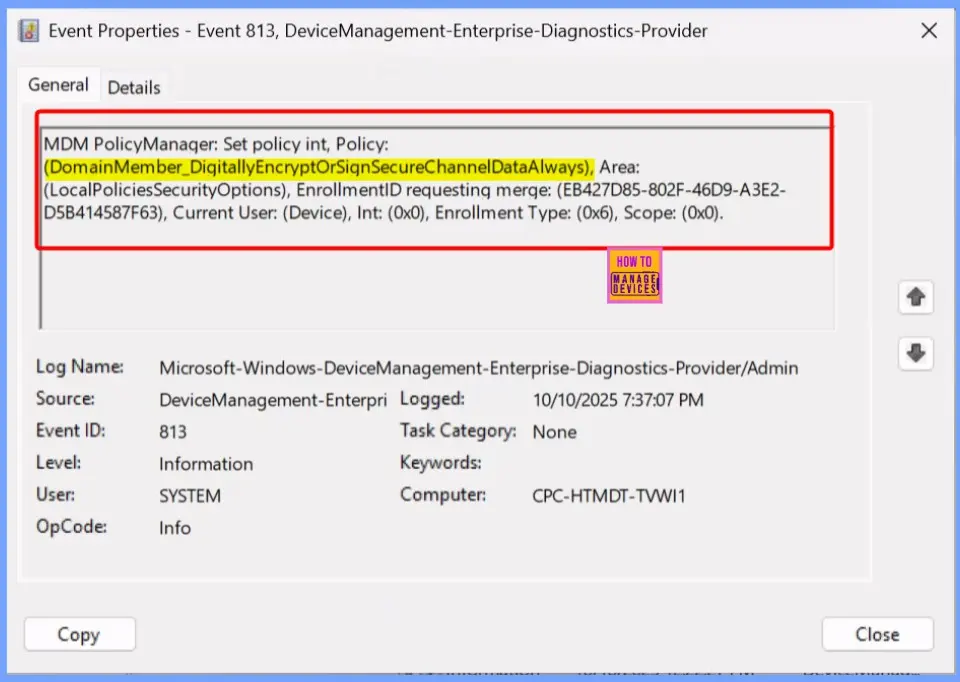
MDM PolicyManager – Domain Member Secure Channel Policy Details
The MDM Policy Manager log shows detailed information about the deployment of the policy “DomainMember_DigitallyEncryptOrSignSecureChannelDataAlways”. It indicates that the policy is applied under Local Policies Security Options for the device, with a specific Enrollment ID and Current User context.
- Navigate to Logs: In the left pane, go to Application and Services Logs > Microsoft > Windows > DeviceManagement-Enterprise-Diagnostics-Provider > Admin.
MDM PolicyManager: Set policy int, Policy:
(DomainMember_DigitallyEncryptOrSinSecureChannelDataAlways), Area:
(LocalPoliciesSecurityOptions), EnrollmentID requesting merqe: (EB427D85-802F-46D9-A3E2-
D5B414587F63), Current User: (Device), Int: (0x0), Enrollment Type: (0x6), Scope: (0x0).
Windows CSP Details
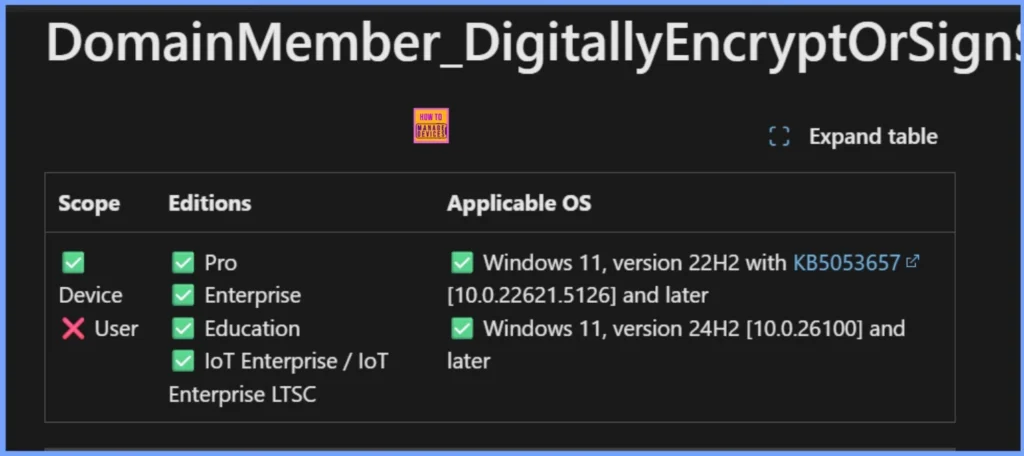
The policy applies specifically to devices and not individual users. It is supported on multiple editions of Windows, including Pro, Enterprise, Education, and IoT Enterprise/IoT Enterprise LTSC. The policy is compatible with Windows 11, version 22H2 with KB5053657 (10.0.22621.5126) and later, as well as Windows 11, version 24H2 (10.0.26100) and later.
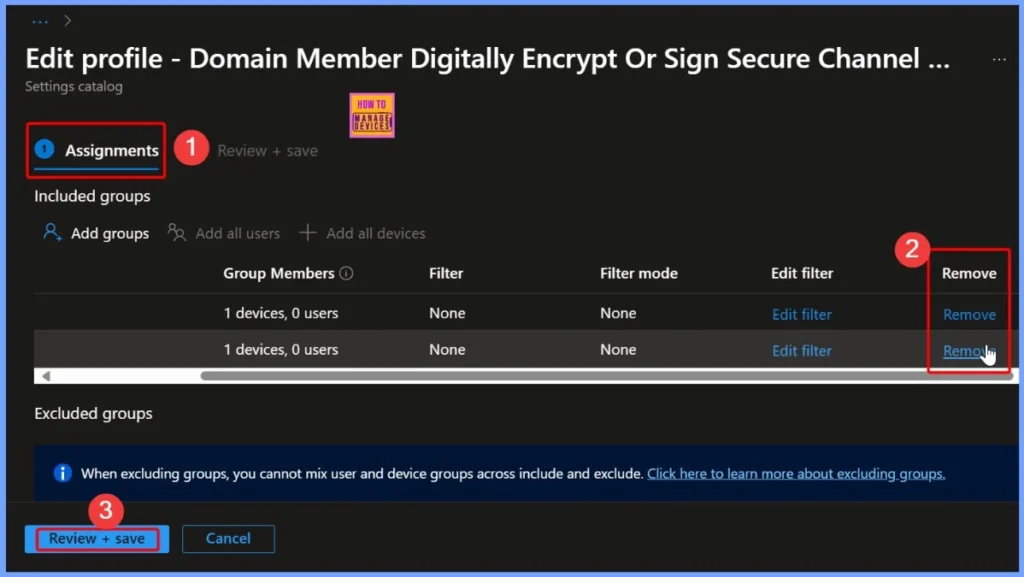
Advantages of Removing an Assigned Group from a Policy
Removing an assigned group from a policy can help IT admins maintain better control and flexibility over policy deployment. It prevents the policy from being applied to devices or users in that group, which can be useful if certain devices do not require the configuration or may face compatibility issues.
Read more – How to Remove Assigned Group from Energy Saver Battery Threshold Policy in Intune Settings Catalog.
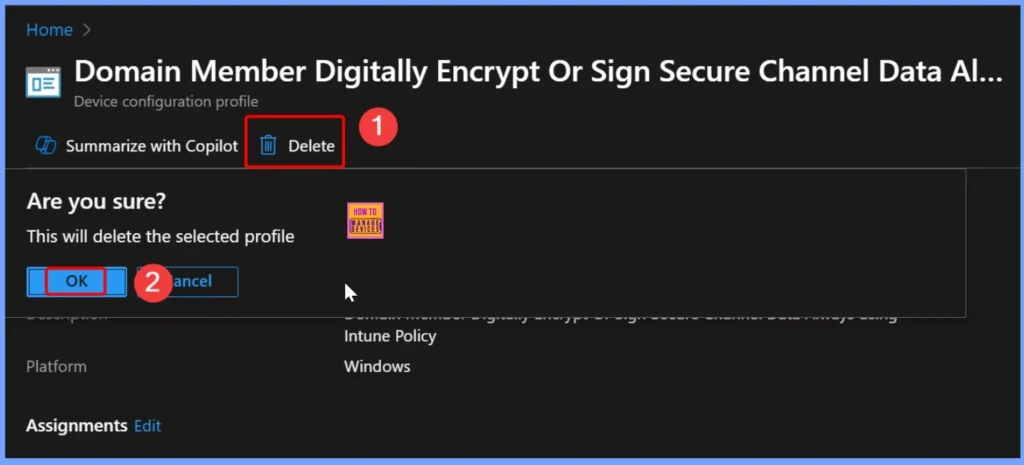
How Deleting a Policy Helps IT Admins
If a policy is no longer needed, causing errors, or overlapping with other configurations, removing it ensures that devices are not affected by unnecessary or outdated settings. Read more – How to Delete Allow Clipboard History Policy in Intune Step by Step Guide.
Need Further Assistance or Have Technical Questions?
Join the LinkedIn Page and Telegram group to get the latest step-by-step guides and news updates. Join our Meetup Page to participate in User group meetings. Also, join the WhatsApp Community to get the latest news on Microsoft Technologies. We are there on Reddit as well.
Author
Anoop C Nair has been Microsoft MVP for 10 consecutive years from 2015 onwards. He is a Workplace Solution Architect with more than 22+ years of experience in Workplace technologies. He is a Blogger, Speaker, and Local User Group Community leader. His primary focus is on Device Management technologies like SCCM and Intune. He writes about technologies like Intune, SCCM, Windows, Cloud PC, Windows, Entra, Microsoft Security, Career, etc.


Discussion