






FIX Teams Icon is Missing from the Start Menu FSLogix Issue
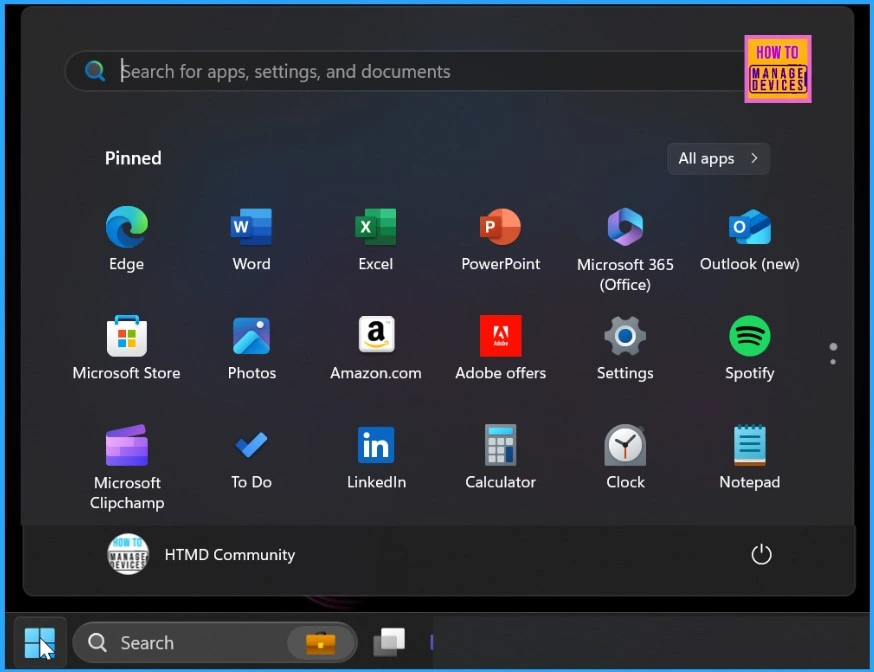
Let’s discuss fixing the Teams Icon Missing from the Start Menu. Is it an FSLogix Issue? Users have recently reported problems switching from Classic Microsoft Teams to the new Microsoft Teams client.
Many users have noticed that the Teams icon is missing from the Start Menu. This issue is connected to FSLogix, a tool for managing user profiles in virtual desktops (AVD and Windows 365). FSLogix is not clearing some old cache files, which can cause this icon to disappear.
FSLogix improves the experience of using Windows user profiles in virtual desktop environments and can also be used on physical desktops for a more flexible user experience. Overall, FSLogix helps create a better, more efficient user experience in virtual and physical desktop environments.
The main problem is that FSLogix is not deleting specific cache folders from user profiles, specifically the LocalCache and TempState folders. These undeleted files can mess with how Microsoft Teams works, which is why users are experiencing missing icons and other issues.

Table of Contents
Why is My Application Data Missing or not Roaming when I Sign into a New Session?
If you are experiencing issues with application data not roaming or missing, it may be due to how MSIX applications store user data. MSIX applications typically save user data in the %LocalAppData%\Packages\\ directory, which may not be configured for roaming.
What is the InstallAppXPackages Feature?
The InstallAppXPackages feature was introduced in the FSLogix 2210 (2.9.8361.52326) release. This feature helps manage MSIX applications by handling their installation and configuration in virtual desktop environments.
FIX Teams Icon is Missing from the Start Menu FSLogix Issue
FSLogix is supposed to delete specific UWP folders in user profiles, but it has been found that the LocalCache and TempState folders are not being cleared. This issue is causing problems for users migrating from Classic Microsoft Teams to the new Microsoft Teams client, resulting in the Teams icon missing from the Start Menu.
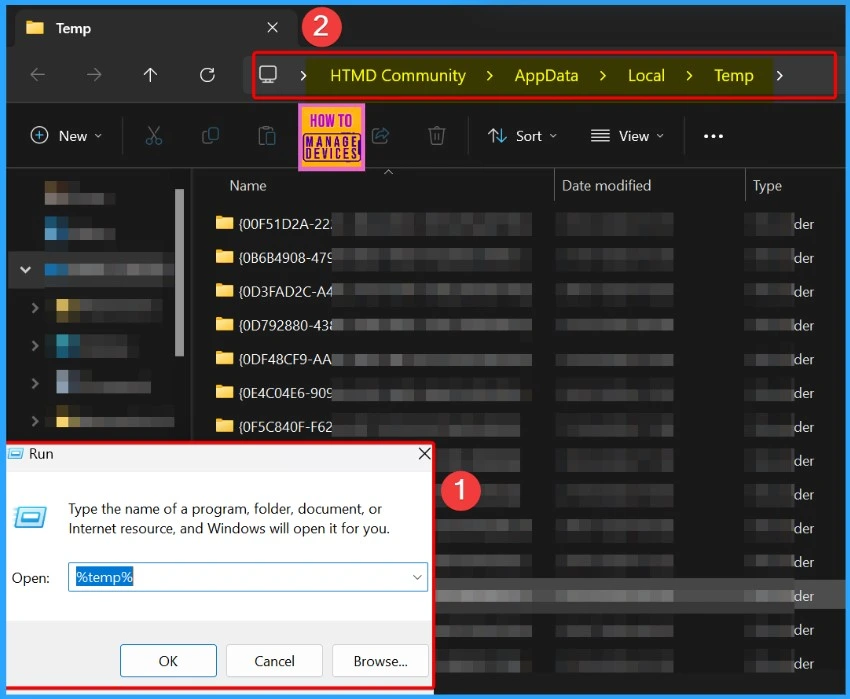
The missing icon is likely due to outdated cache files located in
%LocalAppData%\Packages\Microsoft.Windows.StartMenuExperienceHost_cw5n1h2txyewy\TempState.
| Issue Updated | Affected Version | State |
|---|---|---|
| September 19, 2024 | 2210 hotfix 4 (2.9.8884.27471) | In Progress |
- How To Enable Roam Recycle Bin In FSLogix Using Intune Policy
- Ensure Safe User Sign-ins Through Healthy Providers Required For Register Using Intune Policy
- How To Configure FSLogix Forced Unregister Cache Settings Using Intune Policy
- Outlook Teams Desktop Application Login Issues M365 Incident MO414814
- MS Teams Login Issue with Intune MAM Enrolled iOS Devices
- FIX Microsoft Teams App Issues Repair Options Available on Windows 11
An issue with LocalCache and TempState Folder Cleanup During Sign-Out
Users are experiencing problems with the LocalCache and TempState folders not properly cleaned up during the sign-out process. These folders, which store temporary data for (UWP) applications, are supposed to be cleared to prevent stale cache files from affecting application performance.
However, the failure to delete the contents of these folders can lead to issues such as missing application icons and degraded user experiences in virtual desktop environments.
Workaround for TempState Folder Cleanup Issue
To address the issue of the TempState folder not being properly cleaned up, you can create or update the redirections.xml file to exclude this specific folder. Adding the following line to the file ensures that the TempState folder is not included during the roaming process.
AppData\Packages\Microsoft.Windows.StartMenuExperienceHost_cw5n1h2txyewy\TempState
- This workaround will help prevent stale cache files from interfering with application performance and resolve issues related to missing application icons during user sessions.
- Microsoft Introduces Single Microsoft Teams Desktop App for Personal and Work
- Now Get Microsoft Teams Meetings Shortcut Directly from Start Menu
Resolution
The Teams Icon is missing from the Start Menu FSLogix, a known issue regarding the cleanup of the TempState folder, which Microsoft plans to address in a future release. The Microsoft team is working on a solution to ensure that the LocalCache and TempState folders are adequately managed during the sign-out process. This will help prevent problems such as missing application icons and stale user cache data.
Join the LinkedIn Page and Telegram group to get the latest step-by-step guides and news updates. Join our Meetup Page to participate in User group meetings. Also, Join the WhatsApp Community to get the latest news on Microsoft Technologies. We are there on Reddit as well.
Author
Anoop C Nair has been Microsoft MVP from 2015 onwards for 10 consecutive years! He is a Workplace Solution Architect with more than 22+ years of experience in Workplace technologies. He is also a Blogger, Speaker, and Local User Group Community leader. His primary focus is on Device Management technologies like SCCM and Intune. He writes about technologies like Intune, SCCM, Windows, Cloud PC, Windows, Entra, Microsoft Security, Career, etc.




Discussion