






How to Unblock Email Access using MS Defender Web Protection option
Today, we are discussing the exciting topic of how to unblock MS Defender web protection email access. As we all know, security is in danger nowadays, so we have to ensure everything is going well. As you all know, cybersecurity is at high risk nowadays, so we have to keep things more secure.
In this case, Microsoft Defenders have the best plays in maintaining security. Microsoft Defender plays a crucial role in web protection, protecting users from malicious sites. Microsoft Defender web protection is part of Microsoft 365 Defender.
In MS Defender Web Protection, we have to mention that unblocking email domains is not always easy. Microsoft Defender Web Protection protects users from online threats like phishing, malware, and harmful websites.
Unblocking Email access in MS Defender web protection is essential for secure email Access. This will always help organizations keep things safe from cyber threats. In this post, we can look at a quick overview of how to Unblock MS Defender Web Protection Email Access.

What are OWA Policies?
How to Unblock Email Access using MS Defender Web Protection option
Above, we discussed an overall view of how to unblock MS Defender web protection email access. It can be tough to keep things safe with web protection sometimes, but handling the protection with MS Defender is very easy. Mr. Jeroen Burgerhout shared a tip based on the Web Protection Email Access.
- He suggests we ensure that the web-based email category is not blocked when using Defender Web Protection.

- Intune Defender for Endpoint Security Settings Support in Government Cloud Environments in Public Preview
- Enable Multi-Tenant Content Distribution Support in MS Defender XDR
Content Blocked By Organization
When your organization blocks Defender Web protection, a pop-up window will appear on the screen when users cannot access emails through the new Outlook application.
| Content Blocked By Organization (Info) |
|---|
| For Users’ Protection, your organization is not allowing you to access the resource or content hosted by Outlook.office.com to learn more about why you are seeing this message or to get in touch with your administrator. |
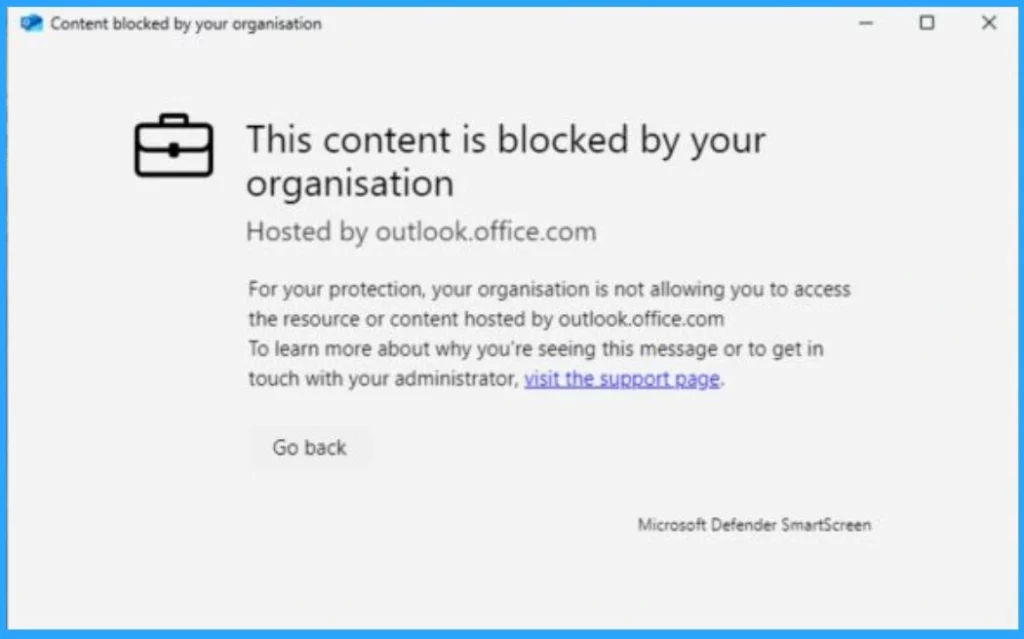
Unblocking Email Access in MS Defendender Web Protection
So, when MS Defendender Web Protection is enabled, you have to unblock specific domains that are more effective. Unblock the specific domains through the Microsoft Defender of Indicator of compromise. You can block web-based emails through Defender for cloud apps.
So, the primary web-based mail access is through the OWA policies, which means Outlook Web Access Policies. When you turn on MS Defender Web Protection, you must unblock OWA policies; otherwise, you will get the above popup window (Content Blocked By Organization).
- First, the admin must know which URL to use for OWA: outlook.office365.com or outlook.office.com. This ensures access through approved and secure domains.
- Also, OWA access in the EAC should be blocked to enhance security against AiTM attacks.
- Blocking Outlook Web Application access can help mitigate QR code phishing attempts, as the new Outlook client handles HTML more strictly.
- To unblock the Outlook Web Application through Defender, Log in to the MS Defender Portal.
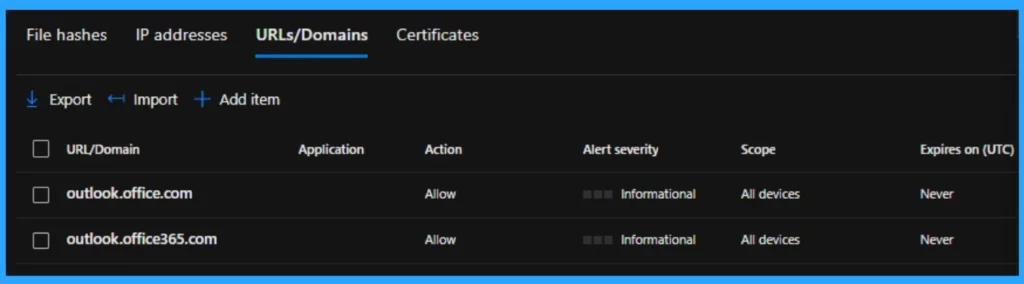
Step by Step guide to Block/Allow websites Using Microsoft Defender For Endpoint
- Source: Jeroen Burgerhout
Need Further Assistance or Have Technical Questions?
Join the LinkedIn Page and Telegram group to get the latest step-by-step guides and news updates. Join our Meetup Page to participate in User group meetings. Also, Join the WhatsApp Community to get the latest news on Microsoft Technologies. We are there on Reddit as well.
Author
Anoop C Nair has been Microsoft MVP from 2015 onwards for ten consecutive years! He is a Workplace Solution Architect with more than 22+ years of experience in Workplace technologies. He is also a Blogger, Speaker, and Local User Group Community leader. His primary focus is on Device Management technologies like SCCM and Intune. He writes about technologies like Intune, SCCM, Windows, Cloud PC, Windows, Entra, Microsoft Security, Career, etc.




Discussion