Skip to content
Upgrade Veeam Backup for Microsoft Office 365 from v2.0 to v3.0

Upgrade Veeam Backup for Microsoft Office 365 from v2.0 to v3.0

Written By Anoop C Nair
Last Updated July 18, 2026
Posted In Veeam
SHARE

This post will learn how to upgrade Veeam Backup for Microsoft Office 365 from v2.0 to v3.0.

Index
Veeam Backup for Microsoft Office 365 Architecture
What’s New in Version 3
Prerequisites
Upgrade to Version 3
Modern Authentication Vs. Basic Authentication
Microsoft Graph API
Schedule Options – Permitted/Denied
Results
Upgrade Veeam Backup for Microsoft Office 365 from v2.0 to v3.0 – Table.1

Veeam Backup for Microsoft Office 365 Architecture

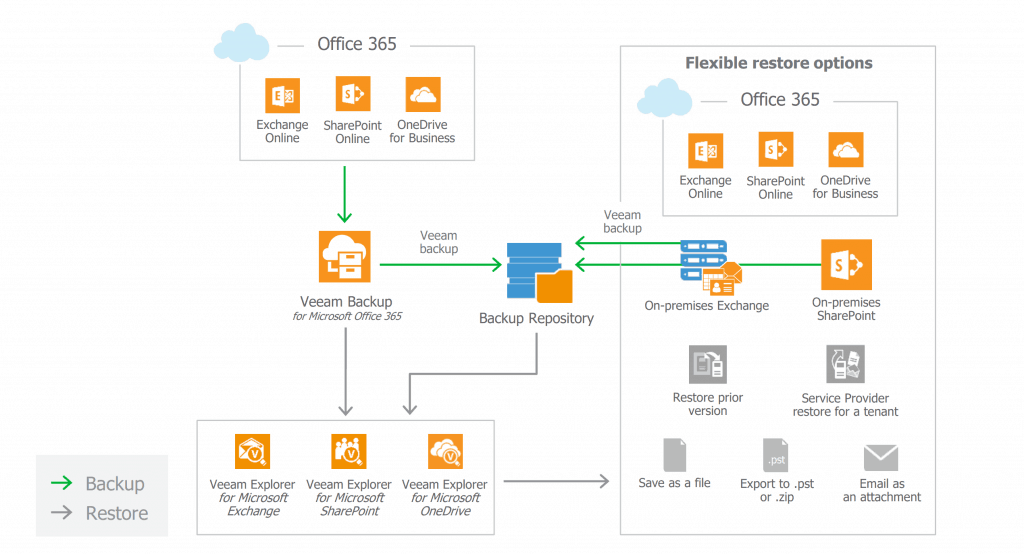
Following is the architecture diagram of Veeam Backup Office 365. The following are components I installed on my lab server in 2016.

  • Veeam Backup for Microsoft Office 365 server
  • Office 365 proxy
  • Office 365 repository
  • Veeam Explorers for Microsoft Exchange, SharePoint, and OneDrive for Business
Upgrade Veeam Backup for Microsoft Office 365 from v2.0 to v3.0 - Fig.1
Upgrade Veeam Backup for Microsoft Office 365 from v2.0 to v3.0 – Fig.1

What’s New in Version 3

What’s new in Veeam Backup for Office 365 version 3? More details are available https://www.veeam.com/veeam_backup_microsoft_office_365_3_0_user_guide_pg.pdf

  • Up to 30x faster backups
  • Increased security
  • ENHANCED! Office 365 data
  • Protection reports –
    • Identify unprotected Office 365 mailboxes
    • Manage license and storage usage.
  • Meet security and compliance requirements
  • Efficiently scale and minimize overhead
  • Unified on-premises and Office 365 backup

Prerequisites

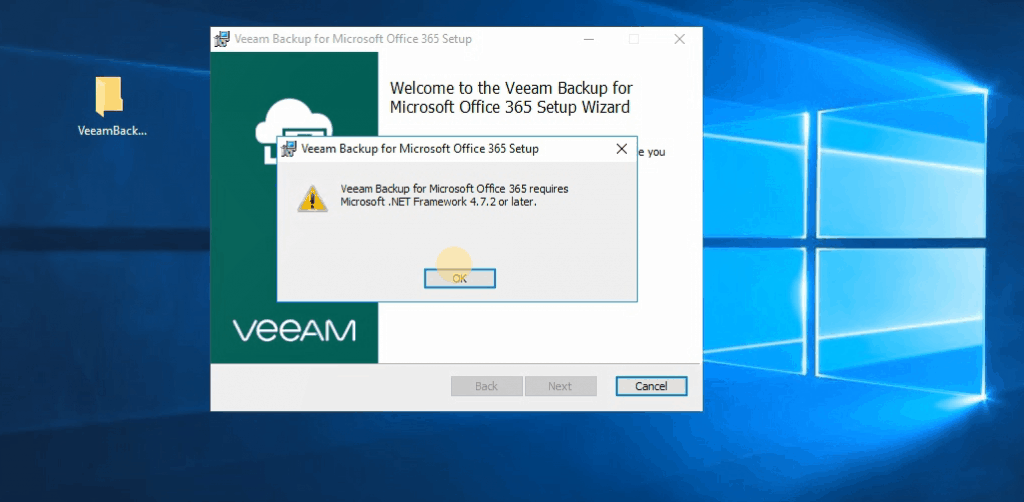
You must install and upgrade to the .NET Framework 4.7.2 version installed on the Veeam Backup Office 365 proxy server.
Upgrade Veeam Backup for Microsoft Office 365 from v2.0 to v3.0 - Fig.2
Upgrade Veeam Backup for Microsoft Office 365 from v2.0 to v3.0 – Fig.2

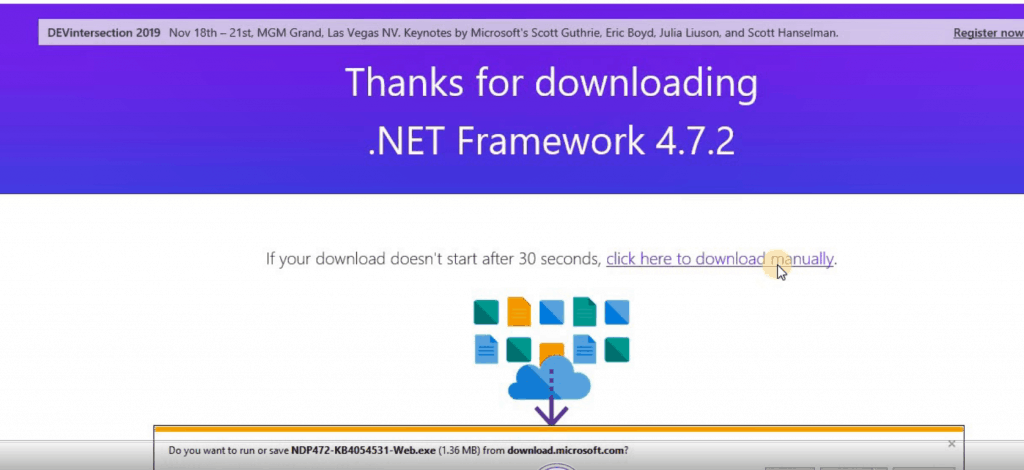
NOTE! – Download the .NET Framework 4.7.2 from https://dotnet.microsoft.com/download/dotnet-framework/net472.
Upgrade Veeam Backup for Microsoft Office 365 from v2.0 to v3.0 - Fig.3
Upgrade Veeam Backup for Microsoft Office 365 from v2.0 to v3.0 – Fig.3
  • DNS name resolution
  • Additional proxy deployment
  • Anti-virus and HIPS

Upgrade to Version 3

Click on the Upgrade button below to start Veeam Backup for Microsoft Office 365 v2 to v3.
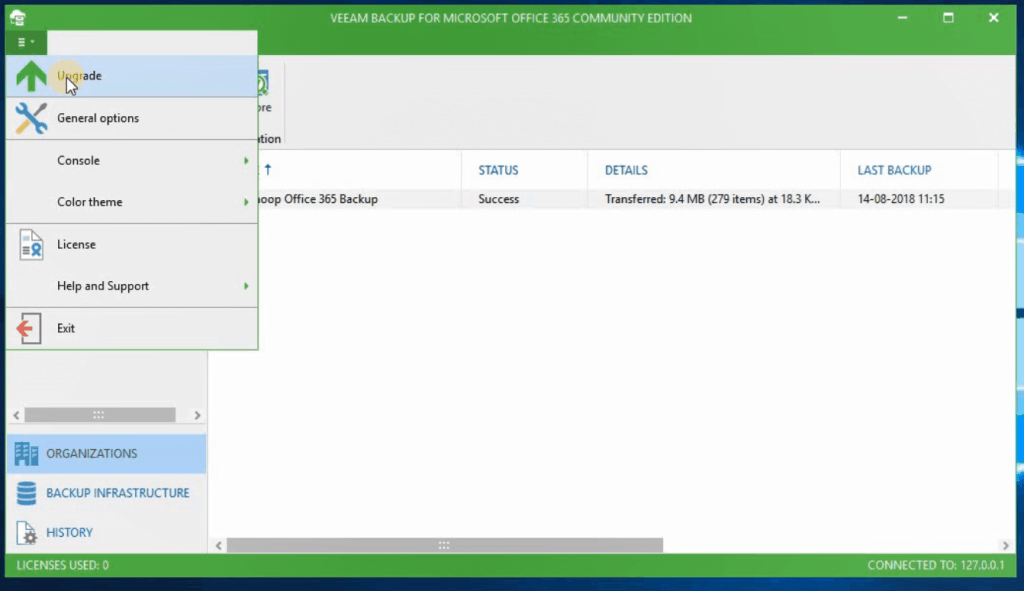
Upgrade Veeam Backup for Microsoft Office 365 from v2.0 to v3.0 - Fig.4
Upgrade Veeam Backup for Microsoft Office 365 from v2.0 to v3.0 – Fig.4

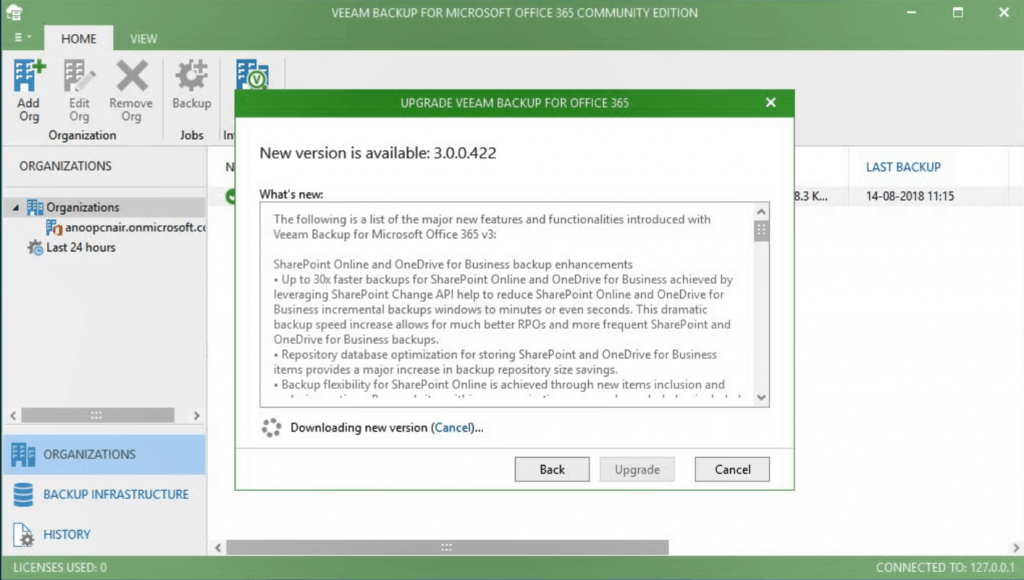
NOTE! – Veeam closes the Veeam Backup for the Microsoft Office 365 console during the upgrade.

  • The new version is getting downloaded v3.0.0.422
Upgrade Veeam Backup for Microsoft Office 365 from v2.0 to v3.0 - Fig.5
Upgrade Veeam Backup for Microsoft Office 365 from v2.0 to v3.0 – Fig.5

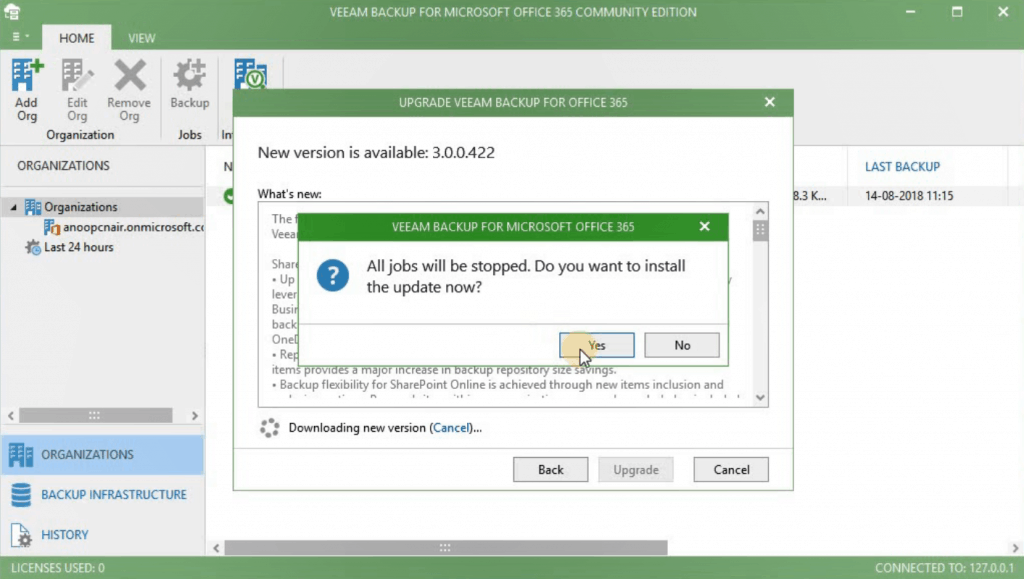
NOTE! – All Jobs will be stopped. Do you want to install the update now?

  • Click on YES
Upgrade Veeam Backup for Microsoft Office 365 from v2.0 to v3.0 - Fig.6
Upgrade Veeam Backup for Microsoft Office 365 from v2.0 to v3.0 – Fig.6
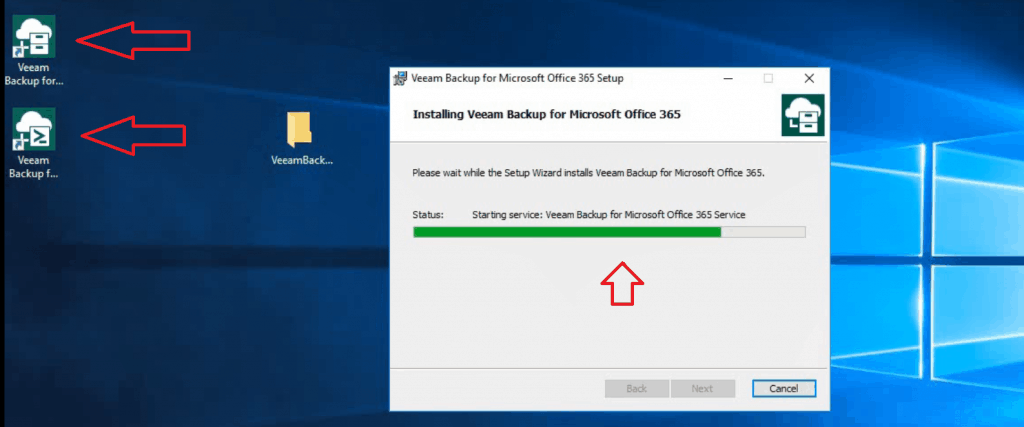
  • Go through the wizard and finish the upgrade Veeam Backup for Office 365 v3.
Upgrade Veeam Backup for Microsoft Office 365 from v2.0 to v3.0 - Fig.7
Upgrade Veeam Backup for Microsoft Office 365 from v2.0 to v3.0 – Fig.7

NOTE! – All your settings will be intact after the version 2.0 to 3.0 upgrade.

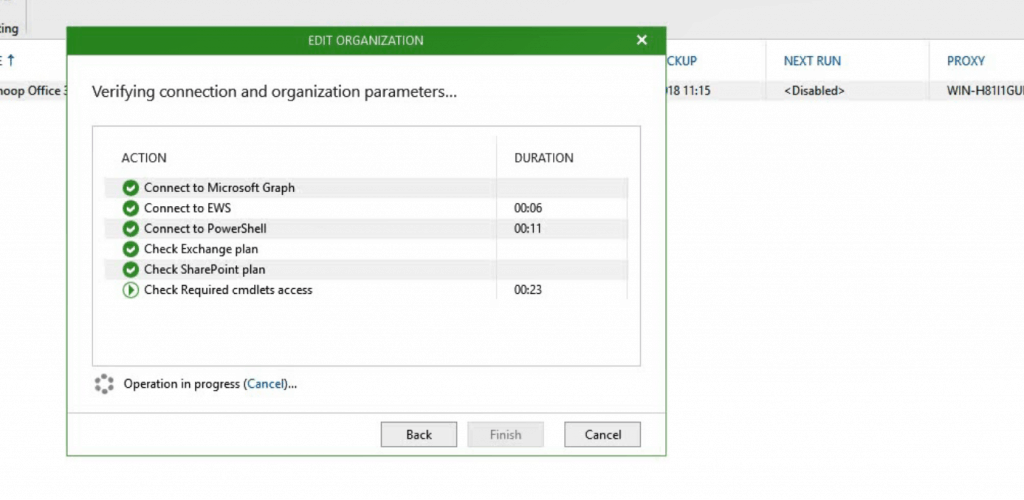
  • Verified the connectivity to Office 365 organization. And everything is intact.
Upgrade Veeam Backup for Microsoft Office 365 from v2.0 to v3.0 - Fig.8
Upgrade Veeam Backup for Microsoft Office 365 from v2.0 to v3.0 – Fig.8

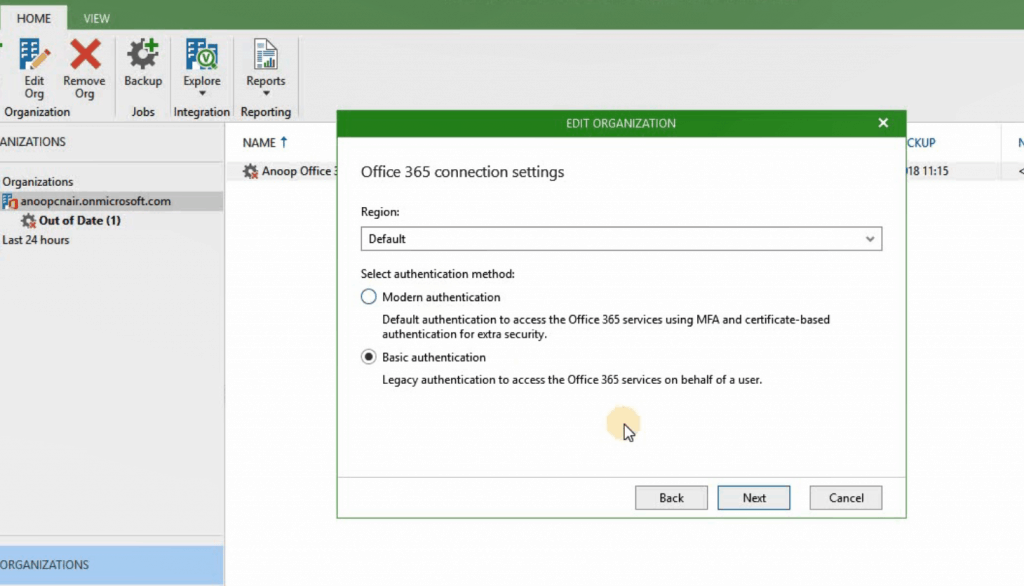
Modern Authentication Vs. Basic Authentication

Modern authentication – Default and recommended way to authenticate and access the Office 365 services using MFA and certificate-based authentication for extra security.

Basic Authentication: Legacy authentication is used to access Office 365 services on behalf of a user (it is not a recommended option).
Upgrade Veeam Backup for Microsoft Office 365 from v2.0 to v3.0 - Fig.9
Upgrade Veeam Backup for Microsoft Office 365 from v2.0 to v3.0 – Fig.9

Microsoft Graph API

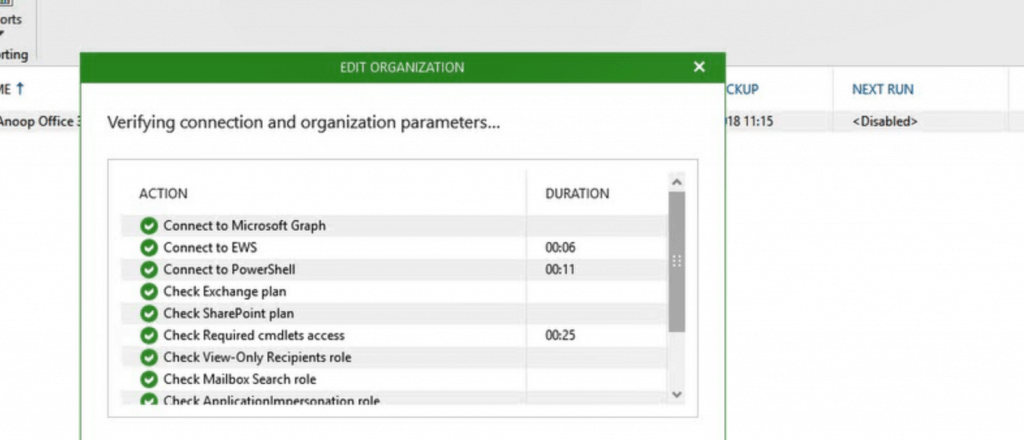
Unsurprisingly, Veeam Backup for Office 365 uses Microsoft Graph API to connect to the Office 365 SaaS solution.
Upgrade Veeam Backup for Microsoft Office 365 from v2.0 to v3.0 - Fig.10
Upgrade Veeam Backup for Microsoft Office 365 from v2.0 to v3.0 – Fig.10

Schedule Options – Permitted/Denied

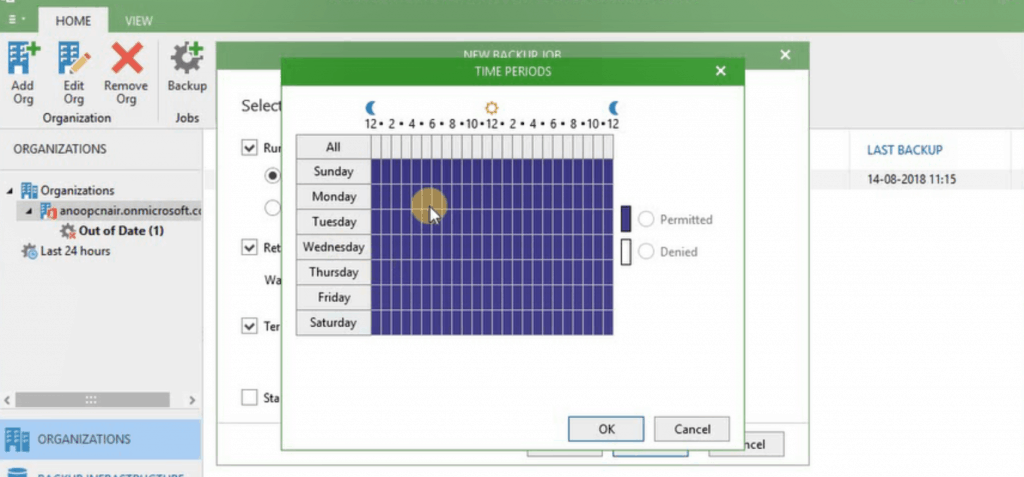
There is an interesting and very useful option for creating a backup schedule: the option to terminate the job if it exceeds the allowed backup windows.

  • Permitted – This is the only allowed Windows to run the backup job.
  • Denied – This is the restricted Window, and the running backup jobs will be terminated during this schedule.
 Upgrade Veeam Backup for Microsoft Office 365 from v2.0 to v3.0 - Fig.11
Upgrade Veeam Backup for Microsoft Office 365 from v2.0 to v3.0 – Fig.11

Results

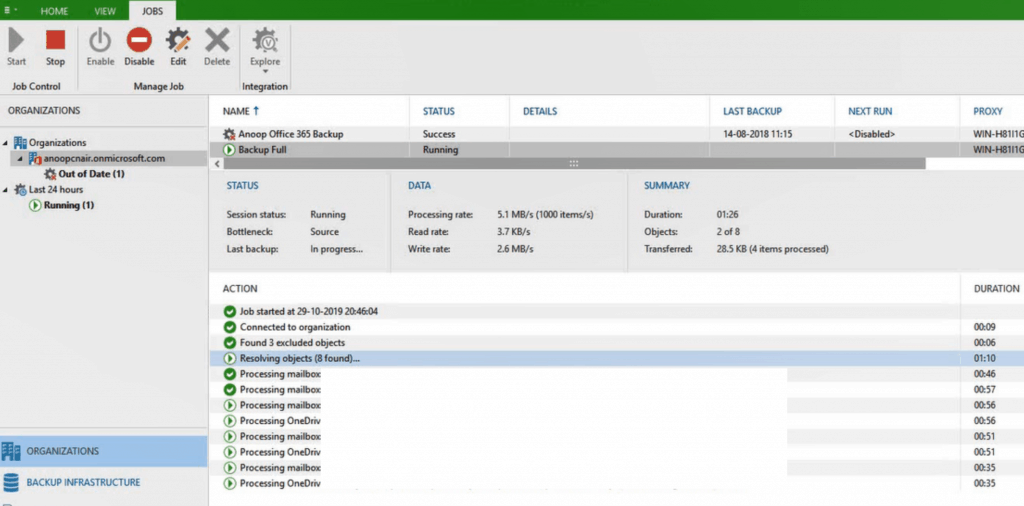
The Office 365 backup solution works fine after the upgrade to v3.
 Upgrade Veeam Backup for Microsoft Office 365 from v2.0 to v3.0 - Fig.12
Upgrade Veeam Backup for Microsoft Office 365 from v2.0 to v3.0 – Fig.12

Resources

We are on WhatsApp. To get the latest step-by-step guides and news updates, Join our Channel. Click here –HTMD WhatsApp.

Author

Anoop C Nair is Microsoft MVP! He is a Device Management Admin with more than 20 years of experience (calculation done in 2021) in IT. He is a Blogger, Speaker, and Local User Group HTMD Community leader. His main focus is on Device Management technologies like SCCM 2012, Current Branch, and Intune. He writes about ConfigMgr, Windows 11, Windows 10, Azure AD, Microsoft Intune, Windows 365, AVD, etc

Written by

Anoop C Nair is Workplace Technology solution architect with 25+ years of experience in global enterprise organizations such as JP Morgan, Capgemini, etc. Microsoft Certified Trainer. Microsoft MVP from 2015 onwards for consecutive 11+ years! He also conducts Intune and modern workplace tech training for enterprise organizations. He is Blogger, Speaker, and Founder of HTMD Community and HTMD Conference. His main focus is on Device Management technologies like Intune, Windows, Cloud PC. He writes about technologies like Intune, SCCM, Windows, Cloud PC, Windows, Entra, Microsoft Security.

Discussion

Join the discussion

Your email address will not be published. Required fields are marked *

Related guides

Veeam

Download Office 365 Backup Solution from Veeam

Download Office 365 Backup Solution from Veeam. You are looking for Microsoft Office 365 with many enhancements. Let’s go through the features of Veeam Office 365 Backup v4!  Microsoft 365 (formerly known as Office 365) has some excellent services but doesn’t have a complete backup for your data. Veeam’s Microsoft 365 backup solutions eliminate the risk […]

VM Vidya M A 2 min read
Veeam

Veeam Availability Suite v10 is Here!

Hi, Here is a good news!! Veeam Availability Suite v10! It’s here! Veeam’s flagship solution, Veeam® Availability Suite™ v10 (Veeam v10), has been officially released. Veeam mentioned in the latest press release that v10 has more than 150 groundbreaking features. Veeam Availability Suite v10 offers enhanced backup capabilities to protect modern workloads at scale while also providing increased security through […]

VM Vidya M A 3 min read
Veeam

Veeam Backup for O365 v4 Community Version Upgrade Guide

Let’s discuss Veeam Backup for O365 v4 Community Version Upgrade Guide. Veeam released the latest version of Veeam Backup for Microsoft Office 365 with many enhancements. Let’s go through a quick walkthrough of the installation/upgrade of Veeam Office 365 Backup v4! Veeam Backup for O365 v4 Community Version!! Also, are you wondering why I should […]

AC Anoop C Nair 3 min read
Veeam

VeeamON Virtual Conference Nov 20th 2019

VeeamON virtual conference was all set to start on November 20th, 2019. Depending on your time zone, you can attend this event. They have options for ASIA, EUROPE, and AMERICA time zones. Anticipate insightful presentations by over 20 speakers covering the Vision and strategy, Implementation Best Practices, Cloud-Powered, and Architecture and design tracks. Attendees from across […]

AC Anoop C Nair 2 min read