






What Made SCCM OS Deployment Easy with SCCM Online Portal ConfigMgr Device Management? I will brief you about OS deployment front-end application for Bare metal installation and reinstallation.
Cireson Portal for Configuration Manager (CMP) added a new addition to the tool. I have a blog post about the SCCM online portal called the Cireson Portal for ConfigMgr (CMP).
More details: “Learn How to Empower IT and Teams with SCCM ConfigMgr Anywhere Anytime Access.” We will see more information about the new feature called Commence. This feature will make OS Deployment Easy with the SCCM Online Portal.
Details about CMP v2 Commence—an OS Deployment Frontend—CMP Commence is an organization’s user front end for OS deployments. It empowers end users to reinstall their own devices.
Table of Contents
- SCCM OSD Computer Name Prompt In Task Sequence Deployment
- Part 1 Configure User-Driven Installation UDI Using ConfigMgr | SCCM
- Part 2 Customizing UDI Wizard with UDI Designer Using SCCM | ConfigMgr
What Made SCCM OS Deployment Easy with SCCM Online Portal ConfigMgr Device Management
This Windows Pre-Execution Environment (WinPE) application allows quick and easy computer provisioning.
Flemming Christiansen has published a detailed blog post about different cases used for Commence. Commence offers a secure front end for administrators and super users. This gives an exciting opportunity to empower end-users by integrating the SCCM online portal (CMP).
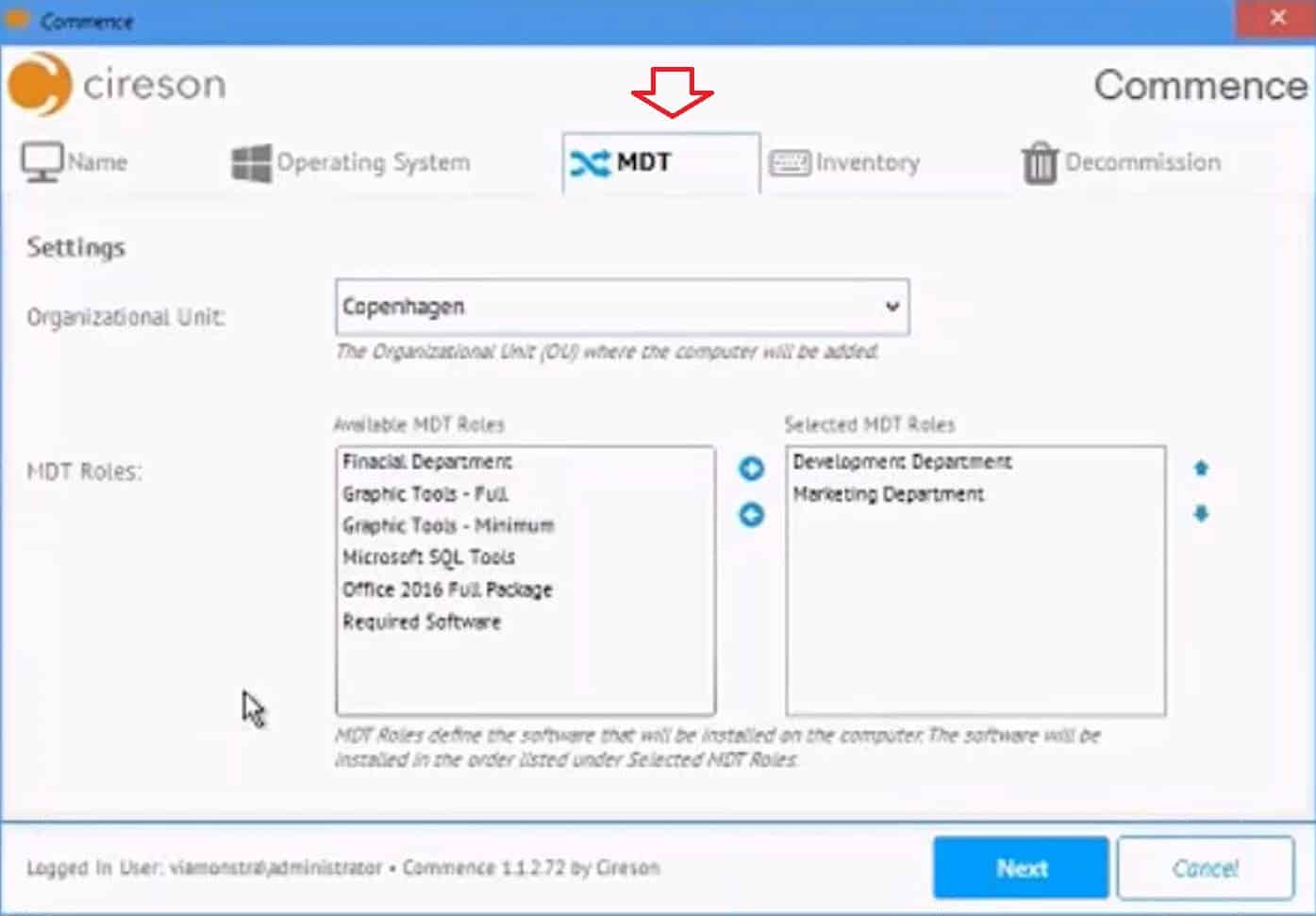
More Details about CMP Commence
Commence provides a robust front-end tool for ConfigMgr/SCCM, but it uses the power of CMP and SCCM in the background. Commence is attached to an SCCM OS Image and a simple Task Sequence.
This tool helps end-users install or reinstall computers using network boot (F12 boot). The table below shows More Use cases for Commence.
| More Use Cases for Commence |
|---|
| Bare metal/new installation of computers |
| Reinstallation of computers |
| MDT integration with Commence |
| Decommission of computers |
| Unknown computer support |
| How Secure Commence |
Resources
- Deep Dive CMP (SCCM Online Portal) Commence – blog post from Flemming Christiansen – http://cireson.com/blog/commence-os-deployment-frontend/
- Request a trial of the Portal, including Commence: – http://cireson.com/configmgr-portal/
- Check out Wally’s webinar that covers the CMP & Commence:
https://vimeo.com/221451636
We are on WhatsApp now. To get the latest step-by-step guides, news, and updates, Join our Channel. Click here. HTMD WhatsApp.
Author
Anoop C Nair is Microsoft MVP! He is a Device Management Admin with more than 20 years of experience (calculation done in 2021) in IT. He is a Blogger, Speaker, and Local User Group HTMD Community leader. His main focus is on Device Management technologies like SCCM 2012, Current Branch, and Intune. He writes about ConfigMgr, Windows 11, Windows 10, Azure AD, Microsoft Intune, Windows 365, AVD, etc.


Interesting feature. If this feature is made available for end user then there will be no need of hiring deployment tech in the future for OS upgrades. Even companies will start decommissioning sccm admin as they are no longer needed for extensive support once the infra is setup.
Ram, you will still need deployment tech to set up boot images, OS images, Task Sequences, distributing these to SCCM distribution points, etc.
But with Commence you can from a PXE booted computer choose between your SCCM OS Task Sequences, name the computer, set primary user, etc.
Just imaging booting up to Commence, then you can select between e.g. Windows 10, server OS, department specific images, etc.
If you are using MDT, you can use MDT roles to install additional desired software made available through these roles.
As you can use CMP’s built-in role based administration to define who can see which Task Sequences, this is used in Commence, so you can secure it so much that you can have an end user boot up, log in to Commence and install their computer.
What is more common is that the end user can PXE boot their computer and perform reinstallation as Commence will recognize the computer and offer the same MDT roles, etc.