






4 Free Tools for SCCM ConfigMgr Admins Community Configuration Manager Intune
4 Free Tools for SCCM ConfigMgr Admins Community Configuration Manager Intune? This post will cover four Free Tools for SCCM/ConfigMgr admins and the community. These tools make the SCCM admin’s life better. Have you ever used this ConfigMgr Ticker, Remote Manage, User Device Affinity, and User-Centric tools?
If not, you waste time in day-to-day SCCM/ConfigMgr operations. Here is the chance to automate some of your daily SCCM work. Cireson has provided all these free community tools!
In this post, you will find all the details about the 4 free tools available for SCCM ConfigMgr admins within the Configuration Manager Endpoint Manager community. These tools are designed to enhance the capabilities of SCCM administrators, providing additional functionalities and improving overall management efficiency.
These free resources allow admins to optimize their workflows, simplify complex tasks, and maintain better control over their IT environments.
- New Features in SCCM Technical Preview 2401
- New Key Features of SCCM 2309 | Top Improvements
- Download SCCM 2309 Early Ring Version using PowerShell Script
- SCCM Versions Build Numbers Client Console Site
- End of Support Dates for SCCM CB Current Branch | ConfigMgr | SCCM End of Life
- SCCM Unsupported Deprecated or Removed Features
Table of Contents
ConfigMgr Ticker – SCCM Ticker – End-User Device Notification Tool
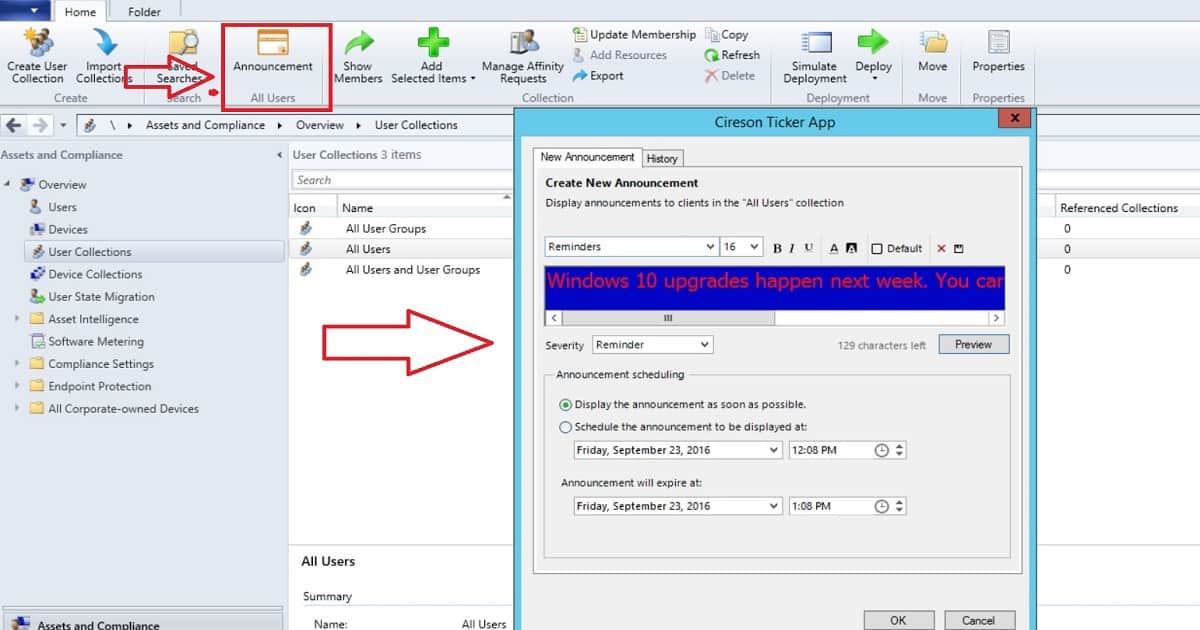
The ConfigMgr Ticker app enables SCCM/ConfigMgr Admins to easily create and deliver Notifications/announcements/popups from the SCCM Console to end-user devices (Real-time). This tool can help you provide real-time notifications to all specific clients in the particular collection.
Following are the four quick steps:-
1. Create an announcement/notification on either a device or user collection
2. Configure text, background colors, and desired font size and enhancements
3. Set the priority and the schedule
4. Send by clicking OK
SCCM Remote Manage App – Simple Remote Administration
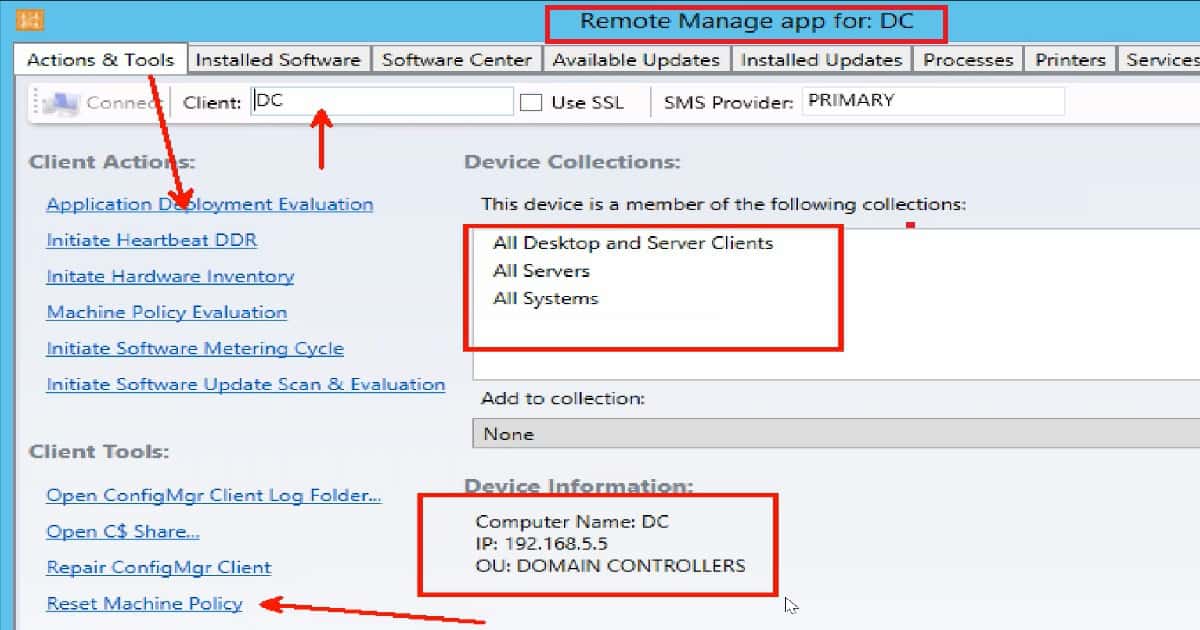
Remote management has always been challenging in huge SCCM environments. In-house scripts and applications are not always optimized for all scenarios. SCCM/ConfigMgr Remote Manage App is a toolbox of standard remote functionalities.
Its integration with SCCM/ConfigMgr allows an SCCM admin to deploy software quickly, run diagnostic processes, view and manipulate services and processes, and view information—all without end-user interaction.
User Device Affinity Tool – Makes UDA management Easy
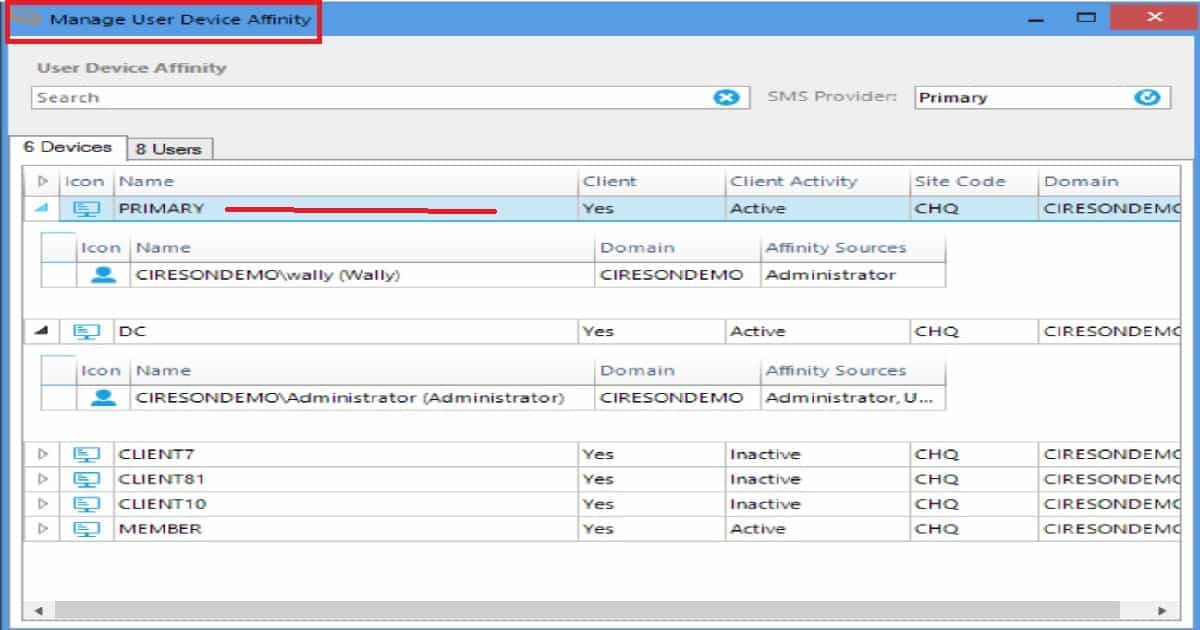
There are over a half dozen ways to associate users to computers via SCCM – some automated, but most manual – which can lead to mistakes. The Cireson User Device Affinity app allows an SCCM admin to view and manage the relationships between users and devices.
The process has been completed outside the SCCM Console, reducing complexity and confusion. Download and read more details about this tool.
SCCM ConfigMgr User Centric app – Makes App Deployment Easy
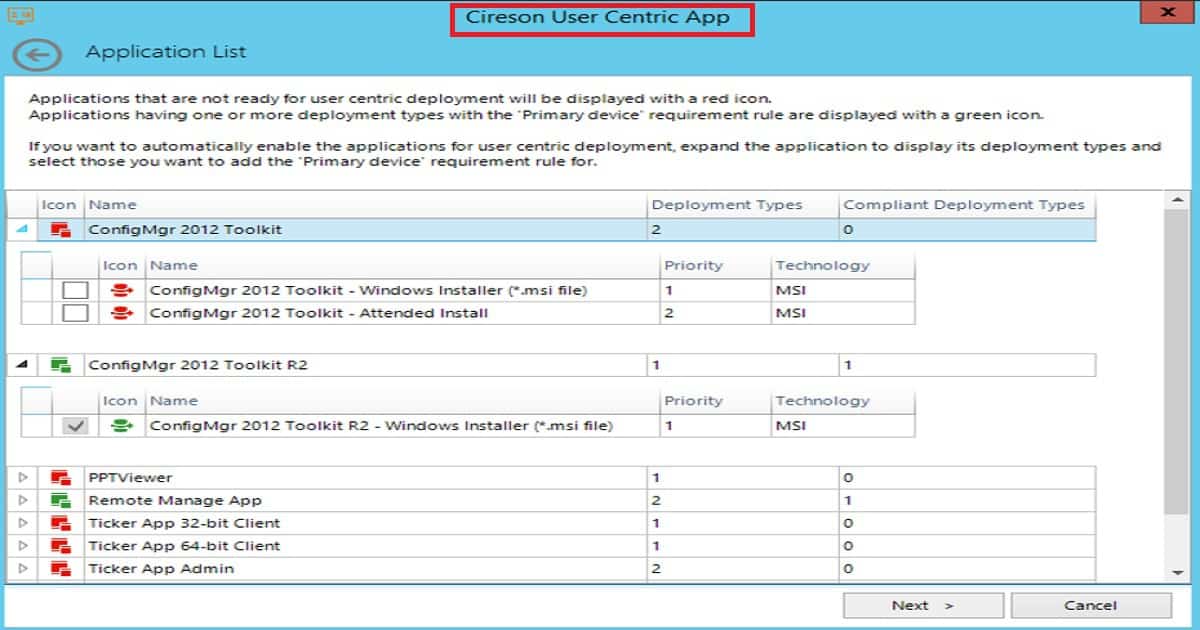
The Cireson User-Centric – Community app quickly identifies which applications are ready for user-centric software delivery. For those that aren’t ready, automatically add the requirement to the application to support user-centric software delivery.
We are on WhatsApp now. To get the latest step-by-step guides, news, and updates, Join our Channel. Click here. HTMD WhatsApp.
Author
Anoop C Nair is Microsoft MVP! He is a Device Management Admin with more than 20 years of experience (calculation done in 2021) in IT. He is a Blogger, Speaker, and Local User Group HTMD Community leader. His main focus is on Device Management technologies like SCCM 2012, Current Branch, and Intune. He writes about ConfigMgr, Windows 11, Windows 10, Azure AD, Microsoft Intune, Windows 365, AVD, etc.


Hi. ANOOP,
Just had a doubt installing this Tool hope it will work only on the machine which we have sccm console installed. Will that also shows on the other machines also who have installed the sccm console 2012
Please let me know I would like to try..
Thanks in advance..
StaffYes, SMS Provider access is required hence console.
Anoop, Just looked at the link for the Cireson free tools. I don’t believe they are free anymore sir.
StaffThank you for the update, Sir. I will update the post to include this update a bit later.
The SCCM ticker tool does not appear to be available any more. There is one for Service Manager in the Community Tools.
A real pity as the SCCM Ticker was very handy.
Does anyone have the installer for the server and client?