






AVD Deployment Operation Failed | Add New VMs to Existing Host Pool
In this post, we will see errors in the AVD Deployment Operation Failed. We have already learned to add new session hosts to the existing host pool (AVD). Here is the document to help Add New Personal VMs to the Existing Host Pool | WVD v1 2019 Release.
This post applies only to the Azure Virtual Desktop spring 2020 release (a.k.a. AVD v2). The Spring 2020 update uses the Azure Resource Manager (ARM) Azure Virtual Desktop objects.
Host sessions are nothing but virtual machines part of the host pool. I plan to add two-session hosts to host pools using Azure Virtual Desktop’s new experience (a.k.a AVD).
NOTE! – Learn more about AVD v2 ARM model architecture.

Add Session Hosts to AVD Host Pool
Let’s understand how to add session hosts or VMs to the AVD Host Pool.
Once you’ve created a host pool, workspace, and application group, you can add session hosts to the host pool for users to connect to. You may need to add more session hosts for extra capacity. You can create new virtual machines (VMs) to use as session hosts within the Azure Virtual Desktop service in the Azure portal or create VMs outside of the service and add them as session hosts to a host pool.
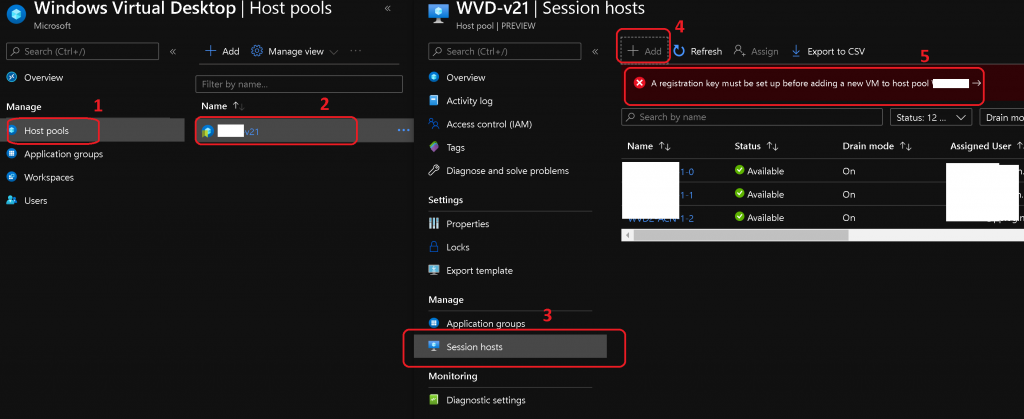
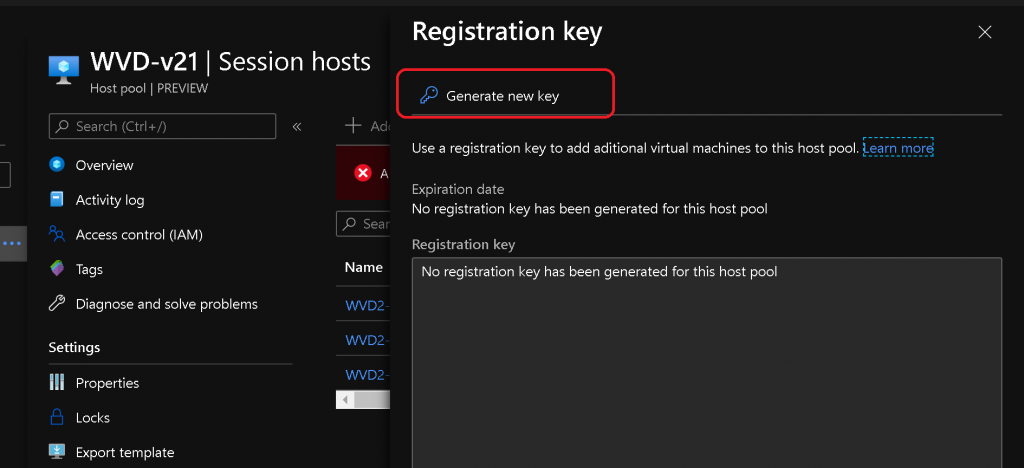
Click on Generate New Key. Use a registration key to add additional virtual machines to this host pool.
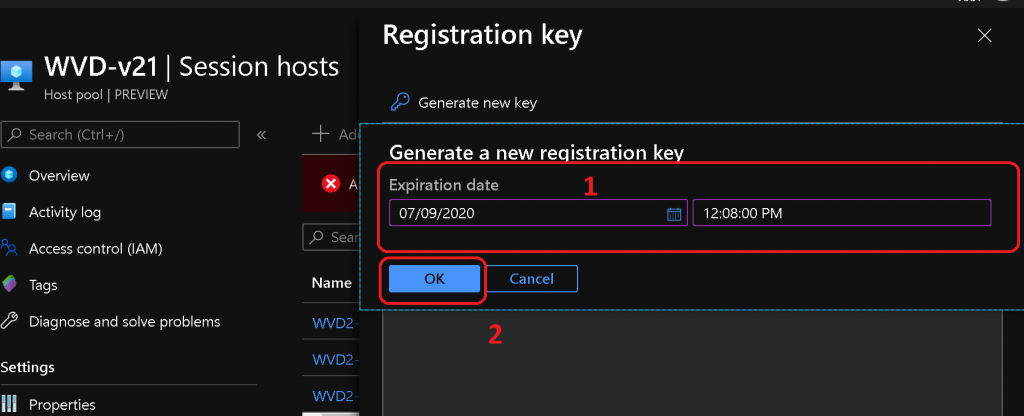
Then, set an expiration date for the new registration key.
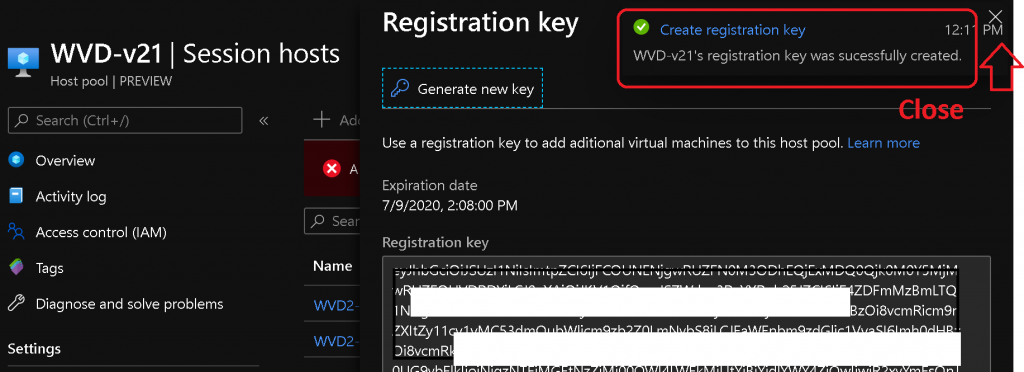
Once the Registration Key is generated, click on the X symbol, as shown in the following picture.
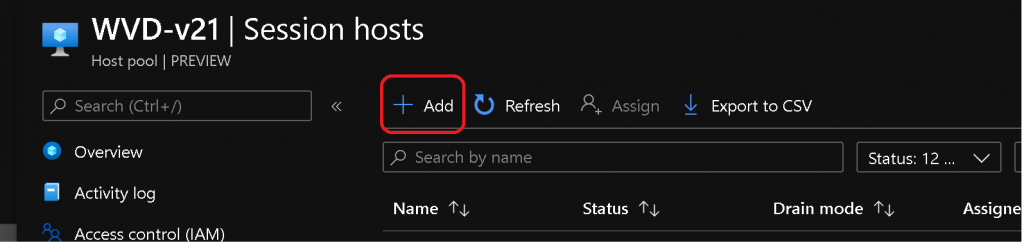
Click on Add
Click on the Next button to continue.
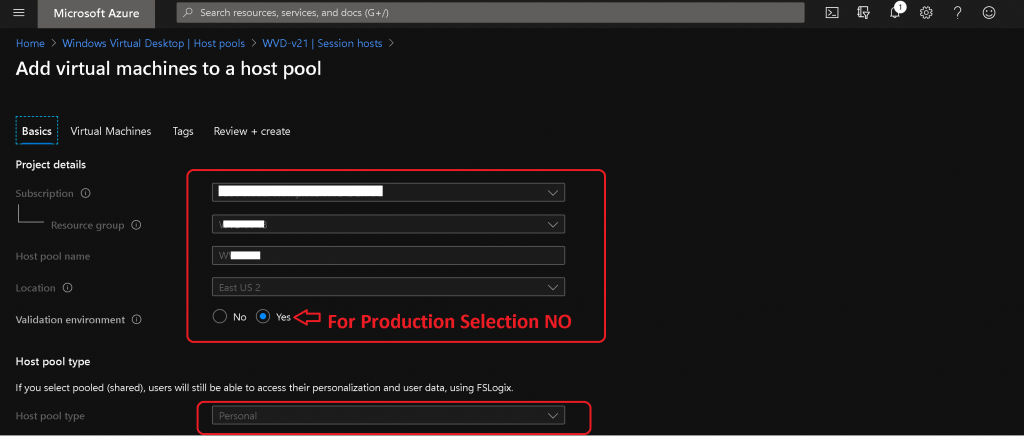
Change the validation environment option from Yes to NO if an AVD VM is deployed to production users.
NOTE! – Most entries are automatically populated or inherited from the existing host pool configuration. You don’t have any option to change those entries.
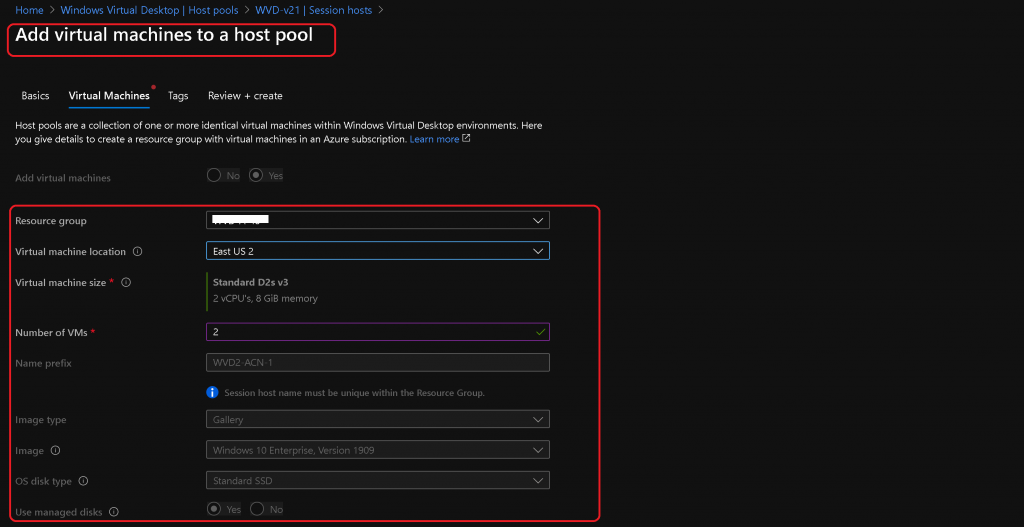
Virtual Machine Configuration for AVD
You have the option to change the following three things that you will need to take care of.
- Resource Group
- Virtual Machine Location
- Number of VMs
NOTE! – None of the other options are editable. Those are inherited automatically from the host pool setting.
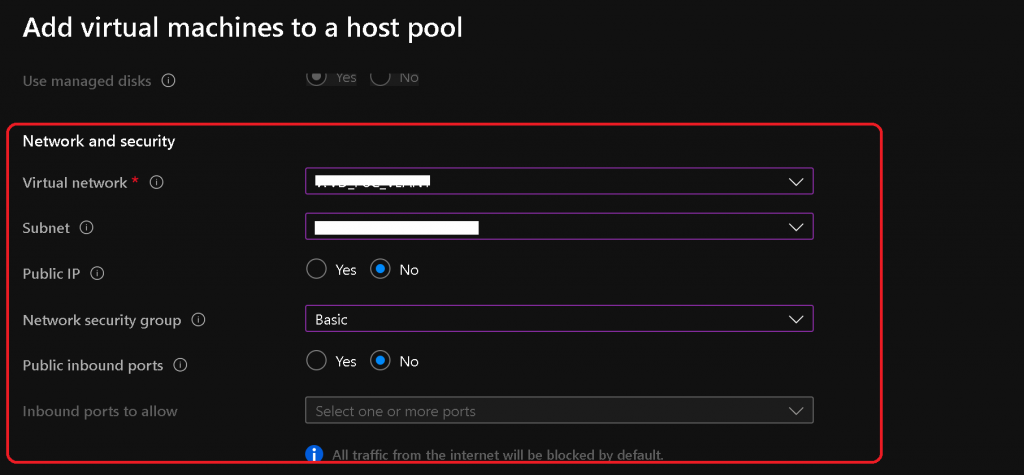
Network & Security
- Select a Virtual network: Virtual networks are logically isolated in Azure. Like a traditional network in your data centre, you can configure their IP address ranges, subnets, route tables, gateways, and security settings. By default, virtual machines in the same virtual network can access each other.
- Select A subnet. This is a range of IP addresses in your virtual network, which can be used to isolate virtual machines from each other or the Internet.
- Public IP = NO
- Select Network Security Group = Basic
- Public inbound ports = NO
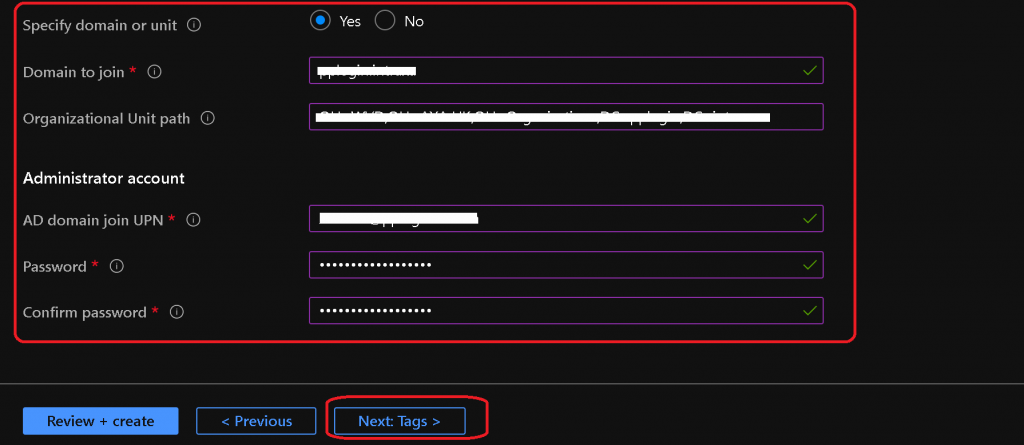
Domain Join Options
Enter the Full Domain FQDN – Full domain name of the Active Directory Domain to which session host VMs will be joined. For example, “contoso.com” or “site1.contoso.com”.
- Enter the OU path where VMs should be located in the on-prem active directory.
- Enter the administrative account details – This account must have access to join a device to the domain and the OU you mentioned above.
- Click on Next Tags to continue.
Click on Review + Create after reviewing the configuration.
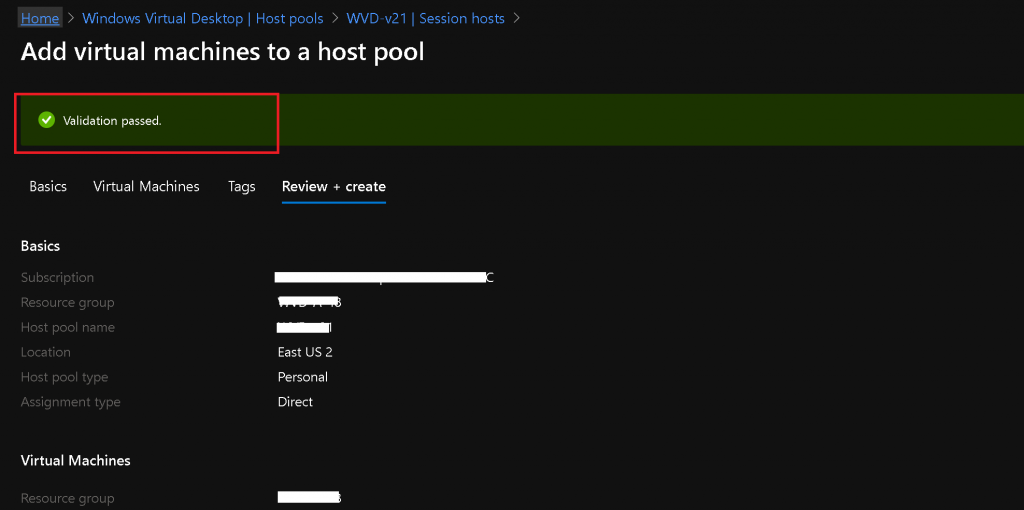
- Once Validation is passed, you can click on the Create option.
AVD Deployment Progress
Let’s wait until the AVD session host addition process finishes.
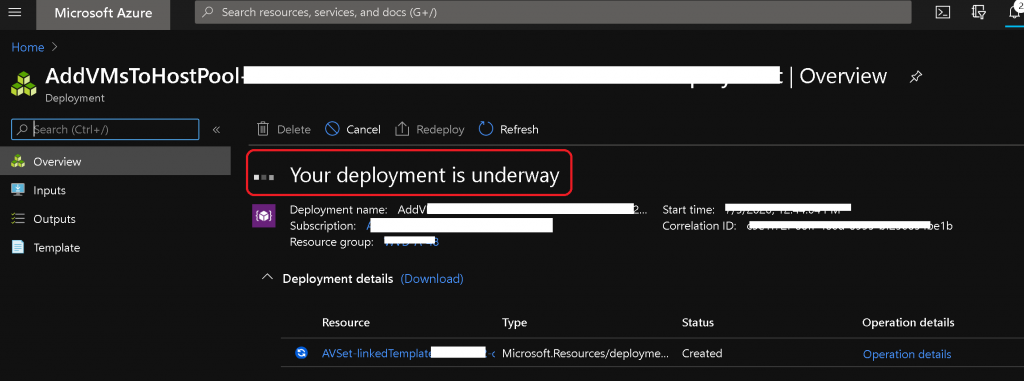
Results Deployment Operation Failed – AVD Deployment Failed
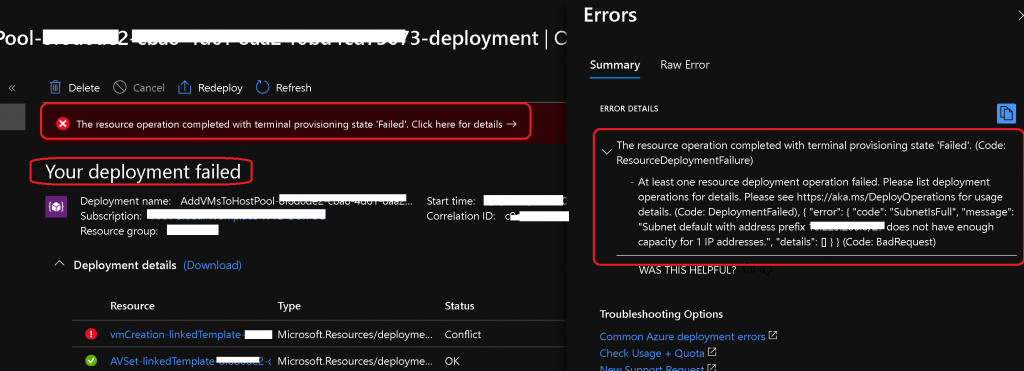
My deployment failed because of the following error. But there should be no issue if you have enough free IPs left in your subnet.
The resource operation is completed with the terminal provisioning state ‘Failed’. Click here for details- Your deployment failed.
Subnet default with address prefix 20.225.108.0/27 does not have enough capacity for 1 IP!
{"code":"DeploymentFailed","message":"At least one resource deployment operation failed. Please list deployment operations for details. Please see https://aka.ms/DeployOperations for usage details.","details":[{"code":"Conflict","message":"{\r\n \"status\": \"Failed\",\r\n \"error\": {\r\n \"code\": \"ResourceDeploymentFailure\",\r\n \"message\": \"The resource operation completed with terminal provisioning state 'Failed'.\",\r\n \"details\": [\r\n {\r\n \"code\": \"DeploymentFailed\",\r\n \"message\": \"At least one resource deployment operation failed. Please list deployment operations for details. Please see https://aka.ms/DeployOperations for usage details.\",\r\n \"details\": [\r\n {\r\n \"code\": \"BadRequest\",\r\n \"message\": \"{\\r\\n \\\"error\\\": {\\r\\n \\\"code\\\": \\\"SubnetIsFull\\\",\\r\\n \\\"message\\\": \\\"Subnet default with address prefix 20.225.108.0/27 does not have enough capacity for 1 IP addresses.\\\",\\r\\n \\\"details\\\": []\\r\\n }\\r\\n}\"\r\n }\r\n ]\r\n }\r\n ]\r\n }\r\n}"}]}NOTE! I think AVD v1 was better in these terms (IP availability). It won’t let you select a subnet if there are no free IPs available in that subnet.
FIX to AVD Deployment Operation Failed
Free up IPs, if possible, from the subnet (for test environments).
Use a different subnet where IPs are available.
Repeat the steps mentioned above or try AVD Add New Session Hosts to Existing Host Pool | Registration Key
Resources
- AVD Architecture Changes for v2 | New Portal Admin Experience
- AVD Management Using Visual Studio Code Instead of PowerShell ISE
- More WVD Guides – https://www.anoopcnair.com/avd/
We are on WhatsApp. To get the latest step-by-step guides and news updates, Join our Channel. Click here –HTMD WhatsApp.
Author
Anoop C Nair is Microsoft MVP! He is a Device Management Admin with more than 20 years of experience (calculation done in 2021) in IT. He is a Blogger, Speaker, and Local User Group HTMD Community leader. His primary focus is Device Management technologies like SCCM 2012, Current Branch, and Intune. He writes about ConfigMgr, Windows 11, Windows 10, Azure AD, Microsoft Intune, Windows 365, AVD, etc.




Discussion