






Azure Virtual Desktop RD Client Subscription Options for AVD | Remote Desktop Client for AVD
In this post, I will explain the end-user experience of RD client subscription options. We have different subscription options for various Azure Virtual Desktop versions/updates.
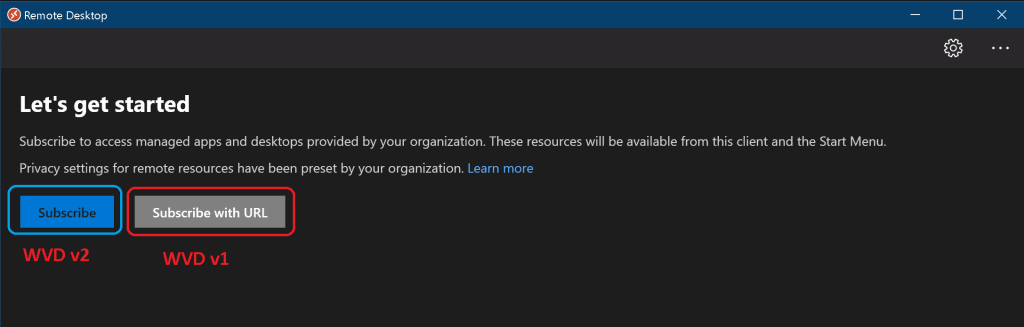
The default option (subscribe button) is an arm-based subscription for the AVD spring update. If you are an early adopter of AVD, you might have to inform the users of the correct options for RD client subscriptions. Otherwise, this will create many support tickets.
With Microsoft Remote Desktop clients, users can establish connections to Azure Virtual Desktop to access and manage desktops and applications assigned by their administrators. These clients are compatible with various devices across various platforms and form factors, including desktops, laptops, tablets, and smartphones.
Additionally, users can connect using a web browser on desktops and laptops without downloading or installing additional software.

The Cloud Group Policy method subscribes to AVD feeds -> AVD Auto Feed Registration Intune Policy Setup Default Connection URL Options.
- New Azure Virtual Desktop Client Microsoft Store App
- How to Deploy Remote Desktop Client using ConfigMgr | SCCM | WVD
- AVD Workspace URL | How to Use Microsoft Store Remote Desktop App | Azure Virtual Desktop Tips
| Index |
|---|
| RD Client Subscription Options for AVD |
| Results – AVD RD Client Subscription Options |
RD Client Subscription Options for AVD
When using a remote desktop, you can enhance your experience with features like multiple monitor support, custom display resolutions, dynamic scaling, device redirection, and Microsoft Teams optimizations. It’s vital to check which features are available with specific clients when connecting to Azure Virtual Desktop.
I have a post about Installing and Subscribing to Windows RD Client for AVD End User Step-by-Step Guide. However, the end-user experience changed with the release of the new AVD experience (a.k.a AVD v2 spring 2020 release).
NOTE! – There are two ways you can subscribe to a Workspace. The RD client can try to discover the resources available to you from your work or school account. The other option is to specify your resources’ URLs for cases where the client cannot find them.
Once the RD client is installed, the users shall get two options:
- Subscribe
- Subscribe with URL
- For the Non-ARM version of AVD, the user must click on Subscribe with URL.
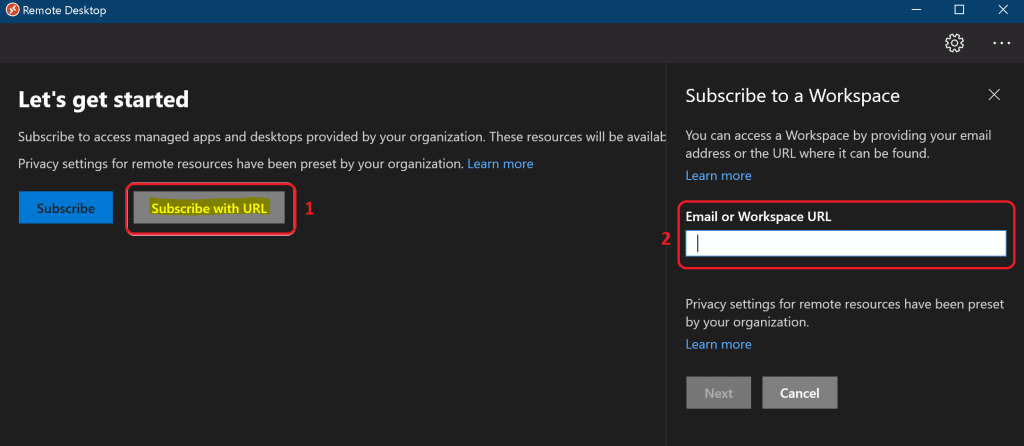
Copy the Workspace URL for AVD v1 (Windows Virtual Desktop Fall 2019).
https://rdweb.wvd.microsoft.com/api/feeddiscovery/webfeeddiscovery.aspx
- Paste the above URL to the Email or Workspace URL box.
NOTE! – User the following URL for AVD Azure Virtual Desktop Spring 2020: https://rdweb.wvd.microsoft.com/api/arm/feeddiscovery. This is required in a particular scenario where your subscribe option is working.
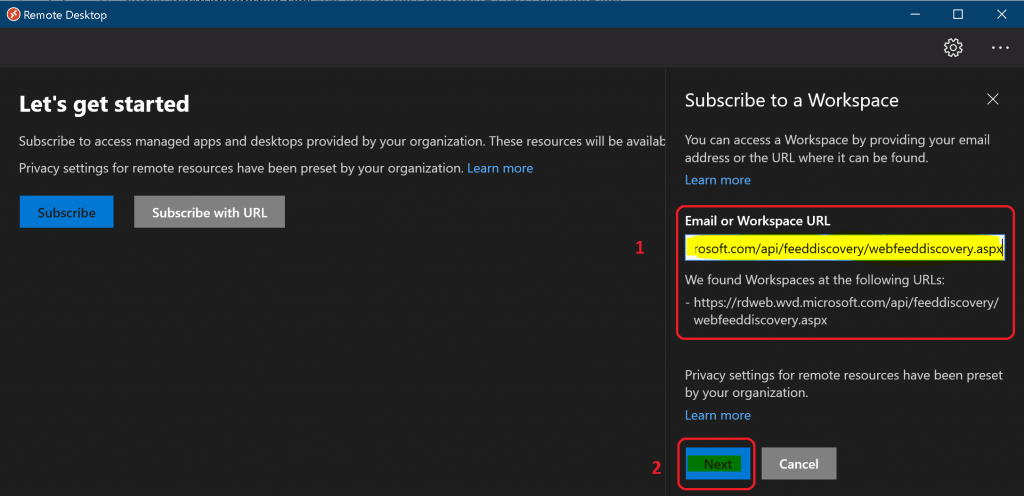
Click on the Next button. Wait until you get a message
We found workspaces at the following URLs.
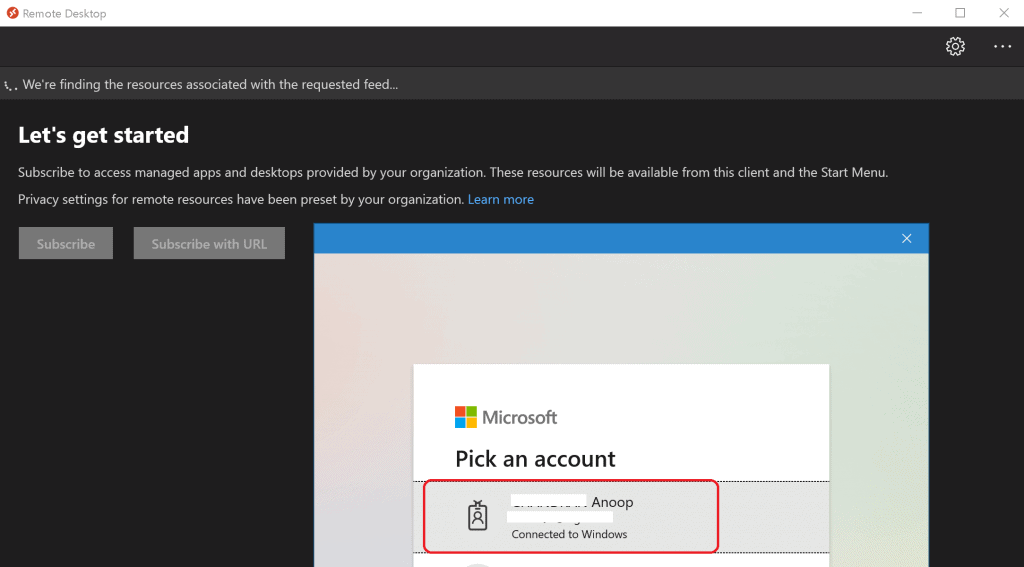
Enter the Azure AD User Name and Password.
Results – AVD RD Client Subscription Options
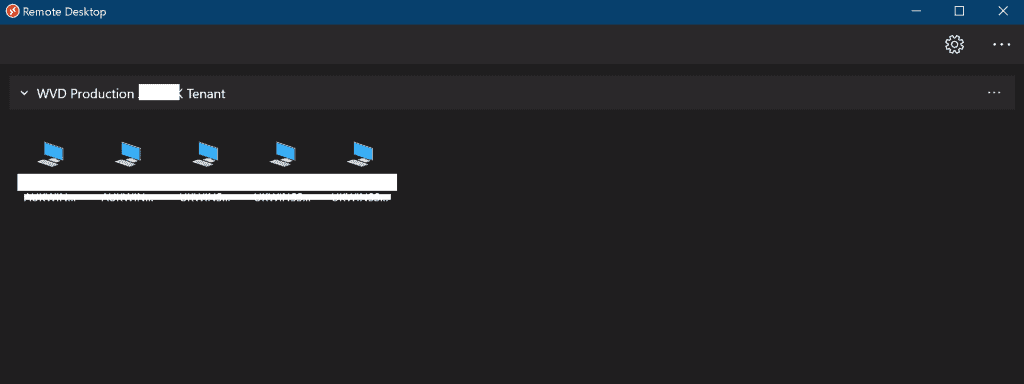
Your WVD VMs are available for you now! The Azure Virtual Desktop RD Client Subscription is completed.
Resources
- Install & Subscribe Windows RD Client for AVD End User Step-by-Step Guide
- AVD v2 Architecture Spring 2020 release Architecture
We are on WhatsApp. To get the latest step-by-step guides and news updates, Join our Channel. Click here –HTMD WhatsApp.
Author
Anoop C Nair is Microsoft MVP! He is a Device Management Admin with more than 20 years of experience (calculation done in 2021) in IT. He is a Blogger, Speaker, and Local User Group HTMD Community leader. His primary focus is Device Management technologies like SCCM 2012, Current Branch, and Intune. He writes about ConfigMgr, Windows 11, Windows 10, Azure AD, Microsoft Intune, Windows 365, AVD, etc.




Anoop, thanks for the post. Would you please provide on how to perform auto subscribe to a workspace using a registry or group policy option? We do not have MDM solution yet.
Thank you