






Key Differences between Copilot Chat in Microsoft 365 and Paid Copilot License
Hey there, let’s discuss about the Key Differences between Copilot Chat in Microsoft 365 and Paid Copilot License. We all know that Microsoft Copilot is an advanced generative AI-powered chatbot created by Microsoft, designed to assist users with a wide range of tasks and interactions.
Copilot Chat included with Microsoft 365 is limited in its functions to the Microsoft 365 ecosystem and may not include advanced AI capabilities or customization options. This version is ideal for users who need general support within the Microsoft 365 suite without requiring specialized or advanced features.
On the other hand, a paid Copilot license offers a more comprehensive and advanced AI experience. It unlocks enhanced capabilities, such as deeper integration with third-party applications, advanced data analysis, and industry-specific tools tailored to business needs.
The main difference between Copilot Chat included with Microsoft 365 and a paid Copilot license lies in the scope of features, functionality, and access to advanced capabilities.We are going to discuss more about this in our blog post.

Table of Contents
What are the Key Benefits of a Paid Copilot License?
This license is aimed at businesses, enterprises, or users who require more advanced tools for productivity, data analysis, and workflow automation.
1. Advanced Functionality
2. Customization
3. Scalability
4. Priority Support
5.Expanded Use Cases
Key Differences between Copilot Chat in Microsoft 365 and Paid Copilot License
Paid Copilot license is designed for users or organizations that need more powerful, customizable, and scalable AI tools to drive productivity and innovation. briefly, we can say while Copilot Chat in Microsoft 365 is a built-in feature for general productivity, and paid Copilot license unlocks more advanced, tailored, and comprehensive AI-driven solutions.
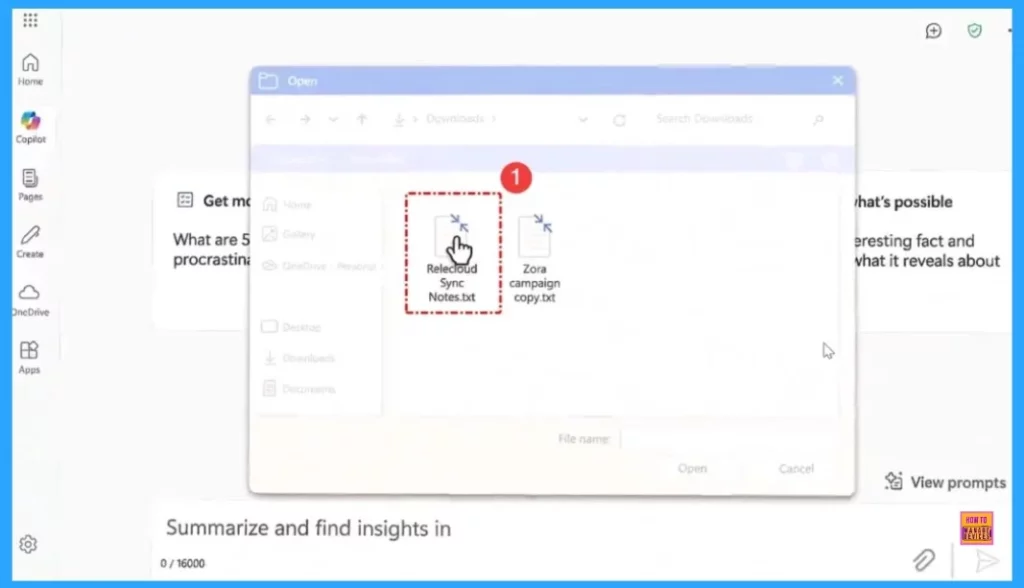
- You need to upload files into a prompt in order for it to reason over your work information.
- M365 Copilot Now Available for All Introducing the Free Copilot Chat License and Consumption Offering
- Copilot with Endpoint Privilege Manager to Identify Potential Elevation Risks using Intune
- New Copilot Excel Table Feature Simplify and Transform Data Analysis
Copilot is designed to boost efficiency and minimize repetitive tasks for users. However, its functionality is generally limited to the Microsoft 365 ecosystem and may not include the advanced features or customization options available with a paid Copilot license.
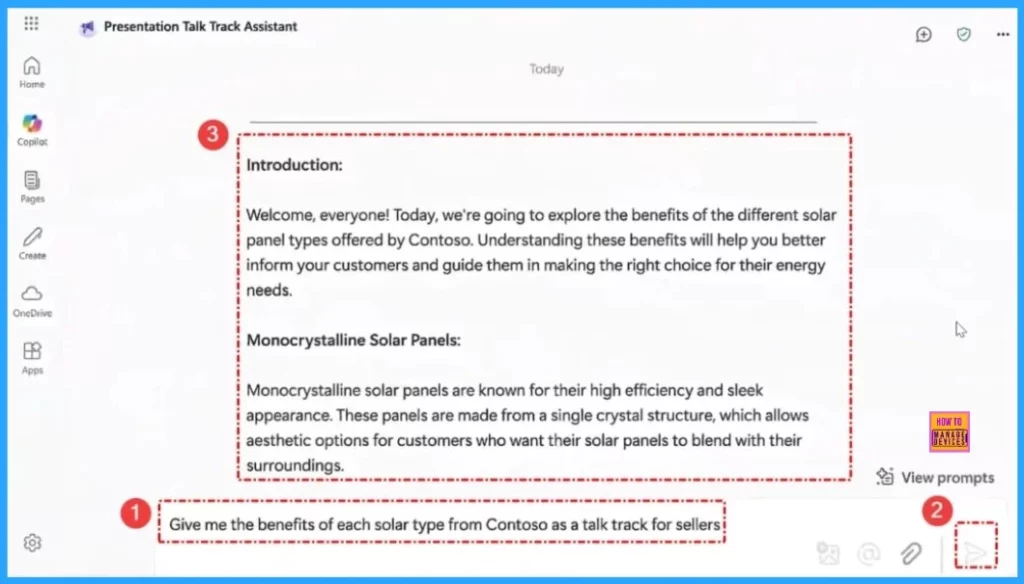
We need to enter a prompt in our copilot chat. If you are building an agent, those can be directed to work information as a knowledge source.
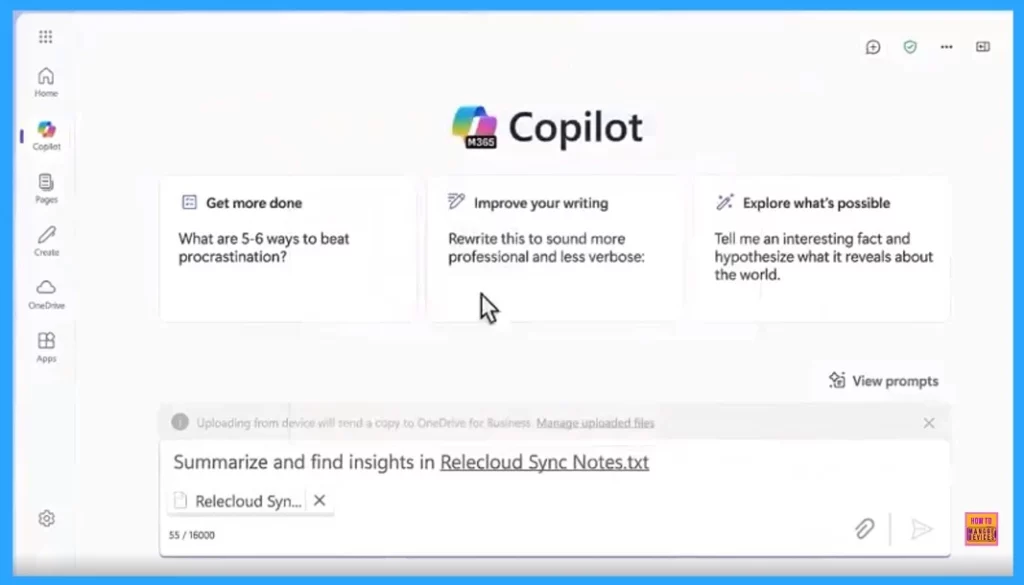
On the other hand, with a Microsoft 365 Copilot licence work information that you have access directly retrieved from SharePoint, Onedrive, Teams, email and calender via the Microsoft Graph.
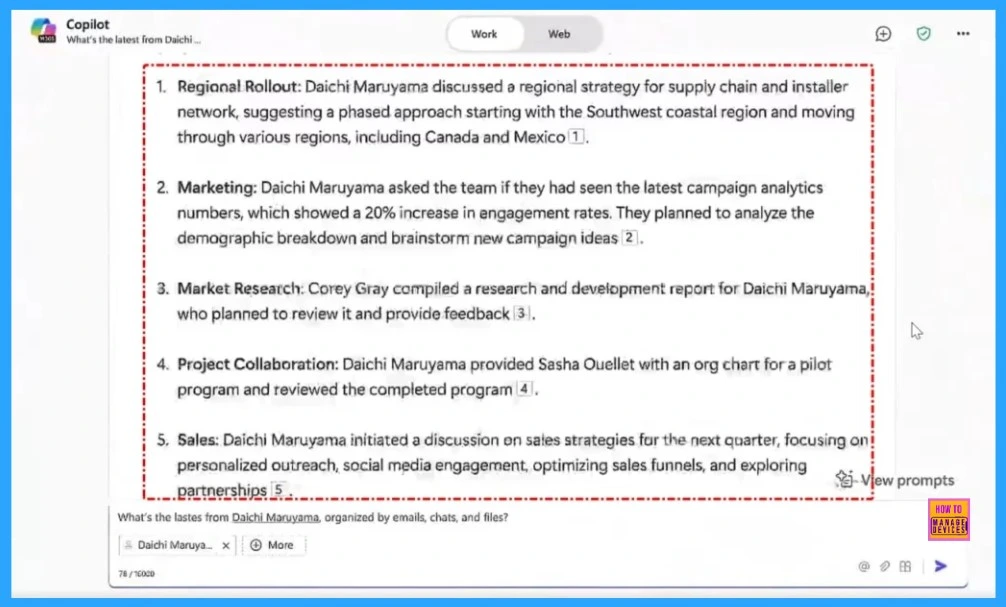
If we click or upload a file in the copilot chat we can see three option Prep for that meeting Stay informed and chat up fast. When we click on “Stay informed” section we will get detailed information.
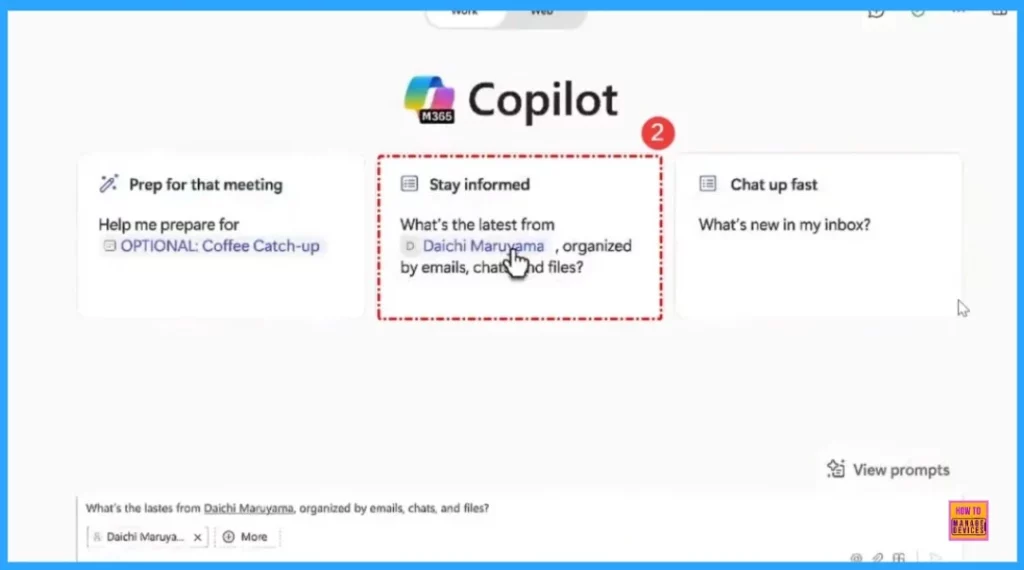
Detailed information of the commant will shown in screen. Those are Regional Rollout, Marketing, Market research, Project collaboration and sales.
Copilot uses the Microsoft Graph API to securely access and retrieve work-related information from your Microsoft 365 apps, such as:
- SharePoint: Documents, files, and collaboration data.
- OneDrive: Personal files and folders stored in the cloud.
- Teams: Chat history, meeting notes, and team collaboration data.
- Email and Calendar: Messages, appointments, and scheduling information from Outlook.
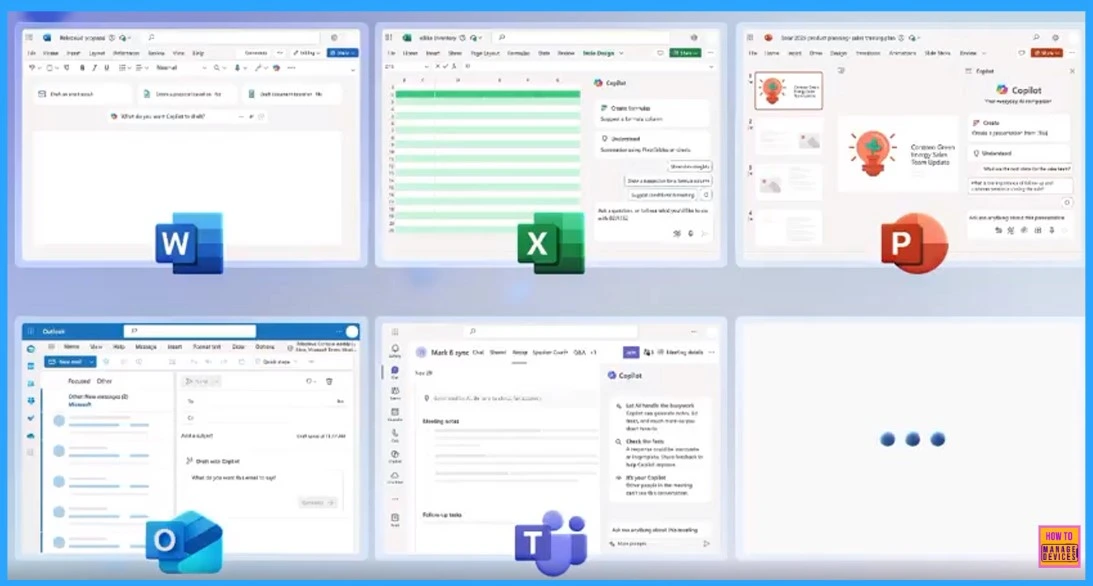
A Microsoft 365 Copilot license provides an integrated, in-context Copilot experience across Microsoft 365 apps. Additionally, you can create custom agents that utilize Microsoft 365 knowledge sources.
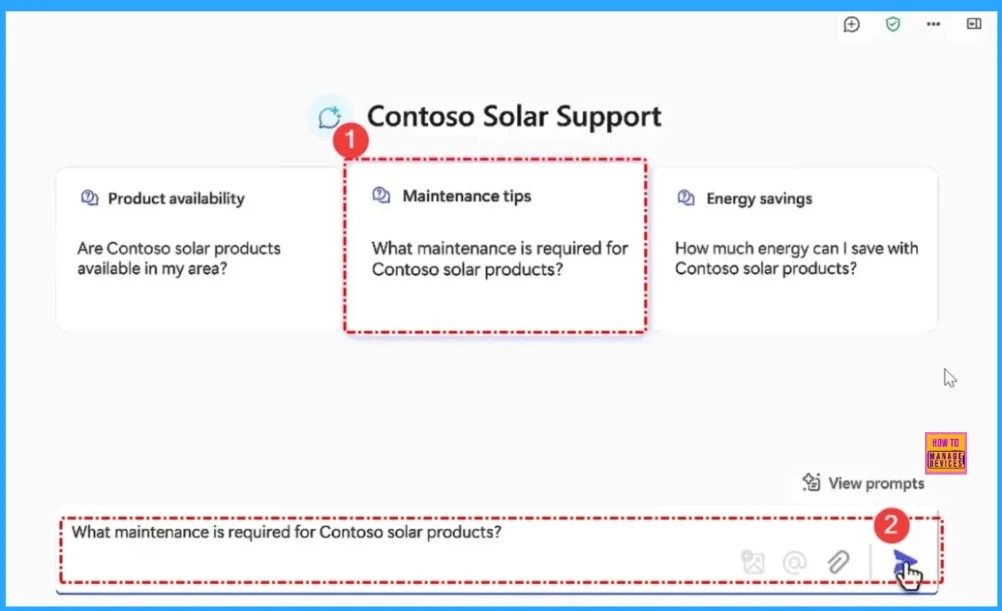
These capabilities are included as part of the flat-rate Microsoft 365 Copilot license, offering a comprehensive and seamless AI-driven experience. It can provide significant value by improving efficiency and decision-making. It adheres to Microsoft’s strict security and compliance standards, ensuring your data is protected.
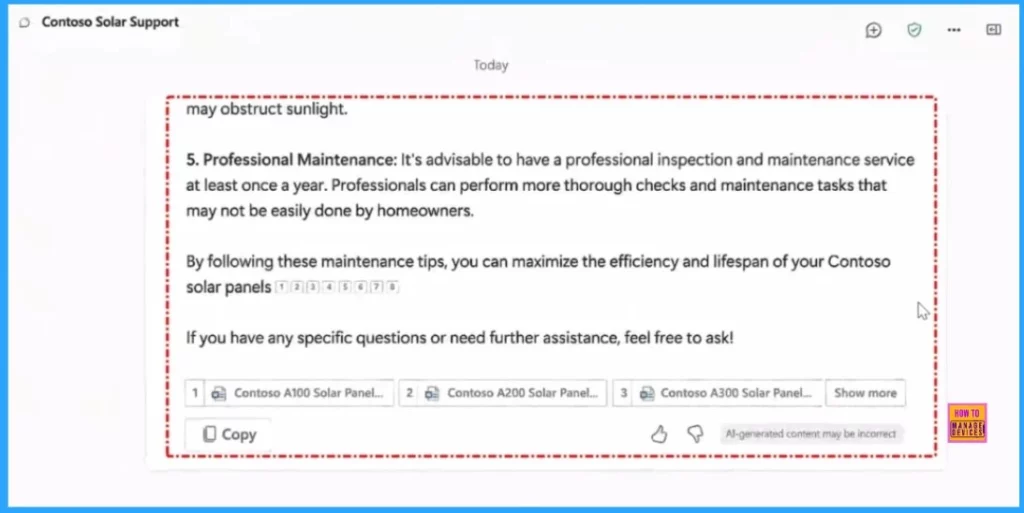
Unlock Advanced AI with a Paid Copilot License
A paid Copilot license provides access to advanced AI capabilities and features beyond the basic functionality included with Microsoft 365. This license is designed for businesses, enterprises, or users who require more Advanced tools.
| Features | Details |
|---|---|
| Advanced AI Functionality | Access to more powerful AI tools, such as deeper data analysis, predictive insights, and advanced automation. |
| Third-Party Integrations | Seamless integration with external applications and services. |
| Customization | Tailored solutions to meet specific business needs, including industry-specific workflows and personalized AI models. |
| Scalability | Support for larger teams and organizations, enabling widespread deployment and collaboration. |
| Priority Support | Dedicated customer service and technical support for faster issue resolution and optimization. |
| Expanded Use Cases | Ability to handle complex scenarios, such as enterprise-level decision-making, advanced data processing, and specialized automation. |
Need Further Assistance or Have Technical Questions?
Join the LinkedIn Page and Telegram group to get the latest step-by-step guides and news updates. Join our Meetup Page to participate in User group meetings. Also, Join the WhatsApp Community to get the latest news on Microsoft Technologies. We are there on Reddit as well.
Resources
LinkedIn post of Christiaan Brinkhoff
Author
Anoop C Nair has been Microsoft MVP for 10 consecutive years from 2015 onwards. He is a Workplace Solution Architect with more than 22+ years of experience in Workplace technologies. He is a Blogger, Speaker, and Local User Group Community leader. His primary focus is on Device Management technologies like SCCM and Intune. He writes about technologies like Intune, SCCM, Windows, Cloud PC, Windows, Entra, Microsoft Security, Career, etc.



Discussion