






How to Resolve Issue on Hybrid Entra ID Device Stuck in Pending During Intune Enrollment
Let’s discuss How to Resolve Issue on Hybrid Entra ID Device Stuck in Pending During Intune Enrollment. Microsoft Intune Admins affected by an issue while onboarding devices with Microsoft Intune. When the Admin working on onboarding multiple devices to Intune automatically issue is occurred.
The Admin was created a group containing all relevant users and devices, which has been targeted in the Intune automatic enrolment scope. Due to this issue, authentication failures occurred. Also conditional access breakdown occurred.
As you know that Primary Refresh Tokens are essential for Single Sign-On (SSO). While Device is pending, SSO is not working. SSO authentication method helps to access multiple applications or services for users. Like this several after effects happened.
In this blog post I would like to share more about Issue on Hybrid Entra ID Device Stuck in Pending During Intune Enrollment. Also I will share, reasons, and resolutions of this issue. If you affected with thid issue, this blog post will guide you.

Table of Contents
How to Resolve Issue on Hybrid Entra ID Device Stuck in Pending During Intune Enrollment
As mentioned above, this issue occurs after, onboarding multiple devices. While the initial testing with just two users was successful (one of those devices took 3-4 days to complete this process of consolidating the two objects from Entra Registered to Hybrid Joined).
| Wider Deployment Issue |
|---|
| Expanding the scope to include all users has led to issues. Although all devices are synced to Entra ID via Entra Connect, many device objects are now stuck in a pending state specifically, they’re not progressing from “Entra Registered” to “Entra Hybrid Joined“. |
- Troubleshoot and Fix Issue in Duplicate Device Records in Entra ID During Autopilot Hybrid Join
- How to Resolve Error 0x80070017 on Autopilot Device Setup in Intune
- Beginners Guide Setup Windows Autopilot Deployment
After Effects of this Issue
When this issue occurred, the Admin is confused due to taking for this task normal or not. Also Admins very keen to understand what’s going on behind the scenes as one of the test devices also had the same issue and succeeded after 3-4 days.
- When the Device may fail to enrol in Intune policy deployment, app installations are prevented.
- Treats occurring are increased
- Microsoft Entra Device Inventory may mislead

Workarounds
To resolve this issue, you can take several steps in your organisation. Each of the methods should try in your organisation to resolve the issue. The following are resolution steps.
Reboot the Device
You can reboot the affected devices to resolve the issue. It helps to triggers the scheduled task responsible for device registration.
Check Network Connectivity
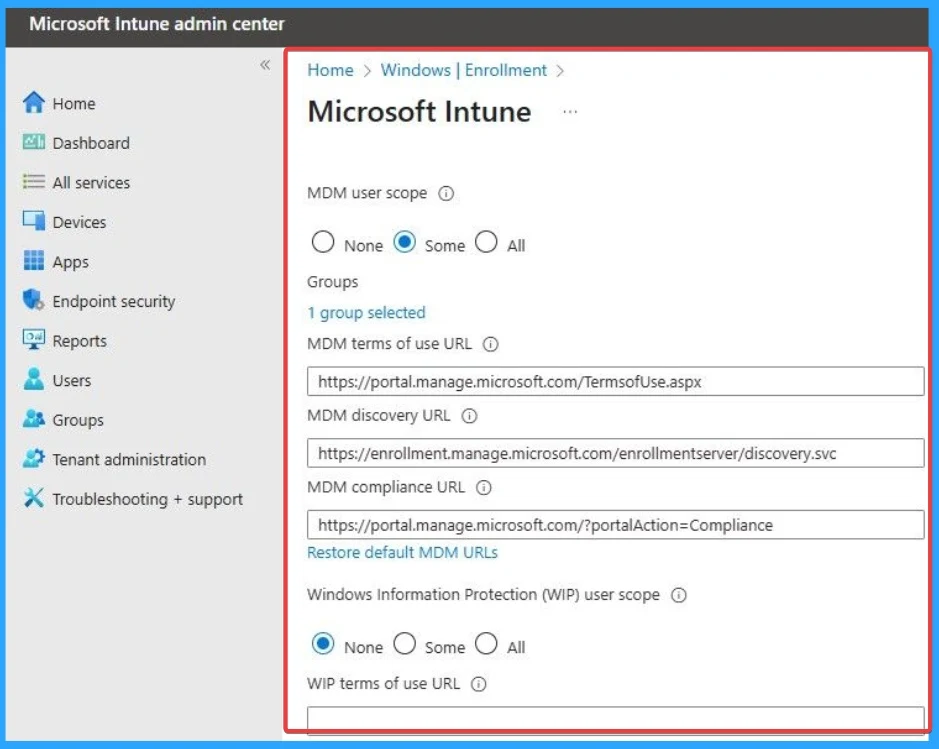
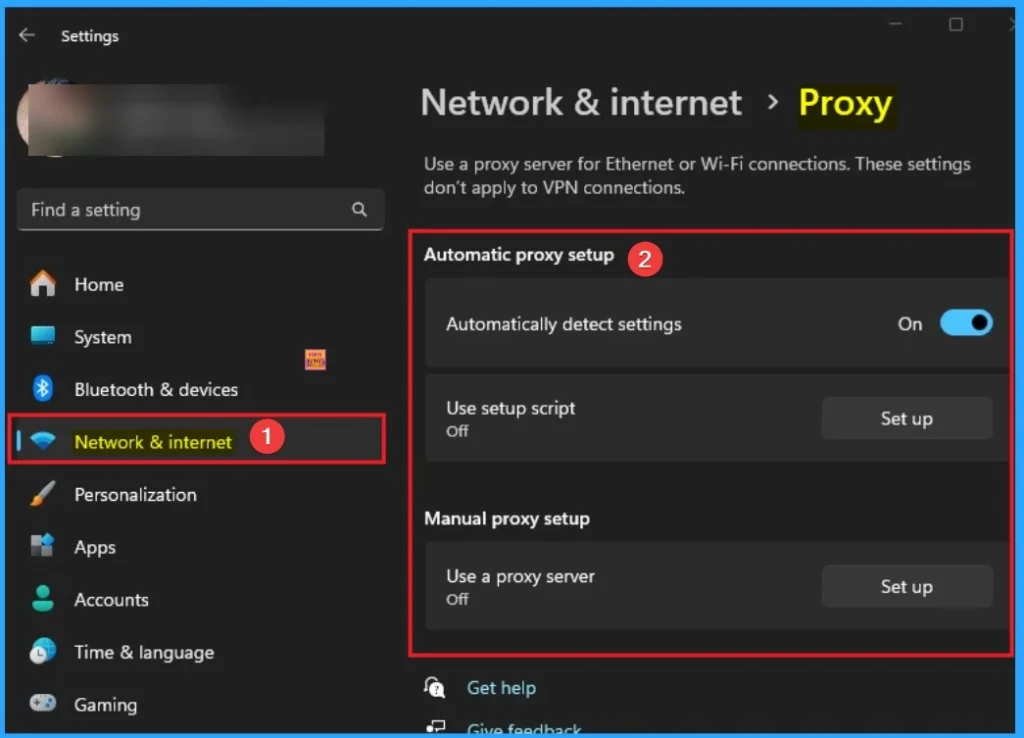
Network issues is one of the main issue affecting users and may issues occur due to this. Here also, Network Connectivity is an issue. You should ensure the device can reach the Entra registration service. Validate proxy settings, firewall rules, and DNS resolution.
Need Further Assistance or Have Technical Questions?
Join the LinkedIn Page and Telegram group to get the latest step-by-step guides and news updates. Join our Meetup Page to participate in User group meetings. Also, Join the WhatsApp Community to get the latest news on Microsoft Technologies. We are there on Reddit as well.
Author
Anoop C Nair has been Microsoft MVP for 10 consecutive years from 2015 onwards. He is a Workplace Solution Architect with more than 22+ years of experience in Workplace technologies. He is a Blogger, Speaker, and Local User Group Community leader. His primary focus is on Device Management technologies like SCCM and Intune. He writes about technologies like Intune, SCCM, Windows, Cloud PC, Windows, Entra, Microsoft Security, Career, etc.




Discussion